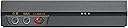
🎶 Elevate your audio game—hear what you’ve been missing!
The Creative Sound Blaster E5 is a portable, high-resolution USB DAC and headphone amplifier featuring a 120dB signal-to-noise ratio and support for 24-bit/192kHz audio. Its powerful 600 ohm amp drives any headphones with studio-grade clarity, while Bluetooth with NFC enables seamless wireless streaming. The device includes a customizable SBX Pro Studio suite for enhanced audio realism and dual built-in microphones for high-quality recording. Multiple analog and digital I/O options make it a versatile companion for audiophiles and professionals on the move.


| ASIN | B00MXJYDUO |
| Brand | Creative |
| Brand Name | Creative |
| Customer Reviews | 3.9 out of 5 stars 797 Reviews |
| Global Trade Identification Number | 00054651185609 |
| Interface | USB |
| Interface Type | USB |
| Item Height | 2.95 inches |
| Item Weight | 16 ounces |
| Manufacturer | Creative |
| Number of Channels | 2 |
| Number of Pins | 27 |
| UPC | 801947357079 054651185609 809395441944 |
| Unit Count | 1 Count |
L**A
Creative Sound Blaster E1: A Keeper
Evaluation of the Creativelabs Sound Blaster E1 For several years I have bought many devices manufactured by Creativelabs. As a musician and computer tech guy I have also helped to set up several of their products for family, friends, and coworkers. The Sound Blaster E1 is a must have device for several groups of users. The designers and support staff are to be commended for its versatility. My intention was to use it as a headphone amplifier to boost the volume of my volume hungry, low sensitivity AKG headphones. Initially I had my doubts but I WAS WRONG. This device offers many things for many different target groups. And the sound clarity of both the output and internal mic are exceptional. So read on! Since I’m not a sales person I thought I would first tell you about what its minor issues have been for me and the work-arounds. Don’t be afraid of this device because there are 2 small issues. It’s actually a cool device with several features. No sense both of use dealing with the same problems when one of us already has (that would be me). I will provide you with the solutions. Issue One: Following the “In Box” Instructions The included “In Box” Sound Blaster E1 Guide can be confusing for some. (It doesn’t say “Quick Guide” but that’s really what it is.) There is a far better detailed guide online which I will direct you to a little later. Frequently a newly manufactured device requires drivers that are not yet available and require the included software to be installed first. The software that the included guide directs you to download and install will not install unless you first install the device. The guide does not specifically tell the user what the correct steps are to install this device so read on. Solution One: This is the correct way to install the E1 device: 1. Out of box the device is turned off. Orient yourself to the power switch and where the power “On” position is located (forward towards the tiny LED light.) You are advised to plug the E1 into a USB port in order to charge the internal battery and its first full charge may take as long as 8 hours. I found it took far less than that. 2. Make sure your computer is connected to the internet because Windows will need to remotely find and install the updated driver. 3. Plug the E1 into your computers USB port (probably better that you avoid plugging the cable into a USB hub since problems can occur.) 4. Slide the power switch to the “On” position. 5. In Windows OS the driver will be found online and installed. Be patient, for me this took a couple of minutes. 6. Go to www.Creative.com/support , find the E1 under the Sound Blaster category. Then download to your hard drive the “Sound Blaster E1 Software Pack” for your OS. 7. I suggest you also scroll up to the top of the page and to the right of the picture of the E1, click on and download the “Quick Start User Guide.” With 49 pages this guide is very helpful and a lot more than a “Quick Start” User Guide. Remember once it loads to your browser you must then manually save it to your hard drive. 8. With the E1 connected and on, install the software. When completed you will need to restart your computer. So there you go! Issue Two: No separate volume control for each of the two headphone inputs Solution for Problem Two: Make sure that the two sets of headphones you use have the same input sensitivity which is a fancy word for use the same earbud type headphones or the same brand and model of headphones. In other words hook them up and test to see if they are both outputting the same volume. Important observation # 1: The software is pretty cool with several adjustments that can be made. Of course the only way you can benefit from the settings found in the E1 SBX Control Panel (the software you installed) is to connect the device to a USB port in your computer. The manual that I suggested you download explains all the features quite well. I listened to both a DVD of an action scene from the Hobbit and a live recording of a band I made with an HD camera at 24bit 96kHz audio. Under the SBX Studio Pro I liked the “Bass” boost and “Crystalizer” enhancements but not certain I like the “Surround” enhancement. Individual differences I guess. Also when you first install the software I noticed no sound and found that the volume was turned all the way down in the “Advanced Setting” section. It took me a few moments to troubleshoot that problem. Important observation # 2: Phone differences I’m not certain that the E1 meets the criteria for “hands free” and the manual does not state as such. This is probably because you can receive “hands free” calls but you cannot send “hands free” calls. The “Multifunction” button works differently on different phones. I have a Droid 4 while my wife has an iPhone. The Four-pole analog cable (included) works seamlessly with the iPhone. A call comes in; you press the “multi-function” button to answer the call and again to end the call. But with my Droid the input accommodates a three-pole cable. However something wonderful happens with the Droid and the E1. Inserting the 4-pole cable in my 3-pole Droid jack (remember cable will not go in all the way so don’t force it) and pressing the “multifunction” button briefly will put the Droid in and out of mic “mute” mode and slightly longer (like one second) answers and ends calls like the IPhone. Winner...Droid! Important observation # 3: When connecting the E1 to your computer via the supplied USB cable. While watching a video AND simultaneously tweaking with the settings of the SBX panel there is a slight stuttering of the sound. This may be specific to your computer’s processor once you make you adjustment the stuttering goes away. So what can you do with this device...really and practically? Actually it has several uses and I tried all of the below except the “gamer” features. • Let’s say you’re on a plane and you and that special person are sitting close to each other (Is there any other way to sit when you ride coach?) You want to use your tablet or laptop to watch a movie together. You could get a stereo 1/8" splitter to listen to the sound but chances are the volume won’t be loud enough. The E1 will be able to boost the audio signal and you will both hear every word of that movie. • If you’re like me and have a studio quality set of headphones you will need a headphone amp like this. • You are doing an aerobic workout at the gym and use your iPhone to listen to tunes. You also need to answer whenever phone calls come in. With the push of the multifunction button, the music stops and the phone call begins until you push it again to end the call and the music resumes. Pretty nifty huh? Well it would be better if you could permit yourself to work out and get your calls afterwards but I guess next life. • You are outside at Starbuck’s and talking to you mom on Skype (like that will happen.) You don’t want everyone to hear you or listen in on you and your mother’s conversion. Don’t worry, the E1 has you covered. The clarity is impressive even using the internal mic on the device. • You are a musician laying a keyboard track and another musician has plugged in a different instrument so they can lay a second track on your multi track software like Cubase, Acid Pro, or several others. Both of you need a set of headphones. This will do it for you. Remember the headphones need to have the same sensitivity value. • I’m not a “gamer,” but from what I can tell this device will work great if you are a “gamer.” You can hook up your mic/phones headset with some pretty cool settings for added sound enhancements. • You want to be hands free to receive phone calls. The E1 can handle this too. • Finally there are several other recording features that can be done but that’s someone else’s turn. So, if any of the above features interest you, I would recommend this device.
J**A
Prepare (your ears) to be blown! Tested and compared.
NOTE FOR AMAZON NEWBIES: This review was written SPECIFICALLY for the E1. This was written before the release of E3 and WAAAY before E5. For some reason, Amazon allowed all three products to be in ONE product page. Don't blame, blame Amazon. Now, on to my review... TL;DR │ If you want to improve the clarity and acoustic volume of your smart device using a (wired) headset of your choice, then this might be for you. It makes listening to those cheap bundled earphones bearable, and I consider myself an audiophile. If you only want a USB solution for your PC, try the X-Fi Go! Pro (cheaper), or the Sound Blaster Recon3D (superior in every way). See bottom of review for ratings explanation. UPDATE: Added a note on the audio port for the mic near the bottom of review. --- The Creative Sound Blaster E1 is a decent sound processor for on the go. All other sound processors currently offered by Creative only uses the USB interface as input source, primarily for PC use (with the exception of Recon3D Sound Blaster, which works with PS3/PS4/XBOX360). Where the E1 really shines is that you can use an analog source input to it. This means that it will process and amplify sound from virtually any source that can output to a 3.5mm audio jack, including tablets and other smart devices. The problem though, is that you cannot set precise control on the Crystalizer and 3D/Surround components of the sound processor. Also, by not putting a more powerful sound processor like the current SoundCore3d chip (used on Recon3D/Z-series), I think Creative may have made a good decision since these chips will theoretically drain the battery faster. The first time you use this product with your device, make sure the volume is set low, or you will BLOW your ear drums (yep, it's amplified alright). WHAT I LIKE │ + │ + Solid, ultra light build, matte finish. Looks professional. + Smaller than I thought it would be (thus, more concealable and mobile). + Makes stock audio sound like junk. Crystalizer works like it should. + Mic input doubles as a sound output - so you can use two sets of speakers. WHAT I DON'T LIKE │ × │ × Not as good as I imagined it to be. SBX Pro is OK, not great. I say this as a PC user. × I wish there were more than one set of cables, with different lengths. × Non-removable belt clip WHY NOT WAIT FOR THE E3 │ ? │ ? SRP of $129. Not worth the Bluetooth addition, IMO. ? Worse battery life at 17 hours. With Bluetooth, it goes down to 8 hours. ? Bigger, wider, grayer. ? I am not a Bluetooth person, especially for audio. PACKAGE │ ✓ ✗ │ ✓ Sound Blaster E1 Unit ✓ USB 2.0 Cable (A Male to Micro B) ≈ 1m. / 3ft. ✓ 3.5mm audio cable - 4 pole jack (L,R, Mic, Ground) ≈ 1m. / 3ft. ✓ Instructions and warranty. That is all. ✗ No garbage, like a CD installer. ✗ Sadly, no freebies or spare parts too. ✗ No USB power adapter for those who want one. TEST HARDWARE Input│ PC USB Out (Full Software suite), PC Analog Stereo Out Output │ Creative Aurvana In-Ear3, Creative D100, Corsair Gaming Audio Series SP2500 Compared To │ Creative Sound Blaster Recon3D, Creative X-Fi Go!, Onboard audio (Intel H87 chipset) --- COMPARISON TO USB SOUND CARDS E1 compared to onboard audio │ E1 is obviously superior. E1 compared to X-Fi Go! │ Difference is very subtle. E1 amplifies just a bit more. E1 compared to Recon3D Sound Blaster │ Recon3D is superior in every way. Conclusion │ With crystalizer turned off, all sources sound the same on the speaker. Turned on, the X-Fi and E1 showed significant improvement, and Recon3D, well, sounded way better. Using the in-ear headphones, all sound cards offered amplified volume without crystalizer. With crystalizer, sound was noticeably cleaner and more "crystal" clear. Recon3D was even more clear. The surround/3D is different though. X-Fi was inferior, followed by the E1, and finally, Recon3D. The E1 sounded subtly better compared to the X-Fi. The E1 sounded bad compared to Recon3D but it gets the job done (better than none). Recommendation │ Get the X-Fi Go! Pro (X-Fi Sound Blaster + SBX Pro), which is cheaper. SBX Pro is the main processor of E1. Or, if money is no object, I would highly recommend getting the Sound Blaster Recon3D (or the Sound Blaster Recon3D Omega Wireless bundle). --- ABOUT THE AUDIO PORT: All documentations made by Creative claim that the mic/stereo combo port could be used only by EITHER a microphone OR a stereo device, and never mentioned anything about headsets. This is true, for some odd reason. It could have supported a TRRS plug. However, the E1 has a built-in mic, and that may work for some people in some cases. --- VERDICT: I highly recommend this product for those looking at a mobile audio solution. ★★★★☆ | 4 stars out of five. I know what I was getting when I ordered this product and it does not deserve a lower rating. However, there is also nothing extraordinary (no cool surprises). Questions? Hit the comments! This review is for the Creative Sound Blaster E1 , NOT the E3, the NOT E5.
A**X
Not a listening room experience but a relatively perfect utility piece. Very happy with it.
I purchased this to replace my car stereo, run a gamut of cans, and/or serve as a viable means to plug my phone etc. into p/a's, home theater, etc. Early reviews got hung up on battery life being reduced when connected via usb to smartphone because it charges the phone. The latest firmware allows turning off charging while connected via usb to smartphone. I consider myself an audiophile and although the stock sound isn't perfection- it is relatively neutral and detail and precision are there. I wouldn't make this my dac for a purpose listening room but as far as catch all dacs- it does the job perfectly. I liken the listening experience to modern car audio vs old school stuff like the sony c90. The c90 revealed music in a whole new way to a set of ears that were formerly busy trying to actually hear the spec differences in the brochure. This dac isn't going to be one of those earth shattering experiences, in fact the initial listen is a bit off-putting. It is easily rectified by tweaking settings and and enhancements. The stock "enhancement" things like bass enhancement and 'crystalizer' (whatever these are called in the UI, I can't recall at the moment) are pretty weak. (The bass enhancement deal is useful if you pull the 'crossover' setting down around 40hz in my opinion) No matter what I plug this thing into now, it just sounds great. Bluetooth audio is good too. Has plenty of gain on line level and drives all my headphones easily. At first the UI was a little buggy too but after the initial learning curve, I am very happy with it.
D**S
A Small Fix for Many Sound Problems...
1st, the E1 is a Jack-of-All-Trades, Master-of-None device. It's designed to be a headphone amp, amplified splitter, microphone, and portable sound card. It's adequate to good at all of these things, but not great at any of them. So, don't be expecting this little wonder to magically transform your El Cheapo headphones and crappy phone into a thumping sound system OR your laptop into a mobile recording studio. As a headphone amp I've tested this puppy with a number setups and it provides nominal to marginal improvements at best. These differences are most notable with mid-range gear, which makes sense. The system can only improve the input so much and push headphones to the edge of their capabilities. If you've spent about $50 to $100 on a set of headphones and have a cheap laptop or mid-range to quality phone or tablet that you just want to add some oomph to, then I can heartily recommend this. As a amplified multiplier its more than adequate. I can see this being very useful when needing to share a laptop to watch a movie or sharing tracks. I seriously wish it had an independent volume control for the second channel, but at the $35 price point, I really can't complain. Where the E1 truly shines, why I call it a little wonder, and the reason I gave it 5 stars, is when using it as a mobile sound card. I'm an avid Chromebook user. Sadly, the sound capabilities on most Chromebooks has been disappointing at best. It's transformed the listening experience on my Chromebook from a last resort (need to save batteries on the phone) to my preferred method of listening when working on the go. I plug it in via USB to my Acer C720P and it runs instantly. The sound is clear, crisp, no background hiss, good sound stage, and a surprising amount of frequency response. REMINDER: Turn the volume up on the tablet and down on the device for best experience. I'd have paid the $35 for this feature alone.
L**E
Underwhelming Clarity, Booming Bass
I got this product about half a week ago, have done pretty extensive tests both just listening in my spare time and while working to meet some crazy deadlines, and I'm honestly not completely sure how I feel about it. BUILD: Overall the build of it is fine, nothing really special. Although it is smaller than I thought it would be, it is an extremely awkward shape to put really anywhere on your person because of the clip. I understand the intent that came with the clip, however, it is for some reason, made out of cheaper, more breakable feeling plastic. On top of that, it's just a terrible clip in general. When clipped on or in your pocket , it doesn't stay at all and looks weird, and no matter how hard you try, most people will just look like a doofus with this strapped to their shirt, even if they could get it to stay for more than three seconds. Other than that, it has a play/pause button, a volume slider(in case you didn't know how to work a rocker or button on your device), a power switch, two aux outputs, and aux and micro USB inputs, which is all pretty standard. Also, I have had no problems with the battery at all, I'd say it lasts around 9-10 hours. ACCESSORIES: Now, I'm not sure I would call what came with it accessories, probably more necessities, and they're not great. It comes with one of the worst auxiliary cables I have ever laid eyes on, a decent micro USB cable, and a manual. This didn't really affect my rating though, because I was planning on replacing them anyway. SOUND QUALITY: And, if you're actually thinking about buying this, this is probably the part you want, and so here it is: overall, the sound quality is very just unimpressive. I guess my expectations were a little too high after reading all the crazy reviews on this thing, saying it very drastically improves sound quality. Well, I'll say right now that it really doesn't all that much. I tested this with several different sets of headphones, earbuds, earphones, both expensive and cheap, even some In-Ear-Monitors because I had some lying around, and my results varied extremely. Overall I was pretty underwhelmed with the results of most of these, but I will say that with my EQ on some bass boost settings, the CHEAPEST Skullcandy earphones will literally make your ears rattle, and surprisingly, it added bass to my IEMs. Really, I'd say that the only thing that actually got clearer or just had better sound quality was the cheap Skullcandies. However, if you're looking for extra bass, this will give it to you, which to me is a plus. FEATURES: Now, I'm not sure whether it's just because this is the older model or the cheaper model, but in terms of features, it doesn't really have any. It is literally just a better DAC than you probably have on your phone or many computers. No EQ settings, apps, programs, or dials to be seen, even though this company provides all of those things for almost every single one of their other products. In conclusion, I was very underwhelmed with the performance of this product, and just it as a whole. I don't really buy into the crazy reviews brought to the table for this product. It's not worth five stars, and it's not worth $50 in my honest opinion.
X**X
Well done Creative, youve made an amazing product
UPDATE 5/10 - having various issues which may or may not be the devices fault...and some issues that are the softwares fault...but the biggest issue is with customer service not replying to emails, or trouble tickets or anything else AT ALL - till i get some questions answered this will stay at 1 star UPDATE 5/11 - they replied - and the emails have been forwarded to their tech department..well see if the issues can be fixed the plethora of features this thing has are AMAZING, it makes listening to some TV shows and other things a night and day difference - hearing things you never did before..plus not having to fidget with the volume nob during commercials or during loud scenes...in FPS's it lets you hear where your enemies are, even on plain old stereo headsets...the bass boost again AMAZING...it also lets you listen to your bluetooth device+optical/line in audio+USB from PC or phone (tablet,phone,tv playing music or anything else) while your entertaining yourself with whatever you want from any of the other inputs...and you can pan each of those inputs to the left or right ear - and control each of the volumes and the master volume of the device(although the mixer feature is sadly lacking over the android application (possibly iOS as well) - hopefully theyll fix this) - this device also boasts an awesome recording setup, 3 mics with autosensing of orientation, filtering of background noise and various other 'fun' things that are just there for exactly that, fun...like making your voice sound like a deranged psychotic alien, but when these are properly tweaked i can be listening to my TV(on speakers) and doing voice chat with a friend and they cant hear it..but can hear me crystal clear. the device can also record from line in and microphone or 'what you hear' (stereo mix of sorts) and various other things...for the price and the fact this thing is USB and works with practically every device in every possible use scenario...you cant go wrong - now the only issue ive noticed is some distortion with the bass on some tracks/tv shows..but im pretty sure thats my v-moda headset - if you want a demo of some of the tech that this device offers go to Creatives youtube channel and load the 'Sound Blaster SBX Pro Studio Technologies' playlist and play them through your favorite headset - it wont be EXACTLY as good as the actual device but they try to show what the different features do and what you can expect
J**P
I no longer have heaphones I hate
Just received it today and I am loving it already. I am not an audiophile in anyway. I owned a few headphones: Beyerdynamic T1, HD650, ATH M50, UE TF10, Super 5 Pro, Harmon Kardon CL, BT, NC and Aony MDR-NC60, and a Sony earbud came with my notebook. I also own various kinds of headphone amps: Little Dot II with upgraded tubes, Fiio E17, E12 and E6. I hated UE TF10, Sony MDR-NC60 and the Sony earbud. The first thing I tried after receiving CSB E5 is to create a profile for my hated headphones. I can use EQ to adjust these headphones to my likings. The big surprise is my Sony Earbud(no model # on it at all), immediately after plugged in to E5, it bombarded my ears. It was very uninspiring when used with Z1190x, almost like WHAT a $5 earbud would produce. With E5 it is like a completely different league of headphone! I then used EQ to adjust Frequency Response and it is now sounds wonderful! I then EQ MDR-NC60 and UE TF10. Now they all sounded about the same although the analytic ability depends on the design of the headphone but they are now sounded as close to each other as possible. CSB E5 cannot do magic to the headphones but it can makeover the sounds headphones make! Now I have not hated headphones! I am now listening to Hill Song's Ocean. The highs are almost as clear as my T1 with Sony NC60 and EQ(to my surprise)! The sound stage is also widely expanded(with SBX turned off of course). For how much? When amped with Fiio, it sounds like sitting in my study room. When amped with CSB E5, it sounds like I am sitting in a big auditorium without echos. Like I told you before, I am not an audiophile, this is as close to my listening experience as possible. I have not tried my high end(high Impedance) headphones yet since I probably will not use E5 with these headphones anyway and I just received it for 4 hours. These headphones are too large to be portable but I believe they will sound as good. However, CSB E5 has its limitations. It amped too much to most of sensitive headphones. The above mentioned headphones all sound too loud when plugged in. I have to level -6B to be able to bear the volume. Now I am listing to 2 out of 100 on Windows 8.1's volume! And I am using low gain! I found the CSB E5 boosts bass a few db too much when compared with my Little Dot II, otherwise it is balanced. The highs are not harsh(but not as smooth) and the mids are a little recess. Other than these, it is perfect considering it is a "portable" headphone amp/bluetooth receiver. I cannot take Little Dot II to school but I can take E5 to school. When compared with Fiio amps. I would say E5 is better in anyway than Fiio's amps(all I have at this moment anyway, E17 is coarse when compared with CSB E5). Suggestions to Creative: 1. Add a LED display like Fiio E17 and allow users to change EQ profiles on the fly. Otherwise I have to plugin to a computer to change EQ, it is very annoying. 2. It is too loud for sensitive headphones! 3. Come on, we paid $200 and there is no carrying/protecting case in the box? It is a portable amp right? 4. I do not like the touch of E5 case, I like E17's case better. It feels like cheap plastic even though it is not plastic. Now you know what I mean. 5. Make it smaller. It is unnecessarily large. If it comes with a bigger battery then it is understandable. However, the battery is only 3200mah and drains with my android tablets why such a big body? 6. Make it round instead of hexagon. I understand the design for raising up with the included stand, but why? I can record when it is laying flat. I'll purchase again if all current features are kept with the ability to change EQ on the fly in the next release.
B**N
Remember when Creative was synonymous with quality? Granted, a lot won't know of that time, but it was true
It does and will make a difference in both the sound quality and the volume of your device.The latter being true only if your using usb and not Bluetooth. Bluetooth is Bluetooth. Neither of the two are spectacular, but the price isn't either. If all you want is Bluetooth, spend the money on the best set of Bluetooth headphones you can buy instead. It does what it's suppose to when used with a PC and IOS. Can't say the same for Android. OTG connectivity is almost non-existent. It has worked a few times, but only after uninstalling- reinstalling the TWO different apps for Android.the Google Play store is riddled with complaints. Creative does reply to them, but it doe so with a canned "Email technical support". My only other issues with the product are the one button does all idea and the flimsy volume knob. They, for some reason, decided that one button will control power on (quick press) Bluetooth pairing (~3 second press) and power off (~5 second press). Yep to turn it off you have to hold that button for a long time, every time. If you don't do it long enough you'll find the device in pairing mode. Do it too long... just to be safe... there is no loss, except of your time. Why not just look at the indicator LED to know when it's white (powered on), blue (paired), blinking blue and white (pairing mode) or off (off) while pressing the button? Cause some smart guy decided to put the light around the button your pressing and the light isn't strong enough to glow through your finger! Attention to detail... Otherwise, its a good option for a laptop or a all in one portable sound card. 2 stars mainly because they said it work through USB with Android and I disagree along with a lot of others.
Trustpilot
1 month ago
1 week ago