
DOWNLOAD THE APP


Customer Services
Copyright © 2025 Desertcart Holdings Limited
DOWNLOAD THE APP

🚀 Elevate Your Home Wi-Fi Game with Next-Gen Speed & Coverage
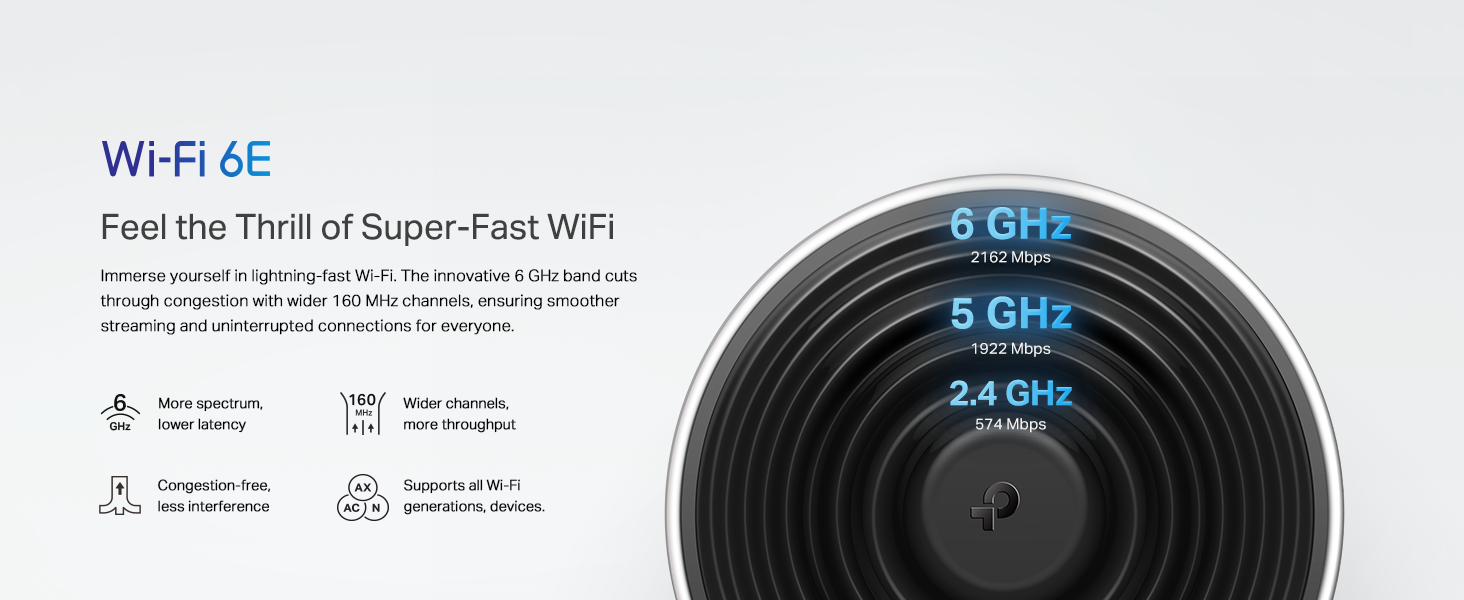
The TP-Link Deco XE70 Pro is a cutting-edge tri-band Wi-Fi 6E mesh router delivering up to 4.9 Gbps speeds and coverage for up to 2,900 sq. ft. It supports up to 200 devices simultaneously, features a 2.5 Gbps WAN/LAN port for ultra-fast wired connections, and uses AI-driven mesh technology for seamless roaming and optimized performance. Enhanced with robust security via HomeShield, it’s designed for large homes and smart device-heavy environments, ensuring future-proof, reliable connectivity.




| ASIN | B0CZ7LYHLG |
| Best Sellers Rank | #2,305 in Electronics ( See Top 100 in Electronics ) #16 in Whole Home & Mesh Wi-Fi Systems |
| Customer Reviews | 4.4 4.4 out of 5 stars (3,875) |
| Date First Available | March 27, 2024 |
| Item Weight | 1.08 pounds |
| Item model number | Deco XE70 Pro(1-pack) |
| Manufacturer | TP-Link |
| Product Dimensions | 4.1 x 4.1 x 6.7 inches |
C**C
Seamless Coverage, Lightning-Fast WiFi — Perfect for Large Homes
The TP-Link Deco XE75 Pro AXE5400 is an absolute game-changer for home WiFi. Setting it up was straightforward, and the app makes managing the network effortless. I immediately noticed a huge improvement in speed and coverage — it comfortably covers my entire home (can cover over 7,000 sq. ft.) with strong, consistent signals. The AI-driven mesh works seamlessly, automatically optimizing connections, and the addition of the 6GHz band really helps with high-bandwidth devices. The 2.5G WAN/LAN port is a fantastic bonus for anyone who wants ultra-fast wired connections. Replacing both my old router and extender with this system has simplified my network while delivering top-tier performance. If you’re looking for reliable, future-proof WiFi for a large home, this system is well worth it. Smooth streaming, fast downloads, and zero dead zones — highly recommended!
D**I
Solid Performance, But Coverage Depends on Your Home
The Deco XE75 Pro has been excellent. Setup was quick, the app is straightforward, and the coverage is strong and consistent across the house. Devices stay connected without drops, and speeds are solid even in formerly weak spots. It handles multiple users and smart home devices without a problem. It also works better than the Deco WiFi 7 in my experience, delivering more reliable performance overall. The range stays strong even about 50 feet away from the Deco unit, though in my experience it barely covers my 2000 sq ft townhome. Overall, it works great and does exactly what it promises, but coverage may vary depending on layout.
J**N
Worked Perfectly, Then Failed Completely.
Setup was a breeze — everything connected quickly and without hassle. Performance has been excellent, with speeds matching the advertised rates during real-world use. The system feels stable and responsive. The only downside is that the built-in speed test in the app isn’t very reliable, so it’s best to use an external test for accurate results. Overall, a solid performer and great value. (Update) The system worked perfectly for the first month, but then it suddenly started experiencing intermittent internet connection drops. I attempted to resolve the issue by performing multiple reboots and even resetting the system to its factory defaults, but unfortunately, none of these troubleshooting steps were successful. As a result, I have returned the unit.
P**N
A Good Mesh System. With Comments.
A difficult review to write, so as not to be misinterpreted. The Deco is a GOOD mesh system. Not superb, not even great in some aspects and features, but good, even very good (with comments). For background, I've set up home mesh systems with LinkSys, NetGear (Orbi) and ASUS previously. My current mesh system for this review includes 6 Deco XE75 Pro units (router + 5 satellites - more on that later) in a 3-story, 7k-ish sq ft home (wood and brick), plus outside and garage coverage for robot mowers, lights and cameras, with approximately 100 connected devices, on and off, on a Gigabit network. So not a small or even average network. The Deco competes with the prior systems mentioned. It's not the fastest, or the easiest to set up, or the most stable. It doesn't have the best app, or the best form-factor for the individual units. It's not the most intuitive to use. It's not the best looking interface for the user. So why, you ask, 4 stars? It IS the least expensive, equivalent mesh set up by far. It IS one of the most configurable - for the average user. And it IS fast - not the fastest - that crown goes to the Orbi (although NetGear's is the least stable in my experience). And just marginally faster than the ASUS WiFi 6 system. But fast - and adequately fast, everywhere, with no dead spots and sufficient coverage. Leading to the other observation. The Deco system will not cover your home with just 3 units if you have a large (6-7k sq ft or more) or complex home, in spite of advertising claims. It will - but not with anywhere close to the maximum speeds of your router. It just won't. Three units will cover a 4-5,000 sq foot home well, depending. So if you want full speed in your garage, or yard, or an isolated basement in a larger multi-story home, plan on buying another unit - or two. A bargain, but short of what TP-Link claims. Two units will probably cover a one-story flat floor plan with standard construction of 2-3,000 sq ft or less very well. For a small apartment as well, with possibly even just a router. So no real negatives as far as coverage - you just need enough nodes, and they're easy enough to add if your far signal is weak, and less expensive than additions for other systems. One significant positive - and negative - is configurability of the system. The app permits a fair range of ability to tweak and adjust the network, close to some of the other systems (ASUS is better, Orbi is superior). It just does it through a non-intuitive, sometimes cumbersome, and complex interface that may confuse even experienced users. And feedback from the app is less than informative, and often alarming - the system will pop up randomly with "can't find Deco" when it's just updating firmware, or forget the system manager (you) until you reinstall yourself. All the nodes will disconnect for some seconds, or minutes (in the app), but to all appearances remain connected just according to the green external LED and actual connectivity. So stability can be - at least in my brief use - not confidence-inspiring, although to be fair I haven't experienced any lengthy disconnects. Yet. But the app, and consequently your ability to manage your network on the fly, is a significant weak spot in this system. Coupled with the fact that it has no web interface - it's the app or nothing, unlike any of the other systems. Three stars - or less - for the app. The good news is that it is more or less a "set-and-forget" system once you get past the setup chore, and if you don't constantly fiddle with your network it appears to be again fairly stable and can be left on its own. Speeds are more than adequate for a 1G system, with downloads (usually) 600 Mbps and over even at the far reaches of your network, far from the router (with enough nodes), and approaching or at the full1G at the source. Setup was particularly challenging, probably because of the "unfinished" feel of the software, and the fact it took the best part of the afternoon to get the software to even recognize that an ethernet cable was connected - I'd rate it at the bottom as far as the systems mentioned for the average user (by comparison I had all of the other systems set up, installed and running within an hour). I consequently don't recommend this mesh system for first-timers, or inexperienced installers - which is paradoxical because more experienced users might like a better management interface and more ability to fine-tune the network. TP-Link does have available chat support, but of course you need an Internet (or mobile) connection to use it. Setup is probably the other big negative for this system, but you need to get through that to actually use the network. Software updates may improve that, so guarded optimism. As far as the app, other than the flexibility to modify and customize the network, it's probably at the bottom of the pack as well as far as user interface and intuitive design, another reason for inexperienced users to have pause. I'd rate software for mesh systems with ASUS first, then NetGear, LinkSys, and Deco in the caboose. Again, updates can improve that. Overall, the Deco system is a fast, stable (so far), bargain-priced mesh system worth considering if you have some confidence in your ability to navigate a quirky setup, to reach out to support, don't fiddle with the app a lot and are prepared to expand if needed. And don't mind a less polished or dependable user interface. I can recommend it with the above comments and observations.
L**O
Equipo mesh muy capaz, la facilidad con la que se configura me dejo muy satisfecho. Tengo una conexión simétrica y me entrega el 97-100% de velocidad en toda mi casa. Y la conexión de 6 ghz ayuda a navegar sin interferencia. Recomiendo ampliamente.
A**S
The TP-Link Deco mesh system has easily become one of my favorite upgrades in my entire home. I’m genuinely blown away by how stable, fast, and reliable it is. After dealing with weak spots, slow speeds, and constant frustration from older Wi-Fi setups, the difference with the Deco system is night and day. Setup was unbelievably simple, and once everything connected, the whole mesh basically optimized itself. What really impressed me is how consistent the speeds are across all three floors of my home. The basement, main floor, and upstairs all get fast, smooth performance, and even high-demand devices like my Apple TV 4K, Xbox, and iPhones all run flawlessly. It feels like I finally have the network my home always needed. The design is clean and modern, the app is extremely user-friendly, and I love being able to see which device is connected to which node at any time. The system just feels intelligent. It automatically manages the wireless backhaul, balances the load, and keeps everything running without me having to babysit it. On top of that, the Deco units stay cool and quiet, and the entire mesh handles heavy use without any drops or slowdowns. I can stream, game, run smart-home devices, watch 4K content, and do everything at once with zero issues. Overall, the Deco mesh system has been one of the best purchases I’ve made. It completely transformed my home network experience. Fast speeds, seamless coverage, great design, and excellent reliability. I’m extremely happy with it and would absolutely recommend it to anyone who wants a rock-solid Wi-Fi setup.
E**C
El producto vale totalmente su precio, el mejor mesh del mercado y lo mejor es que es Wifi 6E y si tienes un dispositivo compatible con este protocolo puedes acceder a la banda de 6Ghz, es fácil de configurar y las opciones que tiene para administrar la red son muy buenas. Lo recomiendo 100%.
D**I
5stars Fastest wifi mesh in d market with dedicated wifi6e backhaul. Wifi 6E is beast. Its better than even expensive deco’s flagship models. Fetches and gives full modem speed at every corner of house. My modem gave 650mbps download speed and same speed now i can get at every corner of my house, there is no speed drop between any deco mesh. Connectivity is perfect. Only remember to buy a separate cat8 lan wire for connecting ur modem to main Deco, as the lan wire provided in their bundle is of cheap quality and can’t transfer above 200mbps. : Dr. Dharmesh
N**R
Funciona muy bien, lo compré para actualizar el sistema anterior de Google de 2018… este sistema tiene mejor cobertura de la casa y la velocidad mejoró bastante en zonas de la planta baja (el router está en planta alta). Aunque el sistema operativo es propietario, se pueden configurar bastantes cosas a través de la app. Actualmente es bastante conocido el tema de que algunas agencias del gobierno norteamericano, están investigando a TP-link por su origen Chino, por lo que podrian en el futuro prohibir que se sigan vendiendo estos productos lo que en teoría también limitaría las actualizaciones de software. No hay nada definido aún
Trustpilot
1 day ago
2 months ago