We remain fully operational. Our teams are working around the clock to ensure your deliveries continue safely.

DOWNLOAD THE APP


Customer Services
Copyright © 2025 Desertcart Holdings Limited
DOWNLOAD THE APP


🚀 Compact Powerhouse: Small Size, Big Impact!
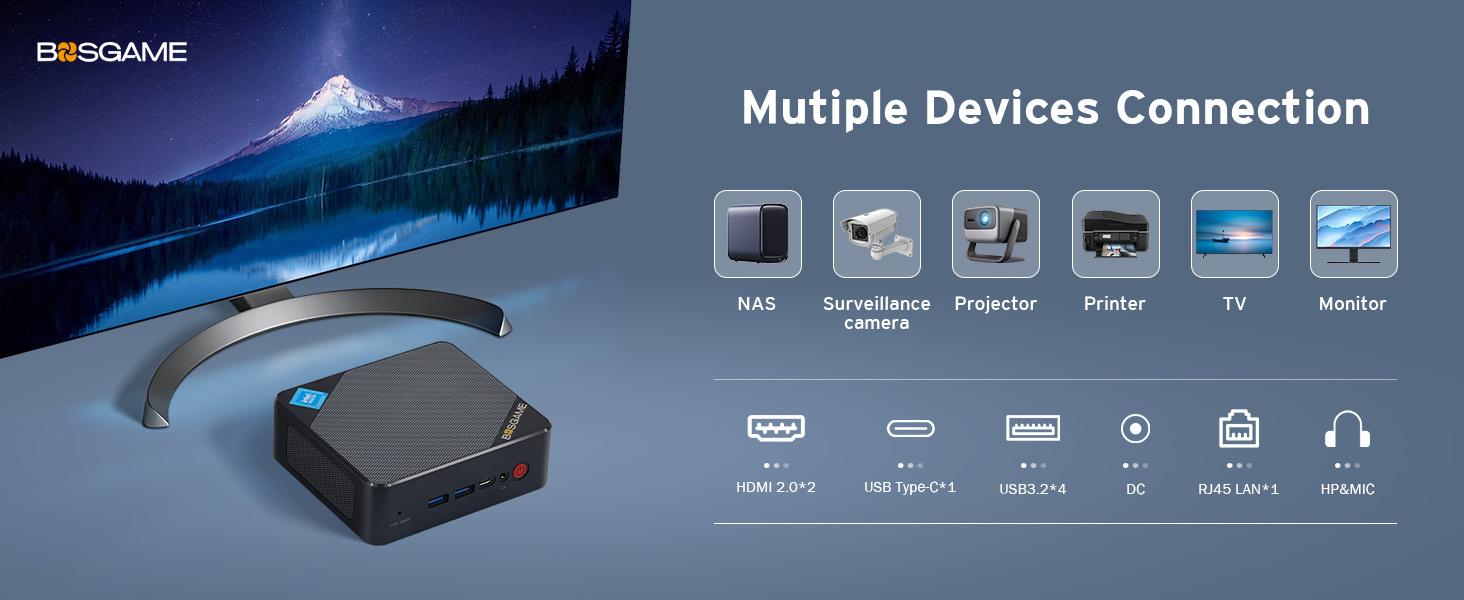
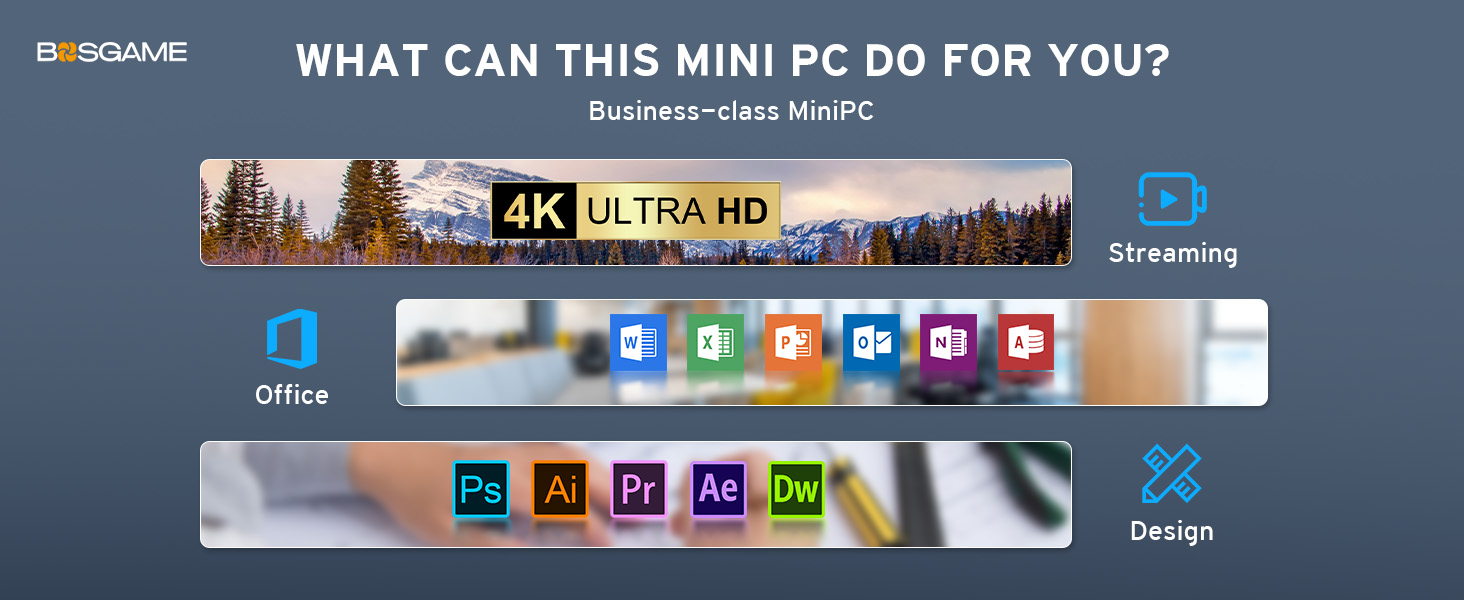
The BOSGAME Mini PC B100 features a cutting-edge 12th Gen Intel N100 processor clocked up to 3.4GHz, 16GB DDR4 RAM, and a 512GB NVMe SSD for fast, efficient computing. It supports triple-monitor setups via dual HDMI and USB-C ports, offers extensive connectivity including 4 USB 3.2 ports, 2.5G LAN, WiFi 5, and Bluetooth 4.2, all packed into a sleek, compact design ideal for professional and personal use. Backed by 24/7 technical support and a 1-year warranty, it’s a versatile mini desktop built for productivity and reliability.





| ASIN | B0CQLXTH9Y |
| Best Sellers Rank | 12,119 in Computers & Accessories ( See Top 100 in Computers & Accessories ) 59 in Desktop PCs |
| Brand | BOSGAME |
| Colour | Black |
| Computer Memory Type | SODIMM |
| Connectivity Type | Bluetooth, Wi-Fi |
| Customer Reviews | 4.3 4.3 out of 5 stars (109) |
| Date First Available | 19 Dec. 2023 |
| Form Factor | Small Form Factor |
| Graphics Card Description | Integrated |
| Graphics Card Interface | Integrated |
| Graphics Chipset Brand | Intel |
| Graphics Coprocessor | Integrated Graphics |
| Graphics RAM Type | SODIMM |
| Guaranteed software updates until | unknown |
| Hard Disk Description | SSD |
| Hard Drive Interface | PCIE x 4 |
| Hard Drive Size | 512 GB |
| Item Weight | 910 g |
| Item model number | B100 |
| Manufacturer | BOSGAME |
| Maximum Memory Supported | 16 GB |
| Memory Clock Speed | 3200 MHz |
| Memory Technology | DDR4, SO-DIMM |
| Number of HDMI Ports | 2 |
| Number of USB 3.0 Ports | 4 |
| Operating System | OS |
| Package Dimensions | 22 x 14.2 x 6.4 cm; 910 g |
| Processor Brand | Intel |
| Processor Count | 1 |
| Processor Socket | FCBGA1264 |
| Processor Speed | 3.4 GHz |
| Processor Type | Celeron |
| RAM Size | 16 GB |
| Resolution | 3840x2160 |
| Screen Resolution | 3840 x 2160 pixels |
| Series | BOSGAME Intel N100 Mini PC |
| Wireless Type | 802.11ac |
K**X
A very good little unit that should do most of what most people want.
This is a good little Mini PC if you can get it at a decent price. It has lots of connections and even though it's basic it's still a fairly fast little PC for what it is. I have a decade old i5-4690K and this Celeron CPU is roughly equivalent to that. Keep in mind that this is single core performance where most of the action takes place anyway. Unless you use a lot of programs that utilise multi-threading, then single core speed will be what you want to focus on. Also keep in mind that that particular i5 chip is still being sold today and in its day it was a beast for gaming at the price point it was going for. This Mini PC keeps very cool and gives off no particularly worrying heat when taxed. For people who are just using it for internet or office tasks then it's fair to say it gives off hardly any heat at all. The CPU is very energy efficient so it won't run up your energy bill either. It looks better in real life than the photos of it on the net where it looks a little cheap. It's actually a very bare bones basic design, but it works and is uncomplicated. Not a lot more to say. Hopefully this unit will last a couple of years at least, and even if it does pack up by that point, you've probably had your money's worth as long as you didn't spend the full whack asking price. I got mine in a sale, and the price of it made it more competitive to other similarly specced computers. It's a nice touch that you get a HDMI cable with it to connect your monitor. There's even a VESA mounting plate if you choose to go that route as well. You will probably want to add a second drive if you need more storage, but with plenty of USB 3.2 gen ports that shouldn't be problem. They should provide enough speed for most people and what they will probably be using this computer for. It's also great to have a copy of Windows 11 Pro thrown in to the bargain. I guess a lot of the people buying something like this will need the extra functionality that it will provide 'under the hood', and so it makes it a more attractive proposition to have it thrown in to the deal from the start. I know it was one of the things that attracted me to it anyway. I mess about with Linux sometimes, but with this box I just want something that works out of the gate and Windows 11 Pro does not disappoint. I am using it for music production and in a few hours of setup time I have installed Ableton Live and FL Studio, along with Reason and Cubase. No problems so far. Wireless speed is very good, though I have not tested out the Blueooth capabilities yet. It's the slightly older Bluetooth protocol but it should be perfectly fine for most people who just want to run a Bluetooth mouse, say. Others have mentioned some tips for when you first fire the computer up, and I'll just repeat these here for clarity as the instructions in the manual it comes with are a bit vague. Basically, you need to switch your wireless hub off because it will auto detect it and you will be forced in to using a Microsoft account or some other such thing which makes the whole process a lot more involved not to mention time-consuming. Most people will just want to get this up and running as quickly as they can. You still have to set a few things up of course, but switching the wireless hub OFF to begin with saves a lot of unnecessary steps - obviously skip whatever steps you are able to when setting up the OS for the first time. It still involves a bit of time and work, but you should be good to go in under half an hour if you decide to go down this road. If you want to set it up with any existing accounts you might have then by all means take that route if it suits you. When you get the Operating System set up, then you can turn your wireless router back on and just put in your password for your particular network when it is recognized. As I said, the wireless on this is pretty fast, so there's no worries there either. All in all this is a versatile little box and if you can get it for around the £150 mark then you are getting a bargain. It's not that it's not worth a bit more money than that, but as with all these things, the longevity of the device is never really known, and if it does konk out sooner rather than later, you won't feel so bad about it if you got the thing for a bargain price. Then you just buy another one. There are more expensive models on the market, but I don't see the point in paying more for a slightly faster CPU that runs hotter and uses more power. Some of these things have Laptop CPU's in them, that's the kind of thing I'm talking about. The 16GB of RAM is probably more than adequate for most people and will run this OS with ease and room to spare. The 512GB system drive is also probably more than adequate for most people, but costs start to rise a lot when you go over that amount in the Mini PC world. If you do find a unit with that option it's probably at least double the price of this little box. I have encountered a few instances of the computer suddenly going in to standby mode and the monitor cutting out, which isn't a very encouraging sign after only a few hours of use, but hopefully these are just teething problems that will get ironed out when I finish setting it up. I'm about six hours in right now to setting up all that software I mentioned earlier, and to be fair, that is quite taxing, taking in to consideration that Windows 11 likes to update itself when you first get it going what with all the little updates it needs to do here and there and in a certain order. I'm not too worried at this point. That would be my final piece of advice if you aren't used to setting up and building computers: don't forget to do a few restarts here and there as Windows 11 downloads all the stuff it needs and installs it in the order in needs to be installed in. These things take a bit of time and patience, but it usually settles after a few system reboots here and there. So far I'm quite impressed for what I got for my money (around the £150 mark). EDIT: Just a little update. The SK Hynix 512GB NVMe started to fail some tests so I replaced it. It was still working fine but I wanted to be sure. I put in a Crucial 1TB P3 NVMe and it gave it a new lease of life. Easier now to put on more programs and a little bit faster as well. Future proofed. I've been using this a bit here and there and it's very quick to start up and shut down and all the DAW programs I run on it work flawlessly. This thing is just too good to be true for what I paid for it, so I guess I lucked out with a good one. I would buy this brand again.
F**Y
A powerful little machine that's perfect for home and office use!
I was in need of a compact computer for my home office setup, and this BOSGAME Mini PC is exactly what I was looking for. Despite its small size, it's incredibly fast and handles all my daily tasks with ease, from web browsing and streaming to working with office applications. The processor is surprisingly capable, and it makes for a very responsive and quiet user experience. The best part is how little space it takes up on my desk. It’s so small you barely notice it's there. Setup was a breeze, and it’s been running flawlessly ever since. If you need a reliable and powerful computer without the bulk of a traditional desktop, this is a fantastic choice. This device has no battery so needs constant power course and its nice and compatable with windows 10 and 11 so will work with any program that can work on windows. There is no issues with the connectivity as there is built in wifi and bluetooth.
J**D
Small on the outside. Big on the inside.
Great mini computer! I bought it because Windows 10 is coming to an end and needed something to keep me on the Net. I'm using it through my TV because I didn't want the expence of having to buy another monitor. I already had a keyboard and mouse. So a great and cheap way of getting a new computer...Love it! I reinstalled Windows 11 before I used it tho - Heard some stories about malware. Didn't have any on this pc but did it for piece of mind. It was an easy but time consuming operation. While installing, it wanted me to logon using a Microsoft account. Which I didnt want to do. So if you, - like me - want to reinstall Windows 11 and want use a local account. I recommend disconnecting the LAN during the reinstall when you are asked to enter your microsoft accout details. It should just revert to a local user accout page. You can then just reconnect the LAN and carry on with the instalation. Apart from that, it's been great. I dont intend to play games on it, as I'm not a gamer. Great for playing movies from HDs and streamiming is perfect. No problems at all. Infact, I'm using the computer to write this review! I am not a computer wiz by any measure, just a user. and I found it easy to set up. So all in all, it's a fab little Windows 11 PC at a bargin price.
9**R
Will only boot with supplied windows
Terrible product. The system would not boot from a usb drive to install another operating system after extensive bios configuration, nothing I tried enabled me to boot from it. I know the USB drive boots because I booted into it from a second system to directly install the operating system onto it, Installing the ssd which came with the system into that second system (a laptop). After installing the operating system onto the supplied ssd and being able to boot from the ssd (from a different computer that I used to install the OS. A third system) I installed it back into the BOSGAME system. It booted but not successfully. It wasn't functional.
L**A
Impressive
Purchased mini PC for grandson. I was apprehensive on ordering it as I have a desktop computer. Easy to setup and get running. Windows 11 operating system works fine. I’m so impressed and now thinking of purchasing another one with a faster processor for photo editing. Solid unit with ample ports for accessories.
M**D
Does what it says on the very little tin!
Set up was straightforward (usual Windows and Google log ins etc) and very quick. I just needed something simple to run email, web browsing, the odd word doc and Excel spreadsheet but to be quicker than the old pc and this has done the job perfectly... No noise lots of the right mix of connections for my set up. And at a bargain price.
A**R
Perfect little pc
Absolutely brilliant little thing. Does everything and more. Well worth the money
Trustpilot
2 months ago
1 month ago