


⌨️ Elevate your desk game with the thockiest, most customizable full-size keyboard around!
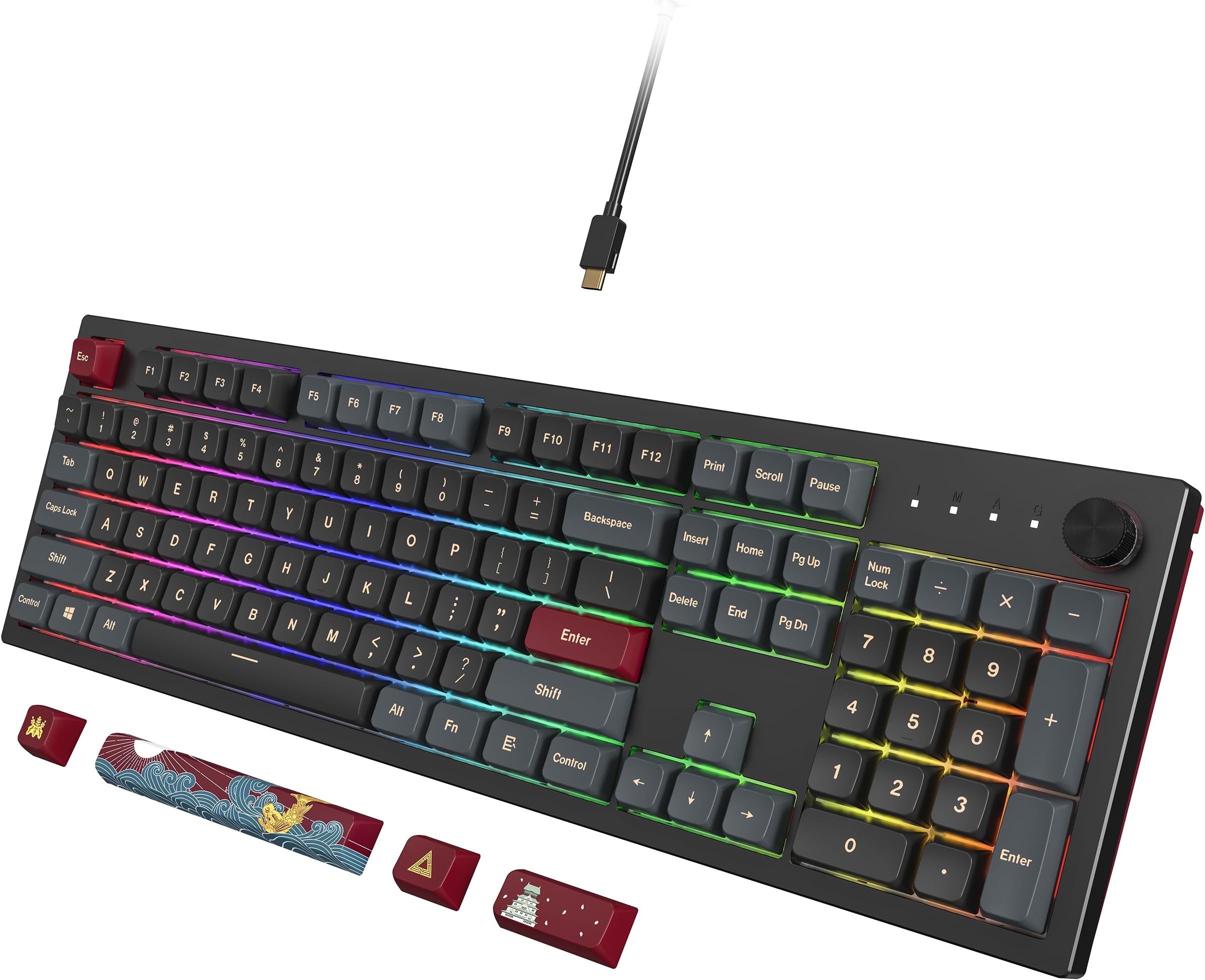
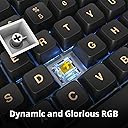
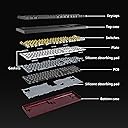
The Montech MKey MK105DY is a full-sized mechanical gaming keyboard featuring hot-swappable Gateron G Yellow Pro 2.0 switches, premium MDA profile PBT keycaps with 5-sided dye-sublimation printing, and custom silicone acoustic pads for superior sound. Inspired by Osaka Castle, it combines a solid, heavy build with customizable RGB lighting and a multifunctional volume knob, designed for professionals and gamers seeking a premium, tactile, and quiet typing experience.





| ASIN | B0CB46JJR1 |
| Additional Features | Hot-Swappable |
| Antenna Location | Gaming |
| Best Sellers Rank | #46,079 in Video Games ( See Top 100 in Video Games ) #2,243 in PC Gaming Keyboards |
| Brand | Montech |
| Built-In Media | USB Cable |
| Button Quantity | 104 |
| Color | Yellow |
| Compatible Devices | Gaming Console |
| Connectivity Technology | USB-C |
| Customer Reviews | 4.8 out of 5 stars 28 Reviews |
| Enclosure Material | Silicone |
| Generation | 1st Generation |
| Global Trade Identification Number | 04710562742251 |
| Hand Orientation | Ambidextrous |
| Item Dimensions L x W x H | 17.44"L x 5.35"W x 1.61"H |
| Keyboard Backlighting Color Support | RGB |
| Keyboard Description | Gaming |
| Keyboard Layout | QWERTY |
| Manufacturer | Montech |
| Model Name | MK105DY |
| Model Number | MK105DY |
| Number of Keys | 105 |
| Number of Sections | 3 |
| Power Source | Corded Electric |
| Recommended Uses For Product | Gaming |
| Series Number | 1 |
| Special Feature | Hot-Swappable |
| Style Name | Darkness with Yellow switches |
| Switch Type | Mechanical |
| Theme | Osaka Castle |
| Unit Count | 1.0 Count |
| Warranty Description | 1 year |
| Water Resistance Level | Not Water Resistant |
D**H
I LOVE this keyboard
I do not consider myself a keyboard expert, but I know what I like. I've been using Cherry-MX Brown switches for years both at home for gaming and at work for typing. I got the bug to try and get something with more a more solid "thock" sound/feel. That led me down a huge rabbit hole of custom keyboards, key switches, etc. Here is the problem. Almost all of the premium quality keyboards that met my criteria were not full sized or were far too expensive. I even tried a very nice wireless 75% keyboard that had Gateron G Pro 3.0 Yellow Switches, but I discovered how much I use the Home and End keys (not to mention I missed the 10-key more than I thought I would). So I returned it and got this one which is nearly the same switches but an older version: (Gateron G Pro 2.0 Yellow). Honestly, this keyboard feels superior even though it's a less "name" brand. I don't know if I just like the 2.0 switches better or if the keyboard itself is just of a better more solid build quality but for whatever reason, this is the BEST keyboard I've tried. It is a joy to type on it. It has a very deep/quiet sound, and it's super heavy and doesn't move at all when you type on it. Why did I change to Yellow switches from Brown? Here is the result of all my research. Caveat is, I'm not an expert, but hopefully this will save someone a lot of time because it took me a lot of research to be able to boil this down to something simple. I believe this applies to most brands of switches but your mileage may vary: Red (linier): These are designed for gaming because they are fast. They have smaller travel and require less pressure. Linier means there is no click or bump. The downside to reds is you may have more typos as it's very easy to bump the wrong key slightly and have it actuate. Brown (tactile): These require a bit more pressure than red, and there is a bump near the bottom of the actuation. This gives more feedback for typists but are still fairly quiet. The additional pressure required also means less likely to make an error. Blue (clicky): These are made for typists, and have a very audible click meaning they are loud, but feel the most like an old-school typewriter. The noise level makes them possibly annoying to people around you. Yellow (linier): This is like red meets brown. They have the same pressure and travel as browns, but without the bump meaning they are quieter and smoother. The slight additional pressure required means less typos. This is what I chose and I could not be happier. And that is coming from someone that has used brown switches for many years. Pros of this keyboard: - Fully replaceable caps and switches. - Heavy and solid - Thocky to the max (probably the thockiest full size in this price range) - The knob is very neat. Defaults to volume, but does zoom and RGB adjustments after clicking it. - Macros: You can record macros without even loading the driver. - Did I mention it thocks... you will enjoy typing on this thing. Why do you think this review is getting so wordy? HAHA Cons: - Not wireless (I don't care but some might) - The RGB is not as customizable as something like Corsair - The key caps are not shine through (if you work in a darkened room you may wish for this). - Limited color options (I would have probably chose something even more subtle if it was available)
A**R
This is a keeper keyboard!
What isn't there to like about this keyboard? I'll get to my petty nit with this keyboard in a second... but really, this is THE KEYBOARD for me. So, great. Who am I? A finance professional. I sit in front of a keyboard a lot. And I type a lot of numbers so the number pad is crucial for me. I had an old Logitech G910 Orion Spark for many years. I loved it so much that when my first one died, I bought another one. No questions asked. But when the second one started having trouble, I didn't know what to do so I (mistakenly) bought a Corsair K70 with Brown switches. SO LOUD everyone in the office could hear me type! Just too much. So I started watching youtube videos with dreams of building my own keyboard but that's not for the faint of heart. And the custom build-your-own keyboard scene is a bit much. I saw a few recommendations for this keyboard and jumped in. I could NOT BE HAPPIER. Today is day 3 and I actually came into work looking forward to working and typing on the keyboard. PROS: The weight. It's over 3 lbs. A beast. It does not move unless you make the effort. The switches. I have the yellow switches and they make enough noise so that you know you are typing but not so much that they are a distraction. I am a light touch typist and these require only slightly more effort than my G910. The key caps. Lovely. Great shape. I don't think they will show dirt or grease and I can pull off the keycaps to clean them when needed. The looks. Ok, maybe I am superficial; but this looks very professional on my desk (and the RGB lights add some fun). The customizability. The key caps and the switches are replaceable and they give you a handy key cap/switch puller. The price. A great keyboard that feels custom but can be further customized? Sweet. The volume knob. Boy I missed an easy volume control. This is a great convenience. CONS: Ok, about the key cap labels. If you notice in my photo of the number pad, the "divide" key literally is a math old fashioned division symbol (÷) instead of /. Since I type a lot of dates, this just is jarring for a second. I have not gotten used to it yet. Similarly, for "multiply" there is an "X" instead of the more traditional *. These are tiny nits, not worth discussing except that I just did. BUY THIS KEYBOARD. If you are unsure about brown vs red vs yellow switches, hunt down some youtube videos. They will help.
E**O
Searched long and hard for the perfect full size keyboard with media dial - this is it!
My Microsoft Ergonomic Keyboard recently died and the journey to find a decent replacement has been long and hard. I thought I'd found it with a DAS 4 Pro but the non-swappable Cherry Brown switches were so light to type on that I was making a lot of keyboard errors. Also, the keycaps didn't have noticeable homing keys (F + J) for locating the location where your hands should be on the keyboard. After looking at literally every full-sized keyboard with media (volume) knob, I ordered this unit (and an I-Rocks which I returned). The Montech MKey with Gateron Yellow switches feels almost perfect. I added MT3 keycaps to make it really perfect. the original keycaps were nice, heavy duty and beatufiful looking. I just prefer a deeper scoop to my keys. (Thing IBM Selectric) This keyboard is heavy (in a good way) and contains a lot of sound deadening material. The sound is great - a nice quiet muted clack. The DAS, by comparison, sounded like I was banging on an empty barrel with every keystroke. The heavy weight of the MKey also keeps my keyboard tray from bouncing around. There is RGB lighting, which I played with at first, and then just turned off. It's there if you want it and has a ton of adjustable options for patterns, colors and brightness. I chose to turn lighting off.
F**A
Great keyboard. Premium quality. Sound test.
It took me a long time to find a keyboard. I wanted a full layout, hot swappable keyboard and was caught watching reviews and sound tests etc. I saw a video about this keyboard, there's probably only like 1 review on youtube. But I could see the quality was really good. Finally I bought it and I want to say the keyboard is amazing. Great quality, extremely sturdy heavy build. The stability of the keys are great. The gateron yellow switches are also really good. The sound is smooth and the case is pretty big I believe it makes resonances way better. I also bought an extra set of keycaps oem because I didn't really love the colors in this, but the keycap profile is soooooo good and the keycaps feel so premium I am just going to keep this until I find something of this quality. Don't turn your back on these keyboard, you might be thinking because it is cheap or made in china it might be low quality, but make no mistake, this competes with ducky, keychron plastic versions easily, probably way better. This keyboard makes my razor 250$ keyboard look like a piece of trash. About software/rgb/compatibility... I haven't used the software yet since it is exclusively for Windows and I am using Linux, so I can't really speak about it, but out of the box, it works for linux. Perfectly. The rgb out of the box seems like any other keyboard, to be honest I am not very fond of RGB, I like how it looks and everything but I am too disinterested to customize it. About the keycaps: You probably already read my opinion on them, but it is subjective for every one, they might be a little tall or not ergonomic for some, I'd recommend getting a wrist pad to make up for the height. What I would love to see for maybe a v2: 108 version instead of 104, but keep the knob in that spot... Don't do it like other brands that squeeze all the function keys to fit the knob after f12..
T**A
Good keyboard... Not the one I ordered
Good keyboard, feels nearly identical to a Ducky, so if you've used one of those before expect it to be similar in terms of feel/materials. Somehow it is very heavy despite the plastic casing. Speaking of the casing, it has a somewhat course texture to it rather than being glossy smooth; not sure how else to describe it. Next, the stabilizers. All of the stabilizer keys felt consistent and rattle-free, but felt kind of soft, almost as if the keys had o-rings underneath. Other than that it is really good out of the box and a great option for people like me that want a no-nonsense keyboard that doesn't need any fussing. The Freedom theme is also pretty but I ordered the Darkness theme so... second time's the charm?
M**S
Great feel and not too clicky
Great KB. This is my second. Got one for work and like it so much I replaced my Razer Blackwidow Chroma. This KB has a defined key stroke and a soft, muted click, which I find pleasing. I would buy this again.
B**8
Exceeds every expectations
Exactly what i wanted
F**E
I wanted to love this keyboard.
It's *heavy*. Really, really heavy. It's quiet. It has hotswap keyswitch sockets, so you can customize the board to sound and feel the way you want. The keycaps are beautiful. So many things to love. And then the knob. I couldn't get used to it. The RGB LED options are a little limited, and there's no support for remapping any keys, as far as I can tell. There's supposed to be software for it, but it's not in the box and I couldn't find it on the website. If Montech would join QMK and get the Mkey added to that firmware, I would buy this keyboard again in a second. Unfortuntely, that's not an option. The knob has three LED color patterns, which correspond to the three functions: volume up/down, zoom in/out, and change the RGB pattern. Join QMK. Get your boards supported. Next best thing? Get me some way to customize that knob. I'd like volume up and down and click the knob to toggle mute. Do either of those, and I'd buy this again. Until then, I regretfully return it. It's so heavy. So quiet. I wish I could get past the weird knob/RGB control.
Trustpilot
1 week ago
2 days ago