Desert Online General Trading LLC
Dubai, United Arab Emirates
Desert Online General Trading LLC
Dubai, United Arab Emirates

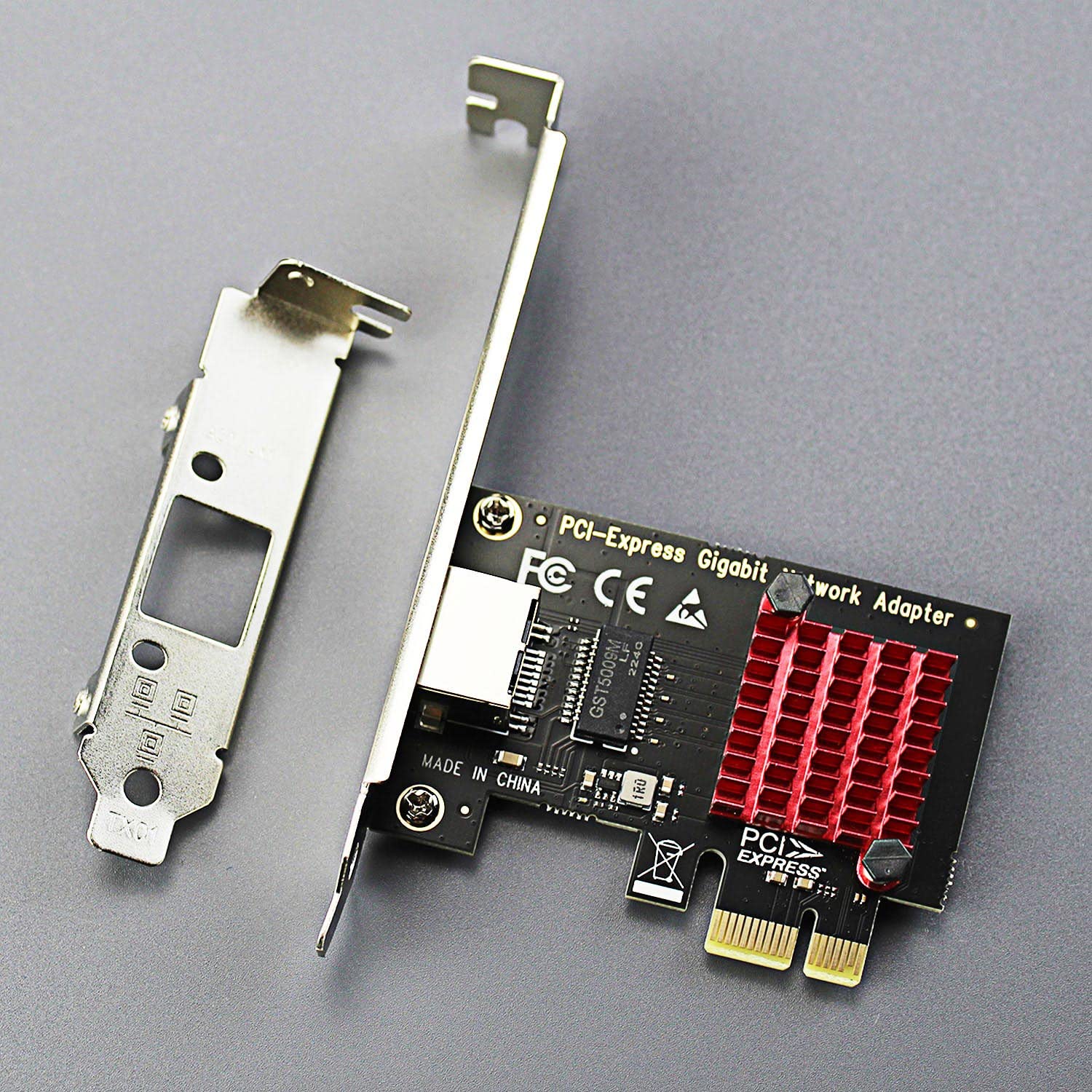
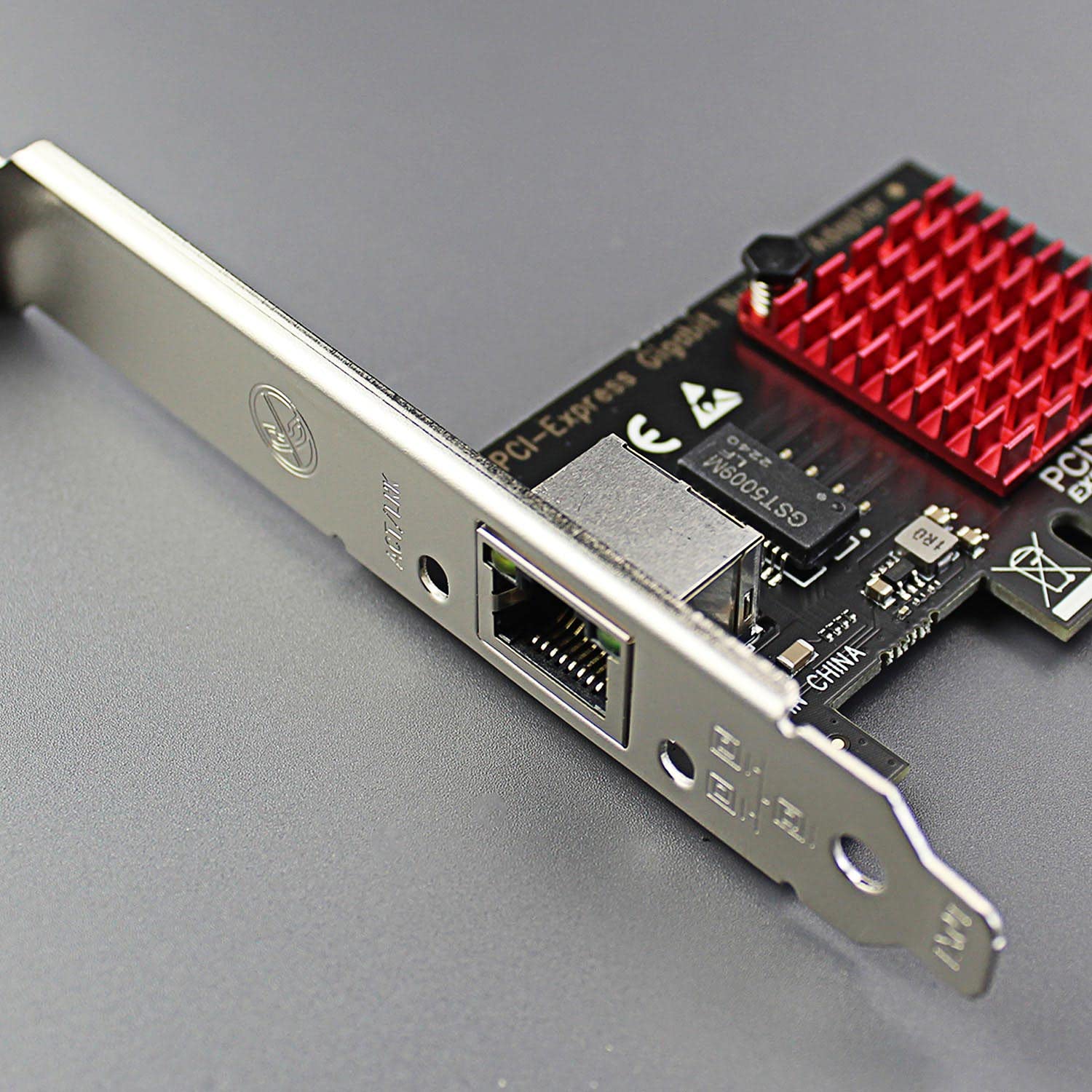


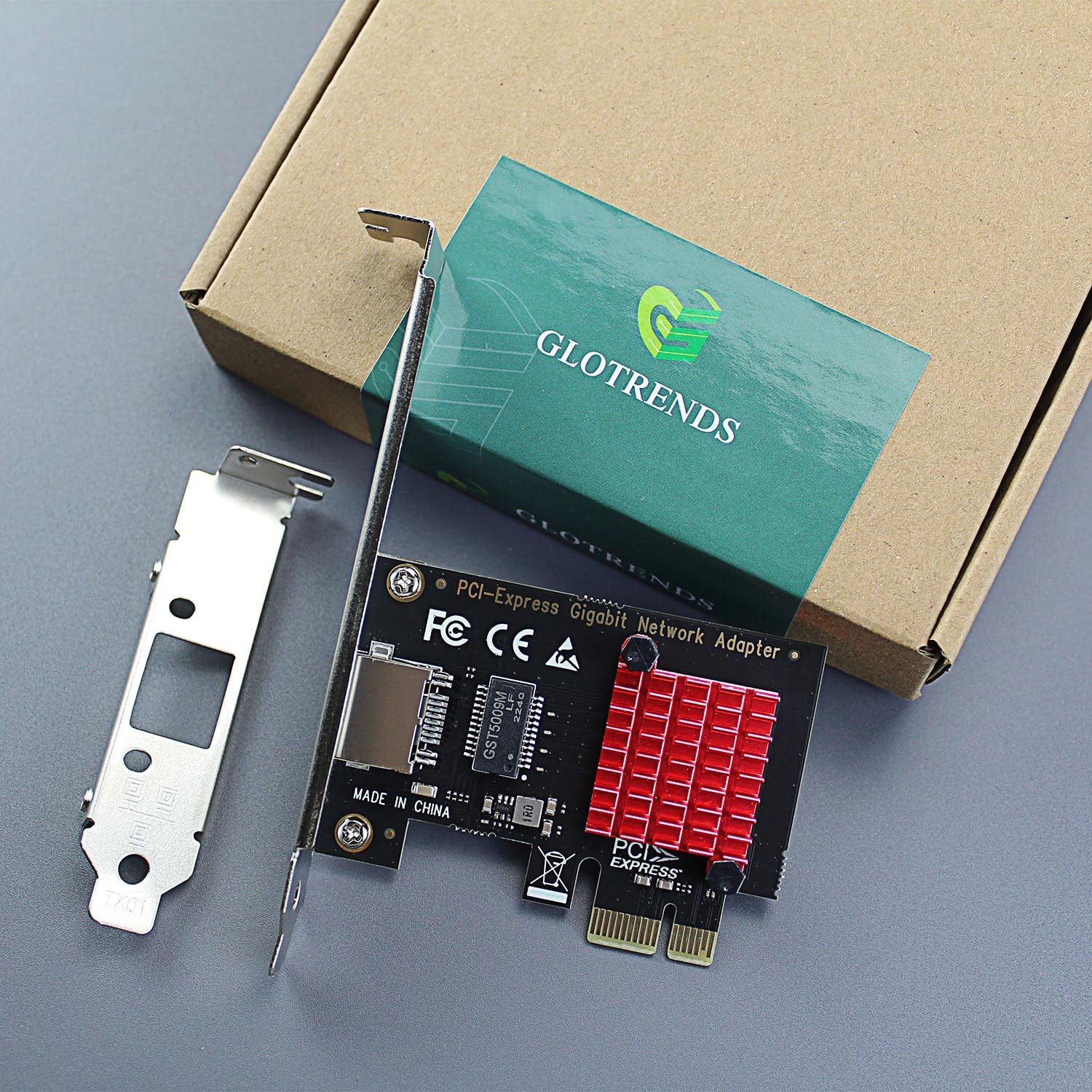

⚡ Upgrade your desktop network game with GLOTRENDS – speed, power, and control in one card!
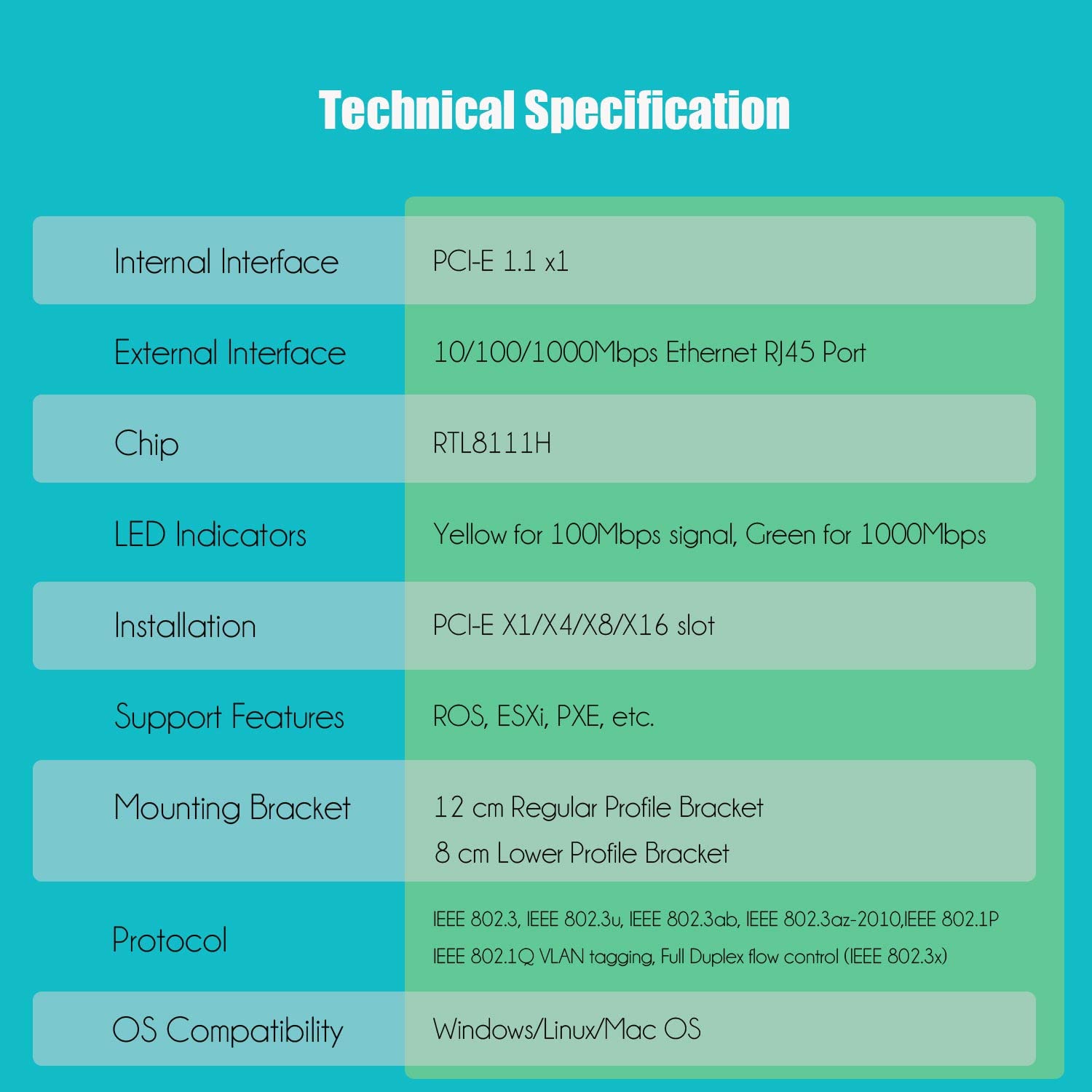
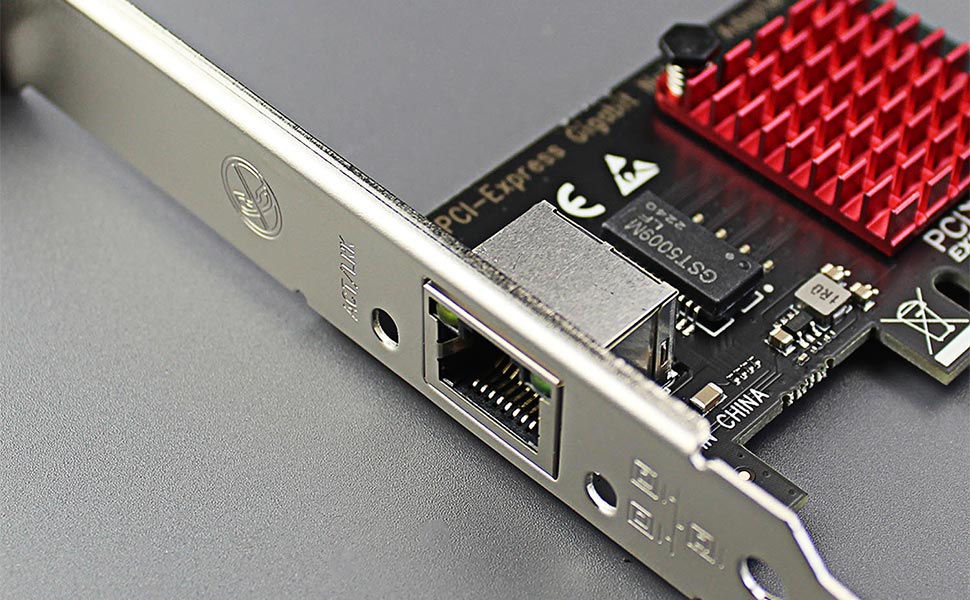
The GLOTRENDS LE8111H PCIe Network Card delivers reliable gigabit Ethernet connectivity via a PCIe x1 interface, featuring the Realtek RTL8111H controller. It supports automatic speed negotiation, Wake-On-LAN, and broad OS and virtualization compatibility, making it a versatile upgrade for any desktop PC. Includes both regular and low-profile brackets and lifetime technical support.


Z**H
Gigabit nic. Works awesome
Good quality nic for a good price. Ran multiple bench marks, it is on par with the integrated nic on my motherboard. The integrated heat sink helps a lot
I**D
Realtek NIC: A Game-Changer for My pfSense Setup!
I recently decided to upgrade my home network's firewall and router setup, and after some research, I landed on pfSense as the perfect solution. However, I knew that to truly optimize its performance, I needed the right Network Interface Card (NIC). That's when I stumbled upon the Realtek NIC, and let me tell you, it's been a game-changer!First off, let's talk compatibility. pfSense is built on FreeBSD, and the Realtek NIC is a perfect fit for this environment. But here's the catch: to get it working seamlessly, you need to download the Realtek kernel driver. Sounds technical, right? Surprisingly, it's not! First go grab yourself one of those usb to ethernet adapters to get an internet connection so you will able to download the packages and then With just a simple command (pkg install -y realtek-re-kmod), I was able to get the driver installed in no time.Once the driver was installed, I made sure to load it into the system using nano (because let's be real, it's way easier than vi). After installing nano with another straightforward command (pkg install nano), I Edited the file /boot/loader.conf file and added a couple of entries to ensure that the driver would be loaded on system boot:if_re_load="YES"if_re_name="/boot/modules/if_re.ko"And that's it! After a quick reboot, my Realtek NIC was up and running with pfSense.Now, let's talk performance. Once I had the Realtek NIC configured, I noticed a significant improvement in my network's speed and stability. Data transmission was smoother, and I experienced fewer hiccups, even with multiple devices connected.But what really impressed me was the reliability of the Realtek NIC. It handled everything I threw at it, from heavy gaming sessions to streaming marathons, without breaking a sweat. Knowing that my network is in good hands gives me peace of mind, especially when it comes to security.Overall, I couldn't be happier with my decision to go with the Realtek NIC for my pfSense setup. It's affordable, easy to install, and delivers top-notch performance. If you're looking to revamp your network infrastructure, I highly recommend giving the Realtek NIC a try—you won't be disappointed!
L**D
Worth it get it
Worked flawlessly in my Daughter PC. I hadOriginally tried a different brand that said2.5gb but would go over 1.3gb. Ordered 2Different brand just incase. My daughter nowGets 2.3gb on her gaming PC. Very happy.
M**M
Kinda faster than 1Gbps
Still undecided on the quality of this thing on Windows transferring to Unraid with the same card. I just bought a D-Link DMS-107 with two 2.5Gbps(gigabits p/s) ports. They light up blue showing 2.5Gbps. But transferring to Unraid (SSD to SSD cache drive) the max I get is about 1.2Gbps (with the default Windows drivers from 4/10/2015). When I install Realtek drivers from 7/1/25, it slows down even more to around 0.9Gbps. I even tried suggestions from a Reddit user who optimized his driver configuration for the Realtek driver.I get 1.4Gbps when I transfer a file from Unraid to my computer. The issue seems to be the worst, below 1Gbps, when my computer is plugged into the 2.5Gbps port and the Unraid is in the 1Gbps port. When Unraid is in 2.5Gbps and my computer is in 1Gbps, it can be faster sometimes to transfer files to Unraid.My system has PCIe 2.0, so 500MBps(megabytes p/s) should be enough bandwidth. I was hoping to enjoy the 2.5Gbps that new technology can provide, but unfortunately I have to settle with 1.2Gbps.
K**N
Full 2.5Gbps Speed at a Fair Price
Installed this into an ancient (mid 2012), slow, Dell Small Form Factor Windows machine. It was nice of them to include a half-height bracket, so installation was no-muss, no-fuss. Using the wonderful OpenSpeedTest server software, I was measuring ~2.45Gbps (real world) in each direction, which was surprising. What a great value. I'll probably grab a few more just to have on hand.
M**A
painlessly fixed my ethernet
before I had this card, the ethernet connection built into my motherboard was flaky, often dropping to around 10mb per second, or in some cases even less than that. Now that I've bought and painlessly installed this network card, my download speeds are what they need to be. the attached picture is of me downloading GTA 4, with the lowest speed being somewhere in the 60 megabyte per second range, and the highest being 122.8.
H**R
Very economical and it seems to work.
It seems to fulfill its purposes.
A**H
Haven’t been able to get this to work with Win 7.
Install was easy so no problem there. However following the directions to d/l drivers for win7 and trying to get it to load the software with no luck. It goes thru all the motions and says it’s installed. Well NOTHING. Have had it too long to be able to return a defective item. So I’m out the cost. Will stick with better names in the future. Lesson learned!
Trustpilot
2 weeks ago
2 months ago