We remain fully operational. Our teams are working around the clock to ensure your deliveries continue safely.

DOWNLOAD THE APP


Customer Services
Copyright © 2025 Desertcart Holdings Limited
DOWNLOAD THE APP

🔌 Power up your smart home game—control, save, and automate like a pro!
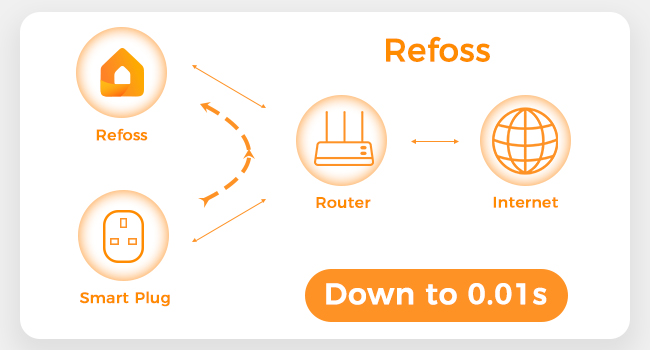
The Refoss Smart Plug is a 13A Bluetooth-enabled socket that integrates effortlessly with Alexa and Google Home for voice control. It features real-time energy monitoring via the Refoss app, customizable timers, and schedules without requiring a hub. Designed with safety in mind, it supports up to 7 plugs paired simultaneously and operates on 2.4GHz WiFi, making it an ideal smart home upgrade for energy-conscious professionals.




| ASIN | B0CHM2LX29 |
| Batteries Required? | No |
| Best Sellers Rank | 17,629 in DIY & Tools ( See Top 100 in DIY & Tools ) 61 in Smart & Remote Controlled Plugs |
| Certification | CE |
| Customer Reviews | 4.3 4.3 out of 5 stars (5,057) |
| Date First Available | 8 Sept. 2023 |
| Included Components | 1 x Smart Plug;1x User Manual |
| Item Package Quantity | 1 |
| Item Weight | 78.9 g |
| Item model number | MSS305 |
| Manufacturer | Refoss |
| Part Number | MSS305 |
| Product Dimensions | 6.1 x 4.83 x 3.3 cm; 78.9 g |
| Size | 1 Pack |
| Style | Energy Monitoring Plug |
| Switch Type | 1-way |
| Voltage | 240 Volts |
G**S
Smart Plug That Obeys Alexa and Apple (No Favouritism Here)
Happy with this smart plug. Setup was straightforward and it works properly with both Alexa and Apple Home, which is exactly what I wanted. Voice control is fast, schedules work reliably, and switching things on and off without moving still feels like cheating in the best way. Ideal for lamps, heaters, or anything you forget to turn off. Two small annoyances: the plug is a bit chunky and can block neighbouring sockets, and the app setup takes a few minutes of patience the first time. Nothing dramatic. Overall, reliable, genuinely smart, and plays nicely with Apple and Alexa alike. My lights now listen to me more than people do.
F**U
Smart plugs Easy Setuo
Arrived quickly. I had hoped to add these 4 new smart plugs to my Smart Life App as I already have 7 smart plugs on that app, but the App won't recognise these Refoss plugs. However, using the Refoss App the plugs were quickly installed and also linked to Alexa. The Refoss App is basic in its layout. Whilst you can group your WiFi plugs under the 'Scenes' tab they are not colour codes for ease of recognition and finding the Timer programming settings is not clearly labelled. The easiest to set timers is by Alexa Voice control. Compared with my other Wi-Fi Apps the Refoss App is the only one that monitors electricity usage on each plug. Overall the plugs do what's required and are reliable and can be controlled remotely by installing and using the Refoss App on Smartphone or Tablet wherever there's a mobile signal. I recently replaced storage heaters with infrared heaters on a single electricity tariff. These Wi-Fi plugs give me total control over my heating. I can switch them 'on' an 'off' or set timers for each heater without physically going near the heaters, so no stairs to climb. Another great application of the wifi plug is that I can set a timer to switch on my slow-cooker and have my meal ready when I arrive home, as well as have rooms at a comfortable temperature on arrival. At time of submitting this review this pack of 4 x Refoss plugs is competitively priced, and value for money. Because you can control and monitor electricity usage of appliances connected to the Wi-Fi plug, these plugs are definitely a good investment which I heartily recommend!
C**.
Work ok in most cases
Can be a bit of a pain to set up. You need 2 apps to get them to work remotely but work quickly and easily if you just want control from within your home. You don’t need a home hub like Apple suggests
M**D
Get the Meross App for it's firmware then control with Siri and Alexa etc
I wanted a smart plug that I can control with Siri on my iPhone because I can say 'siri... do as I ask' without having to touch my phone, but with Alexa, I have to pick up my phone, unlock swipe, and open the app first, meh. I wanted a smart plug to turn on a LOW powered (see melted plugs in othher reviews) 450w small convector HEATER by my desk, without having to bend down and touch it to turn it on/off because I'm busy and lazy and don't like switching tasks/concentration when I notice I'm too hot/cold and need to address it. I bought another plug that says 'works with siri' and it doesn't So, if you want a smart plug to work with Siri: GET THIS PLUG Get or Open the Meross App on your phone, because everyone is right, this IS a Meross plug (I have the app already for a Meross lamp, so hit the + to add this device into Meross app) Go to your router settings to briefly disable 5ghz wifi leaving just the 2.4ghz enabled whilst you do this setup and then after setup go back and enable your 5ghz again then logout of your router as if nothing had happened. You can Google 'go to router settings to change to 2.4ghz' if in doubt. Usually typing in an ip address into the address bar with your broadband provided address for your router with un/pw - often 'admin' followed by a pw they give you. If you have 3 bars on your mobile phone or more it will connect straight away, walk around your house with your phone in the air until your phone has 3 bars. Then stand still as it adds this plug to your app. YOU NEED TO ADD IT TO MEROSS BEFORE ANYTHING ELSE, LIKE ALEXA OR YOU Apple iPHONE 'HOME' APP (FOR SIRI COMMANDS) Because THE MEROSS APP is the kit that will update the firmware on the plug whenever needed. You could add the plug to these other things first and then you'll find problems with it not being recognised, or constantly disconnecting, like that the grumblers on here have already moaned about. Do it This Way. It will probably need to update firmware as soon as you connect it Meross. As, whilst in storage, more updates will probabaly have been released, that you'll need to 'update' to add. You'll need latest firmware so that Alexa or your Home App (for Alexa or Siri to find this plug, and obey you when you say 'turn it on'). In the Meross App, in the Menu on the bottom of your screen you'll see: Home: Smart: Forum: Shop: User Click 'USER' with person logo, and there you'll find a menu where halfway down it says 'System' and 'Firmware Update' Click on Firmware Update and it will say how many updates are available for your device. If it says 0 just remember that it might take a while before it knows if there are any. So check back again after half an hour or so, or if you lose connection, this will be the thing to do. And then set a reminder on your phone to 'check firmware updates' on all your devices maybe once a month. Maybe do it later if you've not done it before. It's quite a satisfying feeling. As soon as your Meross App recognises your Smart Plug you can RENAME IT in your Meross App like 'telly plug' or whatever. Then you can check what Alexa and Home call your new Smart Plug, and if necessary change it to the same name there as well. I say 'if necessary' because you'll have to give it the same name in all 3 so they all know what device you're naming/talking about. There's a chance Alexa and your Apple 'Home' App will recognise it's new name, if not change it to the same. So when you say 'alexa' or 'siri' TURN THE TELLY PLUG ON they will know what device it is and turn it on. MELTED PLUG FEARS. We've all seen the photos in the reviews. And even so, I bought this, to plug in a LOW 450w small convector FIRE. Yes, crazy, I know. BUT In the Meross App under DEVICE SETTINGS there is a switch you can select to get an OVERHEAT ALERT sent to you. Turn on 'Overheat Alert' and then click on to choose either 'Alert Only' or 'ALERT AND AUTO POWER OFF' I chose this option because although I like to live dangerously, I'm also a natural born health and safety freak. Like you, I'm a box of contradictions. This is now 3 days of blissfully saying out loud 'siri turn the fire plug on' and 'siri turn the fire plug off' Contentedly Hands Free, as I sit at my desk, typing and working, without having to bend down to constantly manually adjust the heat in my September chilly office, and frugally enjoying staving off turning the central heating on.
M**N
Great plugs
Great plugs to use and manages usage and bills, two got faulty and their support gave a replacement with quick delivery
D**N
Easy to set up and run from my phone and Google nest
M**S
Het zijn goede smart stekkers die perfect functioneren met de locale wifi
B**.
Diverse tuinverlichting
E**U
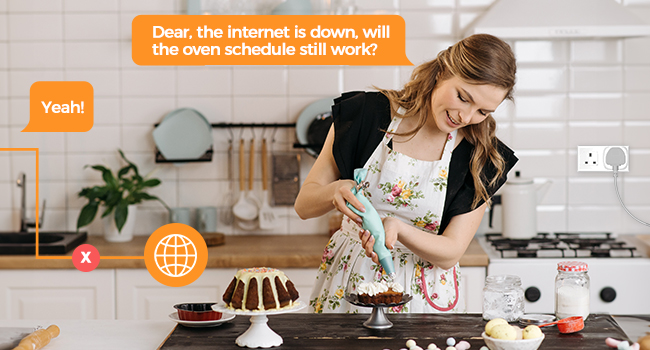
Compré estos enchufes no sólo por la comodidad de encender y apagar aparatos con Alexa, sino también con la intención de ahorrar energía como es en el caso del Router, que consume unos 15w o el altavoz Echo que tengo que consume 1,5w y veo innecesario realizar ese gasto por la noche, pues no lo uso. Estos enchufes se pueden programar el encendido y apagado mediante la aplicación, donde es necesario tener la WiFi encendida, pero una vez programados no necesita WiFi para continuar con la programación grabada…que es lo que necesitaba para tener el Router apagado durante la noche. Con lo cual el ahorro de energía anual es evidente, pues estos enchufes consumen menos de 1w y en 2 años amortizaré lo que me costaron,los cuales son los más baratos que encontré en el momento de la compra...pagué unos 6€ por unidad. La configuración la realicé rápida, solo hay que seguir el pequeño manual que viene en varios idiomas, incluyendo el español. Para ello hay que descargar la aplicación "eHomeLife" en Google Play, crear una cuenta de usuario, donde es necesario un email e introducir la contraseña que quieras. Seguidamente conectas el enchufe y cuando la aplicación lo detecta te pide darle un nombre y ya lo tienes listo para programarlo y acceder a él con la App. Para la detección, el móvil mio cambio automáticamente de la Wi-Fi de casa al del enchufe. Tras vincularlo hay que volver a cambiar la Wi-Fi del móvil a la de casa. La App es intuitiva y dispone la posibilidad de crear escenas o rutinas. Las rutinas son para programar horarios de encendido y apagado…y deja poner todos los que uno quiera para el mismo enchufe. Para enlazarlo con Alexa hay que abrir la aplicación de Alexa y pulsar la opción de "dispositivos" y darle a "+" para añadir nuevo dispositivo. Escoger el formato enchufe, escoger la Skill de "eHomeLife", donde hay que meter el usuario (email + contraseña) de la APP que nos bajamos antes. Seguidamente detecta el dispositivo, donde tras unos 45 segundos de espera, salen los enchufes para vincularlo con Alexa. Un detalle que me pasó en en esta vinculación…. primero vinculé un enchufe para probarlo y seguidamente los otros tres, pero no me los detectaba. Tras 10 minutos de intentos decido cerrar la App de Alexa y reiniciar el móvil…seguidamente me detectó los 3 que me quedaban sin problemas. La App de Alexa se descarga en Google Play y no es necesario ser Prime pero si tener cuenta en Amazon, la cual es gratuita sin ser Prime (de pago). Yo tengo un altavoz Echo de 2generacion con el cual puedo encender y apagar los enchufes. También el Fire TV de Amazon, con el cual sin tener la TV encendida, se puede hacer lo mismo usando el mando de distancia pulsando el botón de interactuar con Alexa. Los enchufes parecen ser de material robusto y disponen de un botón para encender y apagarlo manualmente...y que no modifica la programación establecida. Este botón tiene una luz Led que nos indica si está encendido o apagado. Dicha luz Led se puede configurar en la App para que esté siempre apagada si deseamos que esta no se ilumine. Sin duda los recomiendo, pues dan comodidad y además siempre tendremos acceso a ellos aunque estemos fuera de casa. Yo los uso para el Router, altavoz Echo, arbol de Navidad y la lámpara del salón. Quiero hacerme con otro cuando haya otra oferta para el ventilador y otras cosinas más.
F**.
Achat de 4 prises connectées Wifi de marque Refoss, modèle MSS210, le 19 mai 2020 pour 34,99 €. A cause du Covid-19, l’attente a été d’une semaine (reçues le 26 mai) : c’est le seul point noir. Mais c’est tout à fait pardonnable. Si vous les achetez maintenant, je suis sûr que l’attente sera très courte. Aussitôt déballées, les 4 prises, ont été connectées en un temps record !!! Moins d’une minute par prise. Point très important à noter : vous n’êtes pas obligé de passer par l’appli eHomelife pour contrôler vos prises. Comme j’adore les produits Meross/Refoss, j’ai déjà l’appli « Meross » pour les piloter. J’ai essayé d’ajouter les prises à mon appli plutôt que d’avoir une autre appli (= eHomeLife) à gérer. Résultat : ça a marché du premier coup. Il suffit de sélectionner « Smart Plug » et suivre ce que l’appli vous demande : un jeu d’enfant. Je fais donc l’économie d’une appli. Si vous n’avez pas l’appli « Meross », alors téléchargez l’appli eHomelife comme recommandé. Que vaut cette prise par rapport à ses concurrentes ? Je ne vais pas revenir sur certains points comme le fait qu’elle soit pilotable via des enceintes connectées/assistants vocaux car d’autres revues le font très bien. Je vais m’attacher à vous parler de points absents ou incomplets des autres revues. Regardez les photos jointes au texte. A gauche, une grande marque (dont j’ai occulté la marque), à droite Refoss. Ce qui frappe, c’est la taille. On voit clairement que la prise Refoss est moins volumineuse que sa concurrente. Je signale au passage que les 2 prises ont les mêmes fonctionnalités. Ce qui signifie que la taille de la concurrente est superflue. Profondeur et largeur sont à quelques millimètres prés identiques. En revanche, au niveau de la hauteur, la concurrente est supérieure de plus de 3 cm!!! La concurrente est donc moins discrète que Refoss. Petit point négatif pour Refoss, c’est que son socle ne permet pas de recevoir d’anciennes fiches mâles 2P+T françaises (= Type E). En revanche, aucun problème pour les fiches mâles 2P. Astuce pour ceux qui ont une ancienne fiche mâle française 2P+T : achetez un adaptateur fiche mâle 2P+T française > fiche femelle 2P+T allemande (= Type F) ou coupez votre fiche française et mettez une fiche 2P+T allemande (= Type F) ou hybride (France/Allemagne) que vous pouvez trouver sur Amazon pour quelques euros. A noter que de plus en plus de fabricants produisent des appareils dont les fiches mâles sont à la fois françaises (= Type E)et allemandes (= Type F). Le plus de Refoss, c’est qu’elle permet de recevoir dans les 2 sens des fiches 2P+T étant donné qu’il n’y a pas de broche cylindrique : ce qui pouvait être un petit problème devient un avantage. Enfin, le dernier avantage de la Refoss c’est que sa fiche mâle (celle qui se branche dans le socle mural) peut être branchée dans les deux sens (regardez la photo : il y a deux trous de terre, alors que la concurrent n’en a qu’un). Bref, il n’y a pas photo dans la comparaison des deux rivales : la Refoss est moins volumineuse que sa concurrente et peut se brancher dans les deux sens (contrairement à sa concurrente) et peut recevoir des fiches mâles (d’appareils que vous voulez lui adjoindre) dans les deux sens aussi (contrairement à sa concurrente). Je recommande donc à 100 %. Ci-dessous un petit explicatif tiré de l’Encyclopédie libre à propos des fiches de types E et F. « La différence entre les fiches de types E et F : chacun a sa manière de connecter la terre. Sur le type E la prise de terre est une broche cylindrique dépassant du socle femelle. La broche de terre est suffisamment écartée des deux contacts principaux pour laisser passer le contour extérieur plat d'une prise mâle C (sans terre). Sur le type F par contre, la prise de terre est constituée de deux ergots placés sur les bords intérieurs de la prise femelle. Type F n'a aucun moyen de définir la polarisation mais a l’avantage de pouvoir être branché dans les deux sens. »
Trustpilot
1 week ago
3 weeks ago