Some deliveries may take a little longer than usual due to regional shipping conditions.

DOWNLOAD THE APP


Customer Services
Copyright © 2025 Desertcart Holdings Limited
DOWNLOAD THE APP
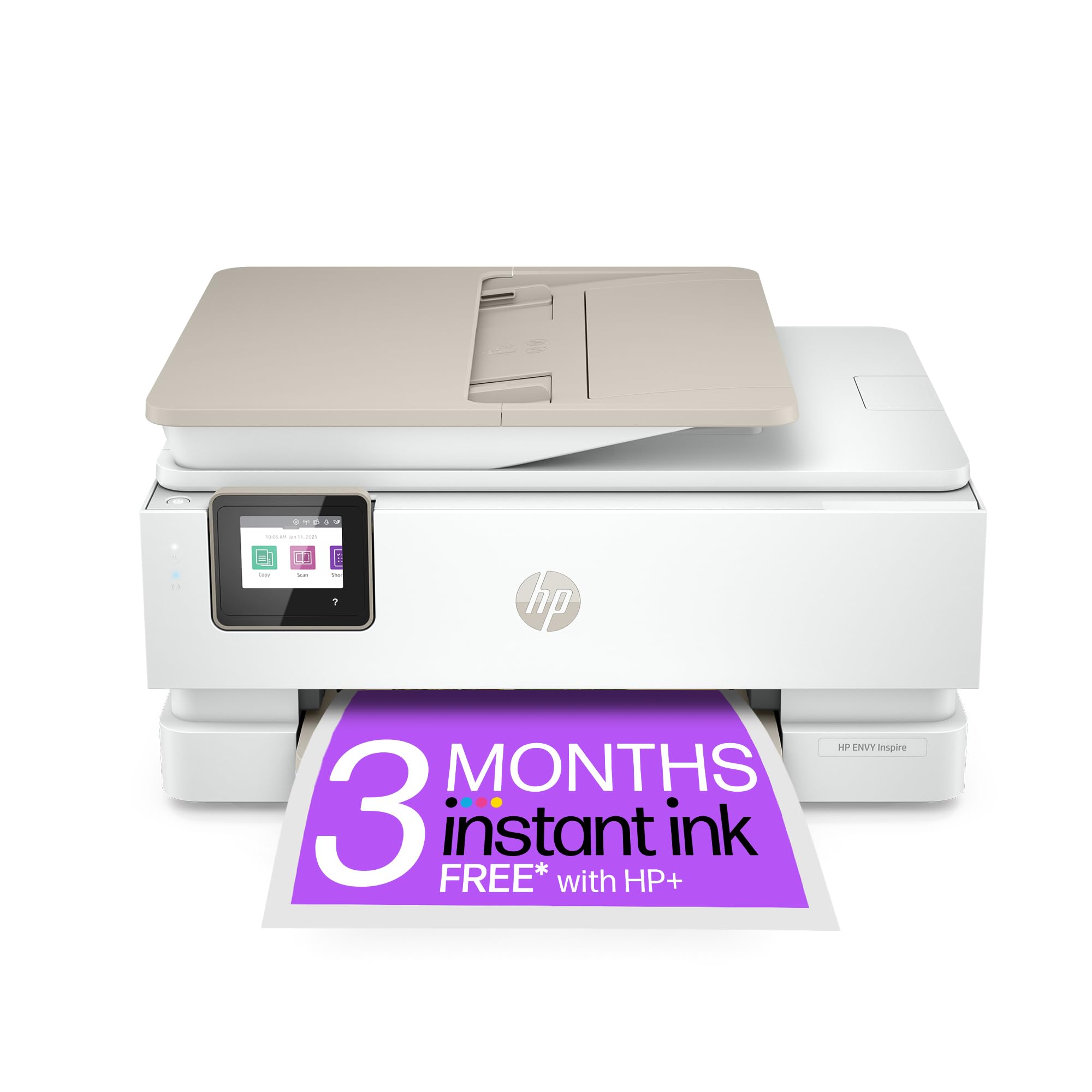
🖨️ Print Smart, Save Smarter — Your All-in-One Creative Powerhouse
The HP ENVY Inspire 7920e is a versatile all-in-one wireless color printer designed for busy households and professionals. Featuring a 35-page automatic document feeder, high-resolution 4800x1200 dpi printing, and seamless mobile connectivity via Bluetooth and the HP Smart app, it delivers crisp, borderless photos and documents. With HP+ smart printing and 3 months of free Instant Ink, it offers cost-effective, secure, and hassle-free printing that keeps your productivity flowing effortlessly.


| ASIN | B09LZ7BY9P |
| Best Sellers Rank | 3,577 in Computers & Accessories ( See Top 100 in Computers & Accessories ) 21 in All-In-One Printers |
| Colour depth | 16700000 colors |
| Compatible devices | Smartphones |
| Connectivity Type | Bluetooth |
| Controller type | Android, iOS |
| Customer Reviews | 4.1 4.1 out of 5 stars (572) |
| Date First Available | 15 Jan. 2022 |
| Dual-sided printing | Yes |
| Form Factor | All-in-One |
| Guaranteed software updates until | unknown |
| Included components | Power Cable, Ink Cartridges |
| Item Weight | 8.12 kg |
| Item model number | 242Q0B |
| Manufacturer | HP |
| Max copy speed (black and white) | 15 ppm |
| Max input sheet capacity | 125 |
| Maximum Supported Paper Size | A4 |
| Maximum black and white print resolution | 4800 x 1200 dpi |
| Maximum colour print resolution | 4800 x 1200 Dots Per Inch |
| Power consumption | 4.9 Watts |
| Print media | Card stock |
| Product dimensions | 38D x 46W x 23H centimetres |
| Scanner type | Photo, Sheetfed |
| Sheet size | 210 millimeters |
| Standing screen display size | 2.7 Inches |
| Warranty type | Extended Warranty |
| Wattage | 14 watts |
M**I
Good quality HP printer
Great printer and scanner! Bluetooth works brilliantly! Lovely quality prints & easy to install & use! Highly recommend. Good value
B**N
Great little printer
Great little printer, not the fastest on the block but a very good home printer clean crisp results with no bleed either on plain or photo paper copy attachment is good, scanning is on the quick side of average photo print is very good quality with colours matching screen from computer and phone. Set-up was a bit clunky on my MAC but got it done eventually the H P smart app looks good and was a help setting up the printer, have been using instant ink for a few years now with no complaints and replacing my old printer with this one was easy with no loss of the free ink that came with it, only hassle I had was for the extra two months with Amazon, as the supplied code was being reported as no longer valid but after calling Amazon who told me to call HP it was sorted and I got the full compliment of ink so all good so far and am very pleased with this printer.
D**K
Very good
So far so good. Easy to set up and install. The only issue I have so far is that it cannot scan multiple pages to one jpg or other format. Just one page per file. Also, I have to scan and the print to pdf, to get a scan in pdf format. That was also the case with my previous HP Printer.
R**B
HP Not Envious, Just Uninspired - the worst printer I have ever owned.
The HP ENVY Inspire 7920e is, without question, the most infuriating and impractical printer I’ve encountered in 25 years of using printers. Though it’s only two years old, it ceased printing anything legible after four months of constant hassles and repeated calls to HP. From the beginning, this printer has been riddled with issues – primarily due to HP’s insistence that the device remains powered on at all times. Turning it off seems to result in endless problems. Then when you turn it on, every attempt to print even a single page is met with a barrage of alignment or test pages – sometimes as many as six to eight – before it finally produces anything remotely usable. HP’s software updates consistently exacerbate the situation, often leaving the printer completely non-functional. Each time this happens, I’ve been forced to endure lengthy 30-minute calls to HP customer support. To make matters worse, HP’s customer service has been deeply disappointing, with agents frequently hanging up after long waits, seemingly unwilling or unable to provide any meaningful assistance. If that was not enough, HP essentially forces users into their Instant Ink subscription just to use the printer. While marketed as a convenient solution, this subscription quickly becomes an expensive and rigid obligation – especially given the printer’s constant need for alignment and test pages, which you are then unfairly charged for. Without subscribing, the printer is useless – a frustrating and restrictive policy that only adds insult to injury. In short, this printer has caused nothing but frustration, wasted time, and effort. Save yourself the trouble and avoid this model and the brand HP at all costs. They should rename the printer the ‘HP Not Envious, Just Uninspired’.
H**L
Great value for money
Fantastic printer. Really can't fault it. Perfect for home office. Just so much better than the basic home printers.
M**R
first class printer
first class quality printing with easy maintenance
A**W
Easy to setup - great quality
Very easy to setup and came with a 6 month trial of HP Instant Ink (700 pages/month). Once the printer is setup, the final configuration via the app was seamless and I can print from all devices without issue. AirPrint from iOS devices worked first time. Printing from Mac, PC and Chromebooks also had no issue. Has a separate tray for smaller photo paper and seamless printing from the app or direct via AirPrint from iOS worked flawlessly. Was able to enable scan to computer easily via the web interface and works perfectly to scan to PDF or JPEG. Copies are excellent quality either from flatbed or automatic feeder. If you don’t want instant ink and limits on pages per month, simply don’t subscribe and buy the 303 cartridges separately. Easy. You can track usage easily on the HP website. Print quality is good, noise level is as expected. Hope it lasts as long as my old HP printer which went for 13 years! My only very slight negative is that the slide out to hold printed copies (so they don’t fall on my the floor) does feel a bit flimsy, but it does the job. Good value for money.
H**S
Great
Easy to set up my husband says and working well
Trustpilot
2 months ago
2 weeks ago