
DOWNLOAD THE APP


Customer Services
Copyright © 2025 Desertcart Holdings Limited
DOWNLOAD THE APP
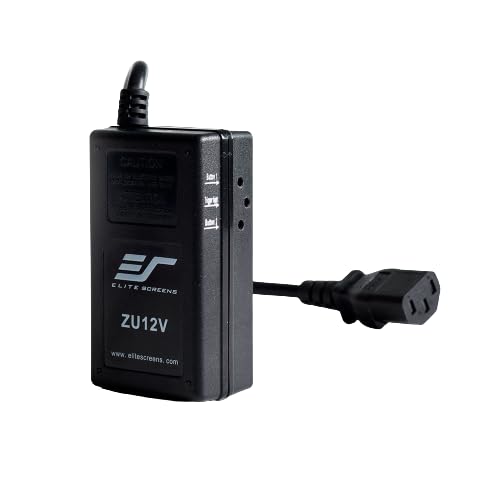


📽️ Elevate your projection game—wireless, seamless, and effortlessly smart!
The Elite Screens ZU12V is a wireless projector trigger designed for Elite Screens Version 2.0 electric screens. It eliminates the need for a 12V trigger output by syncing screen movement with your projector’s power cycle via radio frequency, offering up to 80 feet of control range. Ideal for home theaters and conference rooms, it simplifies AV setups by automating screen drop and rise with projector power, backed by a 2-year warranty.
| ASIN | B00BU3ZPRO |
| Additional Features | Not_Performance_Used |
| Antenna Location | Home theaters, conference rooms, or other settings with audio-visual equipment |
| Best Sellers Rank | #598 in Projection Screens #15,873 in Remote Controls (Electronics) |
| Brand | Elite Screens |
| Built-In Media | Does not apply |
| Color | Multicolor |
| Compatible Devices | Elite Screens Version 2.0 Electric Drop Down/Up |
| Connectivity Technology | Wireless |
| Contrast Ratio | Good |
| Control Method | Touch |
| Controller Type | Button Control |
| Customer Reviews | 4.2 out of 5 stars 127 Reviews |
| Display Resolution Maximum | Full HD (1920 x 1080) or 4K (3840 x 2160) |
| Display Type | LCD, LED |
| Display resolution | 3840 x 2160 |
| Form Factor | Desktop |
| Global Trade Identification Number | 00848448001896 |
| Hardware Connectivity | Radio Frequency |
| Item Type Name | Projection Screen |
| Item Weight | 2.4 ounces |
| Manufacturer | Elite Screens Inc. |
| Maximum Image Size | 80 Inches |
| Maximum Throw Distance | 80 Feet |
| Minimum Image Size | 40 Inches |
| Model Name | ZU12V |
| Model Number | ZU12V |
| Mounting Type | Tabletop Mount |
| Native Resolution | 3840 x 2160 |
| Recommended Uses For Product | Home theaters, conference rooms, or other settings with audio-visual equipment |
| Special Feature | Not_Performance_Used |
| UPC | 848448001896 012301048865 379436228730 |
| Unit Count | 1.0 Count |
| Voltage | 12 Volts |
| Warranty Description | 2 year standard warranty |
C**O
If you have a compatible Elite screen this is a must have
We used these on 2 conference rooms we set up with Elite Spectrum screens and they work perfectly and easy to set up. Directions are a little weak but both of them set up the first try. Projector on, Screen down. Projector off Screen up. Nice product. Most of the newer conference room projectors (Epson Laser) no longer have a 12v trigger out. So this is perfect if you do not have a 12v trigger out on your projector.
T**R
Great product! Except...
Works perfectly. After reading the reviews, I was worried about the set up being difficult, but it worked after the first try with Spectrum tab tensioned 125" screen and Sony VPLHW45ES. Great product! UPDATE: I had to take one star off, because this trigger was affected by my wireless pool equipment. Whenever the pool system sent a signal to turn on the pump, my screen would come down. I spoke with Elite and the pool guys, but was not able to resolve this issue. I have since removed this device and and control the screen and all other entertainment equipment with a harmony hub and Alexa.
P**B
Perfect RF screen trigger!
Works flawlessly. I had the screen come down in the middle of the night a few times before getting this RF switch, when hooked up to my projector 12v trigger. But not any more! The trigger did not work, so I got this switch and can’t be happier. It works every time the projector turns on and off. No more screen down in the middle of the night. Elite told me it could be from other IR sources in the room. I don’t think so, since the IR remote still works. And the wall switch also works. So now I have 3ways to controls the screen!
F**I
Easy set up. Works perfectly
I lost the remote to my elite screen. This was the perfect solution and very easy to set up. I have a few projectors and I tried it with all of them and they all worked with it.
J**R
Probably works on some Elite screens
Elite bills this as working for all of their screens without caveat. This is why I didn’t read the specs closely before buying. Just prior to delivery I did read the specs and found it depends on RF to control the screen. Well I know that my screen does not have RF capabilities so I started reading reviews. One very helpful review noted old model screens do not have RF capabilities in spite of the Elite claims. Mine is old and therefore does not work with this product. The thing is that it would be easier and more universal to build this thing with a 12v output. It would solve a common problem that can only be easily solved by a long discontinued Niles product that now sells for double its original price, used, if you can find it. Instead I am going to cut up an old USB cable and use the 5v out of the USB port to activate the screen. Most 12v triggers will trip with 5v. If this doesn’t work, Amazon now sells many different USB cables with integrated step-up transformer. They are all cheap and should work if your particular screen requires a bit more voltage. Another benefit of a hardwired connection is avoiding the vagaries of RF transmission. If the screen is a little too far away or there is interference, the screen may not lower or retract when it’s supposed to. This will muck up an otherwise well designed macro series.
M**S
Works for my Elite Screens Electric100H
With this device my screen will automatically come down when I turn my LG HU70LAB projector. This projector has an external power supply so when the bulb comes on the screen comes down. When I turn the projector off and the fans cooled the projector the screen goes up. Just tested it and the screen goes up immediately. Makes using the projector with my guest that much easier.
A**I
Product works - hard to set up - because the Written instructions are no good!
The Product works - took an hour to set it up - and that was because I was following the Written directions that came with the product. As frustration was inching up - I went to Youtube and found a Video from Elite Screens about setting up this product- and as soon as I followed those instructions - the set up was a breeze - took 10minutes! The written directions that came with the product were obviously incorrect/incomplete - nonetheless it seems to be working now.
E**.
Won't work for my Epson!
Didn't work for me. I have an Epson 3600e projector. Hooked this thing up and followed the instructions. It just does not work. It would be better if the trigger has some kind of sensing from a remote control for up and down. But it just never worked at all. I think it is a projector specific item. If you have an EPSON, Steer clear!
Trustpilot
5 days ago
1 week ago