Some deliveries may take a little longer than usual due to regional shipping conditions.

DOWNLOAD THE APP


Customer Services
Copyright © 2025 Desertcart Holdings Limited
DOWNLOAD THE APP

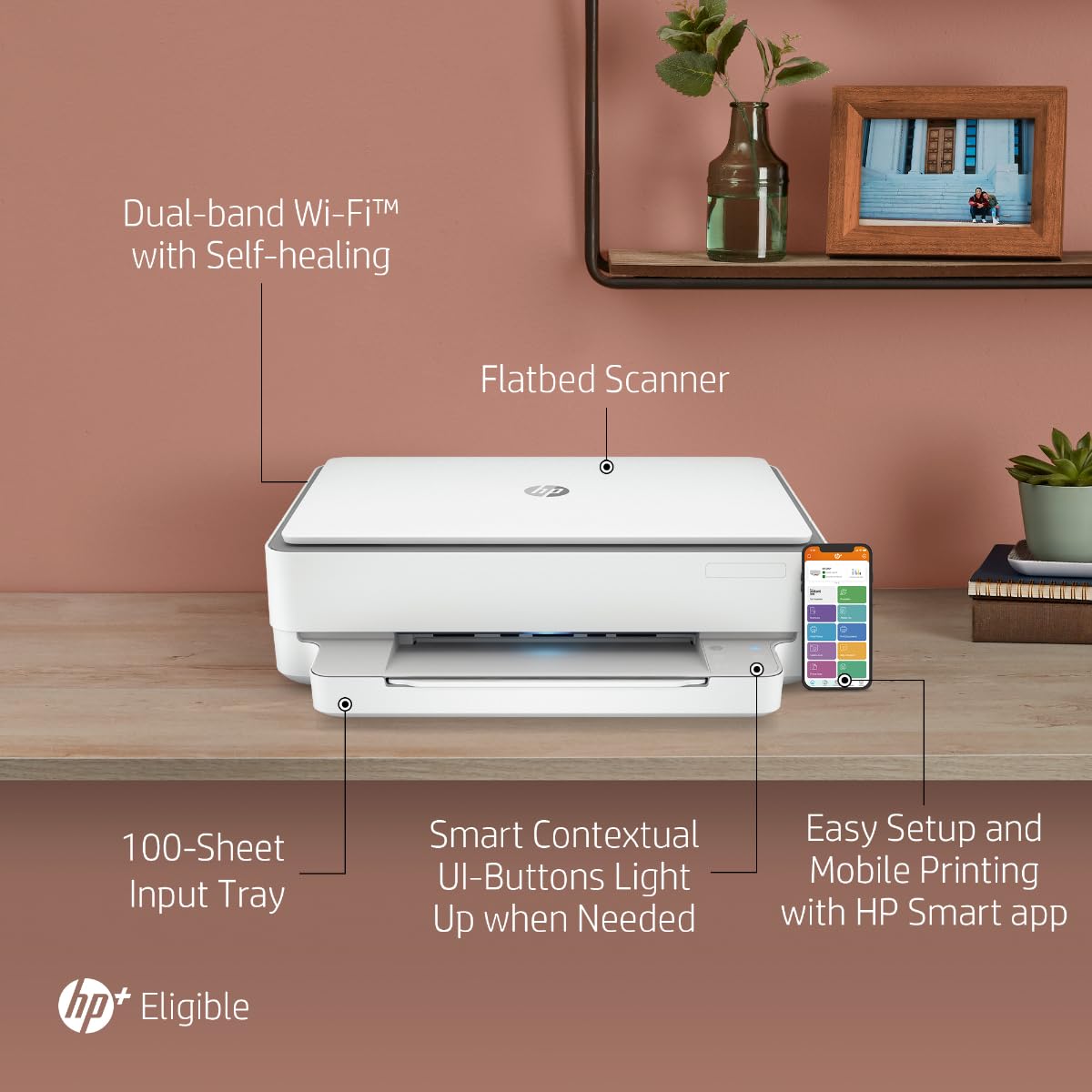


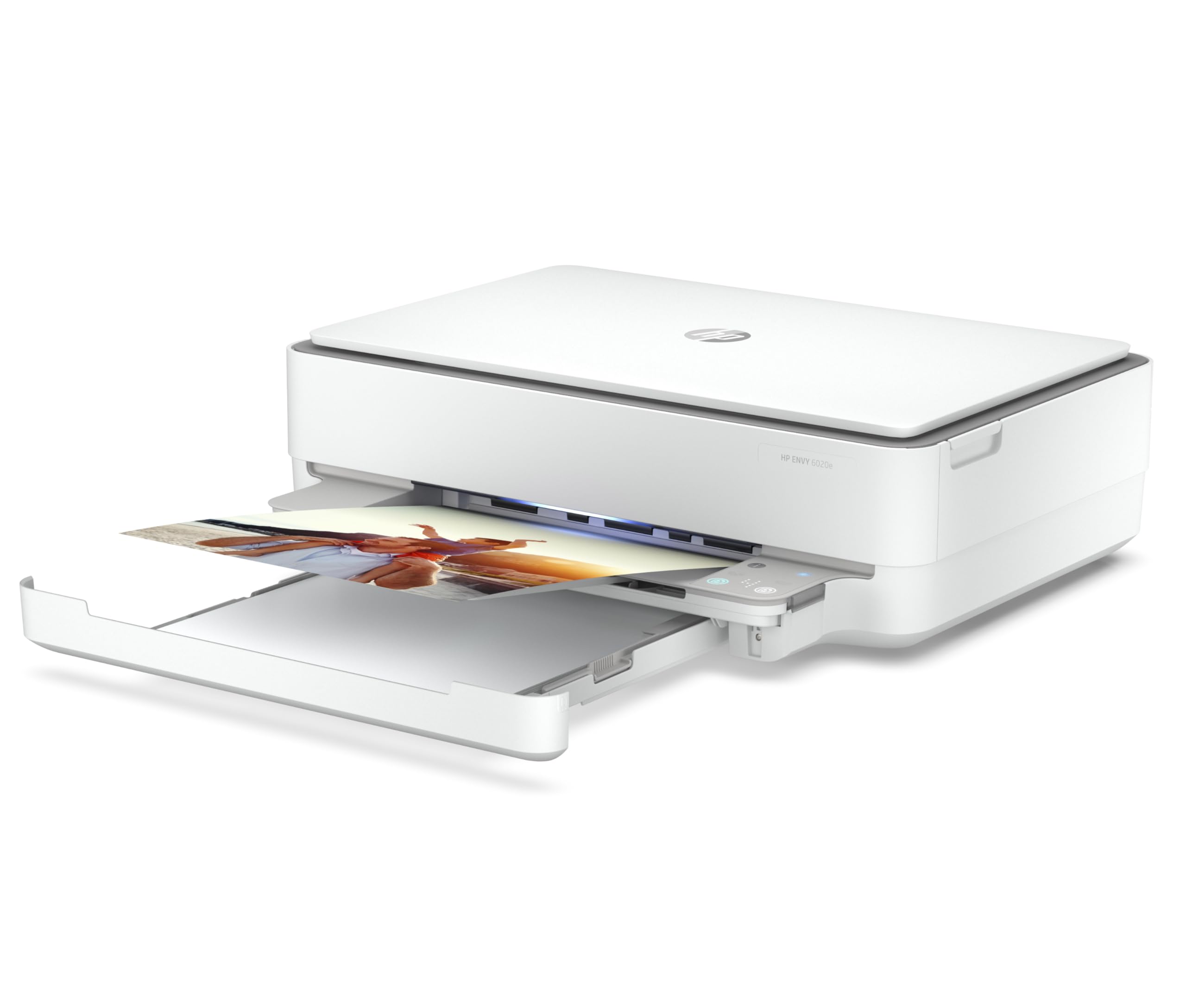


🖨️ Elevate your workspace with effortless, vibrant printing that keeps you ahead of the curve!
The HP Envy 6020e All-in-One Colour Printer combines high-resolution printing (up to 4800 x 1200 dpi), wireless mobile convenience, and eco-smart features like auto 2-sided printing and Instant Ink savings. Designed for busy professionals and families, it offers easy setup, dual-band Wi-Fi with self-healing, and an extended 2-year warranty via HP+ activation, making it a reliable, stylish addition to any modern workspace.


| ASIN | B08YRSRNN5 |
| Are Batteries Included | No |
| Best Sellers Rank | 210 in Computers & Accessories ( See Top 100 in Computers & Accessories ) 4 in All-In-One Printers |
| Colour depth | 24 bpp |
| Compatible devices | Smartphones, Tablets |
| Connectivity Type | Wi-Fi |
| Controller type | Android |
| Customer Reviews | 4.1 4.1 out of 5 stars (7,597) |
| Date First Available | 5 Jan. 2021 |
| Dual-sided printing | Yes |
| Form Factor | All-in-One |
| Guaranteed software updates until | unknown |
| Hardware Platform | Smartphone, Tablet |
| Included components | HP ENVY 6020e, Cartridge |
| Item Weight | 5.22 kg |
| Item model number | 223N4B |
| Manufacturer | HP |
| Max copy speed (black and white) | 7 ppm |
| Max input sheet capacity | 100 |
| Maximum Supported Paper Size | A4 |
| Maximum black and white print resolution | 4800 x 1200 |
| Maximum colour print resolution | [EO] 4800 x 1200 optimized dpi or 1200 x 1200 dpi |
| Maximum copies per run | [EO]10 |
| Number of USB 2.0 Ports | 1 |
| Operating System | Windows 11,Windows 10,Windows 7,macOS 10.14 Mojave,Mac OS 10 15 Catalina,Mac OS 11 Big Sur,macOS 10.12 Sierra |
| Power consumption | 4 Watts |
| Print media | Glossy photo paper |
| Processor Count | 1 |
| Product dimensions | 51.2D x 43.3W x 13.2H centimetres |
| Scanner type | Scanner Image |
| Sheet size | A4 Millimetres |
| Warranty type | extended warranty |
| Wattage | 4 watts |
H**K
Would recommend for home use
This printer , scanner and copier is nice and compact in size, purchased it to replace my brother psc as the scanning function stopped working on it. Installation was more difficult than on other occasions when I have bought a printer. After installing I tried to scan a document but got a message saying you need to download the scanning software. This had to be done after the original installation . I found this a bit strange. Print , copy and scan quality is good . Has a nice slim paper tray that slides very easily, a blue light that shows that you are connected to WiFi ( if it flashes it means you are not ) and a very neat multifunctional display that is easy to use. Has the on and off switch on the back of the printer, light indicator at front showing it is on. Overall would recommend the printer as it is good value for money.
N**D
Ink and Desire
The moment I met the HP Envy 6120e, my heart raced. Sleek, elegant, and impossibly capable, it whispered promises of colour and clarity. Every page it delivered was a love letter, every scan a stolen glance. Wireless, obedient, and endlessly patient, it fulfilled my every printing fantasy without complaint. A romance of ink and paper I never knew I needed. Five stars.
R**Y
Impressed. Set up in 10 min and free ink Use code rhvkv7 for extra 3 months, valid till April 2024.
--If you want extra 3 free extra month of fee ink here is my referral code rhvkv7 which is valid until April 2024-- I was very hesitant before buying this printer- there were mixed reviews and the price was too good to be true with free ink for 6 months. But I went ahead Set up of printer- set up was super easy with my phone took me no longer than 10 min. Printer ink Printer comes with ink one black and white and one colour. I installed them and have to say they get used to pretty quickly. But they only cost about £12 each so £24 in total. Free ink hp + Subscribed for free 6 months ink I took the 500 pages plan not because I need it but because it's free anyway :D had a code which gave me an extra 3 months free so now I have 9 months of ink. You can use my code above for an extra 3 months or free ink for you :) Although initially did not like the idea of subscription when I need to pay I will downgrade to 99 p or £2.99 plan depending on usage. I only normally need it for the Amazon return, and the then and now page I need to print for something else. Printing quality is ok and even photos are ok considering. I would say that the hp plan is probably cheaper as the cheaper plan would be £12 a year for 10 pages a month that can roll over for up to 3 months, and the second one up is £2.99 a month with 50 pages a month that can roll over for 3 months. £36 a year ink isnt bad I think. Bear in mind that they send ink in 7 to 10 business days , so I used the free ink and subscribed straight away until I get the new ink. You have 7 days to subscribe to hp instank ink so you can wait a few days to make sure you use your ink as subscription starts on day to subscribe despite hp sending you the ink after 10 days. Hp app Super easy to use, shows cartridge left, subscription, you can print etc. Really like it. Size of printer The only thing I wish was that it was slightly smaller - it's not the biggest printer but I believe a few cm larger than the average printer due to the print tray at the bottom that does not close. The only reason I downgraded a star. Colour and sound - It lights up and makes a sound/ noise when it prints- some reviews complained about it I really like it :) but then again the printer is not in my bedroom. Hope you like this printer- as much as I do and this review was helpful :)
L**L
HP Envy 6120e - DO NOT BUY!
The HP Envy 6120e is a reasonably priced printer-scanner. It does however have a design flaw: Installation can only be completed using a wireless network. When I took delivery of the device I installed the printer cartridges and scanned the QR code, it then displayed 'preparing' while it tried to connect to my Wi-Fi. After a few hours the error message 'For security reasons the printer exits Wi-Fi setup mode...'. I retried several times one time moving the printer closer to the router - same error message. I then contacted HP Community Support and a very helpful person asked me about my Wi-Fi network apparently HP printers do not connect to 5GHz networks. I contacted my broadband provider who said my router transmits on 2.4GHz and 5GHz. They did offer to disable the 5GHz channel but said it could cause problems with my other networked devices. I chose not to go down this path. The person at HP offered to help me create two home networks one based on 2.4GHz and the other on 5GHz but I thought this was a palava so I just returned the printer and bought another one which was easy to set-up and was a bit cheaper. Interestingly there is a USB printer cable port on the printer but it was covered by a sticker advising it not to be used. It looks as if the model was rushed into production before all the bugs were straightened out. If HP wanted to name the product range after a deadly sin Anger would have been a better choice.
K**E
The best printer iv ever had .
Very easy setup / great value .
J**E
Compact. Straightforward. Easy to set up.
Very pleased. Arrived as promised the next day. Works perfectly. Easy to set up. I'm part blind, 72, so if i can do it, any one can. I rang th8er help line for advice, very fast answering, very helpful. The printer is not large, not small. Just right for home use. Works perfectly, not too noisy. Easy to follow direction, very straightforward. A real bargain for the price.
K**R
Broken
M**I
Finalmente ho trovato la stampante che fa per me. Collegata a più dispositivi tramite wi-fi , c’è anche lo scanner integrato. E’ perfetta per ciò che devo fare.
G**A
Coulnt' get the printer to connect tot he app to register for the ink package that came as part of the purchase so i feel this was a bit of a swizz! Printer works fine tho.
N**A
Buona stampante per piccoli spazi, un po’ scomoda per l’accensione sul retro della stampante
B**E
La stampante funziona perfettamente. Il cassetto di alimentazione dei fogli è posizionato sotto il dispositivo e riduce notevolmente lo spazio occupato. Molto utile la stampa fronte/retro automatica.
Trustpilot
3 weeks ago
2 months ago