
💽 Elevate your storage game — where capacity meets style and speed!
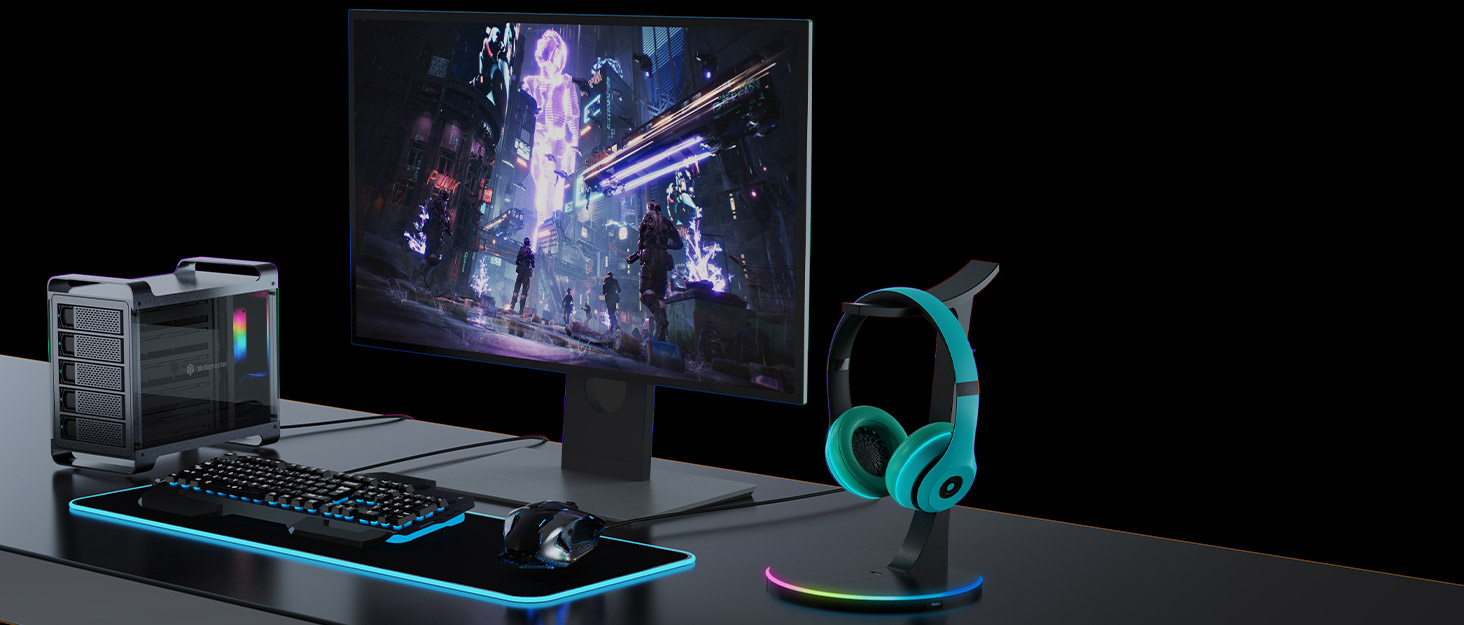
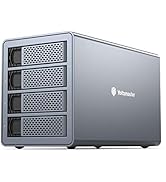
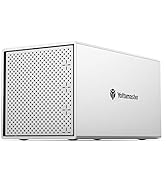
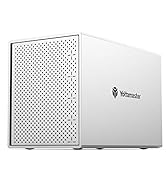
The Yottamaster 5 Bay RAID Hard Drive Enclosure offers up to 90TB of direct-attached storage with support for both 2.5" and 3.5" SATA drives. Featuring a unibody aluminum frame and an 80mm RGB silent fan, it combines high-performance cooling with eye-catching aesthetics. Its versatile RAID modes and USB 3.0 connectivity deliver flexible, fast, and secure data management, ideal for gamers, IT professionals, and creative workflows.







| ASIN | B08DLVMCCV |
| Best Sellers Rank | #870 in Enclosures |
| Compatible Devices | Laptop |
| Connectivity Technology | SATA, USB |
| Customer Reviews | 4.0 4.0 out of 5 stars (187) |
| Data Transfer Rate | 5 Gigabits Per Second |
| Date First Available | July 25, 2020 |
| Hard Disk Form Factor | 2.5 Inches |
| Item Weight | 9.28 pounds |
| Item model number | DF5RU3 |
| Manufacturer | Yottamaster |
| Material | Aluminum |
| Max Number of Supported Devices | 5 |
| Memory Storage Capacity | 90 TB |
| Product Dimensions | 252 x 5.35 x 168.5 inches |
K**Y
It is easy to use and works well
I have a lot of information on my NAS drives in my office, but that is mission critical data for my job, so I was looking for a method to read the various drives I have in my drawer. I have been working in IT and statistics for a long time, and 17 years just with this one client, so I have accumulated a number of drives from different projects, retired computers, or dumps of data too large to be contained otherwise. Up until this point, I was using a "toaster" (drive reader) on my desk that accepted one drive at a time, which made it difficult to transfer data between the drives and allow me to clean up and consolidate between them. I saw this enclosure and couldn't pass it up, plus it went well with my computer. It was easy to install the drives and as soon as I turned it on I saw all 5 drives pop up. Only one was visible because the rest were encrypted drives, but they unlocked correctly and I had no issues with them. I know some people complained about the device going to sleep, but I prefer it that way to minimize the wear-and-tear on the drives themselves. I'm not streaming off this so waiting a matter of seconds for the drives to spin up isn't really an issue. Overall, I have been very happy with the enclosure. The only issue I would state is that its cooling fan is incredibly loud in my office, but only because my PC is liquid cooled and makes zero noise normally. It is worth the price.
E**S
Can’t go wrong with these and Highly Recommended
For my purpose of usage, I think these are great products. Highly recommended for those who’s got HDD old school performance. Beautifully designed. Glass panels on both side so can see color fan running. All aluminum housing and equipped with a super quiet fan. I think these will last many years to come.
T**T
Wonderful little RAID Array with a Few Surprises
I bought this enclosure because it looks what you'd get if Apple's last generation of Mac Pro had a love child with a custom built PC. I bought the 5 bay version of this enclosure that has built-in RAID capabilities. It's worth noting that the four bay version is just an enclosure, although you could easily be set it up as RAID using Windows storage spaces, which is what I ultimately did with this one anyway (read on to see why). Taking it out of the box it looks and feels really premium and the RGB lighting adds a great touch when you power it up. It's truly unique in the external enclosure world and sure to please Mac fans and Custom PC enthusiasts alike. I'm personally a custom PC builder and got this for storing all of the massive photo and video files I capture with my Sony A7rIV and A7riii. Some people have said that the fan on this unit is really loud. As someone who's been building PC's for years and knows what to expect from different fans running at different speeds, I'd say it's about what I'd expect from a tiny 80mm fan running at full force. For those curious to know, the fan itself uses a proprietary two-pin connector, is not PWM, and doesn't scale based on temperature. As far as noise from the unit goes, I did find that the acrylic panels have no padding between them and the aluminum chassis of the case. Under heavy reading/writing tasks, these rattle and can get pretty loud. This may be what some people were attributing to the fan. A tiny bead of silicone at the center of each panel between the screws will remedy this issue. Hopefully Yottamaster will add another set of screws at the center of the panel or add some padding to prevent this in future iterations of their design. If you do open the case, be aware that there are two metal brackets that float at either side of the unit which can pretty easily scratch the soft acrylic panel. You can press them in carefully or put something between them and the glass to prevent this or the top of the unit first (this method is much more involved). Another challenge I encountered out of box was the sleep timer which caused the unit to shut down at random - even during read/write tasks. To resolve this, I disabled drive sleep in Windows power plan, and downloaded two pieces of software from the Yottamaster website. One of these simply allows you to flash new settings to the unit's firmware, the second is full fledges software that let's you manage arrays and tweak various other settings on the device. I found that setting sleep to "0" (0=don't sleep) on one did not change the setting on the other. In order to keep the enclosure from powering down constantly, I found that both had to be set to "0." One other oddity that I noticed in the software is that the drive numbers displayed there don't match the ones physically printed on the side of the drive bays on the device. So, for example, drive 1 on the device displays as drive 5 on the software. I'm not sure if mine was miswired or if the software simply needs to be reprogrammed to accurately reflect the correct physical bay number. I setup a RAID 10 array with the built-in switch based utility then set the enclosure to standard mode and used Windows storage spaces to create a RAID 10 configuration. I ran speed tests in both configurations and found that I got significantly faster read and write speeds (about 20/40mbps) by allowing Windows to manage the RAID setup versus using the built-in RAID management on the unit. ===PROS=== -Probably the best looking RAID enclosure on the market right now -Solid and well constructed -RGB fan and tinted acrylic panels add a nice aesthetic touch to the unit -After some tweaking it has been functioning flawlessly for several weeks ===CONS=== -Fan uses a proprietary 2-pin connector -Acrylic panels can vibrate against the chassis under heavy loads, causing additional noise -Out of box you need to download software to keep it from going to sleep every 5 minutes -Drive numbers displayed software side do not match numbers printed on the physical device
A**E
Reliably functional yet loud and lights cannot be turned off.
Update: Purchased a second device Aug 28, 2022. By Dec 16, 2022 is was failing regardless of the PC that was running it (3 machines here). There is no way to troubleshoot the unit itself and the documentation is useless. Since we cannot afford to lose our RAID arrays, we will have to purchase two new units made by someone else. Utter junk. Original Review: I purchased this device because of its storage capability vs. price point. It's loaded with 5 10TB drives and works very well. The practical issues/everyday issues are: 1. A cold-start or reboot of the PC requires one to cycle the power on the device. It cannot auto-mount if the power goes off or the PC goes down. 2. The clear plexiglass sides rattle. Support acts like you're the first person to encounter this, and put me through a long, slow burn of email exchanges ending with my giving up. I used the silicone-bead fix that someone else posted here. 3. NOISY. Absurdly so, and no way to slow the fan to make it less so. My workstations were built for quiet. 4. The light is always on, as long as the device is on. No way to shut it off. My workstations run 24/7 and the lights are bright at night. So, if you can get past those items, you're good to go. Again, for the price point, you can't beat the storage capability and day-to-day reliability. But poor secondary design decisions compromised what could have been a 5-star product.
J**T
Very affordable with a durable design
Amazing value for the money and worked. Worked right out of the box. Been using for the last 6 months almost with moderate load during the evenings and so far no issues.
R**E
I bought this literally on looks alone. It can support up to 80tbs and I am on 12 using 4tb Drives, so can go up to 5x16 which should be a way off. When you plug this in Windows it recognises the drives separately in disk management and all that is needed is initialization. I then configured storage sense with parity as I wanted redundancy with expansion ability (i.e. to add larger to the array when funds permitted). They do an array version of this also. This worked straight out of the box and the only problem was the supplied screws didn't fit (too small and short), so I just pushed the drives in loose-not professional but heigh ho.
K**R
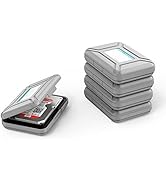
After reading through the blurb and getting a little confused, I went for it any way. Basically, if you want to install a brand-spanking new HDD, you'll need to format it once you've fitted it in a caddy drawer. If, like me, you want to add pre-used drives with data already in them, just screw them into one of the drawers, and you're ready to go. Works like a charm. I have 3 drives in this 5 drawer, a total of 26 TBs. The read/write speed is just fine, with very little start up lag. It's a solid piece of kit, and worth the price, IMO. 5 Stars.
G**S
But the fan (despite the description) is not that quiet, and nor does it spin down when the disks aren't under operation. It's louder than my 6 corsair fan cooled PC. So minus one star for each point, since this was the influencing factor behind my purchase. On the plus side it does look nice on the desk and the HDDs are easy to install, fix into place and slot the trays into the chassis. So if you don't mind the extra fan noise then this is an excellent purchase, the RGB feature of the fan is a nice touch to lighten up the desk environment without being intrusive or distracting.
S**U
Super easy setup and easy to use. The drives work perfectly. The only technical thing that you have to do is to format the drives in the drive bay using Windows device manager (if you're using Windows) but there is step by step instructions.
M**D
I was contemplating purchasing a Synology NAS to backup my media and photographic files but decided to buy this instead. One it was a fraction of the price and I needed to spend the money on buying a second 14tb Hard Drive. First thoughts. The case is aluminium with plastic/perspex sides, it feels well built and looks nice on my desk, the fan at the back is slightly noisy but not that extreme as many are saying. The coloured lights look nice The front of the case houses the 5 HD bays, just slightly pull the lever to the left on the front and the panel springs open, pull out, mount the hard drive into the tray. I've just put 2 screws in and with the device turned on mounted it back in. There are small blue lights to indicate that a hard drive is present in the bay The rear of the case has the USB, power connection and power button, when you switch off it takes about 4 or 5 seconds before the unit powers down. At first I thought this was a power fault I have 3 hard drives fitted, a 14tb, 4tb and a 1tb, the 14tb was instantly picked up within the DAS using Computer Management and quickly formatted it I then copied just over 8tb which included large photoshop files, RAW files, mp3, mp4 and software executables using FreeFileSync, it took just over 10 hours to copy it all My only gripe is the USB and power cable, they are not long enough, the power cable is only just long enough to plug in from the desk to the floor. Have got a 3 metre kettle lead and 3 metre USB cable ready to purchase. Cables don't cost much so why cut corners and provide shorter ones. This is the reason for only 4 stars Using the icon to power down the hard drives, you can power down all 3 in one go which is great Apart from the leads, am happy with the purchase Update 15/11/2023 I added a 16tb Toshiba HD 5 months ago, touch wood had no problems at all, I use this as a backup for my Synology NAS, I use FreeFileSync to copy new data from my Synology NAS to this device every month, can't be to careless with your data as it's precious
Trustpilot
2 weeks ago
5 days ago



