
DOWNLOAD THE APP


Customer Services
Copyright © 2025 Desertcart Holdings Limited
DOWNLOAD THE APP
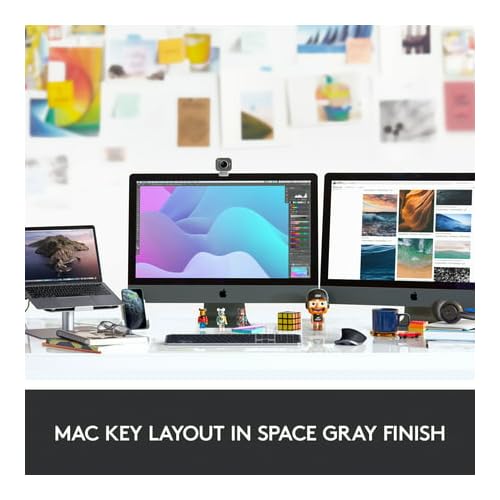


⌨️ Elevate your Mac setup with the keyboard that works as hard as you do
The Logitech MX Keys Advanced Wireless Keyboard for Mac is a premium, metal-built keyboard designed specifically for macOS and iPadOS users. Featuring 104 spherically-dished keys optimized for fingertip comfort, smart backlighting that adapts to your environment, and seamless multi-device switching via Bluetooth and Flow technology, it delivers unmatched productivity and style. With up to 5 months of battery life on a single charge and USB-C recharging, it’s the ultimate tool for professionals who demand precision, stability, and elegance in their workspace.


| ASIN | B082TSD2W5 |
| Additional Features | Backlit |
| Antenna Location | Everyday Use |
| Best Sellers Rank | #1,740 in Computer Keyboards |
| Brand | Logitech |
| Built-In Media | Keyboard / Unifying USB Receiver USB-C to charging cable (USB-C USB-C) User documentation |
| Button Quantity | 104 |
| Color | Space Grey |
| Compatible Devices | macO, iOS, iPadOS |
| Connectivity Technology | Connect via the included Unifying USB Receiver or Bluetooth low energy |
| Customer Reviews | 4.6 out of 5 stars 3,470 Reviews |
| Enclosure Material | Metal |
| Generation | 1st Generation |
| Global Trade Identification Number | 00097855157461 |
| Hand Orientation | Ambidextrous |
| Is Electric | Yes |
| Item Dimensions L x W x H | 18"L x 6"W x 1.75"H |
| Item Height | 1.6 inches |
| Item Weight | 28.57 Ounces |
| Keyboard Backlighting Color Support | Single Color |
| Keyboard Description | Wireless, QWERTY |
| Keyboard Layout | QWERTY |
| Manufacturer | Logitech |
| Model Name | MX Keys For Mac |
| Model Number | 920-009552 |
| Number of Keys | 104 |
| Number of Sections | 4 |
| Power Source | Rechargeable Battery |
| Style Name | Keyboard |
| Theme | productivity |
| UPC | 097855157461 |
| Unit Count | 1.0 Count |
| Warranty Description | Manufacturer’s warranty can be requested from customer service. |
S**L
Probably the best wireless keyboard available at the moment
The Logitech MX Keys Advanced Wireless Illuminated Keyboard is surprisingly well made and has a heft to it that others dont. It sits firmly on the desktop and stays put even when you accidentally bump it. The rubber feet are very effective on most desk surfaces. The feel of the keyboard is a welcome change to the larger, chunkier gamer style boards and it's a joy to type on even after long periods of time. The keys are solid and responsive and have a firm landing to them that feels like quality. It has an overall premium feel to it, both in build quality and in design. The full size layout is so much easier than having to remember combo keys or number locks. Everything is right there where you need it and the concave texture on each key is subtle but welcome and keeps you centered when typing. You can actually use this keyboard to control 3 completely different computer setups, all with different user configurations and setups.. This is a lifesaver if you jump between different computer configurations on a regular basis. You simply hit one of three different layout buttons and it instantly switches to the appropriate setup, awesome. The wireless connection is quick and responsive and reconnects quickly after being dormant so you dont loose keystrokes. The backlight illumination is great in darker setups and can be set at differing brightnesses. The keyboard recharges with a USB-C connector and has a surprisingly long battery life. You can also leave it plugged in for continuous power if needed. Build like a tank, comfortable, and reliable.
R**R
Nice Keyboard / Well Constructed.
10/2022: Just got it, hasn't been plugged in yet ! Looks good, feel substantial, waiting to see compatibility to both the Computer and myself. Packaged well, doubled boxed and wrapped in foam inside second box with no room for movement. Will add to review when I have used it for a while. So far... it is a Logitech Product, and I expect it to be a good quality product. 11/04/22: Quick Update I like the feel and design of the keys, a little deeper than the Apple OEM Keys. The keyboard connected to the Mac in Bluetooth without a hitch and keys work properly, although I haven't tried programing any key yet. Cons: The key lighting, sometimes it doesn't come on as quickly as I would like, I am not sure if it can be varied... I need to go on line and check it out. Nice Keyboard so far ! 11/23/22 - Update: It has been a month, with approximately three hours a day and a few up to 6 hours a day and the battery is at 50%, my review is the same, "This is a nice Keyboard". the feel of the keys is nice with just enough pressure you know you are pressing a key and then you feel the end of the stroke, the little extra cupping on the keys feels right, and this keyboard looks good, color and textures. I would strongly suggest someone that want an Apple Keyboard to buy a Logitech MX Keys Advanced Wireless Illuminated Keyboard for Mac. 02/19/2024 - Still one of the best Keyboards I have ever used, attached to my Apple MiniPro, on my Apple Tower before the Mini, and on most of my PCs. Keys work easily, bluetooth connects quickly, and no problems with function keys. Buy one.
J**E
Solid keyboard
From the moment I started typing, I was captivated by its exceptional performance and comfort. The tactile feedback with each keystroke makes typing a true pleasure, while the ergonomic design ensures that I can type for hours without any discomfort. The sleek and modern aesthetics of the keyboard add a touch of elegance to my workspace, and the customizable backlighting is a fantastic bonus that allows me to work even in dim lighting. Whether I'm typing emails, creating documents, or indulging in some gaming, this keyboard consistently delivers top-notch results. Its seamless connectivity to multiple devices and user-friendly setup were the icing on the cake. I can confidently say that this keyboard has significantly elevated my typing experience, and I wholeheartedly recommend it to anyone in search of a high-quality, performance-driven keyboard.
A**S
pleasant~
extremely proud to have jumped into logitech wireless keyboards. it's got a good-distance travel and feels pleasant on the fingers to type. there are circular depressions on ea key that promote precise typing and this is actually true thru my experience over the last year or so that i've had it. as for the build quality, it's thin in a metal enclosure, so there's some weight to it. it connects to up to three diff machines and there's a key to switch between them. i am in a situation w my living space where i don't need to take advantage of this feature, but it's convenient and easy to pair w the logi "options" software for windows and mac operating system (i tried it just to see if it worked). overall, it's an exemplary keyboard and holds a great amount of potential in your setup, and as for battery life, i find that im going weeks if not longer without a charge. i'm not gaming on it, so it isn't taxed for a recharge regularly, but it lasts awhile and charges quickly. about pairing again, you can bluetooth this or use a dongle that plugs into a free usb-a port for a more reliable paired connection, but i go for bluetooth because it's just more convenient.
C**2
Superior Full Keyboard to Apples more expensive offering
When paired with the MX Master 3 mouse for MAC you have a great tool for your home office. These are great productivity tools for a streamlined workflow. Fairly easy to set up. I have the set configured to control my MAC M1 2020, my iPad Air 4 and my employee Win/Intel PC. The switching has been working perfectly so far, I have been using them for the 2nd day now. Though it's too soon to comment on battery life, the lighted keys are so cool. With the proximity sensors all you have to do is move your hands towards the keys and they light up if the keyboard senses a lack of a certain amount of light.. Very accurate and cool. Pushing the the F13, F14 and F15 buttons instantly move your keyboard to the device. Pushing the channel button on the mouse does the same. I did not and will not set up and configure "Flow" between my Mac and Win PC. It would violate my IT data security rules around sharing documents between a confidential work machine in my case Healthcare data and a private machine. A no no. However, I can easily bounce back and forth throughout the day as I need to address an email or Skype. And bounce back and view a YouTube on my Mac. I know there have been some concerns around Bluetooth and Mac M1 machines. So far I have not had any issues. I use Bluetooth on my Mac and use the dongle on my Windows PC for the connections. The touch and feel of the keyboard is AMAZING! The keys just float to your touch. I am a pretty fast typer but this keyboard definitely speeds up my typing without sacrificing accuracy. Similarly, the mouse fits beautifully in your palm. Initially the tendency is to grip the mouse hard, I thing because of all the functional buttons. But as I get more comfortable and used to the mouse and trust my movements, I find it takes very little effort to access all the controls. As I get more time with the combo I see my productivity getting better and better already. Plus the feature and tech of this combo is super cool. Plus plus it's $60 cheaper that the way overpriced and no lit key'd Apple full keyboard. I would totally recommend both the mouse and the keyboard to a friend. If you're on the fence just buy it. I know, it's kind of pricy ($200) for keyboard and mouse. But it's worth it and the quality should last.
P**R
Buggy software/hardware makes for a miserable experience with MAC - now with update!
Wanted to love this MX for MAC keyboard desperately. The keys feel terrific with just the right amount of travel, weight, and touch. Backlighting is nicer than I expected. The ability to jump easily between my MAC, my iPad, and another device was wonderful. Battery life is fine. Simple custom F-key command setup held such great promise. Why the three-stars? The software/hardware is so buggy it was beyond infuriating. Constantly dropping bluetooth connection. F-key functionality would persistently stop working, thus assigned F-key actions would cease. Absurd amount of hoop jumping and backflips required to get the MX to function in any usable way. Multiple times a day this would happen, or it would work fine for an entire work-day, only to start up the shenanigans again in the morning. An hour+ spent online with Logitech did nothing to help. Even ordered up another MX for MAC in hopes the issue was specific to the initial keyboard. Nope. Same problems. Same headaches. Same frustrations. Apple keyboards, while lacking in the wonderful feel and features of the MX for MAC keyboard, work flawlessly and have zero issues. Sadly, the Logitech MX for MAC did not work for me. The potential is great with this one, thus the 3-stars, but I will not put myself through this frustration again. *****update***** The MX for MAC continues to have the same issues mentioned above when running bluetooth via my Mac but I decided to try the included USB dongle, and what do you know... it runs flawlessly. Zero issues. For that reason I am upgrading my review to 4-stars, but won't give it 5-stars as a $100 keyboard has no business not functioning properly with bluetooth. Beyond that unsolved issue, the MX for MAC is terrific.
K**Y
The Ultimate Keyboard for Mac Users!
I recently upgraded to the Logitech MX Keys Advanced Wireless Illuminated Keyboard for Mac, and it has completely transformed my computing experience. The backlit LED keys provide exceptional visibility in any lighting condition, making late-night work sessions a breeze. The Bluetooth and USB-C connectivity options offer flexibility, allowing me to seamlessly switch between my MacBook Pro, iMac, and iPad. The keyboard's metal build feels premium and durable, ensuring long-lasting performance. One of the standout features of this keyboard is its compatibility with Mac devices, including MacBook Pro/Air, iMac, and iPad. The keys are perfectly optimized for the Mac operating system, providing intuitive shortcuts and commands that streamline my workflow. Plus, the inclusion of a free Adobe Creative Cloud subscription is a fantastic bonus for creatives like myself, offering access to a wealth of creative tools and resources. Overall, I highly recommend the Logitech MX Keys Advanced Wireless Keyboard to any Mac user seeking a stylish, functional, and feature-packed keyboard. It's a game-changer!
E**.
Excellent feeling, solid keyboard.
Solidly built keyboard, both BT and proprietary wireless dongle connection are solid. Key excursion and springiness is delightful as are the depressions in the center of each key for fingertips. It feels great typing on this keyboard and I can type very fast. The programmable keys on the top row (via the Logitech app) are hugely convenient for work-flow, once set by the Logitech app. The app itself is "meh" but gets the job done and once the keys are programmed does not need to be used again. Overall, this is the best keyboard I have ever used, and although not cheap, it is much cheaper than Apple's native Mac keyboards and much more fun to type on. I would highly recommend it. (Also looks pretty nice too).
Trustpilot
1 month ago
1 day ago