Desert Online General Trading LLC
Dubai, United Arab Emirates
Desert Online General Trading LLC
Dubai, United Arab Emirates




🖱️ Elevate Your Click Game!
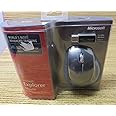
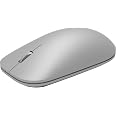
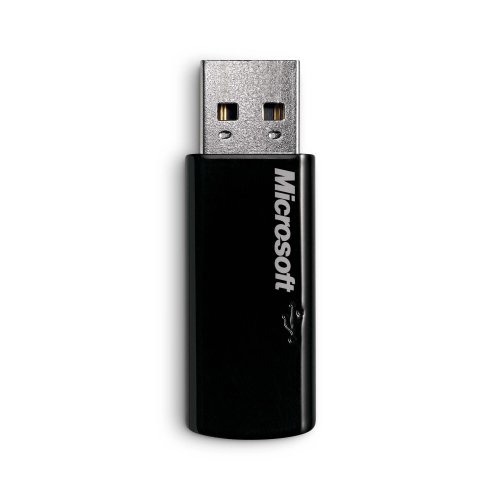
The Microsoft 2.4GHz Wireless BlueTrack Technology Laser Explorer Mouse offers a reliable wireless connection with a 30-foot range, easy battery recharging, and sophisticated design, making it the perfect companion for professionals on the go.
| Style | Modern |
| Color | Silver Black Blue |
| Item Weight | 1 Pounds |
| Battery Average Life | 8 months |
| Range | 30.0 feet |
| Number of Batteries | 1 AA batteries required. |
| Power Source | Battery Powered |
| Hardware Platform | PC |
| Button Quantity | 5 |
| Hand Orientation | Ambidextrous |
| Compatible Devices | Windows Vista |
| Operating System | Windows Vista, Windows XP |
| Connectivity Technology | Wireless, USB |
| Special Features | Wireless |
| Movement Detection | Optical, Laser |
P**G
I love this mouse!! Best mouse that I have ever used.
I am an avid mouse user. I have a laptop and I am on it 8 - 10 hours a day. On a regular wireless mouse I would got through a battery every month to month and a half and completely wear out the mouse in a year. This mouse is going to save me a lot of money! The charger is very easy to use and in as little as 15 min you can charge it to last all day. I have been charging it at night and using it during all day and not seen the recharge light come on at all.The middle scroll button on the mouse is so nice. It is smooth and quiet so no annoying clicks or trouble trying to line it up. It took me a bit to figure out how to click the middle scroll button but, once you figure it out it is easy. Just push it like you are pushing from the back of the mouse to the front...simple.Some have complained about the size of the mouse but, I love it. Most of the different mouses on the market are so small it cramps up your hand to use but, this one I am able to lay my hand flat on it without bending my knuckles for long amounts of time and cramping them up. It is also a very nice looking mouse and has a really sharp looking blue light that illuminates when you wake the mouse from sleep or first put it on the charger.The laser is very precise and very easy to point exactly where I want on the screen. I didn't need to adjust the speed of the mouse at all or any of the adjustments but they are easy to use if you would need to.The indicator light system is very easy to follow. If you see the slow red flashing light then you need to charge the mouse. Once you put it on the charger it will slowly flash a green light to let you know it is charging and once charged it goes to a solid green light. I did have an issue with getting a fast red flashing light when I first started using the device but, could not find any information about what that meant. I unplugged the wireless USB adapter, restarted the laptop and then replugged in the adapter and it worked just fine again.I HIGHLY recommend this mouse, especially to those wireless mouse users that go though many batteries from constant use. It will save you money.
J**Y
Great Mouse - only lacking thing is battery
The Microsoft Explorer does indeed prove itself to be worthy with Microsoft's new blue track technology - the mouse is very sleek, and accurate when clicking on objects. The wheel button in my opinion is not much of an issue, many people that have reviewed this product over exaggerate the wheel button - no it is not that hard to press down. Sure a miniscule, force is required but for a user that does not flood the computer by multitasking (especially on the web) the wheel button will be good enough. The scrolling is fluid which means you will not feel those "bumps" or whatever you name it while you scroll up and down through pages or other applications etc.* The Size -- If you like using your fingertips to move your mouse with ease and have the palm of your hand touching a desk or other obect besides having mounted on the mouse then you may want to reconsider and get the Microsoft Mini Explorer Mouse.( It is a laptop mouse but people all have their own way in using a mouse and can use "laptop" mouse as a "desktop" mouse - a mouse is a mouse) Anywho, this mouse in particular fits my large hand, but I like to have my palm against my desk ,so when I try to use this mouse without my palm touching, I can still click, but it becomes more uncomfortable and the fingertips feel like there less in control if you were to click. (feels akward after a few minutes of use) BUT... If you like to rest most of your entire hand including your palm on top the mouse, then this mouse is comfortable enough.* The Battery -- In plain simple English the battery does not last long. My lasted for about a full week on full charge running on a battery. I guess this is the way it was designed, but cmon i have an old logitech wireless mouse that has two batteries that last for 6 months. Seriously. Sure this mouse comes with a charger but I'm not a charging a mouse every once a week don't have the time to do that. Maybe I got a defected mouse- dosent really matter. Just wished they would of just designed this mouse to run with two batteries like the good ole days instead on one "charge".*The Installation -- this is cakewalk don't let people's ignorant and over specific reviews on this part get to you. It comes with a disk, pop it in, follow instructions, reboot, plug in USB after reboot and your set.(literally)Don't let the battery life discourage you about the mouse and it's quality. Remember it's a good mouse with a minor flaw. The built is solid and seems durable. I like precision and ease of use in a mouse and this product has it. So this is worth the purchase.
K**H
Battery Charging Defective
I purchased two of these mice, one for my iMac and then when I liked it, one for my MacBook. I basically like the mice and after getting used to the heavier weight find it easy to use.The reason I am writing this review is to tell about the defective rechargeable battery system on both mice and hope it helps other folks. I will try to keep the story short, but with enough detail that might help others with the same symptoms.The mice appeared to work for a few weeks, the red light never came on, but I would recharge them every so often. Then the red light (indicating low battery) would come on very soon after taking off the station. I purchased new rechargeable batteries thinking perhaps the batteries were defective. The behavior continued with two different sets of batteries. Using a friend's battery tester, the rechargeable battery tested almost completely full, but the red light would still come on. I put a regular battery (which tested 100% charged), used it for a week and the red light came on. I put one of the new rechargeables in for about 24 hours and the green light was still flashing, indicating it was still charging.I called Microsoft support, 800-642-7676, talked to a representative, who talked to his advisers and they declared both of them defective and are sending two replacements, which I appreciate.Here's hoping the new ones work correctly. I know someone else with two of these and the battery charging system works just fine, so we shall see.
Trustpilot
1 day ago
2 weeks ago