
DOWNLOAD THE APP


Customer Services
Copyright © 2025 Desertcart Holdings Limited
DOWNLOAD THE APP

💧 Smart watering, smarter living — never overwater again!
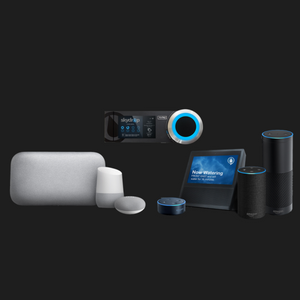
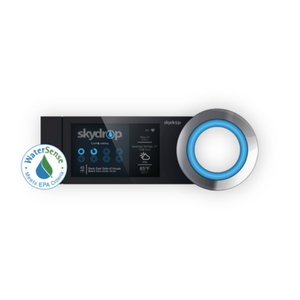
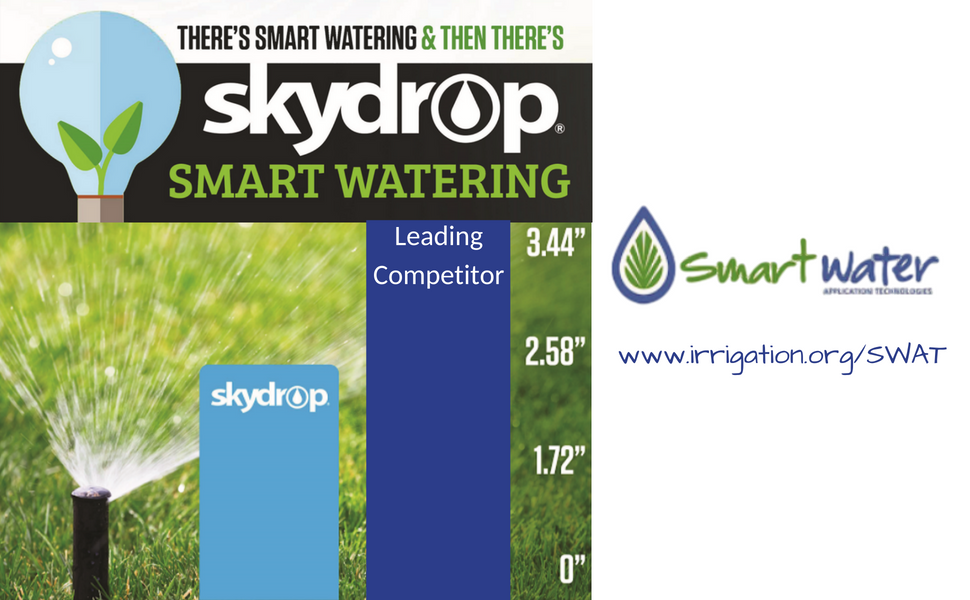
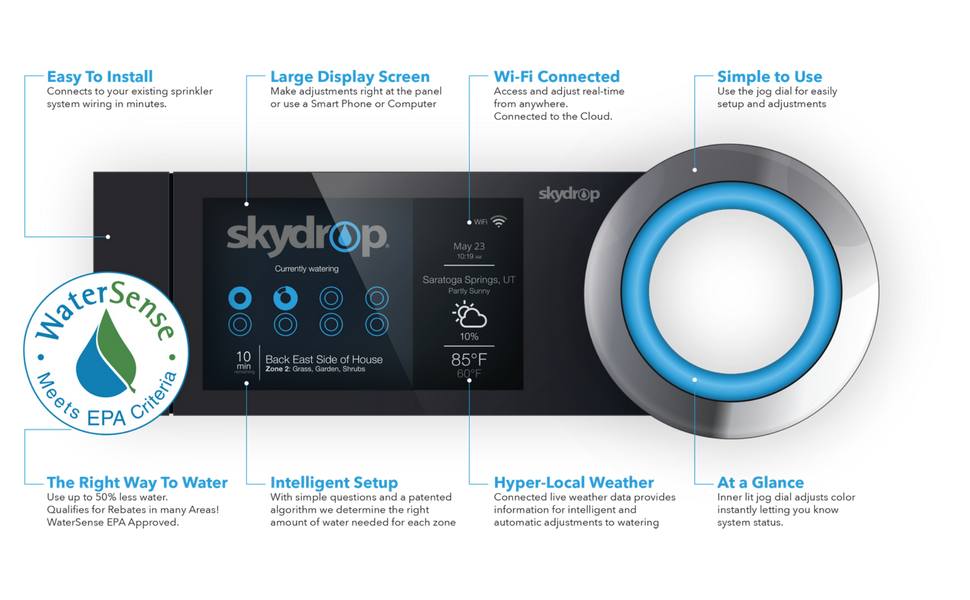
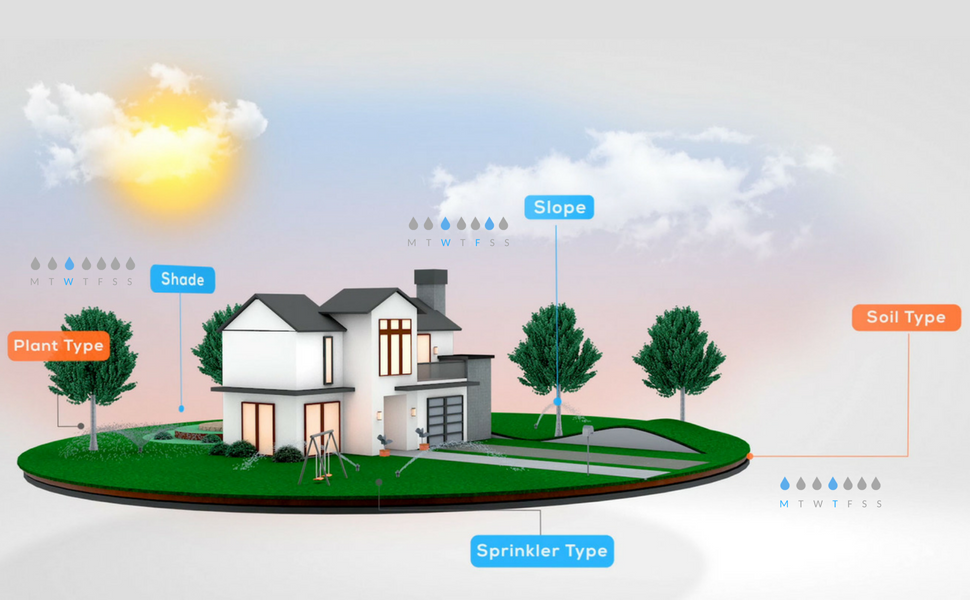
The Skydrop Halo Smart Sprinkler Controller is an 8-zone WiFi-enabled irrigation system that uses hyper-local weather data and advanced evapotranspiration calculations to dynamically schedule watering. Compatible with Alexa and Google Home, it offers voice and app control for effortless lawn management. WaterSense certified, it saves up to 20% more water than average controllers, promoting eco-friendly efficiency. Designed for easy installation and precise zone customization, it transforms traditional watering into a smart, sustainable routine.

| Best Sellers Rank | #601,502 in Electronics ( See Top 100 in Electronics ) #26,944 in Security & Surveillance Equipment |
| Customer Reviews | 3.2 out of 5 stars 384 Reviews |
R**S
Beautiful Industrial design
Beautiful Industrial design, better documentation would make it as good as it gets. Documentation is limited and leaves a lot to be desired. It only works if you know to click on a small check buried among alphabetic characters on only some screens. The installation instructions are clear, simple and well done. However, one critical piece of information is missing. It's not mentioned ANYWHERE!! You must highlight and click on a check mark when entering zone names or the WiFi password. This check mark only appears on some of the screen options when entering alphanumeric characters for naming zones or passwords. Additionally, the highlight is difficult to see unless you're at or below the plane of the screen. The characters are small but visible. Once I figured out that the check indicates the name or password is complete, everything worked flawlessly. Connecting it to my cell phone was a breeze. The phone graphics are beautiful and you can control everything easily and intuitively. Only time will tell how effective it is at saving water by accurately predicting rainfall at my house, not the weather station. A weather resistant cabinet is required for outside mounting. The cabinet is manufactured by Orbit. The model number is 57095. It has an internal GFI receptacle so mounting the Skydrop inside is very simple. You will have to drill mounting holes in the internal mounting plate, but that's a simple job that can easily be done by the installers or anyone who can use a drill. Cudo's to the designers and shame on the documentation people for making a simple installation unnecessarily frustrating.
G**L
What's to like? A month of frustration.
What's to like? A month of frustration. I bought the SkyDrop system as well as the expansion module but returned them within the first 30 days as the system never worked correctly. 1) Control and User Interface: Let's start with the controller. What's the point of the fancy space-age design with the cool display screen and sexy glowing control dial? This controller is essentially an industrial device that will be installed in some utility room or closet and never looked at after installation since you will be using the app or a computer to control it. This does not negatively affect the device's operation. It's just weird. The app was easy to use and intuitive but the app would frequently lose contact with the device and then nothing would work. The app would often say that it lost the WiFi connection with the device, even though the device screen reflected that it was connected via WiFi with good signal strength. Often I could get the controller to work only via my laptop computer via WiFi, but not the app connected through the same WiFi. 2) Installation: The installation was very easy as advertised, but the device could never recognize one of my connected irrigation zones. The zone worked perfectly and could be activated manually through the device but the device would not recognize it to control it automatically. The expansion module (to increase zone capacity to 16 zones) also was easy to install. 3) Customer Service: I called customer service and was told to perform a factory reset on the controller, but this action essentially killed the controller. Customer service agreed to send me a replacement for the defective controller, but refused to sent the replacement via overnight shipment as that was "against company policy" according to the customer service supervisor. 4) Replacement controller: I received a replacement controller, but the controller was apparently an older reconditioned SkyDrop model instead of the newer version SkyDrop Plus module that I was trying to replace (It says "SkyDrop Plus" on the face of the controller). The replacement controller would not allow the expansion module to work at all but as I was going on vacation soon and needed something to water my plants, I used it with just the eight zones. 5) Timer programming: I programmed the device to water my plants each morning (easy to program) using manual programming rather than allow the device to automatically water based on the weather, etc. Each morning the system would send me an e-mail letting me know that the system had watered my zones as programmed. The app also reflected that the zones were watered every day at the programmed time. The problem is that the device never actually watered anything at all! It would tell me that it did so, but never did anything. It did allow me to manually request watering of each zone for whatever amount of time I wanted. It just would not allow this to happen with the timer. Each day, I would request through the app manual watering one zone at a time and this would work fine. 6) In complete frustration, I returned the system for a full refund within the 30 day return period. 7) Recommendation: Buy anything except the SkyDrop and you'll be happy. I bought the Rachio system and am completely happy with it. It works correctly all the time! It's made in the USA and was easy to install. The app is simple to use. It waters my plants perfectly every day and never fails. The Rain Machine also gets great reviews but I have not tried that system.
P**Z
Really disappointed with this product
Really disappointed with this product. The quality isn't what I was expecting. The jog ring doesn't feel smooth when you twist it. The enclosure has that cheap plastic feel instead of something more solid. The LCD screen is NOT touch (not a big deal) and it has poor visibility if you're looking at it straight on (big deal). You need to mount it a little higher than eye-level to see it clearly. It's also not the higher resolution type that you find in the nest thermostat. The setup is easy, web interface is nice, and packaging is impressive. Reason I'm going to return this is that the devices keeps losing connection to the cloud service. It's connected wirelessly just fine, but just can't seem to get to the cloud service. I would have to re-setup the network settings each time and sometimes it'll work, sometimes it doesn't. Very frustrating and unreliable. Still too many rough edges with this product... I will be looking at getting a RainMachine next and see if it fairs any better. 4/21/2016 Update Just to give you guys a quick update. I've contacted Skydrop and after a firmware update, my wireless problem went away. The iphone app has been improving ever since I've gotten it and it's pretty extensive at this point. I don't interface with the hardware as much and most of what I do is through the app since it's so much more convenient. All in all, I'm pretty with happy with it so far as it matures.
C**.
A great device with a few caveats during installation...
So I purchased and installed two of these at two separate locations and couldn't be happier. It is relatively easy to install just take the zone wires from your existing controller and the common and/or master valve wire and connect it to the backplate of the SkyDrop controller. The wires leading to both units I installed required me to splice the existing wires to something with a higher gauge wire as the thickness of the insulation coming from the sprinkler valves were too thick to slip into the small opening on the SkyDrop's back plate. It would have been nice to have a wider opening but hopefully that will come in v2... When you wire the back plate and plug in the power supply there is a hot connection that can be used to test each of your zones. When a zone wire is connected to this hot connection the zone comes one. The first time I did this the zone wouldn't turn off after removing the zone wire so I had to find the shutoff valve and turn it off manually. After that was done I finished wiring the common, master valve, and the respective zone's and followed the on-screen instructions to get the unit connected to the internet via wi-fi. The mobile app works well but for creating complex schedules I would suggest using the web site at skydrop.com. The second attempt at installation of another unit yielded another strange scenario. After wiring all of the zones and going through the setup I discovered that the setup would hang during the wi-fi connection prompt. It wasn't obvious until I read through the support site that the SkyDrop has trouble with WiFi Names (SSID's) with certain non alphanumeric characters. It basically caused my setup to choke... I renamed my wifi connection to get rid of the non-alphanumeric characters and was able to continue the setup without issue. Upon connecting the SkyDrop to the internet an update was immediately installed... I later changed my WiFi SSID name to what it was before and was able to join without any problems... It appears they have fixed that issue but there may be some units still on the shelf with the old firmware so beware if your SSID has non-alphanumeric characters in it. I've only had this for a week but can say it is easy to use and works very well. You can easily make changes via the mobile app while away from your house and check to see how things are working. The large lighted dial gives quick indication as to what is going on while watering as the typically green dial turns blue when watering as well as shows a status of all the zones and how much time is left. Looking forward to seeing the water timing change as the temperatures rises and lowers and also stop watering when it is raining outside based on local weather forecasts... The SkyDrop also integrates with the Nest Protect smoke detectors if you have one. If it detects fire it will turn on your sprinkler system... That's a feature I hope I won't get the chance to test.... SkyDrop 8 Zone (Expandable to 16) Wifi-Enabled Smart Sprinkler Controller
M**M
Company is going out of business. Won’t be smart for long.
Update: They tried sending me a link explaining how they failed at managing their operations and had to create a user fee, without notifying their customers. It further explains how the company doesn’t know how to manage their finances, our day to day operations. I’d expect an increase in hidden costs that the company comes up with. For a suggestion, I would recommend going with any other company or product that does smart watering for your lawn. The simple answer is that others don’t charge, and they do the same thing. This company has essentially gone under. Stay away from their product, as it will soon be unusable. They should just go with option 3 (see below). Their response: “At the end of 2018 and after exhausting all options, Skydrop ownership made the difficult decision to discontinue operations. The immediate concern was for the many loyal customers that would see their smart controllers reduced to being dumb traditional timers when the Skydrop Cloud ceased operating. A few of the passionate (former) employees wanted to find a way to maintain the Skydrop Cloud and determine a path forward so that customers could continue using the devices and services they have enjoyed. The owners agreed to allow us to at least maintain the cloud services and retain a single full-time customer support employee. For the last several months, as we have transitioned to positions at new companies, we have volunteered our time and personal resources to keep the cloud services up and available. Of course, this is not a long-term solution. We need to get Skydrop onto reasonable financial footing so it can either be acquired or continue operations with a few full- or part-time employees. Our options were: 1) increase sales (hard to do with no sales or marketing team); 2) ask the existing customers to pay a minimal fee to support the continuing availability of the cloud services or 3) shut down the cloud services immediately”. Previous post: Had this device for three years. It used to work ok, but would randomly drop WiFi. The problem with it is, the company decided to make the app unusable unless you pay them a monthly fee. This wasn’t the case for the last three years. Now they expect you to pay them to be able to use your $200 device. It’s garbage. Don’t get it. I’m throwing mine away, as soon as my new smart watering meter comes in. Horrible company, horrible product, and horrible customer relations.
D**N
Super high on the coolness factor
Nice looking design. Has a feel of quality about it. Easy to install and set up. I looked at several other brands but liked this one the most. It should really help us save a lot of water at my house in California. We're in a serious drought right now. Skydrop will automatically reduce watering times in cool weather, increase for hot, and adjust for daylight savings. This is something I have had to do myself twice a year. Skydrop makes pretty good watering recommendations on its own as you set it up plus you have the choice to override any or all of the settings it chooses. Now I can monitor my sprinklers from anywhere in the world; something I've always needed to do. One minor issue: the built in bubble level on the mounting bracket was so far off that it was unusable. I had to level the bracket by eye. Another nice feature is if Skydrop looses the wifi connection it continues to operate and if the web service is terminated, it will still run as a regular timer. Other wifi enabled sprinkler timers are completely dependent on web service and will not operate at all if the service shuts down. Overall, this is one nice piece of technology. By the way, I'll be getting a huge rebate from the water company for installing this water saver.
D**N
Good system, but a week WiFi radio.
Overall, I like it. I'll start with the negative, then the positive. SkyDrop dropped the ball with their WiFi radio on this one. Contrary to their website, most people keep these controllers in their garage (such as me) or outside where WiFi signal can be week. My garage had minimal WiFi signal, it took two visits by my local telecom company (who is great BTW) to get a good signal to my SkyDrop controller. Even then, the extender placed in the garage is only 20 feet away from the SkyDrop, but the SkyDrop still does not have a full signal. Why SkyDrop does build these with a stronger radio, or allow for an ethernet connection baffles me. This is just one of the moments you want to slap and engineer. The SkyDrop cost me more than most controllers, but it has now cost me more per month on my WiFi network. For the record, I did contact WiFi tech support asking for a replacement, and they were willing to send one. However, I was told they have week WiFi signals, so I canceled the order since tech support did not sound like I was going to accomplishing anything. Hopefully the WiFi signal strength and ethernet connection will be corrected on future versions. Now to the positive, when it is connected to the internet, it is great at controlling what zones to water and what zones not to. After you set the soil type, shade, partial shade, or full sun, and what type of slope, and the number of and type of sprinkler heads you have in each zone smart watering takes over (you can manually set a schedule if you like as well). Some zones will kick on while others will not depending on the needs of the yard, weather, and forecast. I have no doubt our water bill will go down after installing this... just as long as it will stay connected to our WiFi. Some of the other positives, the cell phone app works great. It lets you do everything you can do online through skydrop.com. You can also see what zones came on and which nights each zones are scheduled under the smart watering scheduling. The app also doubles as a remote to remotely activate a zone, or the whole system. With the remote feature, there is no more running back and forth from the yard to the garage when I'm trying to find a sprinkler that needs replaced. One thing I still need to wait and see on is if the weather station in town will cause our system to shut off when it starts raining rather than having our yard continue to water when it is raining. Now that we have a good WiFi connection, I'll be able to test this one of these mornings.
D**.
Perhaps I got a lemon....
The initial installation is definitely easy. The wifi setup was not. It would not allow me to choose my wireless network because I have three networks and it could also detect my neighbors' networks. It would hang in the network selection screen and not allow me to proceed. I had to unplug it and start over again because there was no way to get out of the screen. After this happened several times I was tempted to return it due to the frustration. But I thought maybe I could get it to go if I isolated it in a far corner of the house right next to the wireless router it was supposed to connect to. This required uninstalling it. That didn't work either because it was either defective or because there were still two other networks in my house it could slightly detect. Being extremely persistent and not wanting to put my old system back up I thought perhaps if I quickly toggle to manual setup before it had a chance to detect anything maybe I could get past that screen. That worked. I then had to program in all my wifi information which is a pain using the scrolling wheel when you have long wifi names and passwords. If it loses power, you have to go through this whole thing again. I have done it s couple times niw. It drops connectivity occasionally and requires a reset. I have my wifi router about two feet away from it and it still sometimes loses cloud connectivity. Even though it says it is not going to water for at least five days, I found it watering every morning two weeks ago. Had to reboot it again because it wasn't following the cloud program. After this happened again, I put in manual programs. You still need to disable watering for each zone to have it follow only the manual programs or it will water both the manual program and any other time it wants to water. It is no better than my manual programmable sprinkler except that I can tell it to not water while out of town if I hear it is raining at home. That is assuming it hasn't lost wifi again. May still return this thing because it is the only part of all my home automation that doesn't work as advertised.
Trustpilot
3 weeks ago
4 days ago