Buy anything from 5,000+ international stores. One checkout price. No surprise fees. Join 2M+ shoppers on Desertcart.
Desertcart purchases this item on your behalf and handles shipping, customs, and support to Spain.
๐ง Step up your transcription game with hands-free precision!
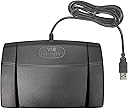
The Infinity 3 USB Foot Pedal Control is a durable, ergonomic transcription tool featuring a 3-way heavy-duty foot switch with USB connectivity. Compatible with both Windows and Mac, it offers seamless plug-and-play setup and is designed to enhance transcription speed and comfort. Lightweight yet stable, itโs the go-to choice for professionals seeking reliable, hands-free audio control.
| ASIN | B002MY6I7G |
| Actuator Type | Hinge Lever |
| Best Sellers Rank | #20,591 in Electronics ( See Top 100 in Electronics ) #100 in Digital Voice Recorders |
| Brand | Executive Communication Systems |
| Brand Name | Executive Communication Systems |
| Circuit Type | 3-way |
| Color | Black |
| Compatible Devices | Tablet |
| Connectivity Protocol | Usb |
| Connector Type | Usb |
| Contact Material | Stainless Steel Or Brass Or Alloy Steel |
| Contact Type | Normally Open |
| Control Method | Touch |
| Control Type | Manual |
| Controller Type | Foot pedal |
| Customer Reviews | 4.5 out of 5 stars 2,152 Reviews |
| Global Trade Identification Number | 00094922207159 |
| International Protection Rating | IP00 |
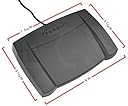
| Item Dimensions | 1.9 x 8 x 7.6 inches |
| Item Weight | 3 Pounds |
| Manufacturer | Executive Communication Systems |
| Material Type | Plastic Metal |
| Model | 187630 |
| Mounting Type | Surface Mount |
| Number of Items | 1 |
| Number of Positions | 3 |
| Operation Mode | Foot switch |
| Part Number | 187630 |
| Specification Met | CE |
| Switch Type | Foot Switch |
| Terminal | Through Hole |
| UPC | 094922207159 858783901737 858783000416 033587084613 074927911626 |
| Unit Count | 1.0 Count |
| Wattage | 2.5 watts |
T**M
Fantastic Device - and works with Express Scribe (free).
I was a little worried that there was 50% chance the device would not work with the free version of Express Scribe Transcription Software, due to the product statement "it is not compatible with the Free version of Express Scribe", and some of the buyer posts that it had not worked for them - while other posts claimed that it did work. Taking a chance, I purchased the Infinity USB Digital Foot Control with USB plug. It does work, and very well! Windows Media Player has worked fairly well for me, for years, and had only needed to transcribe files from time to time. However, my need to transcribe files has increased, so I went looking online for software. Express Scribe Transcription Software came up first on my search list, so I decided to try the free version. It worked very well! Little did I know what I was missing. While reading through the help files I quickly learned that you could purchase a foot pedal to use with the software. GREAT! The Infinity USB Digital Foot Control with USB plug was a very easy setup, and the Express Scribe (free) software noticed it immediately. A great pairing! This was a great price, and available via Amazon Prime. I've used it for a couple of hours now, and my transcription time has increased dramatically - having the perfect tools. You will likely enjoy this Infinity USB Digital Foot Control with USB plug as well. Especially if you are using Express Scribe Transcription Software, the Pro or Free version.
R**0
The ONLY foot pedal for me
I am a medical/insurance/law enforcement transcriptionist and have been using this exact foot pedal on the job daily for almost nine years. I think Iโm on my second or third pedal, but thatโs fine with me because I literally use it about 8 hours a day 6 days a week. It takes a lot of abuse and works perfectly. This is truly a plug and play product and works with several different transcription programs, Escribe being the most popular Iโve used. The rewind, play, and fast forward are intuitive and I can set the amount of playback or forward I want to go in the program settings. This is the best transcription foot pedal Iโve used and Iโll buy it again when/if my current one dies.
D**S
Works perfectly!
Love this pedal. I use for my editing software, but it can be used for gaming, transcribing or anything really. I did have to download the free program "Pedable" to assign the buttons. Pedable software states the following: - Can be set to simulate keys on a keyboard - Can be set to simulate mouse clicks (left and right click) - Can be set to insert custom text - Can be set to open particular programs - Can run other predefined commands - Will automatically detect your foot pedal if connected - Easy to use wizard lets you customize your foot pedal quickly and easily - Runs in the background so you don't even notice it is there. Feels well made and time will tell how it holds up.
R**S
Second one after 6.5 years of daily use on a Mac
I'm a professional freelance transcriptionist who has been using an Infinity pedal since the fall of 2011 to speed up my transcription process. My pedal lasted 6.5 years. It withstood being dropped many times, tons of cat hair, hundreds if not thousands of pedal strokes daily, and travelling the world.. When the button I'd chosen for play would start getting stiff, I'd reprogram the buttons to move fast forward (the least used one) to the problem button and I'd move play to a previously less used button. This extended the life of my pedal by several years. But sadly, last week I exhausted all my buttons and it really was time for a fresh pedal. This truly is a great product that has worked flawlessly through various iterations of Mac OSX and the only grief it ever gave me was due to software updates on the only Mac transcription app out there that lets you type directly into Word (I refuse to name it, but anyone in the industry will know who I'm talking about). I'm certain this second pedal will get me to retirement!
L**Y
Reliable and Responsive Foot Pedal for Transcription Work
The Infinity USB Digital Foot Control (IN-USB2) has been a game-changer for my transcription workflow. Itโs incredibly responsive and works seamlessly with most transcription software. The plug-and-play setup is quick and easyโjust connect it via USB and you're ready to go without needing any drivers. The pedal has a solid, durable feel and stays in place during use, thanks to its anti-slip base. The three-pedal design (play, rewind, fast-forward) is intuitive and allows for hands-free control, which helps boost efficiency and reduce strain during long typing sessions. Whether you're a professional transcriptionist or just starting out, the IN-USB2 is a reliable and essential tool. Highly recommended for anyone looking to streamline their transcription process!
M**W
Solid Pedal
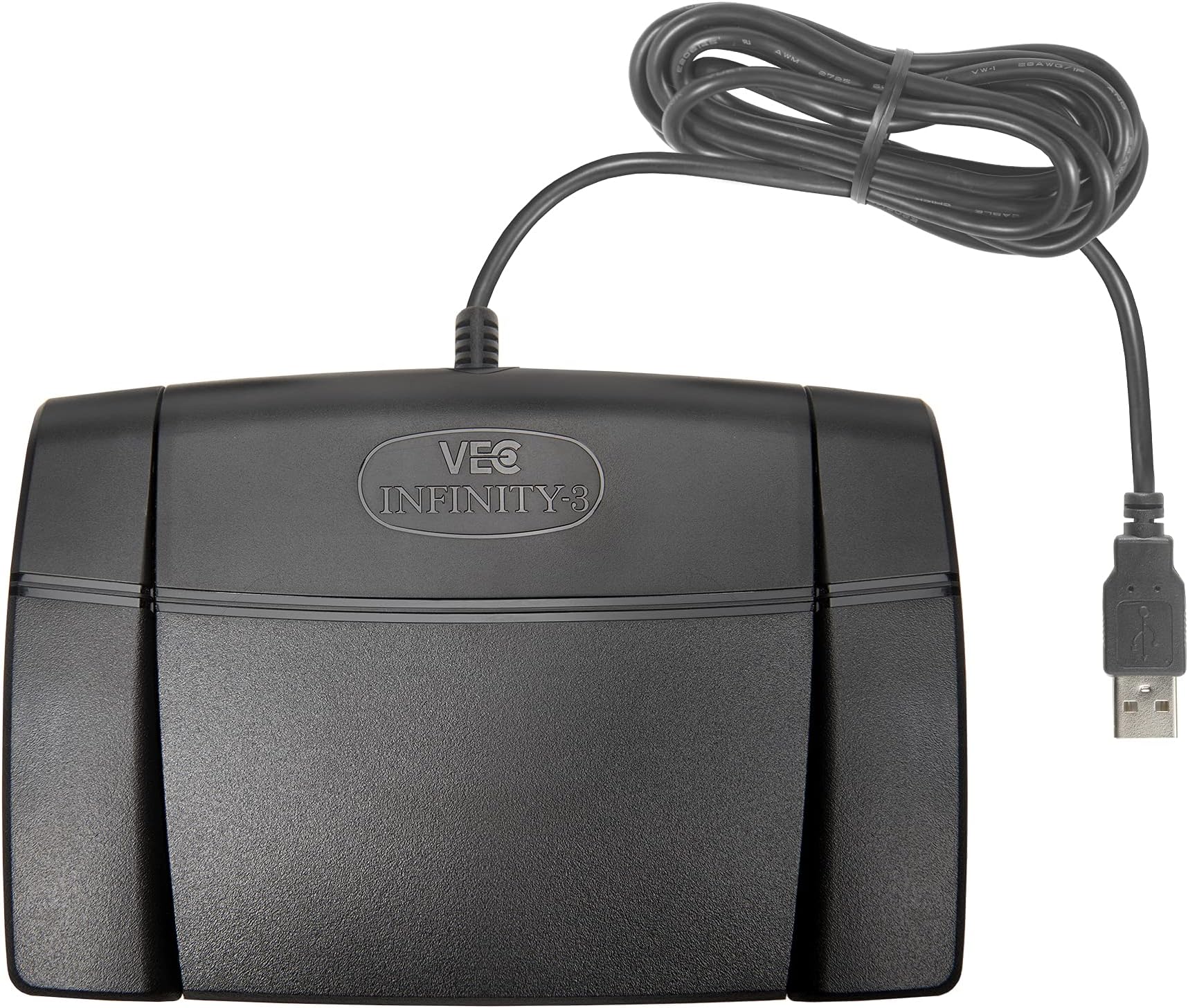
The Infinity 3 foot pedal is a great tool for anyone who needs to transcribe audio recordings or dictate documents. It's well-made and easy to use, and it comes with a variety of features that make it a great value for the price. I've been using the Infinity 3 foot pedal for several weeks now, and I'm very happy with it. It's a well-made, easy-to-use, and affordable tool that I highly recommend to anyone who needs to transcribe audio recordings or dictate documents. Here's a more detailed review of the Infinity 3 foot pedal: Design and construction The Infinity 3 foot pedal is made of high-quality materials, including a sturdy metal frame and a comfortable rubber pad. It's also very well-built, with no loose parts or wobbly joints. The pedal is about the size of a laptop computer, and it weighs about 2 pounds. It's small and lightweight enough to carry with you, but it's also sturdy enough to withstand heavy use. Ease of use The Infinity 3 foot pedal is very easy to use. It comes with a clear and concise user manual, and it's easy to figure out how to use all of its features. Even if you're not tech-savvy, you'll be able to get up and running with the Infinity 3 foot pedal in no time. The pedal has three main buttons: a play/pause button, a rewind button, and a forward button. Features The Infinity 3 foot pedal comes with a variety of features that make it a great value for the price. The pedal also has a USB port, so you can connect it to your computer. Overall I'm very happy with the Infinity 3 foot pedal. It's a well-made, easy-to-use, and affordable tool that I highly recommend to anyone who needs to transcribe audio recordings or dictate documents. Here are some of the pros and cons of the Infinity 3 foot pedal: Pros: Well-made and durable Easy to use Affordable Comes with a variety of features Cons: None that I have found so far
L**Y
I am now a happy transcriber and a happy customer.
(I bought my foot pedal from AAADictation.) I am extremely pleased with the Infinity USB Digital Foot Pedal. I would not transcribe without it. As one reviewer stated you can choose to not use the pedal and just use the short cut keys provided by the Express Scribe (ES) software (Express Scribe is not included with the Infinity pedal; some pedals do include the ES but you have to pay extra for it anyway). I had to tough it out and used just the ES for a couple of days because the pedal stopped working. Before deciding that my pedal was defective I decided to read the negative reviews given to this pedal and do some research online & outside of Amazon.com. The problem was not the Infinity pedal. This is how I solved the problem that got my hardware to work again: 1. Install Express Scribe if you haven't so far (you can get the free version for a few days. I have about 20 interviews to transcribe and ended up buying the software. ES makes transcribing a heavenly experience.) 2. Plug the Infinity foot pedal. If it does not start automatically, then: 3. Click on 'Options' on your downloaded Express Scribe (transcription software). Choose the 'Control' tab key. Make sure that the box for 'Enable foot pedal controller' has a check mark. 4. Still on that very same page ('Control' tab key) you will see the 'Controller Set Up Wizard' bar. Click on that bar. A new box will open. Read it and click on 'Next. Do the same for the next two additional windows that will open for you. Finally, click on the 'Finish' for the last box. 5. Test your Infinity pedal. It should work. I had to put some time into figuring this out but I am glad I did not just assume the product was defective. The Infinity Foot Pedal together with the Express Scribe Pro will make your life immensely much pleasant. It is HELL transcribing without this hardware & software. Especially if you have a lot of transcribing to do or an impending and unmovable deadline. In addition, customer service is wonderful. I wanted my foot pedal in by a specific day and paid additional charges for that. I did not get my foot pedal on the day I expected I would. When I expressed my disappointment, the company promptly and professionally apologized and reimbursed me the 8.99 for express shipping. In additional, they extended (not at my request) my Amazon.com Prime account. I remain a very happy transcriber and customer. I really hope this was helpful to you. I hate to see others frustrated over something that can be solved easily. I tried to be as accurate as possible in my explanation & instructions and will look at this again later just to be sure that it is clear. Right now, my homework is screaming for my attention. Got to run. Happy transcribing!
J**M
This thing is great but only if you use special programming.
Works on my mac. You can make it control apps or the system, make it do mouse clicks, keyboard buttons, key commands etc by programming it using a third party app - not fun but I pulled it off in about half an hour. I was thrilled it actually connected, because I had just got through returning a $110 foot controller that wouldn't even connect. If you can connect any input device like this to a mac you can use a program that's free called controllermate. I downloaded it and it was not too hard to set it up after following the tutorial they provide. If you don't take the time to follow the instructions exactly it won't work and I suspect many people who gave this low reviews failed at trying a program like that and weren't able to get it to work. Once you set it up it works great. I wanted something wireless but it's harder to get that stuff to connect, so I'm happy overall, cord and all.
Trustpilot
1 month ago
1 month ago