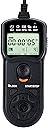
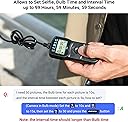
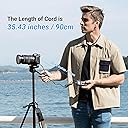
Excellent product for the price (4.5 stars, rounded up to 5 stars). The device can be used as a simple (but bulky and battery powered) remote shutter release (in this case you need to set all exposure parameters on the camera and just use the big round button on the device as the "remote shutter button" for taking photos). But the main use of the device is as a programmable intervalometer where you use the small buttons below the big one to enter/set all exposure parameters on the device itself (in this case, the camera must be set to manual exposure, BULB shutter speed, and Single Shooting drive). All functions in my unit work fine! I can think of four (minor) issues with this wired JJC intervalometer: (1) The INTVL value is the time from the *start* of one exposure to the start of the next one. This means that INTVL := Exposure_Length + Gap, that is, you will need to enter the Interval value as the sum of the exposure time length and the pause/gap time between successive exposures. Thus INTVL must always be greater than the exposure length (which they call BULB). For example, if you want 15 second exposures and 3 second gap between successive exposure, enter BULB = 15 and INTVL = 18 (since 18 = 15 + 3). In some of my other intervalometers, the Interval is simply the time gap between successive exposures, which I find more convenient. (2) The camera shutter cable is hardwired into the device and is not removable. It would have been better if the device had a jack and provided a removable shutter cable for connecting to the camera. Some manufacturers do make such models, where if you are using different camera vendors/models, you can carry just one intervalometer and multiple camera specific shutter cables. (3) The printed instruction manual that came with the device is excellent (despite the small print), but the manufacturer/seller does not seem to provide an online copy of it (there are some third party online sources which provide a poorer and shorter version of the manual). So if you buy this product, it might be a good idea to scan/save the printed manual. (4) It would be really nice if the unit came with a small holding pouch with straps/velcro for attaching to a tripod leg.