

Buy anything from 5,000+ international stores. One checkout price. No surprise fees. Join 2M+ shoppers on Desertcart.
Desertcart purchases this item on your behalf and handles shipping, customs, and support to Spain.
📞 Cut the cord, not the quality—your smarter home phone awaits!
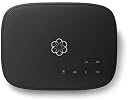
Ooma Telo transforms your home phone experience by delivering free nationwide calls over your high-speed internet with superior HD voice quality. Featuring easy WPS setup, advanced call blocking via Premier service, and seamless integration with smart home devices, it offers a cost-effective, modern alternative to traditional landlines while letting you keep your existing number or choose a new one.


| ASIN | B00I4XMEYA |
| Answering System Type | Digital |
| Best Sellers Rank | #1,645,705 in Electronics ( See Top 100 in Electronics ) #134 in VoIP Phones |
| Brand | OOMA |
| Brand Name | OOMA |
| Colour | Black |
| Compatible Devices | Smartphone |
| Country of Origin | USA |
| Customer Reviews | 4.3 out of 5 stars 5,568 Reviews |
| Dialer Type | Tone Dialing |
| EU Spare Part Availability Duration | 7 Years |
| Enclosure Material | Plastic |
| Global Trade Identification Number | 00811008020026 |
| Is there Caller ID | Yes |
| Item Dimensions | 22.6 x 7.6 x 21.1 Centimeters |
| Item Weight Unit of Measure | 1.2 Pounds |
| Manufacturer | ooma |
| Manufacturer Part Number | Ooma Telo |
| Material | Plastic |
| Model Number | Ooma Telo |
| Multiline Operation | Single-Line Operation |
| Power Source | AC adapter |
| Telephone Type | Cordless |
| UPC | 811008020026 |
| Unit Count | 1.0 Count |
J**T
Good device, but a networking issue caused a problem
I've owned my Ooma Telo Voip device for approximately 18 months. I purchased it for my small home office. I was pleased with its setup, preformence and cost. I did run into a problem when I recently changed my home network, discontinued my home office number and ported my home number over. I could not get my Ooma to connect to my network. I recently purchased an Eero mesh device. Because the Eero router has only 1 outgoing ethernet port, I connected it to an 8 port unmanaged Netgear switch. One of the lines from the 1st switch was connected to a 2nd Netgear switch adjacent to a computer. Devices connected by Wi-Fi were able to network. A desktop computer connected by ethernet cable to the 1st switch did not network. The problem was solved when the 2nd network switch was disconnected from the Eero router. The Ooma device worked. My tech thought that the connection of both switches to the Eero router caused my networking issue even though seperate ethernet cables were used.
D**L
So far it seems like a good product though note that continued use is NOT free!
So far it seems like a good product though note that continued use is NOT free! If you port over your existing phone number there is a significant charge (ok, so its only once) but then there are monthly 'fees and taxes' which must be paid for all sorts of things (911 service, fed taxes, state taxes, etc...). Not a great amount but I rather wish that the Ooma people had been more upfront in mentioning them. Sound is good to better than good (certainly not HiFi but, hay... its a phone!). Relatively simple to install and once working no continuing issues. Five stars except for the fee failure thing.
C**E
Working so far...and expect it to pay for itself soon
After I decided to buy my own cable modem (without telephony) instead of renting one from Comcast, I lost the ability to use VOIP with Comcast, so had to find an alternative. Following the recommendation of a family member, I bought this unit and set it up. So far it has worked very well. The instructions are quite good. It seemed to have a bit of trouble getting an IP address from my router initially, but within 10 minutes after I cycled the unit, the logo turned solid blue on the top and the phone worked fine. I am opting for basic ooma service, so I had to pay $40 to port my landline number from Comcast, but it was worth it to me versus keeping the free number I selected through the ooma website. The website indicates that the transfer will take 3-4 weeks, which is lengthy for something that should be simple by now, but maybe that estimate is way on the cautious side- time will tell. Some considerations: -If you want transfer your phone number, don't disconnect your phone service with the current provider until after the transfer occurs. If you cancel phone service with your current provider, you will not be able to transfer your number- it's out of your control and back in the number pool of your current provider. -ooma won't work with an Ackerman security system, so keep in mind you might have to go with a cell phone-based upgrade to your security system. It's much safer anyway, but it does decrease the monthly savings when switching to ooma. The cell service option will cost $10/month more, but I am still money ahead. Cost comparison: +$10.00 for cell phone upgrade to security system +$ 3.85 for monthly ooma taxes and fees -$ 7.00, no more monthly comcast modem rental charges -$ 32.00, no more Comcast phone service Net savings is about $25 per month; I spent $160 on the ooma and $150 on Netgear modem plus $40 on the port ($350), so I will break even in about 14 months. That's OK with me, and worth it to break away from having to use a substandard Comcast modem while getting an upgrade to our security system at the same time. Update- as soon as the phone number ported to Ooma, Comcast automatically raised my monthly subscription rate to internet and cable to $200, so I had to call them and go through the process of getting the monthly rate down. Comcast subscribers- be prepared. AUGUST 25 2014 update- No problems with the phone except when I continually lost my internet connection. Off topic, but we just switched to ATT Uverse service and at least in my locale the internet stability has been much better (no drops whatsoever in more than a week). The final straw was when I was charged $60 for a Comcast service visit when the tech could not find anything wrong with the signal strength, so he informed me he had to indicate that my equipment was to blame. I didn't understand that meant a $60 charge. I know other people have the exact opposite experience, but if you are dissatisfied with your current Comcast service, it's worth a look at ATT Uverse. OCTOBER 2014 update. Ooma box has worked flawlessly, but discovered that the company automatically signs you up for a higher tier of features that you get free for a month, but then your credit card begins to be charged at a higher rate. Just be aware that you will have to call and stop higher tier service if you don't want those features. MAY 2015: I haven't had any problems with the unit except very rare internet connection drops. BTW, it took me 6 months to get the $90 Comcast owed me back from them- after three calls and hours on the phone, plus a FAX to their "Consumer Service VP" or whatever their title is, I finally got the check. I have to say that Comcast's very poor customer service reputation is well deserved in my personal experience.
A**Y
Why did I wait so long?
I have been paying for a VOIP landline through my cable provider for years at well over $30/month, including fees. We keep our landline because we are old-fashioned, I guess. Both of us have cellphones, but it’s hard to break old habits. So, when we decided to quit cable, Ooma became a great possibility, and I am really impressed with the whole Ooma process. I got the basic Ooma Telo, followed all the instructions, and had it up and running on my wifi at home in about 30 minutes. I learned several things along the way. First, I should say that we wanted to keep our old landline number, so we wanted to use the Ooma porting process. It costs around $40 to do this, and it took less than 10 days. It can all be done when you are setting up your Ooma Telo. Second, before you set up your Telo, look on the bottom of the unit and copy down the activation code. You will need it and your credit card information to start the activation process. Now, you can set up Ooma Telo on line or through the Ooma Set-up app. I used the on line set-up. Third, when you set up your Telo, you will need to pick an available phone number, even if you want to port your old phone number to the Telo. Make a note of your new number (you can keep it if you want to, but, if you are planning to port your old number to the Telo, you still need to new number you chose as your temporary account ID on my.Ooma.com). Once you are able to port your old number, you can make your old number replace that new number automatically (Ooma gives you that option, and it works!). Once you complete the initial setup on line, you connect your Telo to your wifi router via the provided ethernet cable, being careful to use the proper ethernet port on the back of the Telo, and then power up your Telo with the provided power supply and plug. Ooma will let you know that your account is now active. If you are NOT porting your old number to the Telo, then you can go ahead and plug in your phone to the Telo. Don’t plug in your phone to the Telo if you are porting your old number. Wait until Ooma and your old VOIP provider let you know that your porting is complete (you can still use your phone until then). Once you get that confirmation, then you simply plug your phone's cord into the back of the Telo, and you are all set. My monthly fees for the landline are now around $6.50, so I’m saving about $25 per month. The Ooma Telo will pay for itself and pay for the porting fee in about 4 or 5 months. Finally, the call quality is as.good or better than my old VOIP service, and I really can’t tell the difference in the way the phone works at all. Caller ID works just the same, voice mail, too. And you can easily keep track of your calls on my.Ooma.com. This is a really great system, and well worth the money. Ooma's customer support is first-rate, too!
G**Y
Works great once it is configured - BUT THEN OOMA BRICKED IT!
My original, 4-star review appears below. I am changing it to 1-star because: 1. Ooma apparently pushes updates to your Telo, and there is NO WAY to know when they are doing that. The updates are scheduled randomly (according to the L2 Tech Benna I spoke with on July 27, 2018 at 4:37pm). And they can take HOURS! I would expect Ooma to not take me offline at a random time (just as people were rightfully upset that Microsoft Updates sometimes took their computer down while they were sitting there working on it, but at least they knew it was rebooting). 2. If taking your phones offline for hours was not bad enough, the update BRICKED my Telo. By bricked I mean no calls come in, no calls go out. According to the L2 Tech (Berlin,? Not sure I heard her name correctly) and then her supervisor, Glen (I spent about 30 minutes with them on the phone just now), I have to wait until Monday before their Engineers will even look at this problem, with no working phone system until they figure things out!! Sure, I could use the Ooma iOS app (and I am), but if that was the solution I desired, I'd just use Google Voice and forward calls to my mobile. That is NOT why I am paying Ooma $15 per month (with the majority of that prepaid on an annual basis for the premier plan). Ooma's reps keep telling me the Telo isn't bricked, it's just rebooting.... endlessly. In this sense, I still view it as bricked (it is unusable for its intended purpose, and no amount of rebooting fixes it). 3. The coup de gras: Not only will Ooma do NOTHING until their Engineering team figures this out, even if I buy another Telo and have it delivered today, they WILL NOT transfer my phone number over. Why? Because that could change the bug and they want to solve it. Commendable in some way, but that puts me in an INDEFINITE HOLD waiting for my phone to work until they can debug things. I offered to give them my old Telo for debugging on their premises (send me a shipping box, with prepaid return label), but still the answer is no. When you brick someone's system with an update (ESPECIALLY one they have no control over installing), I would hope that the company would do right by their customer and not only facilitate my request, but credit my account for the cost of the new Telo (since their actions bricked it). What would you think if Google or Apple pushed an update to your phone that installed without your ok (or even WITH your ok on a supported device) and it simply rebooted endlessly? My guess is you'd be pretty pissed... I know I am. Ooma's approach is just not acceptable. They have my money. They bricked my Telo. They will do nothing more until their engineers come in on Monday (system has been down since Friday afternoon), and even then they said they need to wait for the engineers to solve it. I might want a working system sooner, but they will not take any action that might get me there . To think I was considering Ooma's request at one point to be a Brand Ambassador... I'll become an Ambassador now, but will be talking about their terrible service instead! * UPDATE * With no help from Ooma, I started fiddling with settings. When I turned off the DECT radio, things worked again... for a little while (1 -2 weeks). Then it died again. I got Ooma Tech Support back on the phone and they sent me to another L2 tech. After examining my configuration, he asked me to change the INTERNET CONNECTION TYPE from Auto to DHCP. Things have been working fine since then. Wow, at least I found one L2 tech who could help me! =========== Original Review ======================== The out-of-the-box setup experience could use improvement, but once configured, this works like a champ! OotB: I followed all of the quick setup instructions. There were two issues: (1) MAC Address as printed on the bottom of the unit was WRONG (off by 1 in the last couplet). How do I know this? I checked the MAC address in my DHCP tables. I created QoS rules to give Ooma the highest priority on my network, and had to change that rule to match the actual MAC address. This is not a huge problem, but there is really no excuse for printing the wrong MAC address on the label. (2) After connecting everything and then plugging in the power, the Ooma box flashed red for a few minutes. Then switched to flashing alternately red & purple. These two conditions are not covered in the Quick Setup info. I used Chat to talk to an Ooma support person who told me that was fine. Again, there is no excuse for not documenting this, After I got past #2, the Ooma Telo has been rock solid (past week). I will update this review if that changes. A request to Ooma: PLEASE provide an online User's Manual in PDF format that we can download. You did that for the old Ooma Hub; why not for the new Telo???
Trustpilot
3 weeks ago
1 month ago