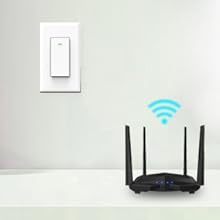
💡 Light up your life—smart, simple, and always connected.
The KULED K36 Smart WiFi Light Switch is a 4-pack of single-pole switches requiring a neutral wire, compatible with Alexa and Google Assistant for voice control. It connects via 2.4 GHz WiFi without needing a hub, supports customizable timer schedules, and allows remote control through the Smart Life app. Certified for safety with CE, ETL, and FCC marks, it offers smart sharing for family use and features LED indicators for easy location in the dark.


R**D
8 months so far! Quality, easy to use app., great choice!
These are great and easy app. to use and setup. I no longer come home to a dark house or have to turn on the porch lights every evening. Set a schedule for each switch or just turn them on or off with your phone or at the switch itself. 8 months now and still doing great! They always just work. I go into the app and adjust schedule times for different times of the year, easy. A friend has a hub based system at a vacation home, some other brand and always complaining about switches going offline and not being able to control. I've never had that problem with this brand.
S**S
This is great! Love the smart life products
The media could not be loaded. This is the second smart life product I bought. It works great and I can control manually, with my phone, or with alexa. I use it to turn on my porch light as I walk up.Install hardware: It was time consuming and worrisome. I used both of them in one (2 switch) box that controls the porch light and hall light. For some reason, there were 5 wire sets in the box (2 leading up, 3 coming from the bottom). So I had to make sure everything was connecting properly. This took about 30 mins.Install to wifi/app: easy! Took maybe 2 mins
C**E
Easily Flash with Open Source Tasmota Firmware
You can use this with Alexa and Google voice with the software that is built in. However I preferred to flash with the great Tasmota open source firmware (google it). Don't like the proprietary software or communicating with servers outside your home ? Search youtube on Kuled wifi switch for a tutorial on how to flash this with Tasmota using a $10 tool, by removing 4 screws and plugging in a 4 wire riser board. Have flashed 10 with no issues. Tasmota allows you to add up to 15 timers for each switch, keep track of sunset/sunrise, emulate a Philips hue light, control the light by Alexa, all without having to setup an account with a server outside your home or even without having to setup a server like Home Assistant inside your network (though you can if you want to).To use with Alexa, flash with Tasmota, navigate your browser to the switch's ipaddress (check your router for a "sonoff" device, go to Configuration->Configure Other->Emulation_>Hue Bridge. On same screen fill in the friendly name to what you want e.g., "Kitchen Lights". Open your Alexa app, search for a device, and add "Kitchen Lights". Done. "Alexa, turn on my kitchen lights". "OK". No need to use Home Assistant or any other server or software. Have Home Assistant ? Great - now you can do more things like setup google voice, setup sophisticated chained event routines, etc. Also works with Google Voice but requres IFTTT and to be used securely outside of your network, you need to setup a dynamic dns ssl connection and control it thought Home Assistant. Alexa is easiest and works best.
S**R
Great Switch Overall
Installation was pretty easy, assuming you have some basic working knowledge. The instructions did a far better job than most at visualizing what goes where. The app what the only issue. The instructions showed a picture of what the app looks like, but the app has been updated since. When adding a new switch, the option you want is "Switch (Wi-Fi)" under the Electrician tab. It won't always add the switch in the first try, and even then it might not actually save the switch. Too me a few tries to actually get it saved.Then there's the integration. It'll work with Google Home by adding a new device, then searching by "Have something already set up?" Under "Works with Google". It's WAY down the list as Smart Life. That also too a few tries to work.I know a lot of people hate on the app, but it isn't bad, honestly. I heard you can get it to work with Samsung Smart Things, but so far that's a mystery to me, and I specialize in smart home solutions!Overall, great switch! I haven't a clue at it's longevity though, so we'll see. Great switch for the money, and cheaper that smart bulbs, especially if you have multiple lights on one circuit.
R**N
App stopped working after android 14 came out.
I had these installed for a few years and they worked great. I could no longer find because amazon stopped selling them Then later this week the app stopped working and crashing after android update. I had to replace 10 of these with the KASA brand. I don't recommend these anymore.
A**S
Doesn't Auto Update Firmware, Just Stops Working
If you are like me and you want your whole house to be Smart then this is not the product for you in the past year to year and a half that I have owner these products they have given me serious issues. The allure to these products is that 1 they are cheaper and 2 you don't need a Hub. Dont get suckered in by that marketing ploy. Hubs are extremely easy to set up and they are connected directly to your router for a fast connection. Pay the extra money and buy a Lutron for instance. Not only will it come with a dimmer (which means "Alexa turn light to 50%"), but you wont need a neutral wire which means you can probably install them without an electrician.Issues:1) if your house is 30-40+ years old you may not have neutral wires in all or some of your boxes. If that is the case this will not work unless you have an electrician come in and install one and that means serious $$$$$$. Some of my boxed had the nuetral wire so I installed these since I already bought them. but I had to buy Lutron for the ones without the dimmers. In hind sight I should have paid extra and got all Lutron. Not only would they all have been on 1 app, but they took half the time to install. Between those hours and the networking hours I sepend fixing the proble below it far outweighed the $15-20 per switch extra you have to pay.2) They either don't update the firmware automatically or they do it so poorly that it seems like they don't. In the past year or so I've had these Ive had to completely reinstall these 2 times because the firmware wont reach the unit for some reason. It said to check my network, but I know its not the network because my other lights, Roomba, laptops, 3 Firesticks are all working just fine
Trustpilot
3 weeks ago
1 month ago
2 weeks ago
2 months ago