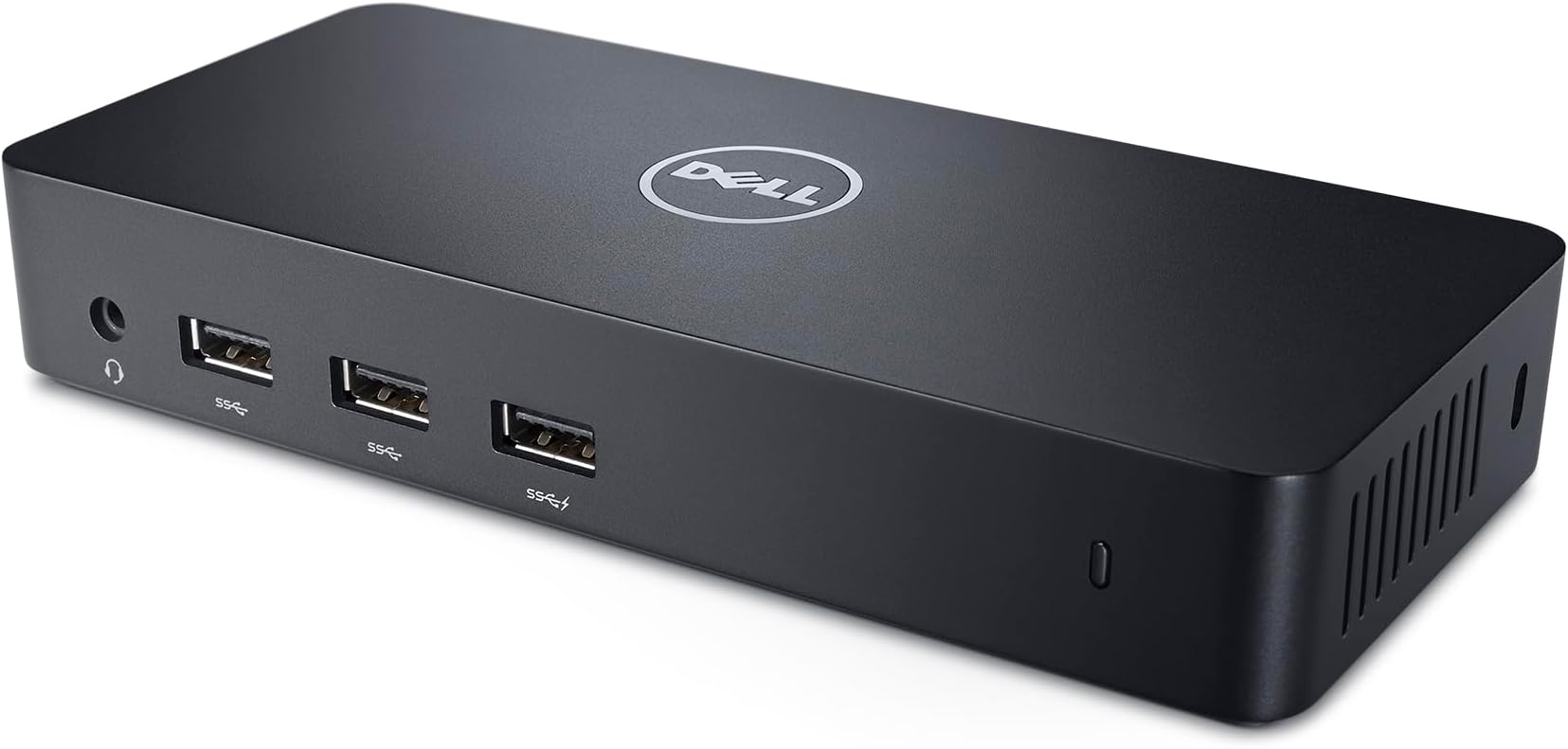
🚀 Elevate Your Productivity with Dell's D3100 Docking Station!
The Dell D3100 USB 3.0 Ultra HD Triple Video Docking Station allows you to connect your laptop to three additional monitors and various external devices with a single cable, enhancing your productivity and entertainment options. With support for ultra HD 4K displays and high-speed connectivity, this sleek and compact dock is perfect for professionals looking to customize their desktop computing environment.


| ASIN | B00O0M46KO |
| Batteries Included | No |
| Batteries Required | No |
| Best Sellers Rank | #195,721 in Electronics ( See Top 100 in Electronics ) #73 in Docking Stations |
| Brand | Dell |
| Colour Screen | No |
| Compatible Devices | Suitable for Dell D3100, 452-BBOO |
| Computer Memory Type | Unknown |
| Connector Type | Wired |
| Customer Reviews | 4.2 4.2 out of 5 stars (10,708) |
| Date First Available | 26 October 2014 |
| Does it contain liquid? | No |
| Generic Name | Dock Station |
| Hardware Interface | USB |
| Has Auto Focus | No |
| Importer | 123, EPIP Zone, Whitefield, Bengaluru, Karnataka 560066 |
| Includes AC Adapter | No |
| Includes Rechargeable Battery | No |
| Includes remote | No |
| Item Dimensions LxWxH | 52.6 x 38.1 x 28.4 Centimeters |
| Item Weight | 286 g |
| Item model number | D3100 |
| Manufacturer | Dell |
| Model | D3100 |
| Model Year | 2014 |
| Mounting Hardware | Docking Station |
| Number of Ports | 6 |
| Number of items | 1 |
| Packer | 123, EPIP Zone, Whitefield, Bengaluru, Karnataka 560066 |
| Processor Count | 1 |
| Product Dimensions | 52.58 x 38.1 x 28.45 cm; 285.76 g |
| Programmable Buttons | No |
| Total USB ports | 7 |
| Voltage | 120240 Volts |
| Wattage | 4.5 |
| Wireless Type | Radio Frequency |
S**U
Works flawlessly with Macbook Air M2
Everything works well! You will need to install displaylink driver for mac to allow using two monitors on Macbook Air. You can also use the mac in clamshell mode, only issue is sometime it doesn't detect right away so you have to open the mac then connect the USB. Only downside is it uses a USBA port and you'll need to use a USBA to USBC adapter for it to work. But other than that the product is perfect!
P**N
WOW! Too good
I could never imagine that building up a multi-monitor setup could be so simple and easy. I connected to three external monitors from my laptop through one USB port and it works perfectly. Initially I was a bit doubtful about the graphic quality, but its smooth as ever, imagine its flowing out through a single USB3 port. Its powerful, its easy & simple to configure. In addition there are so many usb ports, ethernet & audio ports. I use it for my stock trading setup in Widows-10. I'm very satisfied with this unit so I'll be posting a youtube video soon to show how I'm using it. Thank you DEL for this wonderful docking station.
Y**A
Dell D3100 USB 3.0 Ultra HD Triple Video Docking Station Review
Writing this review after 4 months of use. Pros 1. I'm using two full HD monitors, a wired keyboard and a wired mouse, all connected to my 2020 Intel Macbook Pro in clamshell mode. Works like a charm. No issues found with the displays. Keyboard and mouse also operate normally. 2. Built well. Some reviews mentioned that their unit faced issues with overheating. I used this dock through the summer and faced no such issues. It does get warm on the top but performance is not affected in any way. 3. Plenty of USB ports. I haven't tried them all but I assume they work. It can also run up to 3 monitors (2 HDMI and 1 DP). So ports are not an issue here. Cons: 1. It does not wake up my Mac when I press a key on the keyboard or the mouse. To wake up my locked Mac I have to open its lid and use the touchpad. Once it wakes up, I can use the connected keyboard and mouse. An incovenience but it might be a deal breaker for some people. I have not tested this on Windows. I sort of got around this issue by increasing the idle time before the laptop goes to sleep. 2. It does not charge the laptop. I simply connected the charger to one of the free USB-C ports on the laptop. Apart from the cons, I did not face any issues while setting up the dock. Just download and install the driver as given in the instructions and you should be good to go. If these small issues are fixed, then it would make for a great product.
R**L
A must have extension for your laptop
I was bit apprehensive about buying this DELL dock due to its high cost however after reading its reviews and watching videos on YouTube, I decided to invest in it. Apart from using it for two monitor setup, this can be used as hub for USB devices, LAN and 3.5mm jack. One of thing that I liked most about this product is its build quality. Its extremely sturdy and sized appropriately to sit on your table. The LED on the front panel is bit annoying while working in the night. Another thing I find interesting is that it has got two 3.5mm ports, one on the front panel which also supports mic (headphones with mic for calls) and another at the backside for just for audio out (for connecting to speakers). Overall its an excellent product by DELL and must have if you are using two or more monitors.
P**N
Quality of the Product
Got the wrong charger. Accessories are not packed properly Quality of the product is bad
P**R
Excellent Investment
You will love this especially if you are working from home. I have bought one for me and another one for my better half. We both use 2 monitors, full keyboard, mouse, ethernet (wired). I also use a full blown speaker system, microphone and conference lighting. All work like a charm. I just need to plug in the docking station. Love it.
S**H
Nice product
Wasn't sure of setting this up quickly , that too in Linux. But it turned out to be a cake walk. I can feel some lag sometimes, but HDMI through USB worked better than my expectation. Now , I have a triple monitor setup! Couldn't get any other product meeting my requirements. Good buy for docking needs !
B**L
USB Type A working as USB Type C
Using it with my 3-year-old laptop which doesn't have USB type-c. I wanted to use 3 monitor setup but with only 1 HDMI port, it was not to be done. I tried so many USB-A to HDMI/Display port adaptors, but none worked. And during the search, it popped up from nowhere, and now if I want I can go for a 10-monitor setup as I have 3 USB-A ports in my laptop :) Littlebit costly but then trusted brand like dell and everything is working hassle-free so it's OK
A**.
This product very useful Look is neat clean sharp compact n cool Very simple to use n install Utility - u can remove wire clutter from ur laptop -extra usb ports -most important use is can connect 4 displays Superb product but costwise is expensive
I**7
Es un producto muy útil. Le conecté dos monitores Ultra wide, mis audífonos, un dispositivo bluetooth, cable ethernet y hasta ahora sin problemas. Lo uso con una laptop acer y no he tenido problemas de compatibilidad.
J**D
Super petite station d'accueil répondant à presque tous les besoins d'un utilisateur en télétravail ou d'un utilisateur de PC portable (+ écran). Sa compatibilité élevé reste un vrai plus du fait de son fonctionnement par USB 3. Attention toutefois, il est nécessaire d'installer un logiciel Dell pour gérer les écrans externes ce qui peut être limitant dans le cas d'ordinateur de travail (appartement à une entreprise). Si c'est le cas, demander avant de l'acheter au service informatique si il est possible d'installer le logiciel en question (voir sur le site de Dell). Pas de recharge par la station d'accueil, pas de thunderbolt.
A**L
Was looking for a docking station for my laptop so i could connect to all my drives after my main computer failed, found this one at a fair price and worked great, easy to install, connected my 2 24 inches monitors without any issues, connected to my external drives easily. So far the only thing negative with it is every now and then the monitors goes blank for a blink of a second and come back. Might be from my laptop, but i have seen many review about this model that mentioned this. In my case , it happened once every few weeks so it doesnt really affect my productivity or the quality of the image. Like i said , its only a blink, a fraction of a second. So its all good so far
A**N
It’s quite frustrating that it worked for a few months then it did stop work completely. I did plug it in plug it out. Tried another computer, but no luck. I feel I wasted my money on this. Please contact me to take it back. And is this under any type of warranty?
Trustpilot
1 month ago
3 weeks ago