🍏 Power Meets Elegance — The iMac That Means Business & Play
The Apple iMac with M4 chip redefines desktop computing with a powerful 10-core CPU and GPU, a stunning 24-inch 4.5K Retina display, and 24GB unified memory paired with 512GB SSD storage. Its sleek all-in-one design in vibrant colors fits any workspace, while advanced connectivity options and Apple Intelligence ensure top-tier performance, privacy, and seamless integration with your Apple ecosystem.


| Brand | Apple |
| CPU model | Apple M4 |
| CPU speed | 0.01 |
| Graphics card description | Integrated |
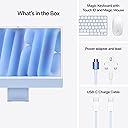
| Included components | Keyboard, Mouse, Power lead and power adapter, USB-C Charge Cable, iMac |
| Model name | iMac M4 24" |
| Operating system | Mac OS |
| RAM memory installed size | 24 GB |
| Screen size | 24 Inches |
| Specific uses for product | Business, Education, Everyday Use |
R**W
Apple iMac 2025 issue - impressive
I have been using Windows-based computers for rather a lot of decades and they have always served me well. In fact, I generally buy a new one every 2 or 3 years, just to treat myself. Everything I need for work and entertainment is stored on my main desktop and I can handle it and all the apps with ease. That being said, when I saw the videos of this iMac series when it was released a few years ago I was intrigued - correction, I wanted one. Wanted one and needed one are two different things and I stayed with Windows - yet I have used an iPad and an iPhone for many, many years, so the iOS was no stranger to me. Even so, I always balked at the price of the iMac. Finally, I succumbed and since I won't be going on any kind of holiday this year I decided that the cost of an iMac was actually going to be cheaper and would give me more lasting pleasure. I bit the bullet and ordered one - obviously from Amazon since their price is attractive and delivery is very quick. I chose the top spec model since it isn't all that much more expensive and would likely cater for most of my needs. Large files such as my Music folder and Movies folder would be stored on an external hard drive, that much I knew because they are enormous, that didn't bother me since they are not "daily" uses. The box(es) are extremely large and are extremely heavy, so make sure you can carry it to where you need - in fact, the boxes themselves seem to hold most of the weight. The rest, believe it or not, is easy. I have set up many new Windows computers in my time but, I have to say, even though much of the iOS was "strange" to me, this iMac was up and running in an incredibly short time! Word of warning - make sure you have a copy of your Apple passwords at the very least because you will need them if you are already registered. In use - okay, whilst everything is almost the same as a Windows machine, everything looks different and has different names, but it doesn't take long at all to work out what's what and where everything is. I spent the first couple of hours after set-up (which I expected to take an age but it didn't) exploring various things such as audio and video quality. The video quality was enough to convince me I had spent my money wisely, I love the screen, it is rather like a much larger version of my iPhone and iPad screen. Even though I use a quality 4K monitor with my Window desktop, the visual quality of the iMac was superior. Audio quality was impressive. I'm not a fan of tiny speakers attached to laptops or monitors and, instead, use studio-quality speakers for my Windows computer. I have to say, even the audio quality was impressive and, whilst there is an equalizer included to adjust the sound depending on personal preference, I found the "Flat" setting to be the most useful for general needs. Processor - I'm keeping this review as simple as I can rather than "baffle" readers with jargon so, for this, I will say it is even faster than the (very expensive) gaming desktop I use daily. I found this really surprising but also pleasing. One thing I did have to do though was change the mouse settings because the default was far, far too slow for my purposes. Easily done in the settings. Apps - there are many quality apps included and likely you won't need anything else unless you need specific things, such as Word (which you would have to buy from Amazon or Microsoft) but this is something anyone switching from Windows to iOS will already know. For general word processing though, the iMac has an excellent app included which I have used on my iPad. Not all Windows apps will work with the Apple operating system and so it will be trial and error - and a lot of checking with a search engine. I found that most of the apps I use daily could be installed on the iMac (downloading the Apple version, obviously) but a few were never created to run on Macs, for these I will find alternatives but can also use them on my Windows machine. Again, this is something I researched before ordering the iMac so I knew what I could use and what I couldn't on this computer. Although I have only used this iMac for a few days and I still have a lot of files and so forth to install, I am not disappointed and have already forgotten the price (said with a big grin). It looks great, it handles like a dream, it is very fast, and the learning curve when transitioning from Windows is not as daunting as it might seem at first. On a negative side - although the "magic" keyboard is neat and easy to use, I will only keep it to one side for occasional use. It is not large enough for touch-typing (adult male fingers) and several of the keys that I have muscle memory for are in different places. Instead, I will use one of my basic (and cheap) keyboards which I bought from Amazon since I do a lot of typing because of my work and need a board that will handle my typing speed and has the keys where I want them. The mouse is taking a bit of getting used to but the more I use it, the easier it gets so this will only be a temporary negative. Gamers - you will need to do a lot of research because most games are designed only for Windows and do not have a Mac option. This isn't really a negative though if you also have a Windows machine or you don't play many games. For a product that costs very close to £2k, and with me being so particular about everything when it comes to my computers, to find only those two very small "negative" points is astonishing - and just goes to show not only how pleased I am with this purchase but also how nigh-on perfect this iMac is. I still have files to install, I still need to install both of my printers (now that is a daunting prospect anyone who uses printers will understand), and I will need to buy some apps/software (but this I knew anyway). After only a couple of days setting up and experimenting, I can say this iMac is going to become my main computer and my Windows gaming machine will sit in another room ready to use the one or two apps that are not available for Macs - this is not a negative and not everyone who uses computers will need access to the same apps I do. A simple "review", steering clear of all the jargon (which you can get from the Apple website if you need it), and focussing really on a "new" user of Macs. If you have experience with an iPhone or iPad, you will find this quite easy to get used to. If you are going straight from Windows, there is a small learning curve but all the answers you need can be found via a search engine. All in all, very expensive but gorgeous. I wish now I had bought the iMac when they first hit the market but better being a bit late than never at all. I can certainly recommend this iMac, it is a near-perfect machine and far better than spending money on a holiday because the Mac is a holiday in itself. Spoil yourself, order one today and take advantage of Amazon's prices, I'm sure you won't be disappointed.
G**E
Sleek, powerful, and incredibly fast – a stunning all-in-one
This iMac looks absolutely beautiful in green – modern, clean, and adds style to any workspace. Setup was quick and seamless, and the performance is outstanding. The M4 chip delivers lightning-fast speed and handles multitasking, creative software, and Apple Intelligence features effortlessly. The display is sharp and vibrant, and the build quality is premium throughout. It’s not the cheapest, but for the power, design, and all-in-one convenience, it’s great value for money. A top choice for creatives and professionals alike.
M**S
Easy to set up
The I mac is brilliant very fast operating system, this is my third
D**B
Superb M4 iMac
Wanted to upgrade from my M1 Mac Mini and decided that I'd prefer less clutter; so upgraded to the M4 iMac 24GB/512GB and it's superb The build quality is fantastic; it's light/slim and the screen size is perfect for me as I only have a small office desk in my home-office It's up & running faultlessly and was easy to migrate from the M1 Mac Mini; did it all in about an hour Would highly recommend
K**R
Great purchase
Very satisfied with the product.
T**N
Excellent!
I bought this excellent product to replace my 9 years old 27" computer, can't fault it, but you have to realise that you have to to pay for quality, which is evident, even down to to packaging - spot on!
G**D
Excellent Computer
Spec: 32GB Ram: 2TB SSD; trackpad option. I’ve used iMacs since 2010 but have hesitated getting a new one since the 27” screen was no longer available. While it is still not an option this has paid off as my new 24” M4 iMacs is perfect for my needs. I don’t even miss the slightly larger screen. What I notice in particular is the speed of loading Lightroom which was becoming a pain on my old machine. Of course, all apps and data load much faster and the time to process large files is greatly reduced. The screen is still great, the trackpad improved and the keyboard is familiar - I particularly like the fingerprint entry which is similar to that on my MacBook. One point to note is that both the keyboard and trackpad are rechargeable via usb c connectors - no longer need for a supply of AA batteries! If you’re an Apple user then the alternatives are a large screen (16.2”) MacBook Pro or a Mac Mini with Apples Studio Monitor (27”). Bigger is better for photography so I only seriously considered the latter. However, the specs I was looking at for the Mac Mini Pro with the Studio Monitor were coming in at more than one and a half times what I spent - and as I’m not a professional photographer it couldn’t really be justified.
A**E
I think mine has ADHD
This computer makes me absolutely rage. It looks good, love the sleek design and yes it turns on but the functionality would make Gandhi swear. Half of the bog standard commands don't work like you would expect, copy and paste cells 1-50 in excel? Nah CTRL + C won't work. Try it about 6 times, then you'll get rows 17-50 instead. Hide columns? Nah not a thing. It flicks between screens when you don't want to move screens, pops up with an irritating DO YOU WANT TO SIGN IN TO ICAL when you are trying to do something else, and don't even THINK about forgetting your password, you are screwed. It took me 45 minutes to get in. The basic 'forgotten password' option is a luxury you don't get.
Trustpilot
1 month ago
4 days ago