Buy anything from 5,000+ international stores. One checkout price. No surprise fees. Join 2M+ shoppers on Desertcart.
Desertcart purchases this item on your behalf and handles shipping, customs, and support to Spain.
๐ Elevate your home networkโfast, smart, and always connected!
The Linksys N750 EA3500 is a dual-band wireless router delivering combined speeds up to 750 Mbps, equipped with gigabit WAN and LAN ports for high-speed wired connections. Featuring advanced Wireless-N technology with multiple spatial streams, it ensures robust coverage and reduced dead spots. The router supports remote network management via the Linksys Smart Wi-Fi app and offers enterprise-grade security protocols for safe, reliable connectivity across laptops, smart TVs, and more.


| ASIN | B007IL6OR2 |
| Antenna Location | Home |
| Antenna Type | Fixed |
| Best Sellers Rank | 81,009 in Computers & Accessories ( See Top 100 in Computers & Accessories ) 943 in Routers |
| Box Contents | High Performance Dual-Band 'n Router^Network Cable^AC Power Adapter^Setup CD and User Guide |
| Brand | Linksys |
| Brand Name | Linksys |
| Colour | Black |
| Compatible Devices | Laptop, Personal Computer, Smart Television, Tablet |
| Compatible devices | Laptop, Personal Computer, Smart Television, Tablet |
| Connectivity Technology | Wi-Fi |
| Control Method | App |
| Controller Type | vera |
| Coverage | Large Household |
| Customer Reviews | 4.0 out of 5 stars 992 Reviews |
| Data Transfer Rate | 750 Megabits Per Second |
| Frequency | 5 GHz |
| Frequency Band Class | Dual-Band |
| Frequency band class | Dual-Band |
| Global Trade Identification Number | 00745883595365, 00745883596782 |
| Is Modem Compatible | No |
| Item Weight | 1.43 Pounds |
| LAN Port Bandwidth | 1000 Mbps |
| Manufacturer | Linksys |
| Manufacturer Part Number | LNKEA3500 |
| Maximum Upstream Data Transfer Rate | 375 Megabits Per Second |
| Model Name | LNKEA3500 |
| Model Number | LNKEA3500 |
| Model name | LNKEA3500 |
| Number of Antennas | 6 |
| Number of Ports | 5 |
| Operating System | Linksys OS |
| Other Special Features of the Product | WPS |
| Security Protocol | WPA2-PSK, WPA2-Enterprise |
| Special feature | WPS |
| UPC | 115971261814 021110928220 014445246121 027205284707 745883595365 745883596201 745883596782 163120534012 785528330920 012304347521 |
| Unit Count | 1.0 count |
| Wi-Fi Generation | Wi-Fi 4 |
| Wireless Compability | 802.11a/b/g/n |
| Wireless communication standard | 802.11a/b/g/n |
C**U
Works well.
Works well. Bandwidth drop from Modem though.
W**L
Easy as 1-2-3
I had a EA3500 I bought in 2014 and it died the other day, I figured the first one lasted 12 years so I would try to get another one of the same model, I figured odds were slim but to my surprise, they still made it. I ordered it and it showed up in 2 days. I was already mentally braced for what I figured would be a struggle, it always seems to work out like that. I ran the install CD that ships with the router and it sprang to life, no issues, I then used the credentials from the old one hoping none of my attached devices would notice and the good news is they didn't, my PC, Laptop, Printer, and smart phone came to life on this one just fine. The PC was hardwire connected and my laptop and phone were WiFi connected, everything worked perfectly. The whole job took 15 minutes and zero head scratching moments, it figures everything out itself, at least for my setup it did. Hard to get any better than this!
H**Y
Great router, reliable, and easy to set up.
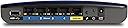
I bought this wireless router to replace a previous wireless router that didn't meet my expectations. I chose to purchase this router because it offers a variety of features that is a value for the price, and another plus is that it is Cisco brand. Specific features I was interested in were 300Mbps, dual band, guest network, and the security options. The set up was easy and straight forward, just followed the discs on-screen prompts and I was ready to go. It has been very reliable, stable, has great speeds, and good range for our home which my previous router failed in. The only thing I don't like is that the lights are placed in the back of the router, it's just a personal preference, but I prefer the lights in the front. It's nothing that would stop me from buying it though. I originally wanted a Asus wireless router, but didn't want to spend upwards of $150-$190 for a wireless router. This one fit my budget well, offers many features, and I am happy with my purchase. Only thing is I now see it's about $7 cheaper than when I bought it!
E**H
appeared to be used
I managed to make the Router work but it was not brand new in the box. It looked used and did not come with a power supply.
Y**5
This router is GOOD but OVER PRICED
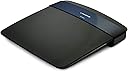
I upgraded from Linksys and TrendNet G Routers, so it was a big upgrade for me. The good things about this router are 1. Super Easy Set-up 2. Steady Wireless Connectivity 3. Nice sleek design and light weight The not good things are: 1. Definitely over priced by 30 bucks - something like this should be available under USD100. 2. As somebody else mentioned I also think a simple one page document (like a quick tip) should be included in the box explaining how to optimize mixed mode (G+N) networks. I would like to share the advance settings I had to play with to get the network optimized because I think most of the users will not be familiar with it. I was not able to run 1080p HD video on the iPad before doing it. Apply the following settings for a mixed network for supporting G and N devices. 1. Wireless Settings - Basic Setup: The router should have two different networks. 5GHz and 2.4GHz. 5GHz should be assigned to Wireless N only. Channel - Auto. 2. 2.4GHz should be set to Mixed - Channel width to 20MHz only and Channel Number should be based on network interference around your home. Check out the neighbours' channels to stay away from interference and choose a channel which is not used by others. This link to the software below will find that out for you. [...] So now you are all set to exploit the router's full potential. Connect G devices to 2.4GHz network and N devices to 5GHz network. Actually your G devices will not be able to see 5GHz network at all so its easier to connect. So in summary what this set up will do is use 3 out of 6 antennas for G devices and other 3 for N devices with none of them interfering with the other. Happy surfing!
Trustpilot
1 month ago
3 weeks ago