๐ Small Size, Giant Leap in Performance
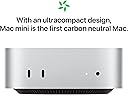
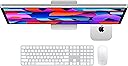
The 2024 Apple Mac mini with M4 Pro chip packs a 14-core CPU and 20-core GPU into a sleek 5x5 inch frame, featuring 48GB unified memory and 1TB SSD storage. Designed for professionals craving powerhouse performance in a compact desktop, it offers versatile front and back ports, seamless Apple device integration, and robust privacy protectionsโall while being carbon neutral.
| ASIN | B0DS2XP86K |
| Best Sellers Rank | #42,290 in Computers & Accessories ( See Top 100 in Computers & Accessories ) #1,214 in Mini Computers |
| Brand | Apple |
| Built-In Media | Speakers |
| CPU Model | Apple M4 |
| CPU Model Number | M4 Pro |
| CPU Speed | 1 |
| Color | Silver |
| Connectivity Technology | Thunderbolt |
| Customer Reviews | 4.4 out of 5 stars 12 Reviews |
| Graphics Card Description | Integrated |
| Graphics Card Interface | Integrated |
| Graphics Description | Integrated |
| Graphics Ram Type | Shared |
| Hard Disk Description | SSD |
| Hard Disk Interface | Solid State |
| Human-Interface Input | Keyboard, Mouse |
| Manufacturer | Apple |
| Memory Storage Capacity | 1 TB |
| Model Name | Mac Mini M4 Pro |
| Model Number | Z1JV000L9 |
| Model Year | 2024 |
| Operating System | Mac OS |
| Processor Brand | Apple |
| Processor Series | Apple M4 |
| Processor Speed | 1 |
| RAM Memory Installed | 48 GB |
| RAM Memory Technology | Unified |
| Ram Memory Maximum Size | 48 GB |
| Specific Uses For Product | Business, Education, Everyday Use |
| Warranty Description | 1 Year Apple Limited Warranty |
T**R
Upgrading from a M2 Mac mini to the M4 Mac Mini - some thoughts.
My venerable Mac mini M2, with 2TB SSD and Intel chip, is no longer supported, so I decided to replace it with this M4 Mini. Because the M4 has so few ports, I also purchased the Satechi hub and a 4TB SSD. All of the new equipment works superbly. However, I could not migrate my M2's files to the new M4 (2TB to a 1TB drive?) Many hours with Apple support was totally ineffective. Finally, I arrived at the solution to make the 4TB SSD in the Satechi a bootable drive. Surprise, a drive formatted as APFS (native to the Apple chip) cannot be made a bootable drive. No problem, I reformatted as NTFS. Surprise! Tahoe cannot be installed to the NTFS, only to APFS. After much hair pulling, I partitioned the 4TB drive into 2 partitions: a small one, to be NTFS (bootable), and a larger partition as APFS. Tahoe was successfully installed. Finally, Migration Assistant successfully migrated all of my M2's files to the M4. Since I have had my M2 for many years, I had many "legacy" files. Guess what? The new Apple chip doesn't agree with the older Intel-based files. So, I have to keep my venerable M2 Mac to run my legacy software, while enjoying the benefits of the faster M4. Moral to the story: If you are moving to the Mac as a new platform, save yourself some money, get the M4 Mini with a 512 SSD, and use the larger 4TB SSD in the hub for data. It will work great. If, like me, you are upgrading from an older Mac Mini, Buy the M4 with the 512 SSD, and follow my example with a bootable SSD in the hub. Or, buy the 512 drive version, and upgrade with a larger internal SSD from Amazon. Instructions are on YouTube. I hope you find this helpful.
J**T
Lots of power for the price.
Very pleased with this. Very, very fast. No problems at all. Everything just works!
L**.
Itโs a rocket ๐
Fantastic! Itโs a rocket ๐
J**N
It gets the job done.
Running pretty good. Fast efficient.
J**.
Outstanding!
A little gem; the best consumer desktop Apple has made yet. Powerful, expandable, quiet, compact - what's not to love?
B**A
Excellent Mac experience
Rock solid Mac experience in a tiny package that work just as well as a MacBook Pro. Very pleased with purchase.
Trustpilot
5 days ago
3 weeks ago