🖱️ Elevate your workspace with precision, comfort, and wireless freedom!
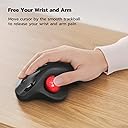
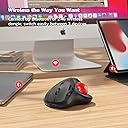
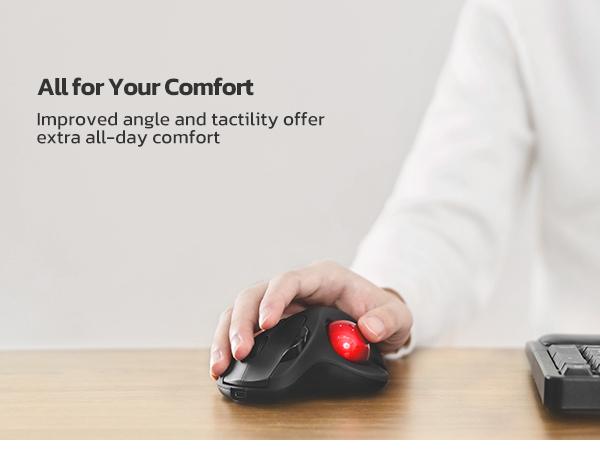
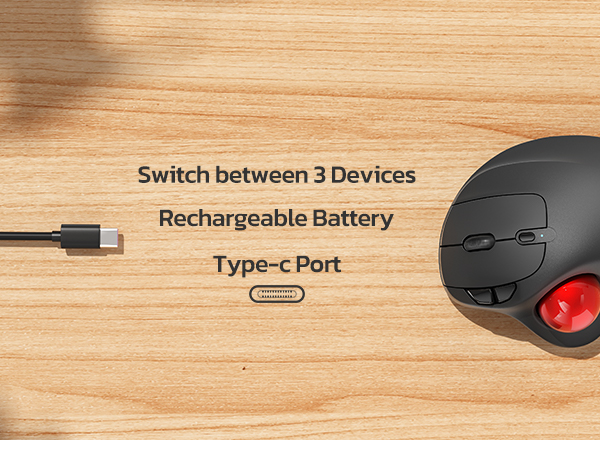
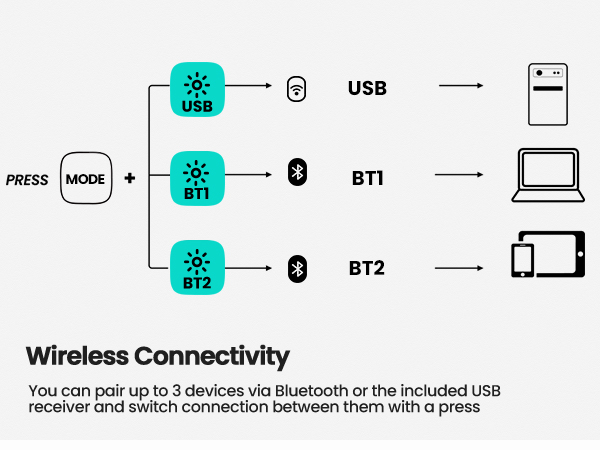
The Nulea M501 Wireless Trackball Mouse combines ergonomic design with precise adjustable DPI tracking, enabling smooth thumb control that reduces muscle strain. It supports seamless switching between three devices via Bluetooth or USB receiver and features a rechargeable battery for extended wireless use. Compatible across PC, Mac, and Windows, this trackball mouse is engineered for professionals seeking comfort, accuracy, and multi-device efficiency in a sleek, durable package.


| ASIN | B09HHHDZZG |
| Batteries | 1 Lithium Ion batteries required. |
| Best Sellers Rank | #1 in Computer Trackballs |
| Customer Reviews | 4.4 4.4 out of 5 stars (12,258) |
| Date First Available | November 9, 2021 |
| Item Weight | 4.5 ounces |
| Item model number | M501 |
| Manufacturer | Nulea |
| Product Dimensions | 5.51 x 4.37 x 0.04 inches |
C**N
Excellence
This mouse is excellent. It arrived in a day, easily connected to the laptop by bluetooth which frees up a usb from the dongle, works great, and the distance the cursor moves is adjustable in 4 amounts. It does have a usb dongle if needed and it is rechargeable from the laptop. Instructions are included that are easy to follow. Highly recommended.
T**J
Works much better than my last remote wireless mouse.
I REALLY love this mouse in spite of one little downside & one VERY annoying one. The minor annoyance to me is easily overcome. So, I overlook it because the auto sleep mode actually makes sense to me. Ever since getting this new wireless mouse, its worked a heck of a lot better I I have only charged it a couple of times since buying it. One little point to make is that I use my PC A LOT & more of my mouse than the keyboard. So, you would think that the battery would run down faster with all the use I'm getting out of it. NOT A SNOWBALLS CHANCE IN HELL! This thing just keeps on working for weeks on end like a champ & I like using the Bluetooth option over the dongle that can be found fastened to the underside of the frame of the mouse. I like it because.... 1) … when the dongle is plugged in, it takes up another slot that I could later use for something else. 2) … I have yet to see any power indicator if I use the dongle connectivity option so I would have no idea when to plug the unit in to charge it when not in use. The down side to the Bluetooth option... I can't just simply shut off my Bluetooth on my PC when switching my headphones over to my fire TV which also allows for Bluetooth headphones. The mouse will stop working obviously which is a problem because then, I have to go back to my old wireless mouse which does work on a USB dongle plug which I still have plugged in just in case but it has a lot of glitches & it doesn't always work as well to my satisfaction since its wearing out. Anyways, when it comes to the one very annoying downside that I have to live with as I constantly remind myself not to shut off the Bluetooth. Mind you, for the sake of context, I have my PC in my bedroom connected to a large screen TV that also serves my fire cube & all my different gaming systems because of my being a video game nut. I also have to have the PC connected to my TV since my eyesight has been getting poorer as I get older. So, the larger text on the big screen helps me to see better & the new mouse works like a champ! It has a built in battery which is nice unlike my old one which needed a new battery every couple of months or the mouse would glitch on me until I replaced the batter again but these days, it doesn't matter if I have an old or new battery in it. So, now its just used as a backup while this newer mouse just keeps a ticking better than a Timex watch ever did. Lastly, unlike my old remote mouse that would have the roller ball part pop out if I accidently dropped it on the floor, the ball on this one has stayed in when dropped. Its really held together nicely & for the sake of helping the Amazon AI on ticking off all the issues, yes, its comfortable & very accurate so no worries there. lastly, its totally worth the price if you are looking for a affordable wireless option.
A**R
3 Months In, It's Working Out Great
As a long-time user of the old wired Logitech Trackman Wheel models, I was hesitant about trying this. I had bad experiences with TWO of Logitech's newer M570 models wearing out their buttons in less than 6 months time. I even bought used Trackman Wheel models online after they became discontinued, and those lasted a lot longer than the newer M570s. I've had this Nulea for 3 months now and use it daily, and can safely recommend it for anyone looking for an alternative. It has been reliable and works very well for someone used to the Logitech models. The position for your hands is ever-so-slightly different than the old Trackman Wheel's slope/angle, and it does take a few days to adjust if you're so used to another model. But it's very slight and not anything that feels drastically different. Once you've acclimated, it feels very natural and comfortable, even for all-day use. Just like with the Logitech models, it successfully keeps my wrists and hands pain-free, where with a normal mouse (which I gave up decades ago for this reason) I'd have bad hand cramps and wrist pain from the repetitive movements involved. Other reviewers have mentioned Nulea has great customer service, but so far I haven't had any need to confirm that myself. Everything is working great for me. I chose to use it via the wireless adapter rather than bluetooth, simply because my bluetooth connection is a bit spotty at times for my liking (with other devices too, not just this trackball) but it has been a great experience using the wireless USB adapter. For anyone who happens to use Linux, it works flawlessly on Linux Mint for me. The sleep mode is handy for those times when I forget to turn it off overnight, or just in general for idle periods to help conserve battery power. When it enters its sleep mode, all you do is click the left button once to wake it back up, and then you can move the mouse and use it like normal again. After the initial charging period when I first got the device, I've only had to charge it I think once or maybe twice, in a 3 month period, so the battery lasts for a long time on a charge. The DPI button is really helpful to have too, and I like to set it to the max amount. I was sorely missing this feature when I briefly went back to using my spare old Logitech Trackman Wheel on another device for a time. I'll probably order a second one of these Nulea models for that device at some point honestly, now that I know they are reliable and great to use. It might seem like a small thing too, but I also love that you can pick different color trackballs. I've got the gold model and really like how it looks with the dark grey. The only odd thing I have noticed so far is that the scroll wheel sometimes has a bit of a squeak or "chirp" to it after a while of using it (I thought it was a bird outside my window the first few times I heard it, until I realized) but it doesn't seem to impair functionality any, and most of the time it isn't an issue. Right now as I type this and scroll the wheel it's not making any such noises at all, for example. Even when it does squeak a bit, it's nothing that feels like it's faulty or in any danger of breaking. So far it is definitely not a problem, and my experience overall with this trackball continues to be a very positive one.
W**Y
Ho provato questo mouse trackball perché da un pò di tempo soffro di dolori al polso purtroppo, e quindi ricercavo qualcosa per aiutare, ad alleviare gli sforzi a carico del polso uno dei possibili è durante il lavoro al pc, mouse e tastiera sono alcuni degli elementi che se non adeguatamente ergonomici contribuiscono a causare infiammazioni e fastidi a carico del polso e dei tendini. Per questo motivo ho voluto testare questo mouse trackball della Nulea, e da subito come lo ho preso in mano mi sono reso conto che era un prodotto ben realizzato, comodo da gestire e apparentemente robusto e ben costruito (poi il tempo ci dirà se affidabile nel tempo). La differenza d'uso tra un mouse normale e un trackball è notevole e qualche volta vi capiterà di cercare di "portarlo a spasso" :-), ma la comodità del polso e gli zero spostamenti necessari per gestire il mouse non sono da sottovalutare. Il prodotto può essere installato sia su pc Windows che su Mac. Se il pc dispone di bluetooth si può associare con semplicità cercando il dispositivo nell'elenco degli elementi individuati dal bluetooth e associarlo, altrimenti con il classico dongle usb facciamo l'associazione e selezioniamo tramite il tastino posizionato sotto il mouse, la modalità usb. Con il Mac non ho avuto necessità di fare nulla, semplicemente selezionato dall'elenco bluetooth, acceso e usato. Giusto potrebbe servirvi modificare la sensibilità se quella standard non vi andasse bene, ma vi suggerisco nel primo periodo di provare ad abituarvi con le impostazioni standard, che di solito sono più che adeguate. Il dongle usb è posizionato su un incavo del mouse stesso nel fondo del prodotto, dove trovate la scritta Nulea, potete estrarlo e collegarlo al pc se necessario. Invece per ricaricarlo, trovate una porta usb C frontalmente. Incluso anche un cavo lungo usb C - usb A per la ricarica. Il prodotto ha soddisfatto me e il mio polso :-) Se ci fossero novità aggiornerò la recensione Spero che la mia esperienza sul prodotto possa esservi stata d'aiuto, se si un UTILE sarebbe gradito :-)
R**E
excellent item.
E**N
Alles super sehr gute Handhabung sehr zufrieden
M**T
Die Nulea M501 Trackball Maus hat sich für mich als spürbares Upgrade zu meiner vorherigen Maus herausgestellt. Die Einrichtung geht schnell von der Hand, das Gerät wird sofort erkannt und verbindet sich problemlos per Bluetooth oder über den 2,4-GHz-Empfänger. Innerhalb weniger Augenblicke ist die Maus einsatzbereit, was gerade bei mehreren Geräten ein großer Vorteil ist. Beim Arbeiten merkt man sofort den Komfort: Die Maus liegt außergewöhnlich gut in der Hand, der Trackball reagiert präzise und lässt sich geschmeidig bewegen. Auch längere Sessions ermüden die Hand kaum, was im Vergleich zu meiner alten Maus einen deutlichen Unterschied macht. Die Knöpfe fühlen sich robust und hochwertig an, der Druckpunkt ist angenehm definiert und vermittelt ein solides Handling. Besonders angenehm ist, dass die Maus auf verschiedenen Systemen gleichermaßen zuverlässig funktioniert, sei es Windows oder Mac. Für mich war sie eine klare Verbesserung, da die vorherige Trackball-Maus irgendwann anfing, unregelmäßig zu reagieren. Mit der Nulea M501 hat man ein Gerät, das reibungslos arbeitet, sich leicht bedienen lässt und sowohl in puncto Präzision als auch Ergonomie überzeugt. Wer viel am Rechner arbeitet und Wert auf komfortable Kontrolle legt, findet hier ein durchdachtes Werkzeug, das sofort ins Arbeitsumfeld passt.
G**T
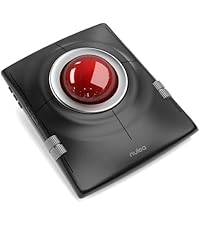
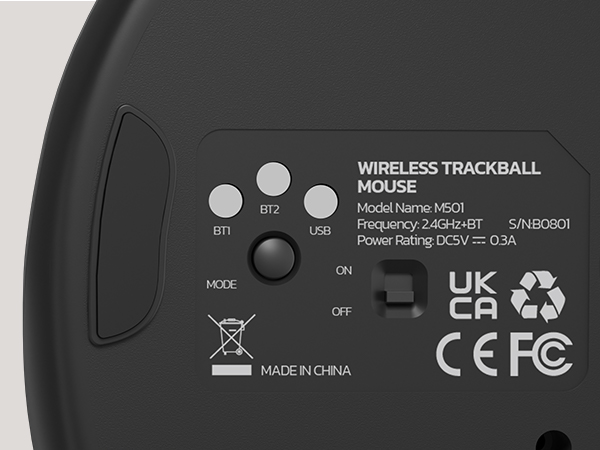
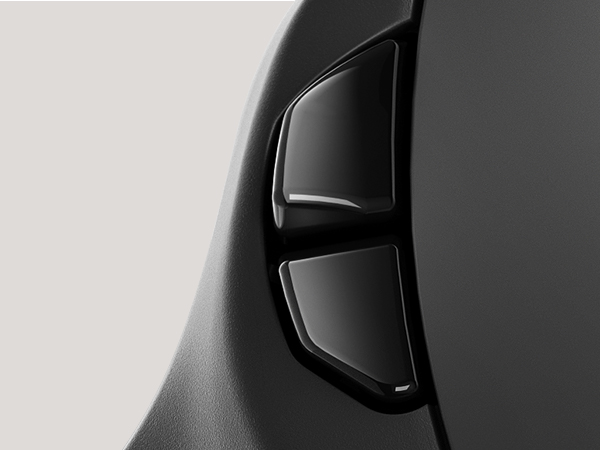
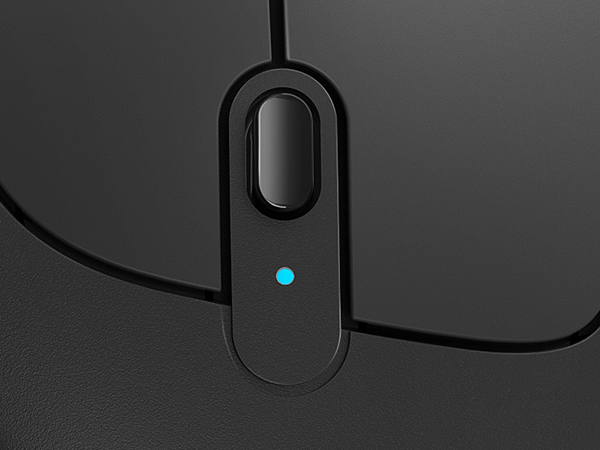
Fazit: „Trackballs“ haben viele Vorteile, gegenüber „Standard-Mäusen“: Fester Platz, kein Mauspad nötig, Kugel leicht zu entnehmen für die Reinigung, bis zu 3 Geräte gleichzeitig verbindbar (Bluetooth)! Für 29,99€ (Stand 09.05.2023) bekommt man einen sehr gut verarbeiteten, sehr angenehm handhabbaren, 6 Tasten „Trackball“ – klare Kaufempfehlung! Die „Nulea, kabellose Trackball-Maus in Weiß“ wird zusammen mit einem Ladekabel (24,5g; 160cm, USB-A zu C) und einer 5 sprachigen Anleitung, in einem Umkarton (243,5g; 14x11x6cm) verschickt. Die Maus selbst hat ein Eigengewicht von 146,5g. Die Bodenplatte, die durch 4 Gummi/Silikonfüße sicher auf allen glatten Untergründen steht, hat die Maximalmaße 13,5x10,5x6cm. Daraus ergibt sich eine Maus, wie ein „Schildvulkan“, mit einer Abbruchkante (Daumenmulde mit Trackball) und einem einseitigen „Auslauf“ (Unterlage für den Handballen – angenehmer und sicherer Halt garantiert). Im Boden sind neben dem USB-A-Dongle (eingelassen/herausnehmbar) auch der „An/Aus-Schalter“, ein Knopf für den „Signalwechsel“ (2x Bluetooth, 1x USB-Dongle; bei positivem Wechsel, leuchtet de LED blau!) und ein 1,8Øcm Loch angebracht. Durch dieses Loch, kann man mit Hilfe eines Fingers, den Trackball auf der Oberseite herausdrücken (z.B. um den Ball oder den Sensor zu reinigen). An der „Frontseite“ ist der USB-C-Port. Mit einer Ladezeit von 3-4 Stunden (10W Netzteil), ist der interne Akku voll aufgeladen und soll (laut Herstellerangaben) nun bis zu 90 Tagen die Maus am Laufen halten! Auf der Bodenplatte erhebt sich der „Schild“ (max. Höhe gut 6cm) mit einem Neigungswinkel von gut 50°. Im linken Bereich ist die Öffnung mit dem 4,4Øcm Trackball (metallisch Rot), der bei aufgelegter (rechter) Hand, mittels Daumen genutzt werden kann. Leicht rechts versetzt ist der „Rechte-Maustaster“ (6x2cm) der durch das „Scrollrad“ und den „DPI-Knopf“ (5 Einstellungen möglich) vom linken Maustaster (ebenfalls 6x2cm) getrennt wird. Rechts, oberhalb des Trackballs sind zwei schmale Tasten angebracht, mit dem man „Vorwärts- oder Rückwärts“ blättern kann. Insgesamt ist die Maus für größere Hände (mir gefällt sie dadurch stärker) ausgelegt. Ich kann bequem meine rechte Hand auf der ganzen Mausoberfläche ablegen und so alle Bewegungen nur mit Daumen und den ersten 2 Fingern durchführen, denn die Maus muss ja nicht bewegt werden! Sehr erfreulich ist auch das sowohl Windows 10 als auch 11 die Maus sofort erkannt haben und somit ein „Plug & Play“ erfolgte! Durch den Signalwechselknopf, kann ich sowohl Tablet, Laptop, als auch Stand-PC ansteuern, ohne die Maus neu installieren zu müssen (oder sogar neu an zu stöpseln). Durch die „Übertragungsrate“ von gut 10m Reichweite, habe ich eine wirklich „kabellose“ Freiheit (fällt vor allem beim „Smart-TV“ auf…) Sehr wichtig ist, die „Flinte“ nicht gleich ins Korn zu werfen! Denn die Gewöhnung an eine Trackball-Maus, die mit dem Daumen geführt wird, anstatt mit der gewohnten Handgelenksbewegung, kann andauern! Aber die Entlastung des Handgelenkes ist schon sehr schnell spürbar und sollte das „Durchhalten“ vereinfachen… Schon vor gut 20 bis 25 Jahren habe ich begeistert einen „Trackball“ (damals extrem teuer) für Anwendungen und sogar Spiel genutzt. Als die „Optischen Mäuse“ aufkamen, hatte ich natürlich auch gewechselt! Nun habe ich den Weg zurück zum Trackball gefunden und bin wieder begeistert! Nicht nur dass das Mauspad wegfällt, man kann eine Handgelenksauflage wunderbar integrieren, und selbst auf dem kleinsten Platz parken und nutzen!
Trustpilot
1 month ago
1 month ago