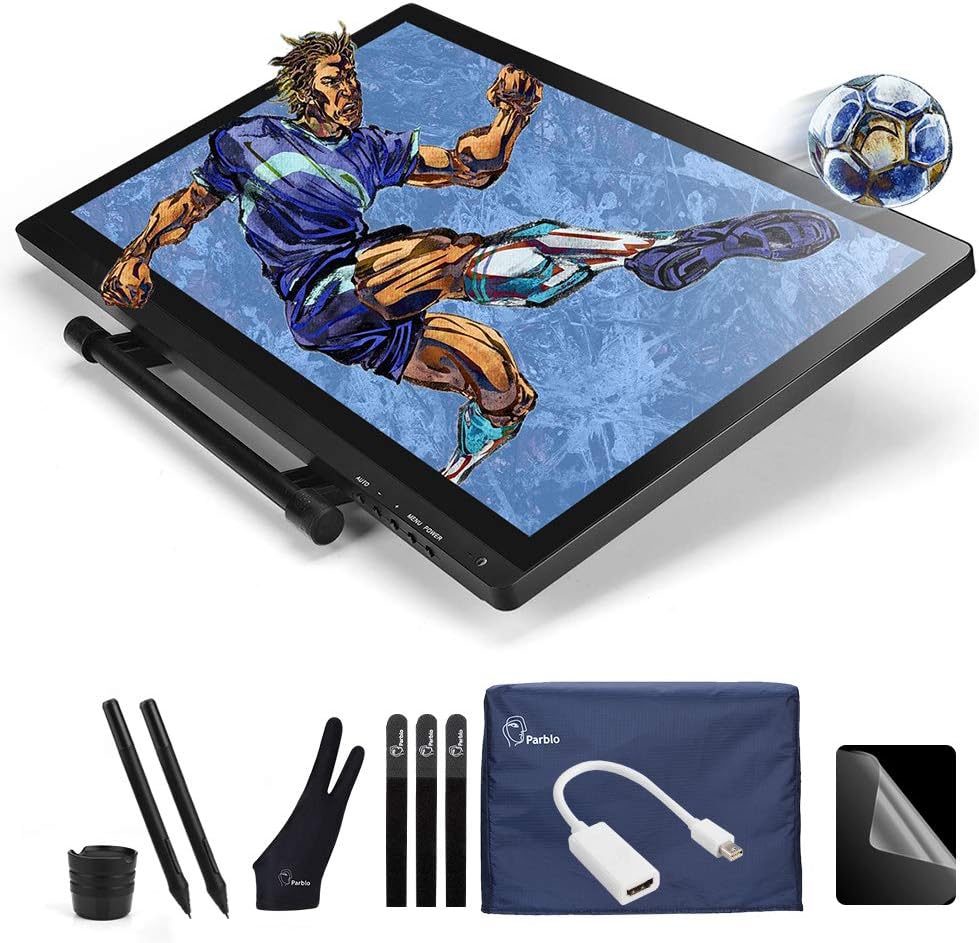


Ugee UG-2150 21.5 Inch Pen Display Tablet Drawing Monitor IPS Panel 1920x1080 HD Resolution with 2 Digital Stylus Pen
Product ID: 65420620
Details
- BrandUgee
- Connectivity technologyUSB HDMI
- Model nameUG 2150
- Screen size21.5 Inches
- Display typeLCD
Buy Review: 5" was delivered promptly and in good condition. There is some research involved in pc ... - The UG 2150 21.5" was delivered promptly and in good condition. There is some research involved in pc drivers but with windows 10 I recommend you don't instal drivers. Simply make sure your pic is connected to the internet and and plug it in. Windows 10 will automatically install drivers and calibrate the device. It has inbuilt software. This will avoid drivers conflicting for windows 8 and lower you may need to install drivers. The tablet has a USB that must be plugged in and a choice of other image carrying ports one of which will need to be plugged in to get the image. The device works well but bear in mind that the pen pointer is centred down the length of the pen. So it is best to work with the pen at right angles to the tablet surface, to ensure the curser is below the pen nib. Lastly you need to be sure of your actions with this device to ensure quality of line. As with all tablets it has its limitations and cannot fully remove the need for a mouse and scanner. But as a collouring tool I find it woks well. In short Overall good.
| ASIN | B01G6QECQE |
| Brand | Ugee |
| Brand Name | Ugee |
| Colour | Black |
| Connectivity technology | HDMI , USB |
| Customer Reviews | 4.0 out of 5 stars 1 Review |
| Display Type | LCD |
| Model Name | UG 2150 |
| Model name | UG 2150 |
| Native Resolution | 1920x1080 |
| Network Connectivity Technology | HDMI, USB |
| Screen Size | 21.5 Inches |
| Screen size | 21.5 Inches |
| Target Audience | Teacher |
| Target audience | Teacher |
B**N
5" was delivered promptly and in good condition. There is some research involved in pc ...
The UG 2150 21.5" was delivered promptly and in good condition. There is some research involved in pc drivers but with windows 10 I recommend you don't instal drivers. Simply make sure your pic is connected to the internet and and plug it in. Windows 10 will automatically install drivers and calibrate the device. It has inbuilt software. This will avoid drivers conflicting for windows 8 and lower you may need to install drivers. The tablet has a USB that must be plugged in and a choice of other image carrying ports one of which will need to be plugged in to get the image. The device works well but bear in mind that the pen pointer is centred down the length of the pen. So it is best to work with the pen at right angles to the tablet surface, to ensure the curser is below the pen nib. Lastly you need to be sure of your actions with this device to ensure quality of line. As with all tablets it has its limitations and cannot fully remove the need for a mouse and scanner. But as a collouring tool I find it woks well. In short Overall good.
Trustpilot
3 weeks ago
3 days ago