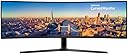
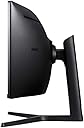
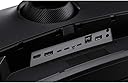
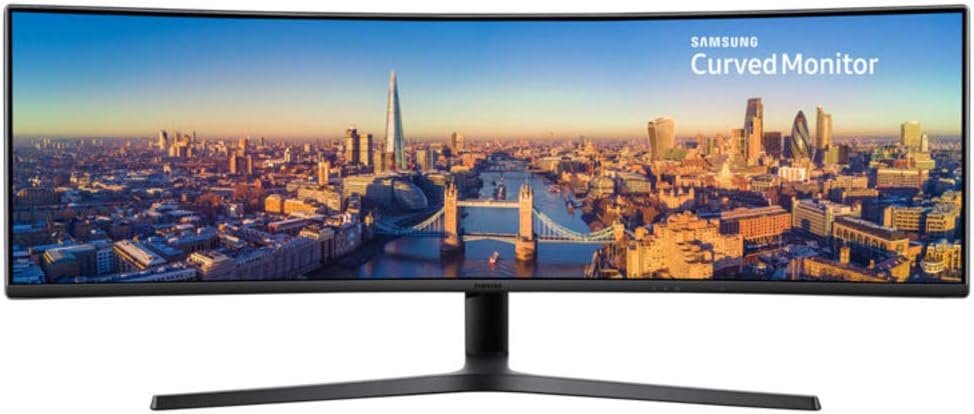
🚀 Elevate your productivity and play with the ultimate super ultra-wide powerhouse!
The Samsung USB-C Super Ultra-wide C49J89 is a 49-inch curved monitor featuring a 3840x1080 resolution and a rapid 144Hz refresh rate. Designed for professionals and gamers alike, it offers versatile connectivity including USB-C for data, video, audio, and power delivery. Its built-in 7W stereo speakers and multi-port options make it a sleek all-in-one solution that replaces multiple monitors, enhancing both productivity and entertainment.


| ASIN | B07C7YNLBW |
| Adaptive Sync | G-Sync Compatible |
| Aspect Ratio | 32:9 |
| Aspect ratio | 32:9 |
| Brand | Samsung |
| Brand Name | Samsung |
| Colour | Charcoal Black |
| Contrast Ratio | 3000:1 |
| Customer Reviews | 4.3 out of 5 stars 213 Reviews |
| Display Technology | LED |
| Display Type | LED |
| Global Trade Identification Number | 08801643205317 |
| Hardware Connectivity | USB, USB 3.0 |
| Has Color Screen | Yes |
| Image Brightness | 300 ANSI lumens |
| Image contrast ratio | 3000:1 |
| Is Electric | Yes |
| Item Dimensions D x W x H | 15D x 47.4W x 20.7H centimetres |
| Item Type Name | Monitor |
| Item Weight | 15.1 Kilograms |
| Manufacturer | Samsung |
| Maximum Display Resolution | 3840 x 1080 |
| Model Name | C49J890DKU |
| Model Number | LC49J890DKUXEN |
| Mounting Type | VESA mount compatibility |
| Native Resolution | 3840x1080 |
| Network Connectivity Technology | 1 x HDMI, 1 x Displayport, 2 x USB-C, 1 x USB 3.0, 3 x USB 3.0 |
| Picture Quality Enhancement Technology | curved |
| Pixel Pitch | 0.33 |
| Power Consumption Size | 220 Watts |
| Processor Count | 1 |
| Product Features | Curved |
| Product Warranty | 2 Years |
| Refresh Rate | 144 Hz |
| Resolution | 9K |
| Response Time | 5 Milliseconds |
| Screen Finish Type | Curved |
| Screen Size | 49 Inches |
| Screen size | 49 Inches |
| Screen surface description | Curved |
| Series Number | 890 |
| Shape | irregular shape |
| Specific Uses For Product | Gaming |
| Total HDMI Port | 1 |
| Total USB 3.0 Ports | 3 |
| Total USB Ports | 2 |
| Total Video Out Ports | 2 |
| Unit Count | 1.0 count |
| Viewing Angle | 178 Degrees |
| Warranty Type | 2 Years Manufacturer Warranty |
T**S
great monitor
I brought this monitor to replace 3 individual ones i had side by side. This bad boy doesn't dissapoint. Nice big clear screen, easy to set up and some great functions. The KVM switch is really useful. Took me a bit to set it up as the instructions weren't clear, but once you get your head around the inputs/outputs and usb connections its fine. Screen also comes with Easy Setting Box software. Means i can divide my screen up and snap programs to each section easily. Makes multitasking easy and tidy. Build in speakers are good as well. I wasn't expecting much from them, but have found that for everyday use that its clear.
R**S
Amazing Screen
Recently bought this to help with my business and productivity. Firstly it's massive, so make sure you have a width'y desk that can hold it (luckily I do). It's extremely bright however the settings allow you to adjust this accordingly. Love the KVM switch for two laptops. Very easy. My only negative is I wish it was 4k / 5k but for what I am using the screen for, this is not so much of an issue.
R**N
Perfect for what I bought it for.
I bought this as a productivity tool - I've run with 3 x 24 inch 1080p screens for years. Thats great, but the bars between the monitors mean you dont utilise the space efficiently or effectively. The double ultrawide is the same as 2 x 27 inch 1080p screens - which seems like a downgrade on paper - but man - its like having 3 but taking up less physical space. I've had the screen less than 24 hours, and I'm not going back! Ok, this is not a cheap monitor. And the price jumps around a lot on amazon. And there is not a lot in it for high end monitors - they all do a job, and (most of them) do it well. So I'll restrict this review to why I bought this one over the 100 quid cheaper Acer Nitro - which is the same size, and (aproximate) spec. 1) The Samsung is proper 144Hz - not "Overclocked" to 144Hz as the acer says it is. I'm always suspicious of overclocking - it not only shortens its life, but tends to be flakey. 2) The Samsung has a much better stand. It tilts, goes up and down, and swivels left/right. The Acer just tilts, which is pretty poor in my opinion. This alone would make me choose the Samsung 3) The samsung comes with a wall mount, ands also has cable management - I dont use either of these (see below) but its nice to have. 4) You get a built in laptop dock with USB! And you can dock 2 laptops and a desktop, and switch between them - so its a KVM as well! This saves me 100-200 quid at least just there 5) The Acer has multiple HDMI - The Samsung just has one. Why is this a plus? Because instead the Samsung has USB-C - 2 of them - capable of driving the monitor at full spec AND charging your device. The Acer doesnt have USB-C at all. 6) 7Watt speakers 7) Its SAMSUNG! 8) It looks amazing - my (adult) kids were in awe. And my desk is a lot more tidy now :) Sounds great? Well, its not all strawberries and cream. Downsides are : 1) Switching isnt instant -but TBH thats to be expected - it has to disable and enable USB ports too. If it was just switching source (like the acer does) it would switch much faster I think. 2) Sound is good, but it isnt high end. I'm ok with that - I use a USB skype set for work 3) price is a bit steep 4) the ports are in an awkward place, and are hard to get to, unless the back of your desk is not against a wall. 5) The cable management requires much longer cable than supplied - they feed through the stand, so you need an extra half metre on each cable to use it properly. So I opted not to use it - nor the plastic that covers the ports. Shame really, and probably my biggest issue. 6) dont bother with the eye comfort setting. I turned it on once and immediately turned it off. The colours go funny and washed out - its just awful. 7) My laptops are both power hungry beasts - they need more than the 95W supplied by the most powerful of the implemented USB-C ports. Both my laptops require 200W - they have HUGE power bricks - so I dont really care about USB-C charging anyway.. Although this might be a deal breaker for you if your laptop requires USB charging, AND it needs greater than 95W 8) Not really an issue with the monitor as such - but I found at lot of games dont support 144Hz - for example the max you can have in Crysis 3 and Shadow of the Tombraider is 120Hz. Although weirdly Portal 2 runs at 144Hz. There's no real discernable difference between 120 and 144 anyway, IMHO. All in all its a fantasic monitor, and I love it. I was worried reading some of the negative reviews here, but (in rebuttal) - my screen didnt have any dead pixels or any other hardware issues. - I think the resolution (3840x1080) is fine for my use - 5120x1440 is overkill IMHO, would cost several hundred more, and a waste of 144Hz, as you would need a huge SLI setup with multiple high end graphics cards to drive it at greater than 60 Hz in games anyway - or go with other quality sacrifices to get the 144Hz framerate. In my testing I get 120fs in Crysis 3 with my GTX1080 at 3840x1080 on the highest possible setting, so I'm happy. I admit that the higher rez would be better for work applications (crisper text), but it would also shrink everything - and I tell you, this monitor is so huge it needs to be at arms length. I personally think 1080p hits the "sweet spot" - for me and my poor eyesight anyway!! - I'd rather have the built in KVM/dock and wait for it to switch than not have it at all - or have to pay for seperate dock. - I'm happy with the default auto-power off setting (saves power). I just have to remember to hit the power button on the screen when I turn on my PC. No big deal. - The OSD software could be better, but once its set you never touch it again... - Oh it doesnt have freesync, but heck - I get no tearing in the testing I've done - the graphics are buttery smooth for me - so why would I need it - apart from bragging rights!! All things considered - its 5 stars. I just wish it was a bit cheaper .... EDIT : I've had it a week now, and had to knock off a star. Its still amazing, but there's a fault with it. If my PC (plugged into the DP port) turns off the monitor (ie, the monitor sleeps after a period of inactivity) - then you wake up the PC, the monitor will hang/crash. You get vertical lines down the display that slowly brighten, and it doesnt respond to the OSD buttons. A reboot is required to fix it. I've turned off monitor sleep on my PC to get around it the issue. Maybe a firmware update would fix it - but there's no firmware available for this monitor yet. Not great. EDIT2 : I raised a call with Samsung - they wanted an engineer to look at it. I didnt want to do without my lovely new monitor, so I did some more experimenting. I found that it was only when Windows was using the monitor at 144Hz that the issue happens - so I ran with it at 120Hz for a while which works fine. Then I thought - maybe its something odd with the monitor resyncing just specifically at 144Hz, so I experimented with custom resolutions in windows, and found the monitor works just fine at 146Hz - and the issue with crashing on coming out of sleep disappears!! 140Hz works as well - (and anything over 146Hz doesnt work at all). so its just 144Hz. So I'm happy - I have "fixed" the only real issue I had . Attached is a photo of the monitor working normally, and the same background when the monitor "crashes" coming out of sleep at 144Hz for reference - I hope that this helps anyone else with the same issue....
C**M
My experience with it
Defiantly worth the cost. Have had it for a few months now and absolutely no regrets. Whilst I use it a lot for gaming, I'm also an Animator so I use it a lot for my work and for work it's just brilliant. Easy to use, setup and large enough for me to do multiple tasks and camera angles at once.
S**E
Far from able to "Instantly toggle between the devices" KVM is ridiculously slow.
I came from 2 x 27 inch curved 1080 Samsungs to this. Why did I spend £750 if I wasnt gaining any improvement on picture quality or resolution? I wanted to remove the centre bezel: Achieved. I wanted to run my USB-C laptop with just one cable for everything: Achieved I wanted to run my PC normally: Achieved I wanted to run any connected device with one KB and mouse: Achieved So why am I unhappy? Because the built in KVM is absolute, total rubbish. My PC is using DP, and the laptop is using USB C, port 2 (94w) Why then, when I press the source button, does it swap from DP or USBC/2 to HDMI or USBC/1 when there is nothing connected to either, then it might take 10 -15 seconds to find the correct source, or as often as not it just reverts to where it started. And now, for some reason it's deciding that it wont allow either the laptop or the PC to sleep, instead it just keeps connecting and disconnecting a USB device, bongs and wont sleep after the computer's set time to sleep. Using the original cables. Tried on different laptop and a different PC, Same. Had it for 17 months and I live in a different country now, so I doubt anyone is going to want to look at it under warranty. Not happy about the shonky KVM and USB issues. But it does look amazing on the desk. For it only being 1080, it's prefectly good for what I want, nice display, sound is also good enough for what I want
C**M
Screen real-estate aplenty
Bought this monitor as a lot like many other people, I was getting frustrated with a multiscreen setup. As you can see from my accompanying photo, I still have an additional screen but this one does all the heavy lifting. In addition to my normal work, I also compose music and the wide screen really lends itself to a DAW program like Logic, of Cubase, etc. Downside is that it can take a while to engage with the correct channel, i.e. HDMI, USB C or DisplayPort. On the plus side, it has all of these inputs, and more! I am very happy with it so no complaints.
A**N
The one that got away?
I love this monitor, there really is nothing else like it. Single cable docking is incredible. 32:9 or ‘double 1080p’ is amazing. This would be my perfect work and gaming monitor. Yes the price is high and yet, comparatively good considering the features. I just wish it could have delivered them. Unfortunately my first monitor arrived with an epic edge to edge row of dead pixels and what I presumed to be a bad USB-C cable that mostly worked, but suffered intermittent flickering. It was returned, with deep sadness. The replacement arrived quickly because Amazon are truly awesome. No dead pixels! Brilliant... but the USB-C flickering was still happening. It was less so on the 15w port than the 95w. It went hours without problems on that port, but that didn’t charge my Surfacebook 2. It also did eventually start to flicker on that port. So I dropped the resolution, ran my laptop at 21:9 with giant black bars on the sides. No flickering... plenty of space for my work. Full 32:9 gaming on my PC over DisplayPort. This isn’t so bad I told myself. Then a week in, several hours into a gaming session it started flickering over the DisplayPort cable. So off it goes, back to Amazon... along with my shattered dreams. :,( I can’t say I got to the bottom of the issues. I spoke with both Samsung and Microsoft for support. The SurfaceBook 2 can and did run the full resolution up to 120hz (although I stuck to 60hz), delivering video, sound, power and connecting my headphones, Ethernet, keyboard and mouse via USB-C. Most of the time. But everyday, without fail it would start flickering. I installed numerous drivers firmware and updates and even restored windows. I saw minor improvements. I worried there might just be ‘too much’ going over the single USB-C and this could be causing the flickering. But when it started over the DisplayPort from my PC, I had no alternative but to suspect the panel was faulty. I hope this helps others. It IS an incredible display; side, colour, contrast, features... I can’t fault anything about it, while it worked. It just didn’t work for long. I STILL want this monitor, but Amazon wouldn’t do another replacement. Was I just REALLY unlucky?!
V**L
Great monitor.
It is a great widescreen monitor. Good quality image, easy to set up and connect to devices, does what it is supposed to. Great for work, also can enjoy movies and gaming.
Trustpilot
3 days ago
1 week ago