We remain fully operational. Our teams are working around the clock to ensure your deliveries continue safely.

DOWNLOAD THE APP


Customer Services
Copyright © 2025 Desertcart Holdings Limited
DOWNLOAD THE APP
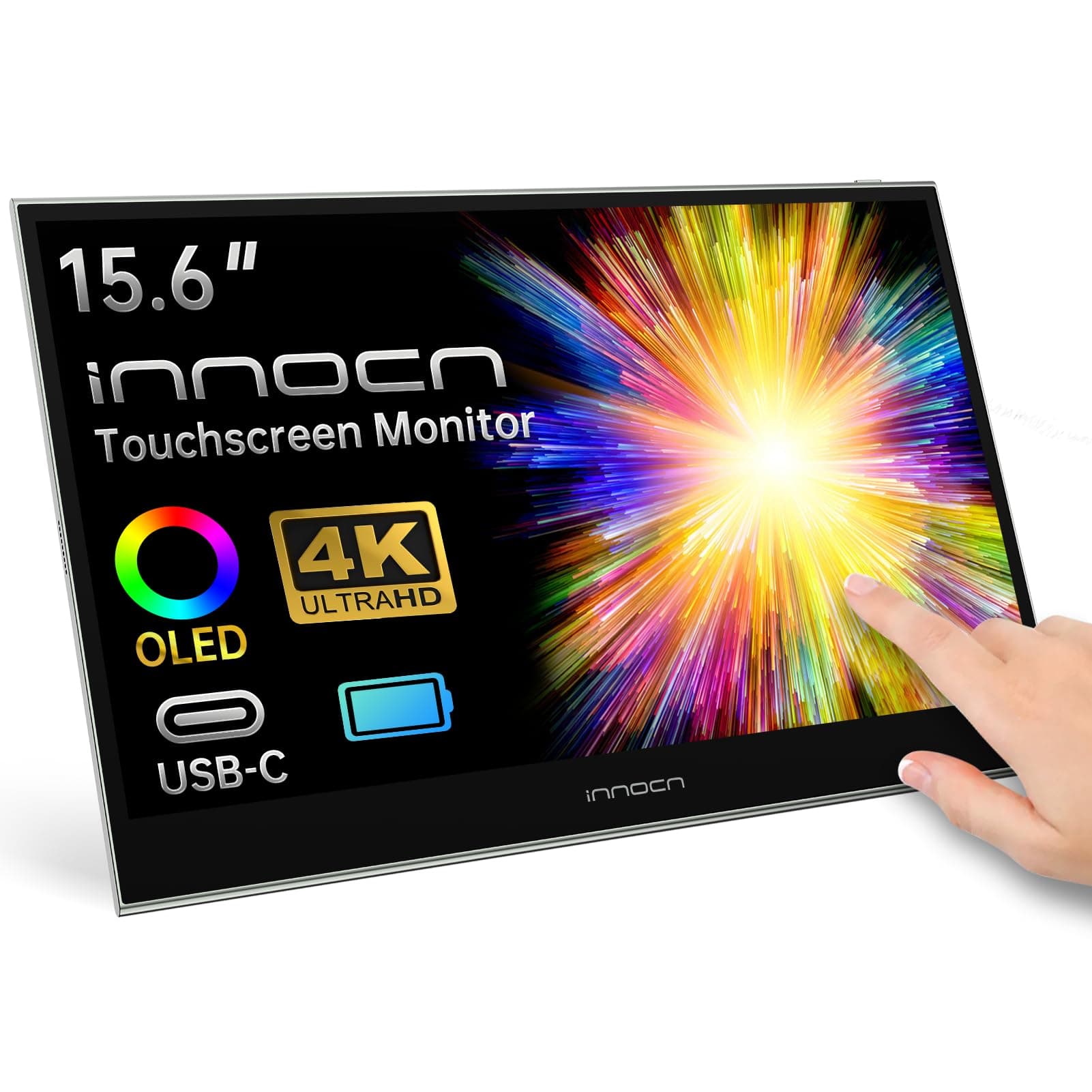

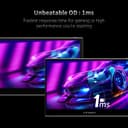

🚀 Elevate your workspace with OLED clarity and ultimate portability!
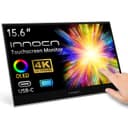
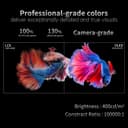
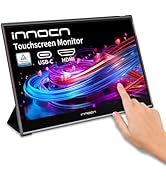
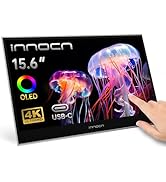
The INNOCN 15.6" Portable Monitor features a stunning 4K OLED display with 100% DCI-P3 color gamut and 100000:1 contrast ratio, delivering ultra-sharp, vibrant images. Its built-in 5000mAh battery supports up to 4 hours of wireless use, while the ultra-slim and lightweight design ensures effortless mobility. Equipped with 10-point touchscreen functionality and versatile USB-C/HDMI connectivity, it’s the perfect secondary display for professionals and gamers seeking premium visuals on the move.





| ASIN | B0CSJR56Q7 |
| Adaptive Sync | FreeSync |
| Additional Features | Built-In Speakers, OLED 4K, Portable, Professional color performance, Touchscreen |
| Aspect Ratio | 16:9 |
| Best Sellers Rank | #41,487 in Electronics ( See Top 100 in Electronics ) #943 in Computer Monitors |
| Brand | INNOCN |
| Brightness | 400nit |
| Color | Black |
| Connectivity Technology | HDMI, USB Type C |
| Contrast Ratio | 100000:1 |
| Customer Reviews | 4.1 4.1 out of 5 stars (502) |
| Display Resolution Maximum | 3840 x 2160 |
| Display Technology | OLED |
| Display Type | OLED |
| Hardware Connectivity | HDMI |
| Has Color Screen | Yes |
| Item Dimensions D x W x H | 0.6"D x 14.15"W x 9.4"H |
| Item Weight | 2.89 Kilograms |
| Manufacturer | Guangxi Century Innovation Display Electronics Co.,Ltd |
| Model Name | E15K1U-C4 |
| Model Number | E15K1U-C4 |
| Native Resolution | 3840x2160 |
| Number of Component Outputs | 2 |
| Picture Quality Enhancement Technology | OLED |
| Refresh Rate | 60 Hz |
| Resolution | 4K UHD 2160p |
| Response Time | 0.01 Milliseconds |
| Screen Finish | Glossy |
| Screen Size | 15.6 |
| Specific Uses For Product | Gaming |
| Total Number of HDMI Ports | 1 |
| Viewing Angle | 178 Degrees |
| Warranty Description | 1 YEAR |
T**T
Excellent value, especially for an OLED "trial"
Fantastic product for the price. When I bought it it was on a %40 discount which made it a no brainer. I didn't technically need a portable monitor, but I bought this as an OLED "trial". You've probably seen those 27" LG QHD 240hz screens already but those are $1000 (insane price gouging), but you as a consumer have likely never had an OLED monitor, so the question remains: will you burn-in that super nice and expensive screen? I wasn't willing to experiment with my money. At $150, this INNOCN is the perfect test: I use it for gaming at %100 brightness and it will blow you away with the quality of the colors and contrast. Looks great during the day, and mind-blowing at night (actually TOO bright for me though, so at night I set it at %47 brightness). The rest of the workday, I have it display my week calendar at %10 brightness - OLED blacks guarantee that there's still plenty of contrast to remain easily readable, and this way I can test if I'd burn-in an OLED monitor after months of use. If it burns? Ah well, $150 isn't an excessive loss. If it doesn't burn? Then I can buy the nice 27" QHD OLED versions that are starting to come up (I don't want/need a 34 inch or a 45 inch ridiculousness). A couple interesting things I've noticed: - %20 brightness on USB-C video is fine at night. During the day, it's not enough, plug in the USB-C power cable as well (and this comes from someone who does not enjoy bright screens, my eyes are sensitive). - INNOCN does something weird with near-blacks in dark images as you change brightness. I noticed that at %47 brightness all detail is retained in a near-black situation, but if you go to %48 instead of making the whole image brighter, it makes near-blacks darker, thus crushing them... it's strange. There seem to be a few "brightness zones" within which the screen manages contrast as you go up in brightness, so I've found 3 perfect levels for my use: %10 induces black crush, but I only use it for a black background calendar, so it's fine (this is my test to see whether the white text at %10 would burn-in after months of use). %37 preserves near-blacks and adds a good a mount of brightness. %47 is as high as you can go preserving near-blacks while increasing brightness. Any higher than that, and blacks get increasingly crushed until about %70 (weird mixture of crushed-blacks but brighter image). After %70 blacks start raising again (along with overall brightness) but it's not a "%47 brightness equivalent but brighter" until you hit %90 to %100. So, I recommend setting the first 3 of 6 "modes" (which seem to do nothing other than change brightness, as I've set them all at %47 and they look virtually the same) at something like %10, %37, %47 for different lighting conditions, and the last three modes at %100 since anything between %48 and %99 messes with near-blacks. Your mileage with near-blacks might vary here, depending on the image displayed. Despite that weirdness with brightness and black crush, it's an excellent screen with a very high DPI - 1080p at 13" (170dpi) is actually higher than 4k at 27" (163dpi)! Everything looks fantastic in it, and if you're as wary as I am to buy a nice but way too overpriced 27" QHD OLED, this is a perfect way to enter the OLED monitor wave and make sure you won't burn-in these nice screens. Added benefit - the stand is quite helpful, as gaming on 13" isn't as nice as on 27", but I can just bring the INNOCN way closer to me and it's fine (though I still use my 27" for gaming regularly, so that tells you 13" can definitely feel too small). The near instant response time of OLED is super noticeable, and despite being 60hz it feels like my 95hz 27" Pixio but with better image quality (I also have a 165hz Gigabyte and despite the added smoothness that VA smear is super annoying, I'd rather have less hz but on a clearer IPS image... same logic applies to the INNOCN - perfectly clear and contrasty 60hz > blurrier 90hz with sub-par IPS contrast). If you find it at the deeply discounted $150, I say go for it. You'll get a taste of OLED monitors, see if you can "safely" use it without destroying it, and then you can move onto bigger and better OLED screens. My money is too hardly earned to gamble away $1K on a nicer screen that might get destroyed in less than a year. Looking forward to taking this INNOCN on a trip, so that I can use it as a second screen for my M1 Macbook Air.
K**O
For the price, very impressive color
When I bought it, it was $200, for that price, Five Stars! This is for the 15.6" OLED. I've been using this display regularly for a month now. Time will tell how long it will last, for the price, finger crossed I get a year out of it. The color and contrast is amazing. DCI-P3 color space is something like 118% coverage. Adobe 98/RGB is 'only' 98%, but that's because it clips slightly in the blues, on the other end, it gos way outside the color space. Color is amazing. Contrast is great. I got it so that I could have a lightweight (it weighs almost nothing) monitor to act as an occasional small second display, but more than that, I need monitor to mirror my viewer monitors when in Capture One. I wasn't really expecting much, but once calibrated, this thing looks great. I intended it to just be a display that I could use to keep an eye on the monitors I couldn't see. Images on it looked better than on the NEC color accurate monitor I have it mounted to back of (like that make shift rigging?), and the others mirrored around for clients and crew. It matched the MBP retina disply very closely. It is able to work as a one cable solution (USB C), provided you have enough power. Plugged directly into the MBP it works, by default it lowers the brightness to 20%. I've been running it at 65% with no issues. I'm NOT running the laptop on battery. Plugged into an OWC TB3 dock, it also had no issues with a single cable. Note, both of those, it's plugged into a TB port, NOT a USB C port. Using Sonnettech's new Echo 20 TB4 Superdock I would not pass a signal over USB C, only TB, it's hard to say if that's the monitor or the dock. The OS also gave me constant 'low power' warnings with a single cable on the Echo 20. The Echo 20 only outputs 15W over the hubbed TB ports, the OWC outputs 65w (not sure what the MBP outputs). So you do need to make sure that your souce can output the needed power if you want a one cable setup. Also of note, this 1080 display (though it mirrored 2K just fine) is very sharp. There is a sharpness adjustment in the settings, but that just seemed to make things blurry, not really smoother. So while images look amazing, text can be overly sharp, in crunchy sort of way. I would not use this for word processing activities. Things I wish it had; The cables, why are they white? Black would stand out less. I understand that due to size, ports have to come out the side, cables with built in 90° or 180° plugs would be nice. Also, a threaded 1/4" mounting hole on the bottom would be a great addition. The screen itself is very very glossy. It gets bright enough, that I don't notice it in normal use, but a more matte screen would be nice to have.
H**N
Depends on your use case. Great picture but brightness concern.
First of all, I like the build quality. It feels solid. I also like the metal kick stand as it takes up little space on the desk. I am using this as a secondary palette toolbar monitor on a desk. For reference, I have one of the first Asus 15.6" USB-C Zen, a Lenovo 14" M14, and a no-name LCD 13" I got that has USB-C and micro HDMI. So I have a few portable monitor and this one by far is the best one in terms of quality. The blacks are deep and it is very color accurate. Compares well with my iPad Pro. Now for the negative. The brightness only goes 20% via one USB-C cable. I am assuming it does not have enough bandwidth/power to fully lit the screen. If you plugin in another USB-C cable or use a battery bank, you will get full 100% brightness. Even at 20%, it is still fairly good. But I can see this bothering people. However, since I am using this on my desk, I have it connected to a M1 Mac Mini and it works great. My hub is proving the additional power to the second USB-C port to give it 100% brightness. Again, for me, even at 20%, it still looks good and I would prefer this over the other monitors. And after watching some reviews on other monitors, this seems to be an issue with a lot of portable monitors. It is much nicer than my M14 Lenovo which I dearly love and this one has HDMI if you need it in a pinch. My Asus and M14 are only USB-C only. But if I have to use this as a portable monitor, I think I am going to stick to the M14. Also, the kick-stand isn't ideal for portable use taking it to a coffee shop. On a desk, it is fine. So what I am saying is, if you need a good quality somewhat portable monitor that will mostly sit on your desk, this is a good deal.
S**I
This is the cheapest OLED monitor currently on the market. The picture is good, the black levels are great, the speakers aren't terrible, but are very tinny. Make sure you use the right color space, and make sure you set RGB to "Full" instead of "Limited." Having the incorrect setting made both my PS3 and Switch not quite dark enough.
A**R
I've fought with this monitor for two hours, and made zero progress. The Innocn manual is completely useless, as is the Innocn website. In fact, the VERY FIRST THING on the website was the BOLD statement that Innocn had no interest n selling to Canadian customers, and I should choose a different country. I would suggest that this isn't the best way to forge an ongoing customer relationship. When I pretended to be a US citizen - and I'm not, I'm a VERY patriotic Canadian - I was able to go to the section where I could download the latest version of the manual. The only problem is, the monitor isn't listed. This monitor is a 15K1U, but Innocn refuses to accept its existence; and the closest manual contained significantly different usage instructions. Is that because the firmware has changed, or is it just genuinely the wrong manual? As it turns out, it didn't make any difference; neither the enclosed manual or the downloaded one provided any help. I've plugged the monitor in using the supplied power adapter and cable; and I've connected the USB cable to the thunderbolt 4 port on my brand new Acer touchscreen laptop. According to the manual, a long press of the power button should turn the monitor on. It does not; instead, it turns the yellow led off. Another long press brings up a blue led, and the innocn logo on the screen. Now, we're getting somewhere! Yeah? You figure? You wish. The Innocn logo disappears, to be replaced by something that vaguely resembles a clock face. According to the manual, this MIGHT be related to the on screen menu display duration. Or it might not; the logos are similar, but not identical. Tapping the logo on the screen does nothing. Pushing the UP and DOWN buttons on the side of the monitor, does nothing. Instead, the clock face logo disappears, and is replaced by something that looks like two links of a chain. This logo is not referenced in any manual, or on the Innocn website. After perhaps five seconds this logo disappears, and is replaced by something that looks like - and I absolutely swear, I am not making this up - it... well, it looks like the Shazam! logo. There's a really foolish movie about a superhero with a child's personality; and, honest to... murgatroyd... the logo on his chest is the same as the one that Innocn chose to display on the monitor screen. And after about five seconds, the monitor shuts down. So, I'm done. I'll bet that there's a way to solve this. Just plug THIS cable in THAT port, rub your tummy three times and count backward from 60... sure. Simple. Anyone could figure this out. But my frustration level has been officially exceeded. I'm going to pack this malignant monstrosity right back up, and send it directly back to Amazon. At this point, I'm so frustrated, that I don't even want it to work. I just want it out of my life. Perhaps Innocn should learn to write manuals that make sense. Perhaps they should acknowledge the product you've bought, by actually listing it on their web site. And, if they're actually interested in a Canadian Clientele, they should not start out the relationship by stating that they have no interest in dealing with Canadians. None of that will fix the massive problems that this company clearly faces. But it would be a start.
A**I
Absolutely what I was hoping for. I'm done with cheap $150 portable monitors. The pixels die almost by blowing on the screen, way too fragile. I had just returned one of these cheap monitors because out of the box the display was nonfunctional for 3/4" from the right edge. top to bottom. I wanted a monitor with a screen protected like that of my Lenovo Tab P11 Pro Gen 2. So I decided to spend north of $300 and this monitor is exactly what I was looking for. The display is beautiful without any adjustments. The monitor is as thin and light as you could want it to be. I really like the magnetic stand, great design. I have also purchased a tempered glass screen protector, I really do not think I need this now. I am extremely happy with this monitor.
T**N
This was my second purchased of the INNOCN OLED display; first one was the 13.3" screen which was ultra portable for my travel and after my testing/evaluation, the recent purchased was the 15.6" intended to use for personal video/4k movies. Both were purchased on special discount deal/sales price that was value for money as compared to others (such as VP-16, MQ-16AH, 4K OLED portable monitor etc.) and was very happy/satisfied with the purchases. Only time will tell how long it will last with normal usage. Referring to the attached photos, the15.6" OLED screen and the portable 4K media player were both running on a 22.5W branded 10000 mAh power bank. The 15.6" OLED display consumed about 4W (with HDR on, 70% brightness, 50% contrast) where the 13.3" display consumed about 2W-3W (with HDR off, 45% brightness, 50% contrast).
A**R
This is basically Prism+ Nomad 15.6 inch OLED Portable Monitor, except that it is SGD200 cheaper. Great looking and sleek design. Bought it for ROG Ally, it is able to pass through power to the Ally using the power plug. The colors are vibrant and the screen is responsive. The detachable and magnetic stand is an awesome addition. The magnet is strong and being able to adjust the tilt granularly is great. Overall, great purchase!
Trustpilot
5 days ago
3 days ago