We remain fully operational. Our teams are working around the clock to ensure your deliveries continue safely.

DOWNLOAD THE APP


Customer Services
Copyright © 2025 Desertcart Holdings Limited
DOWNLOAD THE APP
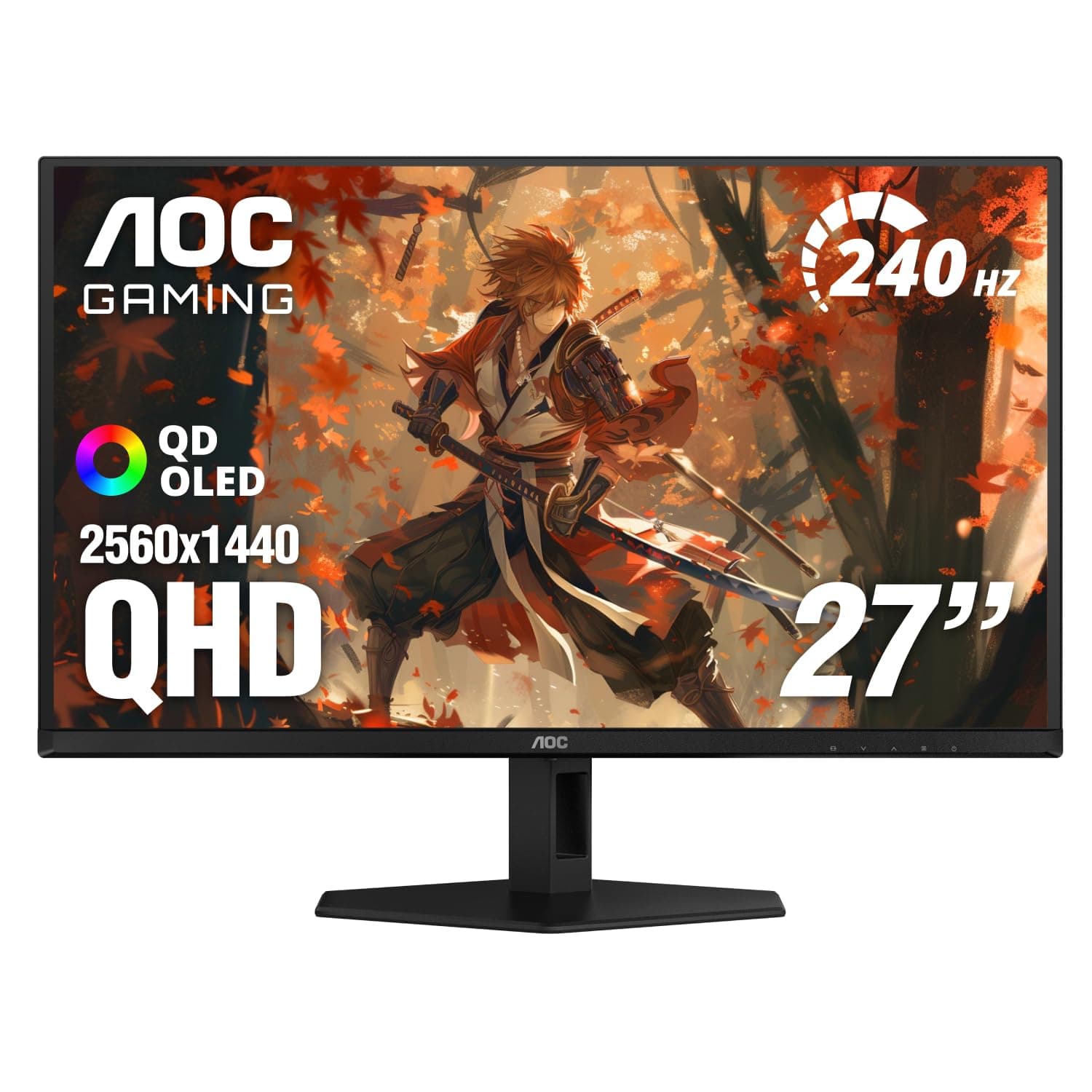
🎮 Elevate your game with the pro-grade OLED beast — see it, feel it, own it.
The AOC Agon PRO AG276QZD2 is a 27-inch QHD (2560x1440) QD-OLED gaming monitor featuring an ultra-fast 280Hz refresh rate (updated revision), 0.03ms GTG response time, and G-Sync support for tear-free gameplay. It boasts HDR10 with HDR400 True Black certification, delivering exceptional color accuracy and contrast with over 1.07 billion colors. Designed for pro gamers and creative professionals alike, it includes height adjustability, DisplayPort, HDMI, USB ports, built-in speakers, and customizable RGB lighting to enhance both performance and aesthetics.


| ASIN | B0D682HF6R |
| Adaptive Sync | G-Sync |
| Additional Features | Adaptive Sync, Anti Glare Screen, Built-In Speakers, Eye Care, Flicker-Free |
| Aspect Ratio | 1.78:1 |
| Best Sellers Rank | #358 in Electronics ( See Top 100 in Electronics ) #17 in Computer Monitors |
| Brand | AOC |
| Brightness | 1000 candela_per_square_meter |
| Built-In Media | HDMI Cable, Monitor, Power Cord, User Manual |
| Color | Black |
| Color Gamut | 1.477 |
| Compatible Devices | Desktop, Gaming Console, Laptop |
| Connectivity Technology | DisplayPort, HDMI |
| Contrast Ratio | 1500000:1 |
| Customer Reviews | 4.4 out of 5 stars 295 Reviews |
| Display Resolution Maximum | 2560 x 1440 Pixels |
| Display Technology | OLED |
| Display Type | OLED |
| EU Spare Part Availability Duration | 3 Years |
| Hardware Connectivity | DisplayPort, HDMI |
| Has Color Screen | Yes |
| Image Contrast Ratio | 1500000:1 |
| Item Dimensions D x W x H | 9.01"D x 23.99"W x 20.73"H |
| Item Weight | 14.7 Pounds |
| Manufacturer | TPV Technology |
| Model Name | AG276QZD2 |
| Model Number | AG276QZD2 |
| Mounting Type | VESA Mount |
| Native Resolution | 2560x1440 |
| Number of Component Outputs | 4 |
| Picture Quality Enhancement Technology | HDR10, OLED |
| Power Consumption | 60 Watts |
| Refresh Rate | 240 Hz |
| Resolution | QHD Ultra Wide 1440p |
| Response Time | 0.03 Milliseconds |
| Screen Finish | Glossy |
| Screen Size | 27 Inches |
| Screen Surface Description | Glossy |
| Specific Uses For Product | Business, Desktop, Gaming |
| Total Number of HDMI Ports | 1 |
| Total USB 3.0 Ports | 2 |
| Total Usb Ports | 2 |
| UPC | 685417736485 |
| Viewing Angle | 170 Degrees |
| Warranty Description | 3 year manufacturer |
| Warranty Type | 3 Years Manufacturer Warranty |
F**O
Confirmed! It's the NEW 280Hz REVISION
This is a total Win-Win! I was a bit skeptical because the Amazon description still mentions 240Hz, but I can confirm that I received the New Revision (V2) which hits a native 280Hz. If you are looking for the updated AG276QZD2, this is the one that fixes the minor issues from the previous batches. Key highlights from my experience: Stunning Image Quality: As a UX/UI designer, the QHD resolution combined with the QD-OLED panel offers a depth of blacks and color accuracy that is second to none. The resolution and clarity are simply beautiful. No "Washed Out" HDR: This new revision comes with the updated firmware, and the HDR performance is spot on—no more dull or greyish tones where there should be pure black. Extreme Speed: Connected to my laptop with an RTX 5070 Ti, the 280Hz fluidity is out of this world. Shipping to Colombia: It arrived in Bogotá earlier than expected and in perfect condition. If your box arrives marked with the 280Hz logo, you’ve won the panel lottery. It is a professional-grade work tool and an absolute beast for gaming. Highly recommended!
B**E
Great monitor
Honestly was very hesitant dropping 500 clams on a monitor but I was tired of my 1080p ips panel. Aoc puts the calibration report in the box so you know what your monitors color accuracy and everything is. The stand is solid but doesn't give crazy positioning options. The panel has great brightness and good io, also the RGB on the back is subtle and a nice touch without being distracting and has a nice diffusion layer. The 1440p resolution is great at this size coupled with it being an oled panel the contrast is just fantastic. You do need to go into a couple of games that you play and tweak the settings for the best visuals. I've heard but not tested the HDR of the monitor is supposedly lacking as I said I just leave HDR off and tweak my panels settings to preference with the games I play and then go into YouTube videos and give final adjustments to give myself the best average. It has nice quality of life settings to keep the oled burn in at a minimum and overall I am very happy with this monitor. I can't take advantage of the full refresh rate at higher settings on some games (specifically ue5). But it's a great buy especially if you wanna squeeze all the performance out of your gpu before you commit to upgrading it. To get the full refresh rate.
J**O
Perfect Monitor
Underrated solid monitor. If you’re looking to upgrade to an oled or 1440p I would buy this one. Great price for a 1440p 240hz oled. Amazing contrast, no fuzzy text unlike Woled. Nice set of settings. Comes with hdmi and display port cables, great fully adjustable stand etc. don’t waste your money on the same features for other brand names. And 4 year warranty if you’re worried. I bought it one sale for $400 which is honestly completely worth it for this monitor. I use it for pc and ps5, it’s the perfect monitor for ps5 does 1440p 120hz hdr gaming and 4k 60hz also hdr when on YouTube, Netflix etc. it switches between 4k and 1440p automatically so just leave it at 4k. No vrr but I don’t have any issues and no flicker so far. It also has speakers but they’re bare minimum if you don’t mind bad quality and just plain sound it’s a bonus. You get used to the sound so I’d say it’s a plus overall for budget gamers. For most people this would be the perfect monitor.
S**S
The cheapest high refresh rate QD-OLED you'll find
A glossy, QD-OLED display in a light-controlled room is the best immersion in any medium. I've been gaming, streaming videos, working, and writing this review on this display. This is what I imagined the $10,000 plasma screen TVs looked like back in the day (if they were in 240Hz, 1440p resolution, with proper HDR). I'm imagining how display technology will improve beyond this point. Displays could have a higher resolution and refresh rate with less risk of burn-in. It could have better HDR and color accuracy. A future display may have a smarter OS with more granular control over image quality. At some point, there will be so many diminishing returns that your eyes (or at least my old eyes) can't perceive the difference between this display and "better." I can tell where they may have cut corners. The monitor's back panel RGB lighting is basic, with the option of three colors or a rainbow—and that's it. The control button is also the power button, which gets awkward when you're trying to power down the display manually (hold the power button until it turns off). You can switch display inputs by tapping up on the power button; don't accidentally turn it off. I'd also suggest getting a premium monitor arm or VESA-mounted stand since I never use whatever plastic stand comes with a monitor. The monitor OS is decent, but nothing that blew me away. There are a few gaming modes, but it looks OK on its default settings. Maybe I'm not an enthusiast for noticing better settings? I got this on the Black Friday flash sale and was amazed at how much I paid. I assume that's why it's currently at a higher price or out of stock. I'm frustrated that there are still TVs and monitors that cost more than $500, but that's the price of cutting-edge technology. Get yourself a QD-OLED monitor or TV when it goes on sale.
D**L
Great monitor for the price, no burn in after a year
Had for over a year now and still works great, I haven't seen any burn in at all. I love the colors and the text clarity is pretty good, the only real complaint I would have is just the VRR flicker, but its only really in loading screens so I don't mind at all. Gaming on it is amazing, especially in a slightly darker environment. Setting it up was easy, even on a monitor arm.
S**9
GREAT panal BUT unnatural colors at stock settings..
the stock settings for this monitor are very very weird and makes everything look over saturated. go to color setup and set color temp to "user" and color gamut to "panel native" with rgb values all at 50, looks much much more natural, not sure why this isnt the out of the box settings.. also this thing is HEAVY for a monitor so make sure your monitor arm can take it.. also also there is a built in crosshair if you press down on the joystick while not in a menu.
P**Y
Pixels Started Dying within Two Months
Monitor worked great for about 2 months. Then I started noticing dead pixels everywhere, after a few days I stopped counting at two dozen dead pixels, viewable on a black background with light from my phone or flashlight hitting the screen. Really feels unacceptable for how quickly this many dead pixels appeared. I filed a claim with amazon and was able to qualify for a refund. I'm reordering the same monitor, hoping this was just one of the poorer quality screens that made it through manufacturing, and will update this review if the next screen is better.
T**A
ABL too strong- okay for $399
quick and short ABL is too annoying good price for a cheap oled would not recommend at msrp VRR flicker is very noticeable on this monitor --- for a introductory oled this is okay id spend a bit more for like a LG gen 3 one I just wanna write a pretty quick review after seeing some on youtube etc clearly being influenced by receiving the product for free. I dont use oled monitors in SDR so i cant speak for it in that regard. So just to start off I own the Alienware 1st gen qd oled the ultrawide and a LG CX 65". Starting off with this monitor for the black friday price it is definitely okay however i would not buy this monitor at msrp. Pros - on sale for 399 its a steal for a oled - its a qd oled I personally like them a little better over Woleds - 240hz at 0.03 like most instant response times typical oleds nowadays Cons - ABL is strong - Display HDR is the most consistent in staying bright without the screen dimming Anime games like Genshin and Wuthering Waves with flashy moves and ultimates dim the monitor dims instantly teleporting to areas in genshin dims the monitor which is somewhat understandable you dont want a bright white screen flash on ur eyes instantly however once it dims it stays dimmed there are some ways a little bit to mitigate this by choosing the Display HDR mode or HDR Game mode the ABL is strong especially in the 1000 mode where the monitor just dims completely playing games like COD will be fine as the monitor is not bright in regular gaming RE4 etc those all look good -VRR flicker can get annoying i'll see if i can upload videos to demonstrate but its almost LG gen 1 levels bad
Trustpilot
2 weeks ago
2 months ago