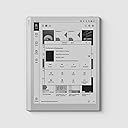
📚 Elevate your reading & note game with the BOOX Go 10.3 — where paper meets power.
The BOOX Tablet Go 10.3 is a sleek, lightweight 10.3-inch E Ink tablet featuring a 300 PPI Carta 1200 display for sharp, paper-like visuals. Powered by a 2.4 GHz octa-core processor with 4GB RAM and 64GB storage, it supports 4G connectivity and Android OS, enabling seamless reading, note-taking, and creative workflows without front lighting. Designed for professionals who demand clarity, portability, and productivity in one elegant device.


| ASIN | B0D4DFT3W3 |
| Age Range Description | Adult |
| Aspect Ratio | 1:1 |
| Battery Average Life | 1 days |
| Battery Capacity | 3700 Amp Hours |
| Battery Cell Type | Lithium Polymer |
| Battery Power | 3700 |
| Best Sellers Rank | #4,017 in Computers ( See Top 100 in Computers ) #101 in Computer Tablets |
| Brand | BOOX |
| Built-In Media | DEVICE, STYLUS |
| CPU Model Number | UK |
| Camera Description | no camera |
| Cellular Technology | 4G |
| Compatible Devices | Stylus Pen |
| Connectivity Technology | USB |
| Customer Reviews | 4.1 4.1 out of 5 stars (441) |
| Display Resolution Maximum | 2480*1860 300PPI Pixels Per Inch |
| Display Type | E INK |
| Generation | [APPROX] 4 |
| Graphics Description | Integrated |
| Hardware Interface | USB Type C |
| Human-Interface Input | Touchscreen with Stylus Support |
| Item Dimensions L x W x Thickness | 22.9L x 17.8W x 0.4Th centimeters |
| Item Weight | 365 Grams |
| Lithium-Battery Energy Content | 15.17 Watt Hours |
| Manufacturer | BOOX |
| Memory Storage Capacity | 64 GB |
| Mfr Part Number | UK Go 10.3 |
| Model Name | Go 10.3 |
| Model Number | UK Go 10.3 |
| Model Year | 2024 |
| Native Resolution | 1442 x 1920 |
| Operating System | Android |
| Operating System Family | Android |
| Other Special Features of the Product | Unterstützt USB OTG |
| Processor Brand | Rockchip |
| Processor Description | Octa-core 2.4 GHz |
| Processor Speed | 2.4 GHz |
| RAM Memory Installed | 4 GB |
| RAM Size | 4 GB |
| Screen Size | 10.3 Inches |
| Set Name | Google Apps |
| Specific Uses For Product | Reading, taking notes and digital art creation |
| Supported Audio Format | MP3, AAC, FLAC, WAV, OGG |
| Total Usb Ports | 1 |
| Video Processor | Qualcomm |
| Warranty Type | Limited |
| Wireless Compability | 802.11ac |
| Wireless Technology | Bluetooth |
F**.
Boox Tab Go Review + Full Comparison With Pro, Air & Colour Models
One of the best purchases I’ve ever made! The Boox Tab Go 10.3 is exactly as described and works perfectly. The display is super easy on the eyes — I’d rate it even better than the premium colour models. The 13-inch Tab Go should be just as good since it uses the same UI. I’ve tried other Boox models too. The Pro series uses a different UI and, while powerful, felt heavy in the hand — not a dealbreaker, but less comfortable than the light and balanced Tab Go. The Air series sits somewhere in between, with the same Pro UI (not as simple and clean as the Go series). If the Pro and Air series had a switchable mode to the Go’s simpler UI, they’d be much better. One good thing about the Tab C Pro was its screen — crisp and excellent in direct sunlight. But in UAE heat, sitting outside isn’t exactly a comfortable or ideal place to read. Also, the pickup for my original order was delayed, which turned out to be a blessing — it gave me the opportunity to compare all these models side-by-side before deciding. From my comparisons, colour and backlit models were never as clear and crisp as the Tab Go. This monochrome display looks exactly like real paper — so real that my patients constantly put things on it while it’s on my desk at work, thinking it’s an actual notebook! 🤭 I highly recommend the monochrome display over colour for reading and note-taking. Special thanks to the seller — because of them, I could compare models within the 15-day return period. I returned my first purchase (no questions asked) and got the Tab Go delivered the same day. Refund was back on my credit card within a week — smooth and hassle-free. They haven't mentioned about it in the advert, but they do send the tablet with free original protective case, which doesn't come with any of Boox devices (worth about 200 AED on Amazon, I also received with the earlier tab pro model ) was a great bonus. I’ll definitely buy from this seller again and highly recommend them to others.
S**N
Great but no front light
Thanks Amazon ...always great with delivery and package and thanks to the seller Araba..this product comes with pen and great case but doesnt include pen tips spare parts...this tablets screen is grey color not bright and no fromt light so u cant read at night or if no sun light or room enough light also not colored which i didnt like also
H**.
Like it
Ok, magnetic clasps that come with the case were the likely cause of the malfunction I experienced. Am still testing the product but first impressions of the seller are that they’re very helpful / responsive!
R**N
Serves my needs very well
Very happy about this purchase.
J**R
High res; powerful flexible/ usability.
This is a great devise. It’s a little less intuitive but more powerful than most and higher res.
A**L
Replacablr tips are missing
P**S
Damage on display
Fault on display. There are blank pockets on display . U can only get to know only when u write something on that area
N**N
Overpricing
Overpriced. Doesn’t have those features for the price .
S**T
I've had an iPad mini and a two-in-one laptop that came with a stylus, and neither provided a desirable handwriting experience for me, even with a "paper-like" screen protector. Then a few weeks ago, I found some videos reviewing e-ink tablets/digital notebooks and the rest is history. I did a bunch of research but after realizing that what I wanted was a simple writing experience but with some possible app availability. I originally ordered the Boox Note Air 4C but I wouldn't receive it for over a week and I wondered if I was spending too much on my first e-ink tablet. What if I hated it? What if it was as frustrating to use as my Kindle Paperwhite (reading on it is great but I hate using the clunky interface)? I ended up canceling my order and got the less expensive Go 10.3. I have zero regrets. This device is quicker and more responsive than my kindle (not to mention a superior clarity/screen resolution) and the writing experience is top-notch, it is exactly what I was looking for, in fact. There is something about pen-in-hand writing that makes me feel more connected to the words themselves, and keeps my ideas flowing. Having that in digital form is awesome. I will say that while the pen it comes with is okay, I have already bought a couple of other pens, my favorite being the Staedtler Noris Digital Jumbo, because it has an eraser on it and feels good in the hand. I haven yet utilized all of the cool features this tablet has, but I've been checking out YouTube videos on it, which I would recommend if you want to know everything this baby can do. It easily backs up to cloud storage like google drive or one drive. I do recommend getting a book light for dimmer writing situations, since there is no front light. I find this solution very doable, and keep a small booklight in my carrying case. The interface is smooth and not clunky. Writing is comfortable, with only milliseconds of latency. Don't use this for games or watching videos, it's not meant for that, and you'll find those kinds of apps are not optimised for this device. But for handwriting and note taking it's great, especially at this price point.
O**K
If you are a paper person like me, that is what you are looking for. Color is not something is miss as well as the backlight. Everything is just same as my paper notebook but smarter. To be able to work on pdf docs without printing is a game changer.
U**N
Ho aspettato un po' a scrivere la recensione perché in effetti, come si legge da più parti, la curva di apprendimento di questo dispositivo è piuttosto ripida. Una volta imparate le sue funzioni però devo dire che è davvero fantastico. Scrivo qui che le informazioni che cercavo prima di acquistarlo e che si trovavano a fatica sperando siano utili a qualcuno: anzitutto supporta la lingua italiana, sia come tastiera integrata sia nel riconoscimento della scrittura. Quest'ultima funzione è davvero notevole perchè puoi scrivere quasi degli scarabocchi e lui riconosce tutte le parole! Il riconoscimento vocale appena acquistato funzionava solo con il cinese il francese e l' inglese, ma dopo l'ultimo aggiornamento ora riconosce anche l'italiano. La penna supporta i livelli di pressione, il dipositivo è compatibile anche con la stylus staedler ma la penna in dotazione non è affatto male. In ogni caso non è un dispositivo per disegnare, si possono gestire schizzi su più livelli ma ad esempio non si può gestire l'opacità dei livelli in background e anche la funzione matita è abbastanza basica. Non ha retroilluminazione e più che un difetto a me sembra un pregio perchè restituisce una realistica esperienza di lettura e scrittura su carta. La latenza durante la scrittura è inesistente, sembra davvero di scrivere su carta. La ricarica dura parecchi giorni, non ci ho lavorato a pieno regime ma dopo qualche settimana è ancora al 60%. Si possono inserire annotazioni su qualsiasi formato, perfino sui kindle anche se non direttamente come sui pdf. Ottimo acquisto se si sa a cosa serve. Consigliatissimo.
C**A
I bought it instead of Remarkable bc all my internet research said it was more compatible with files and it's true. Have been promoting it among my friends. Not kidding––this little thing has changed my life. I wish I had bought it years ago. I'm sure my GPA will skyrocket now that I don't have papers flying around my room lol. Also I don't have to spend money in books no more.
L**O
J’utilise la BOOX Go 10.3 pour écrire et lire. La tablette est légère, fine et très agréable à tenir en main. L’écriture est fluide, avec une faible latence, et on peut désactiver le toucher des doigts pour poser la main sur l’écran sans problème. Le logiciel est bien optimisé et l’autonomie est un vrai point fort : jusqu’à deux semaines d’utilisation en usage réel. C’est un vrai Android, les applications fonctionnent correctement, et l’écran est net et confortable pour les PDF et le texte. À noter : malgré ses 10,3 pouces, l’écran n’est pas exactement au format A5.
Trustpilot
3 weeks ago
4 days ago