⌨️🖱️ Cut the cord, command your workspace with precision and style!
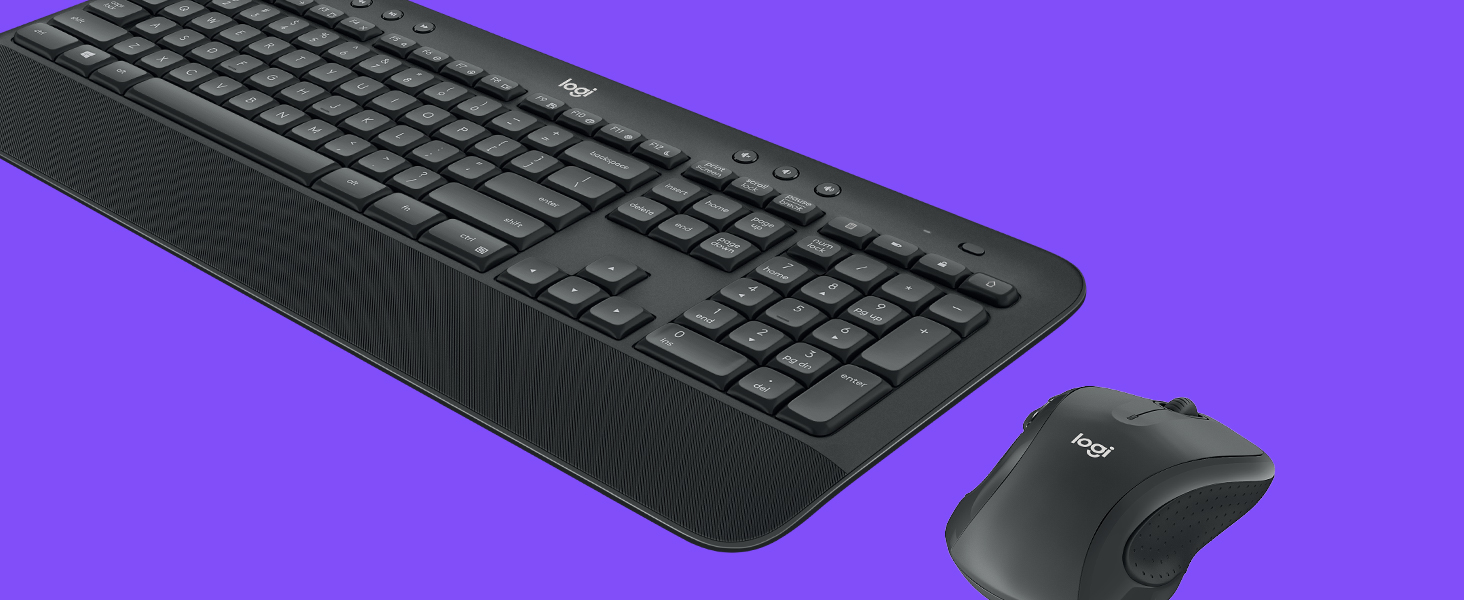
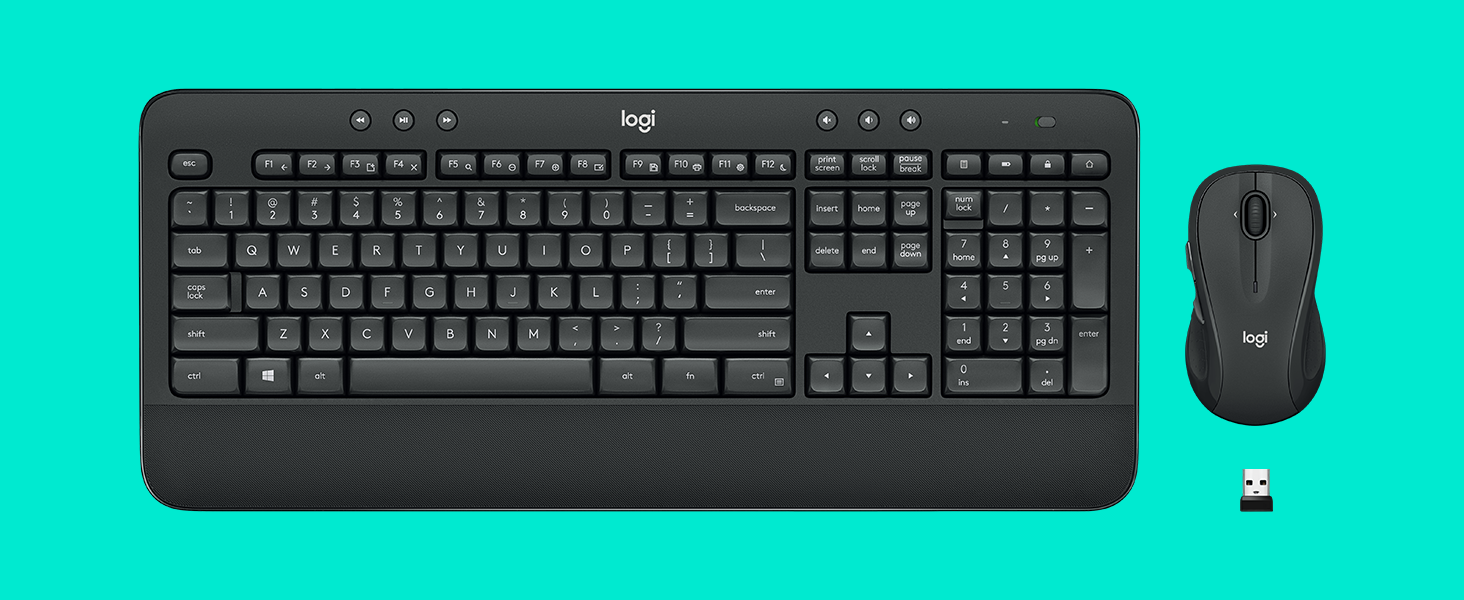
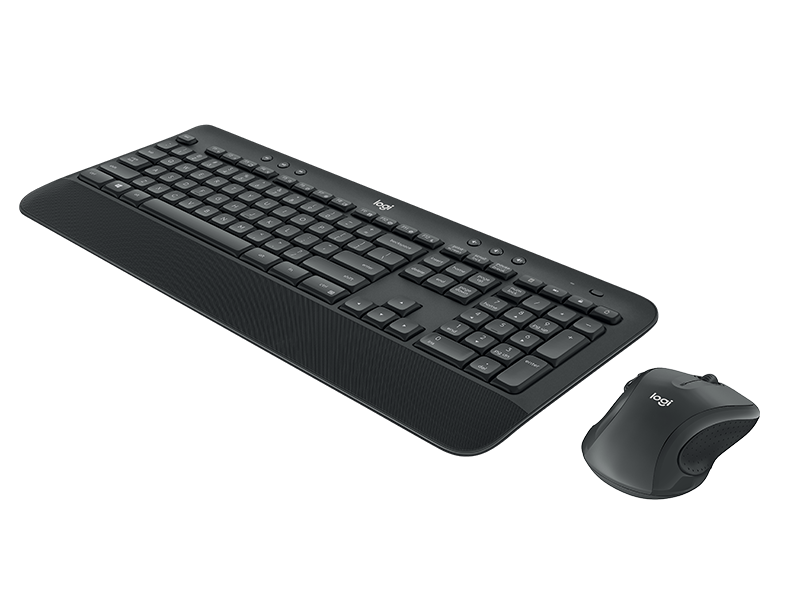
The Logitech MK545 Advanced Wireless Keyboard and Mouse Combo delivers a full-size, ergonomic typing experience with a textured palm rest and adjustable tilt legs. Its ambidextrous laser mouse offers precise control, while a single USB receiver ensures a reliable, encrypted wireless connection up to 10 meters. Designed for professionals seeking comfort, efficiency, and seamless plug-and-play setup, this combo supports Windows and Chrome OS with dedicated media and shortcut keys to boost productivity.


| ASIN | B079HR85C3 |
| Antenna Location | At home |
| Are Batteries Required | Yes |
| Best Sellers Rank | #547 in Computer Keyboard & Mouse Combos |
| Brand | Logitech |
| Built-In Media | keyboard, mouse, user guide |
| Color | Black |
| Compatible Devices | Personal Computer |
| Customer Reviews | 4.4 out of 5 stars 11,206 Reviews |
| Global Trade Identification Number | 00097855137319 |
| Hand Orientation | Ambidextrous |
| Item Height | 2.91 inches |
| Item Type Name | Logitech 920-008695 MK545 Advanced Wireless Keyboard and Mouse Combo |
| Item Weight | 2 Pounds |
| Keyboard Description | Indoor |
| Keyboard Layout | QWERTY |
| Manufacturer | Logitech |
| Movement Detection | Laser |
| Movement Detection Technology | Laser |
| Number of Batteries | 2 AAA batteries required. (included) |
| Number of Keys | 104 |
| Operating System | Windows 7, 10, 11 or later, Chrome OS |
| Other Special Features of the Product | Laser Projection, Wrist Rest |
| Power Source | Battery Powered |
| Special Feature | Laser Projection, Wrist Rest |
| UPC | 097855137319 |
| Unit Count | 1.0 Count |
| Warranty Description | 1-year Limited hardware warranty |
S**M
The Roller Coaster of Keyboard Wonders - Lighter Than Air, Quirkier Than a Circus Clown!
Hold onto your hats, folks, because I'm about to spill the beans on the Logitech MK545 Advanced Wireless Keyboard and Mouse Combo. Brace yourselves for a wild keyboard ride, with a few bumps along the way! Let's start with the pros, because who doesn't love a good pros-and-cons show? This combo is lighter than a helium-filled marshmallow on a diet. It practically floats on air! Setting it up is as easy as pie, or maybe even easier. I'm talking pie-level simplicity here. And let's not forget those sweet keyboard switches - they're like tiny, magical elves performing a synchronized typing ballet. So satisfying! Now, the ergonomics and size of this thing? Talk about a match made in keyboard heaven! It fits my hands like a tailored glove made by a genius fashion designer who specializes in hand-friendly couture. And did I mention it's wireless? Oh, the freedom! No more wrangling with wires like a clumsy cowboy herding cattle. But now, let's bring on the cons, the minor hiccups in this keyboard extravaganza. First off, I've had to change the batteries once already, and my keyboard seems to have a taste for them. I feel like I'm feeding it more batteries than a hungry toddler devours cookies! And seriously, Logitech, why no USB charging option? It's like the combo missed the memo on 21st-century convenience. We're in the wireless age, people! But wait, there's more! The sleep mode button on this thing is a bit of a diva. It wants to be the center of attention, but really, it should have its own button, like a spoiled celebrity demanding a personal entourage. Come on, Logitech, give the sleep mode button some humble pie! But despite these quirky cons, I can't deny that the Logitech MK545 combo has stolen a piece of my heart. It's brought joy, comfort, and a touch of keyboard magic to my computing adventures. Just make sure to stock up on batteries, invest in a charging dock, and maybe give that sleep mode button a little talking-to. So, my friends, get ready to buckle up and embark on a thrilling ride with the Logitech MK545 Advanced Wireless Keyboard and Mouse Combo! It's a roller coaster of lightness, ease, and keyboard dreams, with a few surprises along the way. Enjoy the ride!
S**.
Can't believe I waited so long to cut the cable!
Preface: This is a review of the keyboard only. I already own a wireless mouse (MX Master also from Logitech!) and thus set the mouse aside. Prepreface: I've owned the product for ~1 week. Thus no reliability issues so far but then again, it's only been a week. The keyboard works great! I have plenty of Logitech products and the unifying receiver was one of the big reasons why I picked a Logitech keyboard over a different brand. I was able to connect to my pre-existing unifying receiver with 0 issues. No issues at all with connectivity. I wake up in the morning, start typing, and letters show up. It just works! I've also played games on it and there's no noticeable input delay either. Ergonomically, the wrist rest is a wrist saver! However, not everything is perfect. Couple of minor cons to look out for: - The wrist rest material is a rubbery textured material. You know the type. It's going to wear off and gather grim. - There's no right windows key. I didn't know keyboards existed without the right windows key. - The top right shortcut keys. I hate them. I despise them. I can't disable them. One is a battery light indicator. Cute. 1 opens up your calculator app. Why the heck would I need a keyboard shortcut for that? 1 locks your computer. I hate hitting that. And the last one, the very top right key, is a monster. It opens up your web browser home page, using your CURRENT tab. While writing THIS review, I accidentally hit that godforsaken button and it deleted my review. It doesn't ask, there's no confirmation for leaving a form. Homepage. Watching a YouTube video and grab the corner of your keyboard to adjust it and hit the key? Homepage. Inputting numbers through the numpad and accidentally hit the key while trying to type -? Homepage. Drop everything and go directly to homepage. I'm making it a bigger deal than it should be because I'm still rating the keyboard 5 stars!
S**1
Works!
Very Nice. As Described. 5 Stars.
C**.
So far, a good product for the price.
I've used Logitech wireless keyboards/mice for several years now. I like them but use them a LOT, so they tend to wear out in some way after about 2-3 years. My last set held up pretty well, but the keyboard letter/number markers were almost all worn off and the mouse was getting skeezy; half the functions wouldn't work. I decided to replace them with this newer model; the keyboard is a bit smaller, but works well in my current setup. The keyboard itself is fairly comfortable to use and I like the touch/feel of the keys for typing. The only issue I've noticed is that when I first start using it after turning the computer on, there is a 'lag' in getting the characters on the screen. I'll be typing a sentence and it finally pops up there, but it takes a while. However, that problem disappears after a couple minutes. As for the mouse, I love the versatility of it with the programmable keys. It's comfortable to use and I have no issues with it at all. I can't really say how the battery life is as I've only had them for a few weeks, but going by past experience with similar models, the batteries last quite awhile -- usually at least 6-8 months, and I use the mouse/keyboard every day for several hours. All in all, for the price, I would recommend this wireless keyboard/mouse combo; I'm just hoping I won't have the same issues with the letters/numbers wearing off the keys and mouse skeeziness that happened with my last Logitech set.
H**T
Comfortable and easy to use
I have had this Logitech wireless keyboard and mouse combo for a week or two and so far, I love it! It was very easy to install, just plug in the USB dongle and viola! I put my laptop up on a stand for better ergonomics, so needed a new keyboard and mouse. This works perfectly for me and is very comfortable. Due to an answered question I decided to leave this keyboard and mouse on all the time, because the battery life is supposed to be very good. Additionally, I needed to buy a wrist rest to use with the keyboard - it looks like it comes with one, but in fact it is just hard plastic in front of the keys. A separate standalone wrist rest is needed for maximum ergonomic support. I especially like the music control, volume control, and calculator button on this keyboard, kind of a cool touch. The mouse has a nice scrolling wheel and some forward and back buttons on the side. I noticed some reviews said this is not a gaming keyboard - and they're probably right for a hardcore gamer this might be problematic. But I messed around in a casual game just fine with this keyboard and mouse. All and all I'm happy with my purchase. Would recommend. Thanks for reading and good luck!
K**G
Love the Keyboard! If you experience connection lost issue, read this.
A few months ago, I bought a new laptop and this keyboard and mouse combo. Strange things happened since then. The keyboard and mouse kept losing connection. I thought it was a problem with my new laptop because I have never heard of similar problems with mice and keyboards. I then tried and moved my laptop to different positions, from the right of my desk to the middle and from the middle to the left. None of those moves worked. I got very frustrated and I just wanted to break the keyboard and mouse every time the connection was lost. I had to unplug the receiver and put it back in for it to work. I also almost wanted to return my laptop, keyboard, and mouse. But I was like, no that doesn't make any sense and I really like the keyboard, so I went ahead and did some research about the compatibility of these new devices. I found out that there is a known problem of interference between USB 3.0 which my laptop has and 2.4GHz signal which most keyboard and mouse use, including this combo. The keyboard and mouse with 2.4GHz work better with USB 2.0. So I further looked to see if there are adapters that can fix this known problem. Thank god! Yes, with a little adaptor, my keyboard and mouse work just perfectly fine! Again, I love this keyboard and of course, my new laptop and so didn't want to just return them. Phew!! Problem solved! I'm so so happy! For those of you who experience a similar issue, try my solution. Here is the link to the adapter that I bought. https://www.amazon.com/Syntech-Adapter-Thunderbolt-Compatible-ChromeBook/dp/B082V3C83D/ref=pd_rhf_ee_p_img_13?_encoding=UTF8&psc=1&refRID=6S9V0XRNKRGRNBP0WRWB
G**E
It's perfect for my needs - Updated 11/6/2023
This replaced a Logitech MK520. I'm using it with my new M1 Mac Mini, and it works perfectly. To prevent any USB 3 device noise signal interference, I have the dongle on a 6' USB 2.0 extension cable, set a few feet from the Mac itself. This ensures that, when I use a USB 3 device with the Mac, it doesn't degrade the 2.4GHz wireless signal of the keyboard/mouse. I learned that lesson with a prior mini PC. The keyboard is the perfect height and angle, and the keys have just the right resistance. The mouse is fantastic, and just the right size. I don't care for small mice, so this one is perfect. And the battery life is nice in both units. I would definitely recommend this keyboard/mouse combo. Update 11/6/2023: I've now purchased a second combo. Some of the keys on the first keyboard started being a little harder to push recently, so it was time for a new one. I'm still using the same mouse though, and will keep the new one as a spare. So, the original keyboard lasted for about 2.5 years, and that's with being used every day. That's pretty darn good. Though the new keyboard looks exactly the same, it weighs about two thirds of the old one, so they've updated the internal components, which is nice. I would most certainly still recommend this combo. A keyboard lasting 2.5 years of daily use before any issues and a mouse that's still going strong after the same amount of time is fantastic.
K**Y
Works decent from around 8 feet separated via closet wall and wall
I bought this because I needed a wireless mouse and keyboard solution to use between two rooms. In one room I have a dedicated streaming PC and the other a gaming PC. The distance between the two PCs are roughly 8 feet apart separated by a closet door and another wall. Although it doesn't work perfectly, it does work well enough for me to get my work done. Update: 2/20 I'm now using this keyboard/mouse combo for my entertainment center. What I have is a desktop computer with triple monitor setup. Two go to my desktop and the other to a big screen TV located 15 feet away. I use this in the living room and it serves its purpose well. I can place the wireless keyboard on my lap and on a small adjustable height laptop table with rolling wheels. This lets me recline in my chair and gain quick access to both keyboard and mouse in a natural position. Because this is wireless I dont have cables strewn all over the living room floor from me to my desktop computer to my sofa and chairs. This is an important point because as TVs get higher in resolution and size, cables are a big problem. The advantage of this is that you don't need one of those mini keyboard and touch pad controllers. Those can be a pain in the butt to use because they force you to type one dreadful key at a time slowly. The touch pads also are very poor in controlling mouse position with the finger. This keyboard is the perfect size and weight for this kind of application.. Having the mouse roll onto an adjustable height laptop table is important too. That, and having one universal USB dongle that serves both keyboard and mouse. The only thing I would like to have is that the keyboard be backlit so I can see what I am typing at night.
Trustpilot
3 weeks ago
2 days ago