


Desertcart purchases this item on your behalf and handles shipping, customs, and support to Spain.
🚀 Power Meets Precision in a Mini Marvel
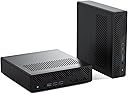
The MINISFORUM MS-01 Mini Workstation is a compact barebone PC powered by the Intel Core i9-13900H processor with 14 cores and 20 threads, capable of reaching 5.4 GHz. It supports triple ultra-HD displays including 8K via HDMI and USB4 ports, features dual 10G SFP+ and 2.5G LAN ports for ultra-fast networking, and offers extensive storage expandability with multiple M.2 and U.2 SSD slots plus a PCIe 4.0 x16 slot for RTX 3050 graphics card upgrades. Designed for professionals in gaming, 3D rendering, video editing, and high-speed networking, it delivers desktop-class performance in a sleek mini form factor.
| ASIN | B0CZL2MCT6 |
| Additional Features | Auto Power On, RTC Boot, Sleep Mode, Wale On Lan |
| Aspect Ratio | 16:9 |
| Best Sellers Rank | #6,817 in Computers & Accessories ( See Top 100 in Computers & Accessories ) #259 in Mini Computers |
| Brand | MINISFORUM |
| Built-In Media | 1x MS-01 MiniWorkStation, 1x Power Adapter, 1x Power Cord, 1x SSD Heat Sink, 1x HDMI Cable, 1x Screw Set, 1x Manual, 1x U.2- M.2 Conversion Adapter |
| CPU Model | Intel Core i9 |
| CPU Model Number | Intel Core i9-13900H |
| CPU Speed | 5.4 GHz |
| Color | Black |
| Compatible Devices | External Storage Drive, Game Controller, Headphone, Keyboard, Monitor, Mouse, Printer, Projector, Speaker |
| Connectivity Technology | Ethernet, HDMI, USB |
| Cooling Method | Fan |
| Customer Reviews | 4.4 out of 5 stars 81 Reviews |
| Display Resolution Maximum | 3840x2160 pixels |
| Display Type | 4K Ultra HD |
| Graphics Card Description | Integrated |
| Graphics Card Interface | Integrated |
| Graphics Card Ram | 2 GB |
| Graphics Coprocessor | Intel Iris Xe Graphics eligible(Frequency 1.5GHz) |
| Graphics Description | Integrated |
| Graphics Ram Type | DDR5 SDRAM |
| Hard Disk Description | SSD |
| Hard Disk Interface | PCIE x 4 |
| Hardware Interface | 3.5mm Audio, Bluetooth, Ethernet, HDMI, Headphone, USB, USB Type C |
| Human-Interface Input | Keyboard, Mouse |
| Keyboard Layout | QWERTY |
| Manufacturer | Micro Computer (HK) Tech Limited |
| Memory Clock Speed | 5200 MHz |
| Memory Slots Available | 2 |
| Memory Speed | 5200 MHz |
| Model Name | DeskMini |
| Model Number | DeskMini |
| Model Year | 2022 |
| Native Resolution | 7680 x 4320 |
| Number of Component Outputs | 3 |
| Operating System | No OS, Support Windows |
| Personal Computer Design Type | Mini PC |
| Power Consumption | 45 watts |
| Processor Brand | Intel |
| Processor Count | 14 |
| Processor Series | Intel Core i9 |
| Processor Socket | FCBGA1744 |
| Processor Speed | 5.4 GHz |
| RAM Memory Technology | DDR5 |
| RAM Type | DDR5 RAM |
| Ram Memory Maximum Size | 96 GB |
| Resolution | 3840 x 2160 |
| Screen Size | 25 inches |
| Specific Uses For Product | Home Theater, Digital Signage, Video Conference, Business, Education, Everyday Use, Multimedia |
| Specification Met | Partially Met |
| Style Name | MS-01-S1390(0+0) |
| Total Expansion Slots Quantity | 2 |
| Total Number of HDMI Ports | 1 |
| Total Thunderbolt Ports | 2 |
| Total Usb Ports | 5 |
| Unit Count | 1 Count |
| Video Output | HDMI, USB4 |
| Video Output Interface | HDMI, USB4 |
| Video Processor | Intel |
| Wireless Compability | 802.11ax |
| Wireless Network Technology | Wi-Fi |
| Wireless Technology | Bluetooth, Wi-Fi |
C**N
Speechless! Nothing else like it on the market!
Wow, this mini PC is unlike anything else I've ever seen! As a result, there are some conditions that apply here unlike any other mini PC on the market. Let's start with the fact it has four SODIMM memory sockets. This is almost entirely unheard of. Since the largest SODIMM memory module you can buy at the time of writing this is 64GB (no such technology yet exists to go beyond 64GB per module on an SODIMM) and, you can have four of them in total (if you want to), this means this mini PC can hold 256GB of RAM!!! However, you need to know two memory sockets on the the top of the motherboard and two memory sockets are behind the motherboard. If you are only using one or two memory sockets (leaving the others empty for future upgrades) then you MUST use the memory sockets on the top of the motherboard (nearest to the CPU). Once those are filled, then you can start using the other two memory sockets on the rear of the motherboard. Otherwise the system will not boot up. What is interesting is this mini PC supports ECC memory (such as used in servers) but it is not required and XMP is not possible regardless. The default set memory frequency is 4400/4800MHz, so don't waste your money on faster speed RAM. Please be aware that I am referring to the 'barebones' version of this computer, which is sold without RAM or storage or operating system. You can also buy it with everything pre-installed. Whichever you prefer. Now, this is review on the high-end version of this mini PC. They make three different versions. The high-end version includes VPro (for professional business-use remote IT administration) and includes an add-in card that adds two 25Gbe SFP+ network connections along with two additional NVMe slots. Yes, this mini PC can support four NVMe drives at the same time including with RAID 0, 1, 5, 10.... if you choose to use it that way! However, while all four NVMe slots can theoretically support Gen4x4 speeds, the add-in card is set to PCIe Gen3 for stability reasons. Whether this is because of a driver or BIOS, I have no idea. You can go into the BIOS and change the PCIe on this slot to Gen4, however, your system may become unstable. Essentially, you have one M.2 at Gen5x4 (speeds up to 14,700MB/s!!!) and one M.2 at Gen4x4 (speeds of up to 7,400MB/s) and, with the Ultra 9 285HX version of this PC, you get the additional 2 NVMe slots that are set by default to Gen3x4. In addition to that, this mini PC also has a 10Gbe and 2.5Gbe ethernet connection built-in to the motherboard (included on ALL models.) Also, the high-end version of this PC includes two NVMe heat sinks and thermal pads held on the silicon bands for use on the motherboard (the add-in 25Gbe card has built-in heatsinks for the NVMe drives it can hold.) This card can also be removed if you have no use for it, or save money and buy a different version of this model that is equipped without it to save some money. The MS-02 also supports a full size PCIe5 x16 slot that will hold a double-slot-wide, low profile discreet GPU. No external power bricks are used. The built-n PSU is 350 watts and has a 6+2 GPU power connector available. Plugging in a GPU means the built-in GPU gets automatically disabled, so no video output will work from the built-in HDMI or type C USB4 ports (those ports can only output video from the built-in GPU). So you have to pick one or the other. Also, the CPU wattage will run slightly lower in this scenario as well. Without a discreet GPU, the TDP of the CPU is set to 100W PL1 / 140W PL2. With a discreet GPU installed, the TDP of the CPU is set to 90W PL1 / 110W PL2. I love all the customization of this PC and the power is unbelievable. Just remember you cannot have it all at the same time. The lesson here is you can optimize what you need while sacrificing what you don't need. If you cannot turn every knob to 11. Each setting for performance affects the performance of a different thing. This is a limitation of the lanes of data traffic on this kind of a CPU. You really need a server-level CPU to crank everything up to max at the same time and those cost 5x-20x more, consume far more power, can be very loud and often weigh well over 60lbs! This PC, by comparison is under 8lbs! Speaking of noise, this PC is incredibly quiet! It has rubber feet on the bottom of the unit as well as the side of the unit so the user can decide if you want to have the PC horizontal or vertical on your desk! Did I mention it comes with WiFi 7 and Bluetooth 5.4? This is absolutely a beast! Essentially, it is the epitome of the maximum capability of low-power, mobile parts in every category that is possible at this time! Did I mention the two USB4 v2 (80Gbps) type-c on the front of the PC, along with a type-c USB4 (40Gbps) on the back (also support video output)? Plus it has a type-A USB 3.2 Gen 2 at the front, along with three more in the back! I challenge you build something yourself that matches these specifications without spending a lot more money! I also like the piece of mind I get with Minisforum support and warranty. When spending this kind of money, I need reassurance that if anything goes wrong, the manufacturer will be there to help me. I wish I could say this for every mini PC manufacturer, but unfortunately, not all mini PC manufacturers support their own products and customers. Essentially, this PC can be anything. It can be a server, a gaming PC, a home lab, a workstation for developers, creators, video editors, photo editors and engineers, tech enthusiasts and power users! I haven't even talked about the insane CPU that is Intel's flagship mobile processor. The 285HX version of this computer has 8 performance cores and 16 efficiency cores for a total of 24 threads with a max speed of 5.5GHz! This leaves me speechless!
G**R
My new daily driver
In the past few years, I have used a number of mini PCs as terminals (all my compute is in a server cluster elsewhere), and this is now by far my favorite machine. I wasn't 100% convinced about this purchase at first because the form factor is a little bigger than what I'm used to. However, there aren't many options for dual-SFP+ ports, and this computer seemed to have the best price to performance ratio at the time of purchase. The bigger case actually turned out to be a huge improvement: air ventilation is much better, so the computer runs very quiet and doesn't get hot even with two 10G transceivers plugged in. The Core i9 is also much faster than other mini PCs that I was using most recently. The PCIx slot allows me to upgrade my connectivity to 200GbE, which is impossible with other mini PCs. With other mini PCs I regularly had to replace the small and cheap built-in Chinese laptop fans, which tend to stop working after a while. The fan in the MS-01 is bigger and looks much more durable. I will update this review after one year to report on its longevity. The case is also very easy to slide open with the push of a button; no screws need to be removed to get inside. I was already satisfied with my previous setup (a Moginsok dual-10G mini PC), but I was nevertheless surprised about the graphics performance increase of the MS-01. I'm now driving two 5120x1440 ultrawide displays at 100 Hz (via DisplayPort) and one 3840x2160 screen at 60 Hz (via HDMI); mouse and window movements feel a lot smoother. Running Debian Linux, I did not have to install any drivers or firmware. I simply moved the existing NVMe from the Moginsok to the MS-01, and everything continued to work as usual; no reinstall needed. Another problem I've had with previous mini PCs is the power supply. They tend to burn out within a year or less because they are too weak and get too hot. The MS-01 comes with a large over-dimensioned 180W brick that will hopefully stand the test of time. I contacted support only once via Amazon regarding the purchase of a second power supply, and they responded immediately and were able to help me out. Four months into using this computer on a daily basis (I have it on 24/7), I am very happy with the performance and glad that I took a chance to purchase it.
W**S
Amazing deal if you already have the parts to build it out.
So far, the Minisforum MS-A1 bare bones has been great. I added a Ryzen 8700G, 64GB of 5400MT/S DDR5 (running at 5200), two Crucial P3 gen 4 drives (one Windows, one Linux) and a DEG1 oculink dock with an RTX-5060ti OC 16GB GPU. I had all the parts already on hand except for the CPU. The machine is used primarily for gaming (Windows) and AI (Linux, when docked). I can still get decent gaming on the road without the dock. Looking at adding a 3rd NVMe drive to hold the large AI files (diffusion models, etc.). The fans do a great job keeping things cool. Much better than my other mini PC that needed modified for better cooling. The fans are not loud but I would rather have loud fans than a hot machine. It's well constructed and feels substantial when you pick it up.
H**S
Excellent for homelab/proxmox
This machine joined my Proxmox cluster and quickly became the preferred node. I have had zero issues so far; one of the main reasons I purchased it was so that I could take advantage of 16GB of RAM I already had lying around, and I added 32GB. Having 4 RAM slots is fantastic in this new era of hyper-expensive memory. Setting up the 4 modules took some trial and error - the machine doesn't boot in some configurations, but once I got it working it has been absolutely solid ever since. So far I couldn't be happier with this machine and I'm considering another one for redundancy and/or local AI at some point.
A**R
Non Functional PC and Refund not possible
I am writing regarding an unresolved refund for two items from a previous order of four, both of which had faulty video output. I initially reached out to Minisforum for troubleshooting, but after confirming the issue would require a return, I initiated the return process in August. Trusting that the refund procedure would be processed smoothly, I also went ahead and ordered two additional items. Despite completing the return and making numerous calls and follow-ups, I have still not received the refund.
R**X
Using this as a OPNSense Router/Server
Perfect little OPNSense Box. But be aware you have to setup Raid in the Install of your OS, it is not a hardware raid. This is not an issue for things like an OPNSense box where your logs are about all you write. NVME Drives are more than fast enough for logs. Price is Decent, but remember ram is going to bite you in the ... (It cost as much as the PC) I have not been able to hear it over any of the PC Fans in the room. I took off one star for the RIAD setup. but it is still a great PC.
S**M
a ton of performance in a very small form factor
This is perfect for my homelab. It fits nicely in my 10-inch rack and gives me a ton of performance in a very small form factor. It does run a little warmer than I expected, but nothing concerning. Performance has been excellent so far. The CPU is incredibly fast, and for the amount of power you get, I think it’s a great value for the money. And don’t even get me started on the SFP+ ports. Having that kind of high-speed connectivity built into a mini PC is amazing, especially for a homelab setup. Overall, I’m extremely happy with the MS-A2. Great performance, great connectivity, and a perfect fit for my rack.
P**P
MS-R1 works good as a linux box
MS-R1 Its an odd little dev box. You need to run Minisforum's custom deb image, meaning this is not a live cd ISO that you will install. I took a usb-c to nvme adapter and cloned the 30GB image to it, then expanded the drive to 2TB. This will boot you into deb desktop straight away with no login. The default user/pass is mini/mini. This user has sudo. From there... you should create a user matching these groups: # Create the user sudo adduser MYNEWUSER # Add user to sudo and various groups sudo usermod -aG sudo,cdrom,floppy,audio,dip,video,plugdev,netdev,bluetooth MYNEWUSER Login as this new user and test sudo: sudo su -l Change the hostname, which you will need to edit your hosts file, install some packages: # Set the hostname so local dns resolutions works sudo vim /etc/hosts # set: 127.0.1.1 pf-miniarm-01 sudo hostnamectl hostname pf-miniarm-01 && \ sudo timedatectl set-local-rtc 1 --adjust-system-clock && \ sudo timedatectl && \ sudo apt update -y && \ sudo apt install wget curl htop openssh-server git vim dos2unix lxc lxc-templates bridge-utils -y Install netplan if your cool: sudo apt install netplan.io -y sudo systemctl unmask systemd-networkd.service sudo systemctl enable systemd-networkd.service sudo systemctl start systemd-networkd.service sudo systemctl mask networking.service # Disable lightdm's autologin, this isnt the default but JIC sudo vim /etc/lightdm/lightdm.conf # Comment out: # autologin-user=root # autologin-user-timeout=0 # Disable Gnome's autologin, this is default on the deb install sudo vim /etc/gdm3/daemon.conf #AutomaticLoginEnable = True #AutomaticLogin = mini # Remove mini factory username/pass sudo deluser --remove-home mini Disable the built in spyware: sudo vim /etc/init.d/disable-wlan0.sh # in that shell script #!/bin/sh /sbin/ip link set wlan0 down # Make that sh executable sudo chmod +x /etc/init.d/disable-wlan0.sh # Add to startup sudo update-rc.d disable-wlan0.sh defaults Not sure why but I had to reset perms to the ping utility, I assume this is an artifact of something custom minisforum has done: # Login as root and reset perms sudo su -l sudo chmod u+s /bin/ping sudo chmod u+s /usr/bin/ping After this you should have a working "regular" ish setup without the default account. Make sure your drives are expanded after imaging the build to an nvme with "df -h" or similar. Overall the system acts like well any other linux box. The build quality is very nice, on par with usff units from HP/Dell/lenovo but with more space inside the case. I did have an issue where you cannot add a heatsink, even the one that comes with the unit to the nvme drive in the primary slot. The muffin fan that sits above it cannot seat all the way. Its really not a problem, I dont anticipate the cpu being able to push a drive so hard its going to peg off the thermal limiter in the asic anyways. I have only used this device in cli, I have no desktop experience with it. I would not suggest a desktop experience unless you are dev'ing ARM debian desktop apps. So far its runs containers, code, ansible etc... just fine. This was also the cheapest way in late Jan 2026 to get a mini pc with 64GB of ram.
F**Z
Me convenció.
Funcionó bien. Es una PC pequeña que ya viene completa para agregar las partes modulares del procesador, ram y nvme.
M**S
Bonita, pero gracias a AMZN no he podido usarla
No la he podido probar, entre AMZN y UPS no me han entregado el SSD que haría funcionar el equipo, ya van para tres semanas de retraso!!!
Trustpilot
2 weeks ago
2 months ago