Buy anything from 5,000+ international stores. One checkout price. No surprise fees. Join 2M+ shoppers on Desertcart.
Desertcart purchases this item on your behalf and handles shipping, customs, and support to Spain.
🚀 Upgrade your network, upgrade your hustle.
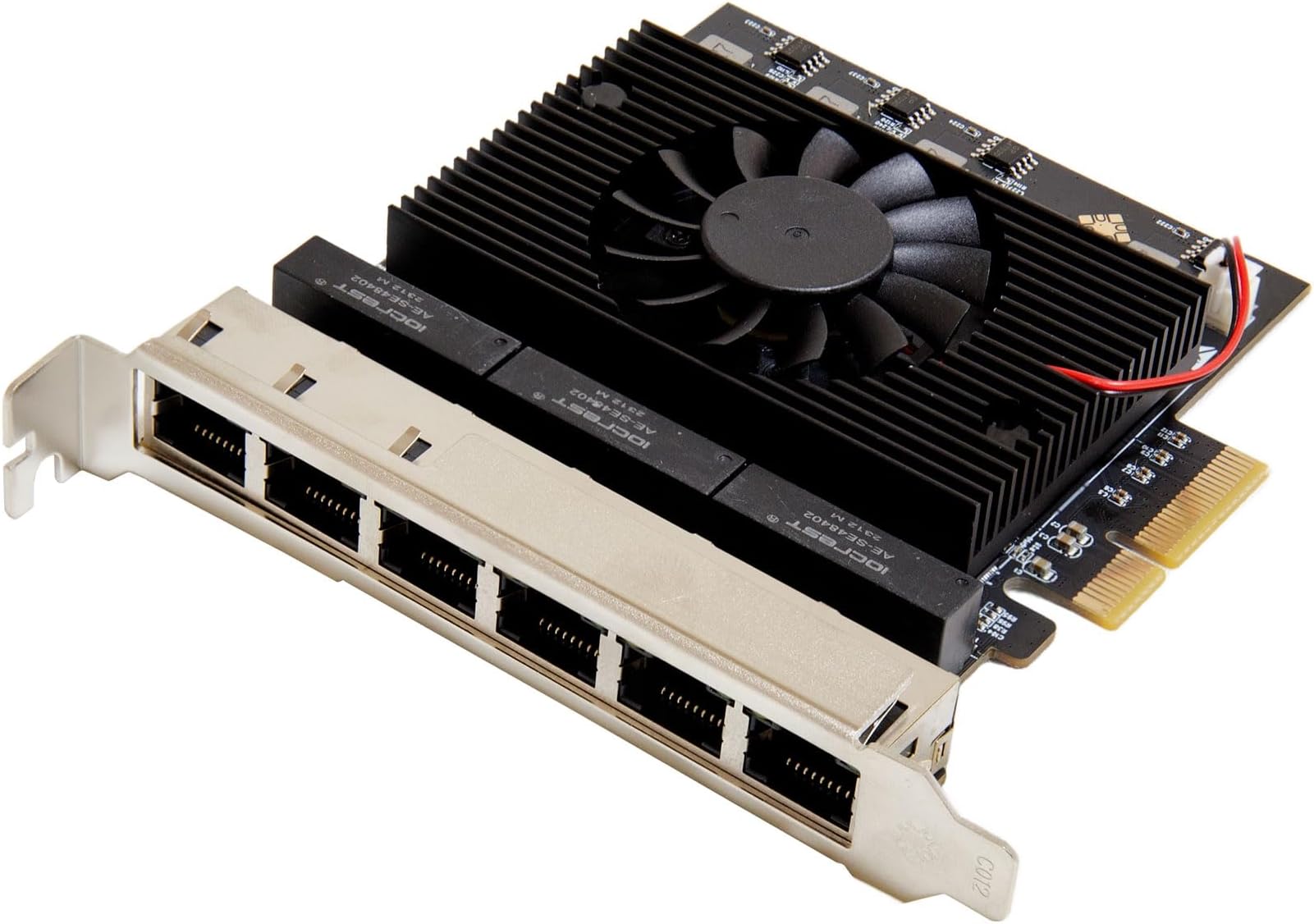
The IO CREST 6 Port 2.5 Gigabit PCI-e x4 Ethernet Network Card leverages the powerful Realtek RTL 8125B chipset to deliver ultra-fast 2.5Gbps speeds across six Ethernet ports. Designed for seamless plug-and-play installation, it supports multiple devices simultaneously and is compatible with Windows and Linux systems, making it a top choice for professionals seeking reliable, high-performance networking.
| ASIN | B0CHXF1YVX |
| Best Sellers Rank | #41 in Internal Computer Networking Cards |
| Brand | IO CREST |
| Built-In Media | CD Driver, User Manual |
| Compatible Devices | Desktop, Gaming Console |
| Customer Reviews | 4.1 4.1 out of 5 stars (9) |
| Data Link Protocol | Ethernet, Gigabit Ethernet Associate |
| Data Transfer Rate | 2.5 Gigabits Per Second |
| Hardware Interface | Ethernet, PCI |
| Item Weight | 0.22 Kilograms |
| Manufacturer | IO CREST |
| Minimum Required Operating System Version | Linux Mint 19.2, Windows 10 |
| UPC | 850039353246 |
| Warranty Description | 3 year manufacturer |
J**T
Worked well with ProxMox hypervisor
I have a Dell T630 tower server running ProxMox. The NIC worked with OS native drivers - no custom driver installation was required. All I had to do was edit the /etc/network/interfaces file and now all the interfaces are available for use by guest VMs.
A**T
Works for pfSense 2.7
Was able to get this working for pfSense 2.7. You have to install the Realtek package. Try to do this prior to installation of the card or it’ll be impossible to get the packages (you need a working WAN port). 1. Enable secure shell in Advanced settings and SSH as admin to your firewall management address 2. Select 8 for shell and run “pkg install realtek-re-kmod” (the package installer will instruct you to do the following) 3. Edit boot “ee /boot/loader.config” 4. Add the two lines if_re_load=“YES” if_re_name=“/boot/modules/if_re.ko” 5. Save file by pressing ESC and answering leave editor and save 5. Reboot by typing reboot
K**A
Compatible with Debian 12
Under Debian, if you see error messages in the log regarding the Realtek firmware (something like "failed to load rtl_nic/rtl8125b"), just run "apt install firmware-realtek", however, the network card works as-is, even without the extra package.
J**F
it works perfectly
works as expected. Proxmox sees all network cards. I can make a pass to vms for all of them
J**T
Seriously...less than 6 months and I have a bad port!
I had high hopes for this device but have had issues from day one. Inconsistent network traffic and ports would just stop working intermittently. I needed the multiple ports for a project I am working on so I just pushed through it. Then this weekend when I was ready to implement my project I have port that just won't respond at all now and the other ports are very spotty. I would say that this is not a good buy. Find an intel 4 port card if you can.
H**E
works great
works great with proxmox, able to pass through individual ports to vm
Trustpilot
2 weeks ago
2 weeks ago