Buy anything from 5,000+ international stores. One checkout price. No surprise fees. Join 2M+ shoppers on Desertcart.
Desertcart purchases this item on your behalf and handles shipping, customs, and support to Spain.
๐จ Elevate your digital canvas โ where creativity meets precision and portability!
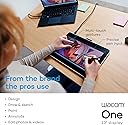
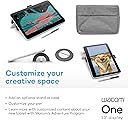
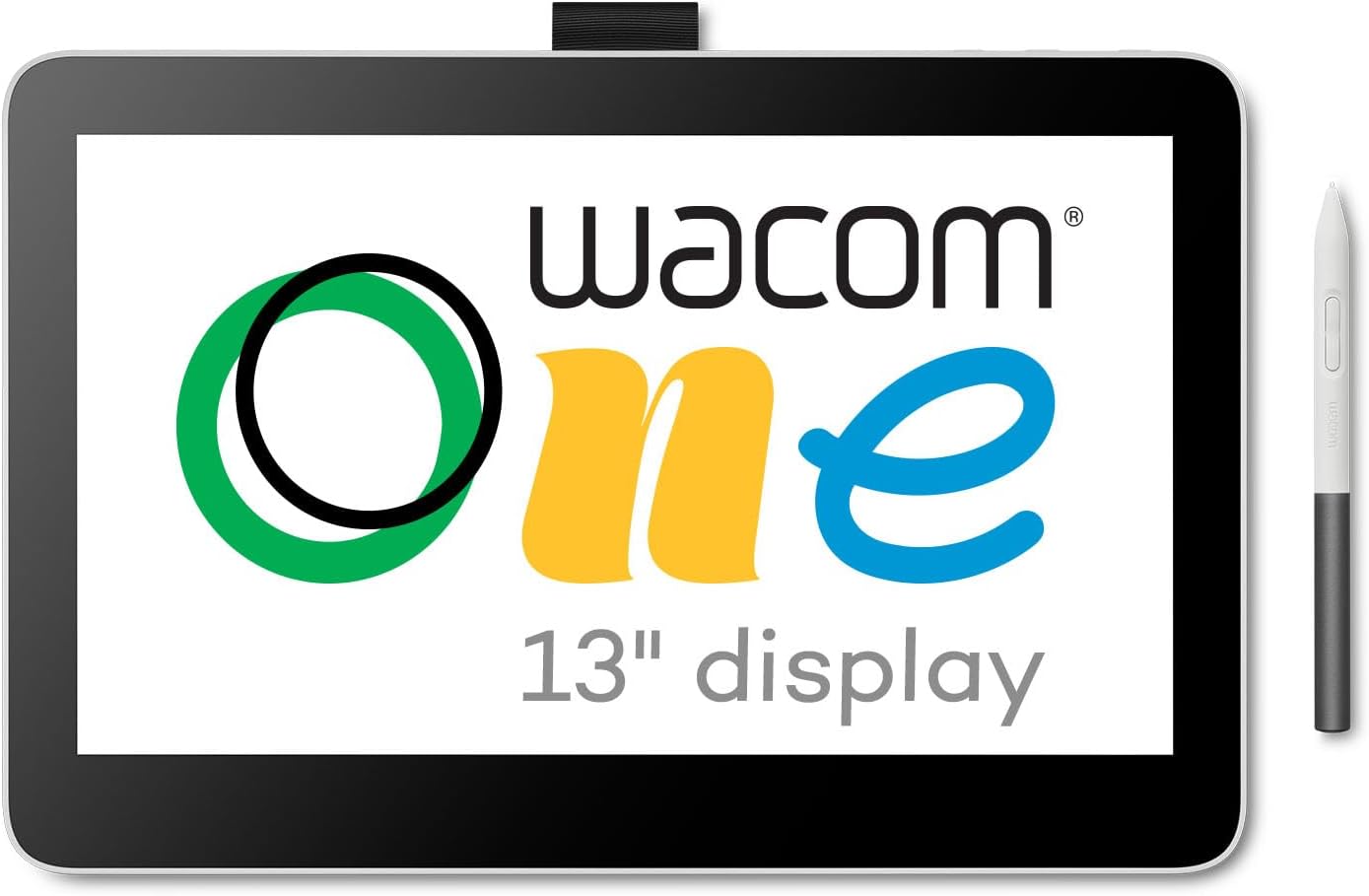
The Wacom One 13 Touch Drawing Tablet features a 13.3-inch full HD laminated touchscreen with anti-glare coating, delivering a natural pen-on-paper feel. Equipped with a battery-free pen offering 4096 pressure levels and tilt recognition, it ensures precise, lag-free drawing. Compatible with Windows, macOS, Chromebook, and some Android devices via USB-C, it includes customizable shortcut buttons and comes bundled with creative software and training, making it an ideal entry-level digital art tool for professionals and students alike.


| ASIN | B0B4VRV99F |
| Active Surface Area | 11.6 x 6.5 |
| Additional Features | Full Lamination |
| Best Sellers Rank | #25 in Computer Graphics Tablets |
| Brand | Wacom |
| Built-In Media | AC Adapter, Digital Pen, USB Cable |
| Color | White |
| Compatible Devices | Desktop, Laptop, Smartphone |
| Connectivity Technology | USB |
| Customer Reviews | 3.8 out of 5 stars 175 Reviews |
| Display Type | LCD |
| Item Dimensions L x W | 13.2"L x 8.7"W |
| Item Weight | 1.9 Pounds |
| Manufacturer | Wacom Technology Corporation |
| Mfr Part Number | DTH134W0A |
| Model Name | Wacom One 13 Display (2023) |
| Model Number | DTH134W0A |
| Native Resolution | 1920x1080 |
| Operating System | Windows |
| Pressure Sensitivity | 4096 Levels |
| Screen Size | 13.3 Inches |
| Special Feature | Full Lamination |
| Specific Uses For Product | Drawing, Online Education, Remote Work |
| Target Audience | Student, Teacher |
| UPC | 753218984814 |
| Warranty Description | 1 year manufacturer |
A**P
Great tablet for use during Zoom meetings for sketches and annotation to convey ideas better.
I am not an artist, and I use this pad for quick sketches during Zoom meetings and on-screen annotations. This tablet is the perfect size, sitting on my desk for quick sketches or highlights during a Zoom meeting. I also use it for quick diagrams or sketches, which come out more naturally than trying to do the same with a mouse. I work in the software and infrastructure engineering field, so I purchased this device to help me with sketching and sharing ideas during my Zoom calls. Sure, you can use a mouse to annotate or draw, but it comes out looking like something written by my left foot. The drawing tablet allows for a high level of precision in pen control, and I can literally sketch out ideas, plans, and diagrams right while talking with my team on Zoom. The size of this tablet is perfect for my needs. It's not too large and fits nicely on my desk next to my keyboard. The EMR pen used with the tablet frequently works with other E-Ink and EMR-type devices, so depending on the e-ink tablet you are using, you can just use the same pen to scribble on the pad. This worked fine for me when I was using Amazon Scribe; however, after switching, the ceramic nib of the Supernote Manta does not work well with this pad. Regardless, I have the native stylus sitting nearby, so I can just grab that and go. I am using this device with an older Apple MacBook Pro M1, and it has been working flawlessly through the many operating system upgrades (which I cannot say the same for my older HP laser printer). Ultimately, it's a great device that meets my needs.
M**S
Excellent
Easy to use, super, handy, great small size. I use with 13โ and 16โ laptops. the stylus has a compartment that seems like it should store spare nibs, but is for looping a string through.
J**R
Donโt Waste Your Money on This Lemon
Bought this Wacom One (DTC133) thinking itโd be great for digital notes at work, but what a massive disappointment. It worked fine for about a weekโsmooth pressure, no issuesโthen bam, ghost strokes everywhere, registering input when the penโs not even touching the screen. Tried everything: updated drivers (latest 6.4.11-1), swapped nibs, cleaned the channel, toggled Windows Ink, adjusted pressure curves, even firmware updates. Nothing fixed this glitchy mess. This thingโs unreliable as a sailor on Saturday morning right out of the box. Wacomโs support is a joke, and their โfixesโ are just busywork. If youโre looking for a pen tablet that doesnโt fail after a few days, skip this overpriced garbage and go with something else. Sending mine back for a refundโstick to a mouse or real paper if you value your sanity. Total waste of time and cash.
A**R
Software is buggy, product is good
I had an old wacom tablet that I absolutely loved. I used it for 10 years until it finally died. I was so excited to get a newer model. I had to troubleshoot 30 minutes to get the software to work, uninstalling and reinstalling and restarting my computer.
S**D
Beware: you might need to buy a converter kit that isnโt included.
WHEN the tablet is working, itโs a decently affordable option for a tablet. BUT donโt expect the display quality or ergonomics of a Cintiq and be ready to pay the Troll Toll of buying a Wacom converter kit. I finally got it set up now that Iโve bought an entirely different (and not cheap) product to get it running. Itโs fine. Is it the same display as a Cintiq? No. Itโs dull and sort of awkward but it works and itโs a fraction of the price. Itโs a great starting point for an artist that wants a personal setup but canโt afford the big leagues right now. The pen feels cheap. Itโs just nothing like the weight and feel of the Cintiq pens. Apple pens have a certain quality and density to them that makes them feel more natural in the hand. These have no ergonomic grip or shape and have an awkwardly light and plasticy feel. Iโm still trying to shop around for a grip that makes it feel more substantial. Setup? A nightmare. The worst. Awful. It didnโt work on the first day. Customer service was very kind and immediately knew the issue (no complaints about the support line, theyโre lovely, shoutout to them). Unfortunately the issue was that I needed to buy a Wacom converter kit. Why? I donโt know. I have a USB-C on my computer that plugs into the USB-C on the tablet, but for some reason that doesnโt work. I was somehow supposed to know that actually that USB-C from the tablet needs THREE wires branching from it - one for power, one for display and one for god knows what. Itโs unclear how I was supposed to know if my particular USB-C port would be compatible, or if any USB-C port even would be without the adaptor. Donโt buy the stand (sold separately) from Wacom! Thereโs much, MUCH cheaper stands on Amazon that work fine. The tablet isnโt bad. Itโs okay. Itโs functional. I think itโs a good option if you need a setup that gets you drawing and practicing on a tablet. I personally wanted this instead of an iPad because I work in Windows everywhere else and sometimes that becomes a headache with file storage/transfer from the iPad to your main Windows setup. But be warned, the list price isnโt the price of having a working tablet. The price is this PLUS a converter. (And a stand but you already knew that.) Coming from someone who learned on a MobileStudio Pro and Cintiqsโฆ god. Huge difference in quality. I miss my art school supplies. And the fact that the pro styluses donโt work on lower models is such a money grab by Wacom. Thereโs no reason for that to be the case.
K**G
As simple and as easy as it gets to connect an inexpensive drawing tablet to your computer.
Had purchased a Wacom One 13.3 on Wacom's eBay page as a refurb. What that ad didn't explain is that it was an even older model that the current 13.3 on their site and came with a ridiculous octopus cable that had to be plugged into a USB port, HDMI port, a separate AC/DC power supply, and finally the unit itself. Returned that and paid the extra for a new One 14 model that has one, simple USB-C cable. One. Goes from the tablet to a USB-C port on the back of our M4 Pro mini. Done. Before you commit to a purchase, make absolutely certain at least one port on your computer supports DisplayPort Alternate Mode and Power Delivery. Otherwise, this tablet will not be recognized.
K**N
BEFORE ANYONE WANTS TO GET THIS YOU MIUST KNOW SOMETHING!
Great product, the 14 display is big indeed. , and is smooth to your pens touch, and trace. However, this review is more or less a warning for anyone, that Wacom one needs a converter kit if your Moniter, or laptop dosn't have a Usb-C display port. The Converter DOSN'T come with the product. Worse part, you can't use a 3rd party Converter, or it won't work, You need the official product, that really should've came with the package.
M**R
Could not get to work with Mac
If I could get the drivers to work on my mac I would probably like this graphic tablet quite a lot. The build and styling were good quality. But after two days of fighting with the software and getting nowhere with customer support I decided to return the tablet. I've had wacom intuos tablets in the past, and more recently a cheap knockoff brand tablet that was okay. (Compared to this Wacom One tablet, it at least worked with my computer) While Wacom advertises that their tablets work with Mac OS it has never been a smooth operation. Even my old intuos tablet never really functioned properly, but I could at least use the pen and get it to register. The new drivers however, I just could not get to work. I went through every troubleshooting article they had, visited a lot of reddit threads, and reinstalled the drivers multiple time. I even reached out to Wacom support, which was really a waste of time. They only sent me the same articles available on their website. When I sent them videos of how the drivers weren't working, I only got an email in response to uninstall and try again. Honestly, I believe the "customer support" was just automated AI with how the responses were worded and did not address the actual questions and problems I had. Truly frustrating. I'm a pretty technical person and don't have trouble with software and tech, so this was just disappointing.
F**Z
Muy buena tableta
El tamaรฑo mediano es excelente para modelado 3D lo cual es el uso que le doy, bastante prรกctica y al menos yo no siento delay en cuanto a su conexiรณn inalรกmbrica ยกlo cual la hace aรบn mรกs cรณmoda de usarse!
M**M
Research before buying!!
I don't usually do reviews but if you are considering buying this, please research into other options. I had needed some sort of note-taking device for university that connects to my computer because I am a student and decided that an ipad would be another distraction and screen to carry around so it wasn't worth it to me at the time. The tablet worked well for around two weeks of constant usage and then it started lagging and glitching when I tried to write. I would either glitch and not write anything I've written or there would be a lag that messed up all my letters. I had contacted their support and they gave me a new driver to download and then it worked perfect again. However, seven months later, the issue started up again even worse. I updated the driver to the latest one, updated my computer and it was the same so I contacted support again but this time their new driver they gave me did not fix anything and I was told they were going to look into it. I use this every day and I write a lot so I decided to cave and invest in an ipad because, although I am adaptable, I cannot adapt to the lag because it is so unpredictable AND the issue occurred twice within less than eight months. All this to say if you are considering buying, please be mindful of issues like these. Things I liked: - support was friendly and easy to reach - easy to set up - the two settings you can make the buttons have is really helpful - easy to use - i personally only changed the tip once in the seven months I've used it and even then I didn't feel like I NEEDED to - light and easy to bring around - bluetooth ability and also being able to connect with cable - size was perfect for me Things I disliked: - THE DELAY - support didn't seem to know much about the issue BUT they were kind and patient - the tablet surface is easily scratch-able - very portable - the fabric loop that holds the pen gets looser over time so the pen slips out - the cable would sometimes not connect when I went to charge it That being said, it seems that a lot of drawing tablets have this issue so I would say it's a risk to try and buy a different model (at least for me) because pretty much all brands have this kind of issue for some people. Besides that though, I would say its a solid product, just the issues are hard to ignore
R**Y
Excellent digitizer
Turned out to be the perfect solution for lecturing while annotating slides. The quality of the digitizer is excellent, much better than digitizers I've had on recent laptop screens. Being able to turn touch sensitivity on and off with a switch is extremely useful when you want to avoid unwanted effects when annotating with the stylus.
P**R
Tablet is responsive. Don't like the pen.
The tablet is good with a good surface, and easy to use. The pen isn't nearly the quality of the old Intuos 3. It's too thin and difficult to manipulate the buttons. And, of course, no wireless mouse.
D**D
Good
Itโs easy to use
Trustpilot
4 days ago
1 month ago