Buy anything from 5,000+ international stores. One checkout price. No surprise fees. Join 2M+ shoppers on Desertcart.
Desertcart purchases this item on your behalf and handles shipping, customs, and support to Spain.
🚀 Print Smarter, Faster & Bigger — Join the 3D Printing Revolution!
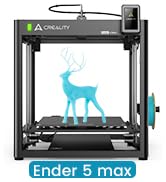
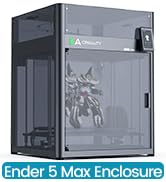
The Creality K1 Max is a powerhouse 3D printer designed for professionals and enthusiasts alike, featuring ultra-fast 600mm/s print speeds, a spacious 11.81-inch cubic build volume, and advanced AI-driven print monitoring. Its Core XY structure and dual-gear extruder ensure stable, high-quality prints, while hands-free auto-leveling and smart failure detection minimize downtime. Ideal for rapid prototyping and large-scale projects, the K1 Max transforms your creative workflow with precision and efficiency.


| Best Sellers Rank | #27,920 in Industrial & Scientific ( See Top 100 in Industrial & Scientific ) #44 in 3D Printers |
| Brand | Comgrow |
| Color | K1Max |
| Compatible Devices | Laptop, PC |
| Customer Reviews | 4.3 out of 5 stars 9,972 Reviews |
| Item Weight | 39.68 Pounds |
| Material | Glass and Metal |
| Product Dimensions | 17.12"D x 18.18"W x 20.7"H |
A**.
An awesome machine with great potential
(Attached are unboxing, partial assembly, and print quality pics) After much research and many YouTube videos over the past two years, I've finally decided to get into 3D printing by purchasing an Ender 3 Pro. And yes, while you can find it a little cheaper from other sellers, Comgrow had the best ratings and reviews on their Ender 3 Pro, so I felt spending a little more was a fair tradeoff in getting one from a trustworthy source. Do your research, watch assembly videos multiple times, watch them again, watch more videos on good and bad results, then put this together. I'm a tinkerer who doesn't back down from a DIY or self fix, but opening the box and seeing all the loose parts (mostly fasteners) even with the machine shipping partially assembled was still intimidating. I took my time and over the course of two hours made sure I had this machine assembled properly. Some people say they can assemble an Ender 3 in 40 mins. Hah, sure, if they've assembled one before. Take your time, lay out the parts packets, and only open them as needed while assembling, or you will end up hopelessly confused. Common Lego assembly rules apply. * edit* And DO NOT FORGET, those of you living in North America, to switch the red slider on the power supply from 240V to 120V (it comes 240 out of the box). If you don't do this: machine won't turn on (me, oops); machine turns on but takes forever to heat up; blown circuits constantly; hate, fear, suffering, and the Dark Side ruling your life. This is so easy to miss or forget to change, or even not know about.*edit* Out of the box, I installed an all metal extruder and Capricorn tube upgrades. I had also installed a spring upgrade for the bed, but failed to check the length of the "upgrade" bed springs, which I later found were way too long after trying to fix a bed leveling issue after a catastrophic failure mid print threw the bed way out of level. I've determined the too-long springs were the culprit after having gotten proper-length upgrade springs and getting consistent bed leveling results. I would definitely get the yellow "upgraded" springs as the stock springs are just way too soft/mushy in my opinion and will result in bed leveling issues on their own. As far as a glass bed upgrade out of the box, I advise using the stock magnetic bed for your first few prints, then get an upgraded glass bed to see the difference in results. It can go either way, both have their pros and cons. Using this machine is certainly a learning process, and _do not_ expect to get a perfect print on your first try; you might get lucky or you may have bed adhesion issues. There can be alot of trial and error, and endless calibration, before you start to see consistent results. And then WHAM, you get an unexpected failure and have to figure out how/why. Print failures _will_ happen for various reasons. Sometimes it's as simple as bad filament (read reviews!), sometimes it's a bed leveling issue or a temperature issue. This is part of the learning process with FDM printers, even the expensive ones. That said, at 0.2mm layer height and 200°C/50°C with PLA I have been getting excellent print quality more often than I've gotten failures (all failures due to bad bed adhesion). The key is getting a good first layer and bed adhesion. If either of those fail, your print is doomed. These all lead back to getting the bed level with the extruder nozzle and finding the sweet spot for nozzle/bed temperature combination, and different brands of PLA have their own/different sweet spots, hence you see 3D printer users pick a brand and stay with it. I recommend Comgrow PLA, I've had consistent results in print quality, bed adhesion issues not withstanding (remember, bed adhesion issues usually stem from an unlevel bed). So far, I'm absolutely loving this machine. Keep the above in mind, and don't get in a hurry--good quality prints, even of tiny objects, can take hours or days to complete. Have patience, and check that your bed is level at least every other print and you'll be fine.
P**.
Fantastic first-time machine
I am very impressed by my first 3D printer - I got it for prototyping cast metal parts, and I knew it would be a rabbit hole of learning a whole new technology. But this printer has made it fun rather than difficult. Assembly took less than an hour, and within 24 hours, I had my first finished prototype, using bronze PLA. It's been running almost constantly in the 2 months I've had it. After reading reviews, I had painter's tape and hairspray at the ready, but I haven't needed them once. The magnetic bed is great, although it is getting chewed up, they're only $10 to replace. I have to relevel it using a test file once in a while, but usually I just watch the brim print when I start a file, and make any tiny adjustments to the leveling screws while it's running. I will note that the bed on mine has a slight flex upward in the middle - enough that the first layer is fully solid at the edges and nonexistant in the middle. This isn't a problem for me, as I use .6-1mm bottoms on prints, and I don't care how the bottom looks. But when I have to stop a file early on, scraping this area clean is a pain. Often a half-layer remains and is pulled off with the next successful print. Quality has met my expectations, though I've never tried printing below .1mm resolution. I just replaced the nozzle for the first time, and it had definitely degraded (pushing bronze PLA through a brass nozzle, I expected it would wear out fast). But it's back to normal now, and replacing the nozzle was simple, following instructions in a YouTube video. I did print a filament guide arm as my test file, and it seems to help as I've never had a tangle or stuck filament. I'm very impressed that my test print is now a permanent part of the printer - honestly I did not expect my first attempt hitting "print" would actually work. I'm planning a few upgrades - a Raspberry Pi with Octoprint and a webcam to enable a network interface, an auto-bed leveler. I'll probably try to get an acrylic case for it and print ABS before long - I've been working in PLA so far. This price point is incredible and allowed me to rapidly build a product line as I started my business - for the cost of Sketchup and this printer, I was able to produce perfect CAD files to send to production - prototypes that I had held in my hands and played with that cost about $1 each in PLA. That blows me away and reduced my startup time by months and thousands of dollars. My one gripe is that if I leave it on for a long time, including just having it's computer powered by USB, it'll start "hanging" when printing. It starts to print but will just stop running midway through, and instead starts this weird behavior of making a hex pattern of burnt plastic drips. So far I can't identify a cause - my STL files are clean - but I've noticed it goes away if I power it totally off for 20 minutes before starting a new print. I'm guessing there's a memory problem going on, but I haven't had time to troubleshoot it with the mfgr yet. Overall it's a major win - with the added bonus that it prints neat little toys, and replacement parts for household objects. I have a technologically-minded nephew who's 11, and he'll probably be getting one of these for Christmas. I would say that if a kid is smart enough to know what "this part is very hot" means, they could use one of these with very little support/supervision - but you might want to assist with things like assembly and replacing the nozzle, which involve small screws and a bit of experience.
D**R
Great printer
I've had this about bit less than a year now, and it's my first 3D printer. It was pretty much ready to go and was a very easy first printer. It prints well, and has a large volume. I've tried various filaments and it has handled all of them (except one cheap PLA from "e-sun" but that's due to the poor quality filament). I did root it to use Orca and print wirelessly, but Creality software has gotten a bit better and you probably wouldn't even need to root anymore. Orca does have more options though. The creality app and cloud stuff is useless. If I did it all over again, I might look at the offerings from elegoo which are cheaper, but this is still a great deal IMO. I've put about 10 problem-free spools through it. I'm not into figurines and stuff, I mostly print tools or adapters for things around the house. I think if you want to do figurines you'd want a resin printer.
J**H
Updated: Decent cheap printer that needs better quality control and better customer service
First off when you get this thing setup properly it prints pretty good - as long as you're aware of where the problems are. The two biggest and most often reported issues are Z Axis motor binding and warped print bed. I got both. Both of these are serious issues directly affecting your print quality and more importantly wasted prints. This is significant because if it's worth printing it will take significant time - and I hate wasting time and materials. I bought from Comgrow because they had glowing reviews on customer service. I suspect this is from the standard Chinese practice of "I'll give you this if you leave a good review for me". Bear in mind that Creality makes these machines and Comgrow resales them, or builds to their standard. God only knows what business relationship there is there - could just be the marketing arm for Creality for all I know. Comgrow sells a boatload of Creality printers and parts. They say "As a 3D printer manufacturer, we provide " but sell very few other models. You can see this yourself at their product listing page: https://www.amazon.com/s?marketplaceID=ATVPDKIKX0DER&me=A2ALB3RMNIRLH8&merchant=A2ALB3RMNIRLH8 So here's my issues and how it went down. Z Axis binding right off the bat - and as an engineer I assure you that I made absolutely sure the frame was squared. As it comes the entire base is assembled. What this means is the stuff is assembled poorly. I needed to loosen the frame screws and adjust to take out the severe frame warp before proceeding . Then I had to adjust the bed tension because it wiggled like a hula dancer. So I got to assembling the Z Axis and was running it down by hand and you could feel it binding. WTH? Now bear in mind I had checked on the forums and groups to research this printer thoroughly before I plunked down money. Both issue I mention were supposedly fixed with the pro version which is why I spent extra money for it. The Z Axis issue is a known problem as the motor mount and guide nut on the gantry are poorly engineered. They are offset by about 2mm which cases the lead screw to pinch - and it gets worse as it descends because the error angle becomes more acute. The problem is exacerbated by the bracket that holds the extruder and the guide nut for the lead screw isn't a perfect 90 degree bend. The result is the lead screw wants to point to the front and not straight up. Coupled with the motor mismatch it creates a bad binding problem. So I contacted Comgrow through Amazon to complain. They wanted me to take it all apart and send photos of the naked bracket and how it was incorrectly bent yada yada yada. Totally unreasonable in my opinion to not accept a photo of the bracket on the machine. Then they wanted to know if I could loosen the screws on the upper nut and loosen the Z axis motor and see if it helped. So, A - they knew about the problem and already had a handy "fix" and B, this "fix" will totally screw up Z Axis precision. Heck yeah it will "work" - it makes the Z Axis loosey goosey so the rod can't bind. But your prints will not be worth anything since the printer lays down plastic in layers (Z Axis). All I asked for was a properly bent bracket and I get the royal run around. So I made a shim for the motor and bent the bracket myself to fix the issue. Second item I run into was a big ding in the magnetic bed - about 1-2mm high. I asked for a replacement and at this point they had to have me contact a "product specialist". So "Annie" asked for pictures and said the "technical" guys wanted me to print the dog model to verify there's a problem. I replied that any idiot would know a 2mm bump is going to cause print problems and I'm not going to waste expensive filament and time to prove a foregone conclusion. Then they want to know if I know I can move the model to print somewhere else. I'm sorry, I started loose my cool then - they wanted me to literally cut my print area by half so they could avoid sending me a $17 part that was defective! I then said I was going to get Amazon involved and they agreed to replace the magnetic mat - with the older version. Now one of the selling points to the Pro is the "upgraded" magnetic mat which sticks and releases better. No thanks I say - I want the one that came with my printer. "But this one has scale markers on it!" - "No, that's the older version that doesn't work as well." "No it's the same mat". "Well you'll have to wait 7 weeks because we don't have it in stock". At this point I'm fed up and say I will get Amazon involved because they are trying to clear out old stock on me. So they finally agreed. Now I measured my beds warp - another common issue since they made the plate too thin (allows them to use a cheaper heating element and claim faster heat times). Most plates people have issues with sag in the middle - mine bulges on one side. Both right corners are about 2mm lower than a spot about 3 cm to the left. So to correct this I had to invest in a BLTouch so I can do a mesh bed leveling - otherwise if I zero to those corners and print in the area the nozzle will gouge the bed. So at this point I'm unwilling to deal with them any further - after giving me such a fuss over a bracket and a cheap mat can you imagine the response I'd get for an entire heating bed? So - buyer beware indeed. I will be contacting Amazon finally to see if I can't get a little better response. I will update if anything changes. I will not however agree to a glowing review in exchange for what should have been better customer service to begin with. UPDATE: So in fact I was approached by a more experienced customer service rep that apologized for my treatment with an "inexperienced" customer service rep. At this point the service was outstanding - she escalated the trouble call and literally solved all the problems by sending replacement parts expedited from China. The replacement parts were flawless. So I've upgraded my rating and opinion of these folks - but I don't think it should have gotten to the point I left a bad review because of inadequate service. I think that every company has periodic flops - I just had one with Amazon themselves today -but I am encouraged they went over and beyond to make this situation right. To Comgrow - thanks!

B**E
Amazing value, NOT for "plug and play" people
I will say this first: I am absolutely shocked at the quality of print from this thing for $275 -- it's genuinely the greatest bang for your buck that you're going to find in the 3D printer world. HOWEVER: I want to make it very clear this is NOT for the impatient beginner who just wants to open the package and start printing stuff. This is a PROJECT that you assemble and tinker with. If you're someone who likes working with your hands and tinkering with Arduino/RPi projects, then this is 100% the printer for you. If you don't like working with your hands and don't have patience to square up the frame, adjust the belt tensions, level the bed, etc., DO NOT waste your money because you will get garbage prints and end up frustrated. I am a complete beginner so this took me a good while to get my first print done. I didn't time it but essentially construction took around 2 hours (basically watched a YouTube video and followed along -- look up "just vlad ender 3 pro setup" his video is absolutely perfect). I took some more time familiarizing myself with the controls and UI, leveling the bed, etc (probably around a half hour). I also realized by Y belt tension was really loose and the wheel bearings were slightly rocky so that took some extra tweaking to fix as well. I also used a level test from Thingiverse (2987803) -- glad I did this because it caught some issues with one of the corners of my bed. After running this test twice and messing with the bed level (probably another 30 minutes), I printed the dog that came on the card (took around 3 hours). I cannot impress on you enough how thankful I am that I double and triple checked all the moving parts to get this stuff right the first time. Clearly there is some stringing in the print (attached, see top left ear and front paws, there was also some by the tail) so it's not perfect. But all in all for $275 I am more than happy with that quality. The magnetic surface on the bed is also fantastic, the print just popped right off no residue or anything stuck. Now for the negative: The instructions are complete garbage. Like less than 0/10. I don't care how much content is on YouTube -- Creality needs to provide a better assembly manual. There are countless things that need to be explained -- for example: check the wheel bearings on the Y axis before doing anything -- you need to flip the printer over to reach the eccentric nut on the bearings, and this is a lot easier to do before assembling the printer. Also, check the bottom support beams for level and squareness -- out of the box these are likely uneven and not parallel and it will affect the entire construction of the printer if you don't fix that before building. Or to leave the vertical beams loose while building the printer and only tighten them when you get the X axis attached to the Z axis, and roll it to the bottom-most position to allow for flex on the supports. And there's many more things (luckily Vlad covers these in the video) that 12 pictures just can't cover. Assembly aside, they do absolutely nothing to familiarize you with the interface or to get started for your first print. Again, they do the absolute bare minimum of "slice the model with the software, then print it" -- like I guess technically that counts as instructions? It would honestly be less insulting if they just said hey there's no instructions search reddit and YouTube, you'll figure it out (seriously -- this would be more acceptable to me). Luckily this printer is a bit of a cult classic in the 3D printing community. There are tons of resources available from beginner's guides, upgrades, slicer settings, etc. All you have to do is look for them. All said and done, this is an absolute steal from a cost to value perspective. If you want to get into 3D printing and have the patience to tinker with it, this is a phenomenal printer.
J**E
Great printer
Great starter printer for any age. Was able to assemble quickly and get it going. Alot of fun prints and great quality.
J**D
First time printer, very happy, high quality.
I am AMAZED by how much qualtiy Creality can deliver for the rock bottom price. The whole look and feel of this machine is quality and stability. So well done! I bought the printer so I could submerge my children into the 3D printing and CAD experience. The excitement for prints to finish is amazing! My son and daughter popping out of bed and running downstairs to see if "it's" done. The printer comes with a removable magnetic mat, (think mouse pad)... just peel your print off, easy peasy. I had no problem putting the printer together, (with my mechanical skills I am able change a bicycle tire and adjust a bicyble derailleur to properly shift) plenty of YouTube help there if needed. The printer comes with a bunch of files to print, and software to get you going "out of the box". The creality software simplifies print quality settings and makes it easy. I've also printed with the free Cura software. I was about to spend seven or eight hundred bucks on a different printer, but a colleague of mine who is a very experienced 3D printer advised me to break in with something like this, and I can't thank him enough. He held my "highest quality" prints and pondered buying the printer for himself running his fingernail across the barely perceivable layers in the print. (blow up the cat pic I've attached) I've begun to learn Fusion 360 with my kids, allowing them to print from thingiverse, but challenging them to custom design something for the next one. Great way to familiarize your kids with STEM fields. Technical stuff, and tips. (don't let issues deter you... the world of 3D printing is finessing "issues" and solving puzzles) When assembling the main uprights, you want to leave the "bottom" screws a little loose until you have the "top" screws tight and alignment is forced by the top rail. the "z" axis switch that mounts on the left upright has a cleat to position the correct height, I sanded the nub off so that I could lower it an eighth of an inch. (the bed springs seemed too loose when leveled, this way the springs had more tension on them and it seemed more solid)... I realize the nub was to prevent slippage over time, but I'll keep my eye on it, I doubt it will ever move. You level the pad to the printer when it is at its native home positing. It's a good idea to watch a YouTube video on this for first timers. (like me) The monitor cable plugs into the center socket. I have a problem printing from Cura, it wants to start prints at the extreme left front edge, some of the extrusion even sagging off of the print bed. I asked my experienced friend, we double and triple checked my settings, and he didn't see anything wrong with the setup. I am able to print with Cura, manually setting the offsets closer to the center of my print bed, but a drawback from this work-around is that my size is limited because Cura sees my printable space as half gone. Still haven't solved this.. but the bundled slicer works great, and offers advanced settings and features (although not to the extent of Cura) The controls and function knob are friendly, and becoming familiar with the OS takes minutes, learning all of the ins and outs after an hour or so. Orientation of the print yields different results, you'll learn to think in supports and layers as you prepare to print. The printer takes up a space a little larger than a 5 gallon pale, + a foot taller, utilizing the spool holder that comes with the printer. I purchased a variety of filaments, no trouble yet. This is a very popular printer, has a large following, many custom made add-ons and improvements (that you print) Has many other upgrades available commercially. Noise level is present, but its not a problem for me. I have the printer in my office, we watch TV in the next room and I don't hear it with the door closed, slightly with the door open. The motors sound musical at times, like beeping other times. I could sleep with it in my room running, I don't think my wife could. It seemed louder for the first 20 hours of printing, now its not a loud, I think things "worked in" a little. Towards the end of a 44 hour print, I touched all my electrical connections, and I had no heat building up in any of them.
T**Y
Good printer, not for beginners... It seems to be like owning an old Harley
I was slow, taking my time putting it together. After reading other reviews, I checked every bolt, and found a few that were quite loose out of the factory (maybe they were supposed to be? More on that later...). The assembly guide could use a couple more steps for clarity, but it got the machine together. After assembly, and a few false starts, I was able to print the dog. It looked great. Then the next 7 attempts were bust. Then it printed a beautiful copy of the cat. Then the next 7 attempts were bust. Then it printed a near perfect pig. Then the next 7 attempts were bust. I'm using the same number over again to make a point: it's taken a lot of bad prints between every good print so far. I've had to learn a lot in the last week about what works and doesn't work for this machine. When it works, it works great. When it doesn't, get your wrench and allen-keys: something is probably too high, too low, to tight, or too loose. Since it wasn't this way originally, it is pretty safe to say that it works itself loose as you use it. I've found a lot of troubleshooting guides tell you that some bolts can't be too tight, while other cannot be too loose. The bed levelling is irritating on a good day: the mat it comes with isnt perfectly level, especially if the nozzle has pushed against it at all while hot. The rear corner has very little adjustment, so I've found the best way to level is to first set it, then set all other corners to it. The springs holding the adjuster knobs in place really are weak, so the levelling does go off kilt pretty easily. I've had some prints turn out near perfect, then I've had multiple other attempts of the exact same file and filament be failures (failing at various stages). I am new to 3d printing, but I've been around the block. I can already see that this device clearly provides some powerful functionality, and the price isn't bad for what it is. However, I wouldn't recommend this for anyone who wants a turn-key solution to 3d printing, like your faithful inkjet printer: before (and during) printing, time and attention must be paid to what is happening, lest you waste 3-10 hours on a coaster. I'm optimistic that with some more time and effort, I can get my printer close to a point of not needing to be babysat; but right now I'm at the stage where I'm spending a lot of time (and filament) to get a lot of scrap and only a few usable pieces. Like they used to say about an old Harley: adjust the bolts after every ride.
N**S
Great printer for beginners!
So I was iffy buying my first 3D printer. Boy did I pick the right one! I got it within the correct shipping period. Everything was easy to assemble. The images included worked great, and if not there are SOOOO many videos on youtube to show you how to do it. I had to level the bed which is very normal with a new buy. I had an issue with my first print, turns out I was the problem. This machine WORKS GREAT and I highly recommend to anyone who wants to get into 3D printing. The customer support is also excellent. Regarding the issue I had which was an easy fix, and again NOT AT ALL an issue with the printer. I merely selected the wrong printer in the cutting software. Either way, the customer support replied quickly with an IN-DEPTH troubleshooting analysis to help me fix my issue. But as mentioned above, the problem was user based. And I managed to solve it quickly without needing the help from the customer support. I'm confident that if the issue would have been technical or greater, the customer support team would have guided me efficiently and quickly through fixing my printer. GREAT MACHINE GREAT PRINTS EASY TO LEARN! Cheers!
S**N
Guter und günstiger Drucker für Anfänger
Ich wollte gerne mit dem 3D Druck, für meine Pen and Paper runden anfangen und wollte es gern mit einem günstigen Modell versuchen. Der Aufbau war recht schnell gemacht, dauerte etwa eine Stunde. Das einstellen des Druckbettes ging auch schnell. Nachdem mir aufgefallen ist das auf der mitgelieferten SD Karte auch der Slicer drauf ist, nachdem ich ihn mir schon aus dem Internet geladen hab, habe ich mit dem drucken angefangen. Man muss ein wenig rum probieren, aber es macht sehr viel Spaß. Für so kleine Objekte muss man für die Einstellungen im Internet etwas suchen aber lässt sich schnell rausfinden und dann tut der Drucker auch das was er soll. Ich bin jedenfalls sehr zufrieden und kann den Drucker nur empfehlen. :)
E**N
Perfeita
Perfeita
D**O
New and didnt work
D**H
Great product for beginners specially at the price point.
The product is absolutely great for beginners or for home/hobby purpose specially at the price point. Tough the product was fulfilled by Amazon, the only complaint I have is that it took a bit longer to deliver. I wish it was delivered the next day as it is fulfilled by Amazon itself. The assembly was a bit tricky in some points but overall not too complicated. Most of the parts came pre-assembled which was great. And the parts where I had some doubts, WOL3D has a great WhatsApp customer support. They helped me clarify my doubts and i got the printer assembled with ease. Once assembled, make sure the bed is leveled properly and if that is done right, even the first print would come out beautiful like it did for me. Overall this 3D Printer (Ender 3 Pro) is a great printer and definitely value for money. Go for it without any doubts.
Trustpilot
1 week ago
3 weeks ago