Buy anything from 5,000+ international stores. One checkout price. No surprise fees. Join 2M+ shoppers on Desertcart.
Desertcart purchases this item on your behalf and handles shipping, customs, and support to Spain.
🚀 Upgrade your Mac’s memory, upgrade your workflow!
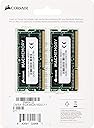
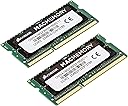
The Corsair Mac Memory SO-DIMM 16GB (2x8GB) DDR3L 1600 MHz kit is a high-performance, low-voltage RAM upgrade designed specifically for MacBook Pro and iMac models. With a fast 1600 MHz speed, CL11 latency, and energy-efficient 1.35V operation, it delivers a significant boost in multitasking and video rendering capabilities. Easy to install and compatible with mid-2012 MacBook Pros despite official limits, this memory kit offers a cost-effective way to extend the life and speed of your Mac.


| ASIN | B009EH010E |
| Best Sellers Rank | 88,388 in Computers & Accessories ( See Top 100 in Computers & Accessories ) 571 in Computer Memory |
| Brand | Corsair |
| Brand Name | Corsair |
| Column Address Strobe Latency | CL11 |
| Compatible Devices | Notebook^Mac compatibility |
| Compatible devices | Notebook^Mac compatibility |
| Computer memory size | 8 GB |
| Country of Origin | Taiwan |
| Customer Reviews | 4.8 out of 5 stars 4,608 Reviews |
| Data Transfer Rate | 1600 MHz |
| Form Factor | SO-DIMM |
| Global Trade Identification Number | 00843591029681 |
| Item Part Number | CMSA16GX3M2A1600C11 |
| Item Weight | 23 Grams |
| Manufacturer | Corsair |
| Manufacturer Part Number | CMSA16GX3M2A1600C11 |
| Memory Form Factor | SODIMM |
| Memory Generation | DDR3L |
| Memory Speed | 1600 MHz |
| Memory speed | 1600 MHz |
| Model Name | CMSA16GX3M2A1600C11 |
| Model Number | CMSA16GX3M2A1600C11 |
| Number of Pins | 204 |
| Product Features | Mac compatibility^Operating temperature range:0 - 85 °C |
| RAM Memory Technology | DDR3L 1600 |
| RAM Size | 8 GB |
| RAM memory technology | DDR3L 1600 |
| Special feature | Mac compatibility^Operating temperature range:0 - 85 °C |
| UPC | 012300514750 809394262816 163120662128 843591029681 151903572788 |
| Voltage | 1.35 Volts |
M**.
AMAZING for a macbook pro (non retina) mid-2102 A1278 13inch. Lightning fast!
I am really grateful for this item at such a great price too. Contemplating buying a new mac book pro because this one was rather slow at 4GB ram. But after watching some upgrade options, it seemed like a bargain to spend £57 on 16GB ram and see how much better my macbook could perform. Eventually I will upgrade to an SSD and maybe switch out the CD drive to house a second SSD. So for under £300 for potential parts, I can save £1200 buying a new laptop. Easy to install, no issues in booting. Just a note though, the first time you boot it will be slow and usage slow for about 10 minutes as it registers. But after that, its like having a brand new laptop. I've been thinking about doing away with laptops all together and investing in the new ipad pro as I prefer the features on that rather than the new mac book pro. But I always like to have a laptop for certain programs an ipad cant install. So whether you spend £57 on this, or an extra £75+ for an SSD or two, you can easily save your macbook and a whole lot of money. I'm so happy, and i can finally open the spotify app without it crashing ha ha. Also, when checking RAM capabilities, my model is in the title of this review and Apple officially says it can only take up to 8GB. but a lot of reviews I've read and corsair themselves have said it works fine (even though mid-2012 isn't listed on the back on their packaging). But as you know by now, it works fine with no issues.
A**S
MacBook Pro 2012 transformed - goodbye beachball
I dropped my deathly slow unibody mid 2012 off the roof of my car (at 50mph) necessitating open heart surgery and new screen. Since updating to High Sierra it was deathly slow and beach balling all the time so I took my certified Mac Genius engineer's advice to upgrade to SSD and ram up to 16gb. Bloody hell - now works like it should do and never did from new! Officially the MacBook Pro 2012 A1278 doesn't accept more than 8gb but these 2 x 8gbs work and show in memory. The chips are dead tasty to install, just make sure you buy a new set of screwdrivers and use a pair of latex gloves and a bit of sellotape on your work surface so you don't lose the tiny screws holding the base of the laptop whilst you slip the chips out and replace with new. All in all the way to go. I suspect a fully rammed up 2012 with SSD is as fast as a 2018 MacBook. This review is posted several months after upgrade and no hitches so far but you would be advised to replace the ribbon cable connecting your hard disk whilst you get it open as they deteriorate - the symptom of which is sudden crashes and grey screen. Search Apple MacBook Pro A1278 Hard disk Drive original Cable P/N 821-1480-A 2011 2012 and make sure you google videos of how to unlatch and refit the connector before replacing. p.s. 1TB Crucial SSD replacement a bit more fiddly but if you're a careful it's and easy upgrade so long as you buy a spare enclosure for you old drive - see my review of Crucial SSD and handy USB enclosure.
A**R
Turns your stock MacBook Pro into a video rendering monster!!
I maxed out my MacBook Pro (2011 pre Retina) with 16GB of this memory. It is the fastest bus speed my mac allows and i was hesitant as i hate spending money lol. However I'm glad my friend made me do it! I also upgraded the HDD with a 500GB SSD drive. These two upgrades have made my MBP a video producing monster! I can now import videos into my software and render them so much quicker!! Excellent memory! Get this memory and a top SSD and you cannot go wrong. It will smash all modern Macs into the ground
B**S
Works on old MBP
Worked on my 2010 17inch MBP.
D**Y
Easy to install
Good but expensive
C**E
Great memory kit to upgrade iMac 5k late 2015
I bought the memory kit to upgrade my iMac 5k Retina 27” (late2015). Installation was very easy but the most important is final effect. Originally my iMac had 8Gb and now there’s a total of 24Gb, so yes, the new memory modules mixed together with the existing ones have been correctly recognised by OS X. The upgrade was a full success. I noticed improvement with graphic and video software which is very hungry for memory. I’m very happy with the product.
E**D
Excellent for Mac's
Used this to bolster my mid 2014 27 inch 5k iMac from 16 to 32 GB RAM. All done in 90 seconds and worked perfectly straight away. For other aspiring customers, make sure you look at the Apple memory upgrade site (the link is blocked by Amazon but available when you look click: "About this Mac - Memory" Plenty of YouTube videos to help the process.
S**R
13" MacBook Pro (mid-2012)
The first time I installed both memory chips to replace my existing 2Gb ones, it didn't register, so I rebooted with the original, shut down, replaced one chip, rebooted - 10Gb, then shut down and fitted the second chip, after which it recognised the full 16Gb. Other than that it was a hassle-free installation, and it definitely speeds things up!
T**W
It just works
Upgrade for a late 2014 iMac retina and installed alongside existing 2x4gb sticks. Easy to install. Like anything else electronic just be sparing with pressure when you push the stick into the slot. No issues or delays on boot up - computer recognised the new memory immediately and off it went. There’s no better bang for your buck improvement to lengthen the life of what was a very expensive computer!
A**I
Assolutamente 5 stelle
Arrivata in anticipo rispetto a quanto scritto sull'ordine, il pacchetto è intatto e la ram perfettamente integra. Montata su Mac Mini late 2012 funziona egregiamente, fa benissimo il suo lavoro e sia per lavoro che per un po' di gaming è perfetta. Facile da montare, non c'è bisogno di alcuna installazione, è proprio il prodotto che mi serviva per dare una svolta positiva al mio computer. Consigliatissima a tutti coloro che vogliono un ottimo prodotto con un prezzo accettabile. Il produttore è molto affidabile e quindi non posso fare altro che dare 5 stelle e consigliare il prodotto a tutti. P.S. Accertatevi che questo sia il prodotto giusto per il vostro Mac, per evitare spiacevoli sorprese quando vi arriverà il prodotto è cercherete di montarlo sulla vostra macchina senza successo.
M**K
Funkar som de ska!
Stoppade dessa i en mac mini - funkar!
J**T
Works great, but we DID have to troubleshoot it first!
These RAM sticks are for my husband's iMac [Late 2013, 27" screen] and he just wanted to upgrade the RAM. NOTE: The product description on this [CMSA16GX3M2A1600C11] says it's specifically for MacBooks [quoted from this product description: Compatible with MacBook Pro (13-inch, Mid 2012), MacBook Pro (15-inch, Mid 2012)] however it IS working in my husband's iMac, the user-accessible RAM slots on the back are sized specifically for this type of RAM, and on Corsair's site, their compatibility description says it's tested in their labs to work with virtually every MacBook, iMac and Mac Mini made after 2011. The back of this package lists a few specific model numbers, which are specifically MacBooks. Long story short, it doesn't explicitly say that the model of iMac my husband has will be compatible with this RAM, but it DOES WORK! So here's the low-down of how it went. Husband had the stock RAM (2 sticks of 4GB RAM = 8GB, two open slots) and he ordered two extra 4GB RAM sticks from SimplyMac to fill the two open slots. It worked just fine, but he decided he wanted more power. So he ordered this RAM, 32GB of it. Took out the power cable, inserted his house key in the slot to pop off the RAM cover, inserted the 4 sticks of RAM into each slot, popped the RAM housing back in so the cover would close all the way, put on the cover, plugged it in, and pressed the power button. Nothing. ....weird. Pressed the power button again. Nothing. So he shut it down, pulled the plug out, used his key to open the RAM housing, took them out, and re-seated them thinking maybe they weren't put in correctly. They were all the way in, not upside-down or anything, so he put them back in again, closed everything up, plugged it back in, tried to power it on... Nothing. So he did the same thing again to get the RAM out, and just to make sure his computer wasn't somehow broken, he put the old RAM back in. It turned on. Phew, okay, we didn't f*** it up. Lol. Turn it around, open the housing, take out the old RAM, and this time try putting in half new and half old. It booted up, though it took longer than expected, and when he booted it up he went to the Apple menu > About This Mac and confirmed it was saying it had 24GB of ram (8+8+4+4) so all the RAM cards were indeed hooked up and the computer WAS recognizing them. Okay. So they're working. This means the computer is probably being stubborn and after more trial and error it should work. Shut down, turn it around, unplug, open the RAM housing, take out the 2 default sticks of RAM, put in the other two new ones, close it all up, plug it back in, turn it back around, press the power button... anddddd this time it beeped, when it didn't before. So it was saying something's wrong, but still not booting. If my memory serves me correctly, he tried putting back in a stock RAM stick one more time and it booted, then he put all Corsair RAM in it, and then it FINALLY WORKED! He was doing NOTHING differently. Same exact thing, every single time, and it just took several tries to finally get it to work. It has successfully powered down and restarted multiple times. There's not much of a difference in boot-up time between when he had 16 gigs (stock+aftermarket) and 32 gigs (all Corsair), however, some processing does seem to be having noticeable improvement. We watch lots of anime shows that download in .mkv format and have separate subtitle/audio/video titles and he converts those to a different file format before we watch them, and he was able to convert a full episode (HD, with subtitles, into a significantly smaller file) in about 2-3 minutes. Not exactly sure how long it took before, but he estimates it's about 30% faster than it used to be. So far, are we happy with the investment? Husband says "Yeah, definitely." :) I figured I should post this in case it's a common occurrence for other people like the guy in the reviews who said he put it in his Mac Mini and it beeped. It's entirely possible that if that guy tried taking it out and putting it back in a couple of times that it would have worked. I honestly don't think he was doing it wrong. My husband was doing it right and didn't change anything at all in the way he was installing the RAM between when it wasn't and when it was working. So, if it happens to you, don't give up on the first try!
M**.
Super Speicher, Arbeitet ohne Probleme in einem Macbook Pro Early 2011
Ich habe mir diesen RAM gekauft, da mit die bisher installierten 8Gb einfach nicht mehr gereicht haben, da ich manchmal 2-3 Virtuelle PC's gleichzeitig laufen lassen muss oder große Videos bearbeiten und 3D Grafiken rendern. Als erstes dachte ich mir: Hmm muss doch nicht unbedingt RAM sein wo Apple zertifiziert dabei steht, der normale von Corsair wird es auch tun, immerhin ist er günstiger. Damit lang ich aber komplett falsch! Mein MacBook Pro hatte nur noch abstürze bzw. Kernel Panics oder er ist gar nicht erst gestartet. Ich habe den Corsair dann wieder eingepackt und zurückgeschickt (Danke Amazon für die wie immer schnelle Bearbeitung) und habe mir stattdessen diesen RAM hier gekauft, welcher Apple Zertifiziert ist, ich wollte es einfach nochmal versuchen, denn ich hatte schon die Befürchtung, dass mein MacBook Pro Early 2011 einfach nicht dafür geeignet ist, da auch der Apple Support meinte mehr als 8GB kann das Macbook nicht verwenden, wenn ich mehr bräuchte würden sie mir zu einem neuen MacBook raten. Als der RAM ankam war ich durch die Aussage vom Apple Support schon darauf gefasst, dass es wieder nicht klappt. Aber was soll ich sagen? Apple hatte unrecht und wollte nur neue Hardware verkaufen! Mit diesem RAM hier welcher Apple zertifiziert ist, läuft das Macbook vollkommen ohne Probleme! Ich habe mal einen Stresstest gemacht und 5 Virtuelle Maschinen laufen lassen mit verschiedenen Betriebssystemen und das Macbook hat auch das locker weggesteckt. Ich hatte jeder der Maschinen 2Gb Ram zugewiesen, sodass noch etwas Luft nach oben war, aber sowohl die Virtuellen Maschinen (via Parallels Desktop) als auch OSX selbst ließen sich ohne Verzögerungen oder Rückkehr bedienen und benutzen. Also ich kann jedem, der ein non Retina Macbook Pro oder einen iMac hat, wo man den Ram selbst tauschen kann (geht bei den Retina ja leider nicht mehr da der RAM verlötet ist auf der Hauptplatine) nur raten: Kauft euch diesen RAM, auch wenn er etwas teurer ist und eure Maschine wird schneller dadurch und läuft ohne Abstürze,außer diese sind nicht durch den RAM bedingt ;) Mein MacBook Pro Early 2011 konnte ich mit diesem RAM und einer SSD deutlich schneller machen als das Windows Laptop hier im Haus, dass 2015 gekauft wurde und ebenfalls 16GB RAM hat :) Habe noch ein Macbook Air, wenn man da den RAM tauschen könnte würde ich diesen hier sofort wieder kaufen. Aber so erledigt ich das alltägliche mit dem Air und wenn es um VM's geht, die Leistung benötigen, nehme ich das Pro :)
Trustpilot
2 weeks ago
3 weeks ago