
🔑 Unlock Your Security Potential!
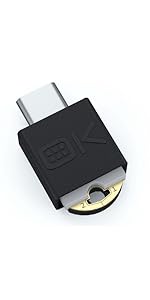
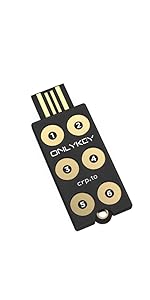
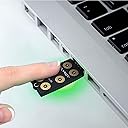
The OnlyKey is a versatile security solution that combines a password manager, two-factor authentication, and secure communication token, ensuring your online accounts are protected across all devices and platforms. With its durable, waterproof design and advanced security features, it’s the perfect companion for the modern professional.


| ASIN | B06Y1CSRZX |
| Best Sellers Rank | #543 in USB Flash Drives |
| Customer Reviews | 4.1 4.1 out of 5 stars (591) |
| Date First Available | April 3, 2017 |
| Flash Memory Type | NAND |
| Hardware Connectivity Technology | USB Type A |
| Hardware Platform | Mac |
| Is Discontinued By Manufacturer | No |
| Item Dimensions LxWxH | 2 x 0.7 x 0.25 inches |
| Item Weight | 0.6 ounces |
| Item model number | EF-7H5W-FQ6I |
| Manufacturer | OnlyKey |
| Product Dimensions | 2 x 0.7 x 0.25 inches |
| UPC | 633832116009 |
A**E
The most important thing about security systems is that they are easy to use ... which this is
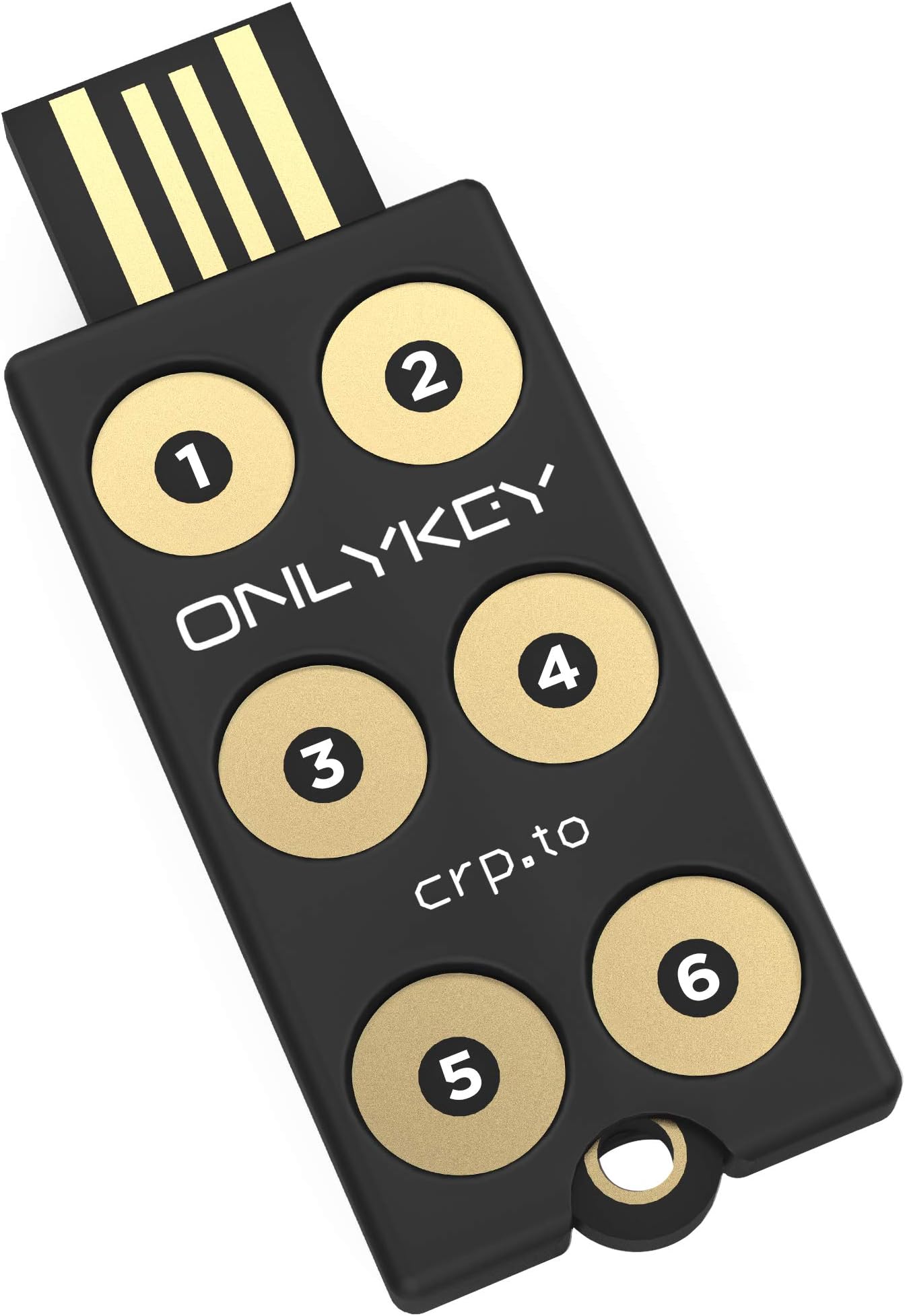
Sophisticated multifunction PIN protected security key and OTP generator. Also stores logins and passwords. The Onlykey is used to enhance security in IT applications. The key is supplied together with a silicone rubber covering (despite what some reviewers say) and a keyring attachment in a bubble packet. There are no instructions but detail of a website is provided that has extensive information about setup and use. I have little prior experience with this sort of equipment but found setting up the key very straightforward. There are many security keys available but their functions vary. The OnlyKey is the only one I have found that is protected by a PIN code which is entered on the device itself. Once the Onlykey has been unlocked it can be programmed to remain open until removed from the USB port or to automatically lock at any time between 1 and 255 minutes. I prefer not to have to keep re-entering the PIN so have mine set to a long time. When I leave my PC in sleep mode it still provides power to the USB ports but the OnlyKey can be locked by pressing number 3 for 5 seconds. OnlyKey can act as a simple security key; it can provide One Time Passwords at the touch of a button (like Google Authenticator codes), it can encrypt files and it can save password and logon information. It can also be used with W10 Hello but needs an additional PIN to be entered which to me is not ‘passwordless’. For this reason, I unlock windows by using the OnlyKey to input the Windows PIN, which it will do at the touch of a button. The OnlyKey allows storage of logon data and OTP’s in up to 24 slots. This is achieved allocating a slot to each of its six keys with a short press and another slot following a long key press. Following logging into the OnlyKey again with a different PIN code allows a further 12 slots to become available. The OnlyKey outputs data to the PC by acting like a virtual keyboard. This means its performance can be monitored by opening a text window on the PC and touching a button which results in the content of the slot being printed in the text window. Interestingly my PC is set up to come out of sleep when I press a key on my keyboard but activating the OnlyKey does not wake it up. The key’s software is a little clunky but it is very flexible. Features of the design could be improved. The key does not have a flat under-surface which means it rocks if buttons are pressed when it sits on a table top. The location of the LED is poor. The multicoloured LED feeds back invaluable information to the user about the state of the OnlyKey, such as whether it is locked or not, but cannot be seen when operated on a desktop. The key needs to be redesigned so the light is visible while the keys are being touched. I use the OnlyKey plugged into a USB extension cable and have it strapped to a piece of clear plastic that allows the LED light to escape and so be visible. The key is also supported so it does not rock. The OnlyKey is an invaluable and sophisticated security key. It is easy to use and has multiple functions. It comes into its own when paired with a password manger like BitWarden.
R**W
Exceptional, Versatile and Highly Secure Mix of Convenience and Efficiency
Introduced to me by "All Things Secured," the OnlyKey instantly stood out - it saves time, enhances security, and I wish I'd found it sooner. It's seamlessly integrated into my routine, and its convenience pairs well with its robust security features. This gem works across platforms, from macOS to Windows and more, affording peace of mind with each use. Setup is simple but doesn't limit advanced options, accommodating all user levels. I've found this product so beneficial and affordable that I've invested in a second as a backup. Thanks to Amazon's next-day delivery, immediate benefits await. In sum, this product uniquely combines quality, versatility, security, convenience, and affordability. I highly recommend trying it - you could be as delighted as I am.
A**S
Poorly written and amateurish documentation
I have successfully used this security key on a machine running openSUSE Leap 15.3, a Linux operating system. (Do not blindly follow any steps mentioned in this note if using a different operating system.) Given the provocative title of this review, I shall provide an example to justify it. One taken from the user guide that I downloaded. A direct quote is: "You can chain together multiple ‘ \t’ or ‘ \r’ in the fields. Its one space to start and one space to end so if your chaining together multiple tabs it would have a double space in between like: "\t \t \t \t \t password \r" Leaving aside details of punctuation, misspelling the contraction of “It is” and misspelling the contraction of “you are”; concentrating instead on the example. One quite literally won't be able to spot spaces at the beginning or end of the line in the manual, regardless of whether they should be there or not. This is completely unnecessary. A common device is to put characters in brackets: for instance, a space, followed by a slash, followed by a “t” and then another space could be illustrated by: {space} {\} {t} {space} Then one would have no difficulty spotting the leading and trailing spaces. Furthermore, given the vast universe of proportional fonts, one can't even be certain about the number of spaces between characters. This is not the only horror in the documentation. To install the app on my main PC I downloaded the Debian package and extracted using: ar xf OnlyKey*.deb tar xf data.tar.xz I then copied the files over to /opt/, /usr/share/applications/ and /etc/udev/rules.d/ as per the directory structure of the source. To activate the device rule, I ran: sudo udevadm control --reload-rules && udevadm trigger Which reported an error, one I thought I could ignore (later on I inserted key and it was properly recognised, justifying this optimism). I decided to run the simple install; which involved opening kwrite, inserting the key and pressing its #3 button for 5+ seconds. It worked a treat. Next I opened the app (the command is “/opt/OnlyKey/nw”) and was prompted to upgrade the firmware. I thought that doing this straight away would save me from creating a backup first. Unfortunately, this was when my problems started. I could get it into “config” mode, yet the firmware would not upgrade. I wasted a fair bit of time trying to get it to work (many motherboards have problems with usb connections, this applies, for instance, when connecting a mobile phone to a PC), but without success. Eventually, I wiped the key, using the destruct code, and started again, this time opting to install via the app. Upgrading the firmware straight away was a matter of seconds. I have successfully used the key. However, there are caveats. The app itself has a rather clunky interface. Furthermore, it is set to run automatically at startup (I stopped this). To use the authenticator facility one has to set the keyboard layout (in my case to UK). It would be more flexible to set the timezone directly. Furthermore, changing the layout in the app did not stick. I had to do it again using the command line tool. It really is strange running the app for this in Linux when a systemd unit would do the trick nicely (as I understand it, all the key requires for the authenticator is the clock time). The app would then be a pure configurator. There are other limitations, the Amazon log-in page has a very long address, too long for the OnlyKey. One could use a service such as tinyurl. However, that would open up security issues. Instead, I don't use the key for the URL, just username, password and authenticator code. A boo-boo is the decision to hide the existing entries when editing a slot. One can easily copy out these entries to a text editor. Personally, I'd never edit a slot in a work environment in any case, so hiding the text from others is not a consideration. Hiding the password ought to be sufficient. Furthermore, I quite fail to understand why it is necessary to mark that an entry has been changed: that is merely a further cause of error should the user forget to tick the appropriate button. Another thing I don't like is the suggestion to log-in to test whether an OnlyKey slot has been set properly for a website. It is simpler to open kwrite and visibly inspect the output after pressing the right button. There are websites that are ruthless when it comes to locking accounts after repeated “suspicious” attempts to log-in. In summary, there are frustrations setting the key's entries. The documentation should be written by a professional. The app should be improved. On the plus side, time can address much of this. Just as time will tell me how robust the key is. I haven't got around to setting it up for pgp. On a first reading, it appears one can't just import the pgp keys from my PCs, I have to set up a new key and then add my existing keys as subkeys, which is not acceptable to me (I'm not convinced that the OnlyKey has enough entropy for randomness, I don't want it to create the primary key), I'd rather use something else for that). Furthermore, I don't use Thunderbird, so the example given of incorporation into an email client is of limited value to me.
T**R
ONLYKEY SECURITY KEY IS A WINNER
This is for now a brief review. The key works - that's the point. Plug it into a USB port and you have a power up light. That alone is a good start. The different coloured lights and flashes. Once you install the app/program for Linux or Win10 portable you can start the app , plug in the key and slowly follow the instructions. In fact you can simply run tails OS, open a text file , click in it , press one of the Onlykey buttons if I recall and instructions begin to automatically appear , pin numbers , destruct codes "delete and memorize" just like mission impossible. The app and key has a great deal of information and possibilities. I.T. experts are now warning of security concerns for your devices even if better protected than ever before so this is a good way to understand the subject. Just depending on a mobile phone is not the best idea and people still tell me " what's the fuss - just write your password on a piece of paper" - these same people lose everything when the phone is reset. I still think this device has some reliability / consistency issues with the app and registering the pin numbers but I trust it more than some other keys that simply would not work in they way they should of.
B**E
Advanced features required 3rd party install
I actually really like the OnlyKey. It’s very secure as a FIDO2/Web Authen hardware token, which is its primary used. For basic functionality there is no need for 3rd party installs, which great. You can set the unlock PIN and self destruct PIN easily, and use it for FIDO2. It also self destructs if the password is entered incorrectly 10 times. The self destruct function is really a self wipe function so the key can be reused after self destruction. I liked the idea of storing SSH certificates, password and GPG keys all on the OnlyKey, but in reality these advanced functions required additional software, that is not all that easy to use. If you want to use they Onlykey for SSH logins that requires additional software, the OnlyKey-agent. This is pretty simple to use one you have the certificate on your key. While you can backup/restore your OnlyKey, be aware you cannot back up the hardware token part of this key due to the FIDO2 specification. The web server and key keep a count of how many times they were used, to ensure key cloning doesn’t work. In the end I decided to use the OnlyKey as a password protected FIDO2/Web-Authen hardware token, and for KeyBase which it is great at.
B**E
Very good product. Highly recommended
Very good product. You can use it simply as a hardware key (which is what I do) or as a password/URL manager by assigning URLs, usernames and passwords to each key/button and it will auto-fill them for you. It is PIN-protected so even if it gets lost or stolen, it cannot be used without the PIN. I bought a second one as a backup. I also have it on my keys and there has not been any wear and tear. Have been using it on a Linux machine, a Mac and also on my Android phone without issues.
R**U
To me waste of money unless it works
Basically no instruction and when plug in to USB slot IT DOES NOT WORK.TRIED SEVERAL TIME IN DIFFERENT USB SLOT .NOTHING HAPPENS. No cover ,it just expose, £10 to bye I would be happy if it has work Can any one help or have wasted money
J**J
Strong device, however lacks polish and Manufacturer Support
This is an ok and independent option for a fido security key. The software and setup is easy to use, clear and documentation helps massively in understanding in what the key can do and how it works. However, the product all round requires further support and presence from the manufacturer for this type of device. Although some contact can be made, their consistency in firmware updates and overall contact with the community regarding this product is flaky and cannot be relied upon for long term. I appreciate that this is a small company, however for such a critical security device that also offers community input and code to run on the device it leads me concerned about the overall longevity. In terms of features and device usability I have had no issues with it. They are extensive and offers a wide range of options to be configured. The Management software is clunky requiring an application built upon web frameworks. Although working just fine, this to me lacks polish and consistency with such a product and feels rushed. I really like the product but with the overall support and stagnant updates with no clear sign of they will begin again, it makes it a difficult recommendation. As a hobbyist it is something worth using to tinker with but overall reliability will rely on your own skillset and not the mercy of OnlyKey.
Trustpilot
1 month ago
1 week ago