🔧 Power Meets Precision: Elevate Your Testing Game!
The Adjustable Constant Current Electronic Load is a cutting-edge 150W USB electronic load and battery capacity tester, designed for professionals seeking precision and safety in their measurements. With a current range of 0.2-25A and voltage measurement capabilities from 2V to 200V, this device features advanced calibration technology, multiple power supply options, and robust safety mechanisms, making it an essential tool for any serious technician or engineer.


| ASIN | B0BK8YB2F4 |
| Best Sellers Rank | #786,234 in Tools & Home Improvement ( See Top 100 in Tools & Home Improvement ) #1,240 in Multi Testers |
| Brand | MakerHawk |
| Brand Name | MakerHawk |
| Color | Purple |
| Compatible Devices | Computer, Laptop, Power Bank |
| Customer Reviews | 3.9 out of 5 stars 305 Reviews |
| Included Components | Adjustable Constant Current Electronic Load |
| Item Dimensions | 6.42 x 4.33 x 2.36 inches |
| Item dimensions L x W x H | 6.42 x 4.33 x 2.36 inches |
| Manufacturer | MakerHawk |
| Measurement Type | Multimeter, Voltmeter |
| Min. Operating Voltage | 2 Volts |
| Minimum Operating Voltage | 2 Volts |
| Model | DL150B |
| Part Number | DL150B |
| Power Source | Battery Powered |
| Specification Met | UL |
| Unit Count | 1.0 Count |
D**Z
New (purple) Version - Solid Battery Capacity Tester
I'm in the process of building a 100Ah LiFePO4 battery pack for the 48v Torqeedo outboard motor that I have on my pontoon boat (I live on an e-motor only lake). I first discovered this device being used as a battery capacity tester in one of Will Prowse's YouTube videos. It looked like an affordable / easy option for confirming that the batteries I bought did, in fact, have the advertised 100Ah . . . so I clicked on his link to the Amazon store. When I got here, I saw the newer version available and went for it! Note again: this review is for the "New upgrade" purple version. A few comments: 1) The device is working great! I attached a picture of the 6th consecutive cell that I am running through capacity testing. A little smoke rolled off the device when I started discharging the first battery, but stopped within a few seconds. The resistors on the sides of the heat sink get pretty hot when discharging at the 20A I'm using for this cell (0.2C discharge rate), so I expect it was some residual solder flux burning off. In any case, it didn't affect operation in any way that I can see and it hasn't repeated since the first run. 2) The separate discharge and voltage measurement terminals are a must! The discharge terminals measure ~0.4 volts less than the voltage measurement ones due to resistance in my leads (likely the fuse - your results may vary), which would significantly affect measurements. It's a must-have feature, in my opinion, and the older version (the one Will used) doesn't have it. 3) There is a PC app that you can download from a janky-looking website (accessed via the QR code on the back of the device) so you can monitor / control the device from your PC. I'm not trusting enough to install something like that on my PC so I can't comment on it, but the pictures looked pretty cool! 4) No instructions were included with the device. However, the QR code on the back of the device brings up a site (the one referenced above) where you can download them. Unfortunately, there are several downloads there and no indication of which is the correct one (use DL150B). Worse, they are written in VERY poor English and are incomplete! For example, if you want to erase the data from a previous run, you need to press the button and encoder down at the same time until "Data Erase" shows up. Hold them for a moment longer and it factory resets. Neither function is indicated in the instructions. Nor is any information on how to use this kind of device. If you don't know how to use it, don't buy it until you spend some time on YouTube watching people use similar models (I couldn't find any videos with this version). You're likely to hurt yourself or someone you love!!! In summary, great little device if you're tech savvy and one of those people who only resort to instructions as a last resort. You will definitely leverage those "figure it out on my own" skills here! If your using the instructions as your sole method of understanding the device, good luck! Looking at a lot of the bad reviews, I'm guessing a lot of those folks were in this category. I'm on cell #6 now, but will update my review if anything changes before I get through cell #20! Peace!
R**3
Great for determining battery capacities
I use lots of batteries for solar power storage. I like to test new batteries to verify their capacities. I also like to test my older batteries to check their health. This load tester is so easy to use. The display shows me everything I need to know to evaluate my batteries so I can decide if I need to change/swap any out. The unit is very versatile and useful for anyone needing a resistance load tester. You can use it on any DC power source up to 200V. Once the power source shuts down on low voltage, the data is still maintained in the testers memory until it is manually cleared. Just connect it to another DC power source to see your results. I am very happy with this unit as I can set it up, and let it run unattended. It is a great tool and I find it to be a great value for the price. I give it 5 stars.
J**.
Good product, but lacks instructions
The product is accurate and works well, but it did not come with any instructions on how to use it. Here is a summary that I compiled after experimenting for a while Power comes from 6-12V at the barrel jack. A 12V 1A supply is included. Settings stick through power cycles. System setup Press/hold button to enter setup mode then press knob to cycle between settings, rotate to change. First click rotating doesn't do anything. Settings auto-save after 10 sec, then exits setup mode after 5 more sec. or long hold to save & exit setup. Current settings are in (parens) Stop voltage - Set this about 0.2V below desired stop point. (10.2) Max voltage - System will stop or not start if voltage is above this (14) Max Watts - Stops if Wattage exceeds this, system max is 150. (75) Max Fan temp - Stops if heat sink temp is above this (74) Max battery temp - Stops if battery temp is above this (44) Timer On/Off - If on, stops if time limit is exceeded (OFF) Second click sets limit Fan on temp - Fan turns on when heat sink exceeds this in Deg. C, stops when 10 Deg cooler (52) Backlight Brightness - 0 -10 (2) Beep - Beeper On/Off (On) Style - Display style while running A numbers only, B with battery graph (A) Run setup Press/Hold knob to enter setup mode. Short press to select setting, rotate to change Mode - Operating mode CC const. current, CV const. voltage, CR const. resistance, CP const power. (CC) Don't use CV with batteries! BAT - Run no. 1-10 to select this run or review previous. Value - for selected mode .1/1/10/.001/.01 units to count (1.000, adj by 0.1) Operation Press button to start or stop. Can adjust current with knob while running. Auto stops and shows message after any limit exceeded. Press button to display run time, AH, WH. Press button again to start next run. Increments run no. so previous results are saved but not visible. Press/hold both button and knob to clear all results. This does not change settings.
R**R
UPDATE Used to Like it. No more. Became flaky and not accurate.
UPDATE 06.02.21 I've had this unit for about 9 months. During that time I had been using it to test small lead acid agm batteries in the 3-9 AH range. I thought it was doing well. Today, it became glitchy and unstable with the current drain varying widely. I've found out that the timer and measurements don't update if you drop the current below .05 A and you cannot adjust it finer than .02 A increments. I got it stabilized and adjusted it to .05 A. I ran it for 10 hr. This should amount to .5 AH usage. It was reading about .3 AH. So it is WILDLY inaccurate. I'm considering something else like the West Mountain Radio battery analyzer or an electronic load bank, both of which cost $ 200 or more. Downgrading to 1 star. This is an adjustable electronic load that can dissipate up to 150 W at an adjustable current level. If you were to buy this, learn to adjust its alarm settings. I'm using the following. Minimum Voltage: 11.1 V (for draining small 12 V AGM lead acid batteries) Maximum Voltage: 54 V Maximum Current: 10 A - 15 A Maximum Power: 150 W Here's why I chose those values. I want to discharge my AGM battery to 20 % SOC. When NOT under load, the standing voltage should be around 11.6 V. Don't just take my number and use it. Do your own research to find out what you should use. Every battery type has different numbers. But, the voltage droops when under load. So, I want the load to cut off once I hit 11.1 V. This may not be the best way to do things and it may not work for all AGM 12 V batteries. But that's what I'm doing. If you're using the loading device I mentioned, with these settings, it will start complaining with no battery or with a battery that's below 11.1 V. When you attach a battery with more charge, the alarm will shut off. My logic for the maximum voltage was mainly that I wanted to know if I attach a battery to the load with a voltage high enough that I start to have to worry about getting shocked. This number is arbitrary, and I'm NOT saying that lower voltages won't shock you. I put the maximum current as I did simply because I don't think the provided wires and terminals can handle any high current. The unit I got was set for a maximum power of 185 W. But, the instructions say the unit cannot handle more than 150 W with the supplied fan. So, I reduced that alarm value. Make sure the fan and heat sink have plenty of air flow. Be aware that the heat sink will get very hot if you're putting 150 W through it. I like this unit, and it's doing what I want, allowing me to drain small batteries. I prefer to power it with a micro USB cord. Always start with the control knobs counterclockwise or off. This way, there will be no load on what you're testing when you attach it. Then gradually inch up the fine adjustment to see if it goes high enough for what you want. If not, start adjusting the course adjustment slowly. You can adjust the alarms by powering up the load with the button pressed, or while the load is operating. You'll have to study the instructions as the procedures take some getting used to. Although fully functional, this is more like a prototype device. There is no case. The circuit board is exposed. The heat sink is exposed. The knobs are near the heat sink. You should be VERY careful moving this device around and operating it or you'll likely damage it. Also, as I write this, we're going into winter. That means low humidity in most buildings, and that means static charges on people's bodies and clothing. If you touch a light switch or water pipe and feel a shock, that is way more than enough to destroy electronics. So, you should discharge static from your body BEFORE touching this device, or any other bare electronics. So, although I only have a few hours using it, I like it. I cannot say how accurate it is, though. Nor can I say how long it will last. Ron
S**N
Loud and mostly unusable. Faulty unit?
I don't have room (or actual need) for a full-size benchtop load tester, so I was hoping that this unit would do an adequate job without taking up the desk space. It sort of does, but there are a few caveats you should consider: 1. The device itself is powered from an input rail separate from the load, which is good. The spec allows input voltage between 6V and 12V, but I noticed a very loud coil whine when using input voltage between 7V and 9V. The device comes with a 9V power supply, so that's going to be really noisy. You'll most likely have to use a different power supply. 2. The fan is either on or off, there's no "curve" to it as far as I can observe. Based on simple tests, the fan is off at <0.5A, and on at >=0.5A. I would prefer a PWM fan that ramps up depending on temperature, as opposed to a fan that's either on or off based on current alone. My workaround is to use a 5V input to power the device, which is still enough to run the board, but makes the fan spin at a considerably lower speed. 3. I noticed that the voltage reading only changes in ~80mV steps. The device is said to accept a 0-300V range, which means it's probably using a 12-bit ADC. This is probably OK for higher voltage devices, but it might not be accurate enough for e.g. testing lithium cells, car batteries, power banks. Overall, I think it's a reasonable value for the money, but I have to knock two stars off due to the aforementioned issues. I could make it work with a little effort, but I'd rather pay more for a device that "just works". I'm testing other similar devices right now, not sure yet if I'll keep this one.
C**O
Precision testing made simple and reliable.
This 150W Adjustable Constant Current Electronic Load is a must-have for anyone working with batteries or power supplies. I’ve used it to test everything from USB chargers to Li-ion packs, and it delivers consistent results with impressive accuracy. The interface is intuitive, and the fine current adjustment lets me dial in exactly what I need. It handles heat well during extended tests, and the USB connectivity makes data tracking a breeze. Whether you're a hobbyist or a serious electronics tinkerer, this tool adds confidence and clarity to your power testing workflow.
P**E
Great price and pleanty of power handling
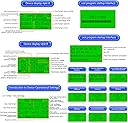
It was very well packaged. It was in a box, in a bubble bag, in a box. It’s also in a vacuform box. Save that to store it in. I like that everything is on one screen. You can choose which layout you like best. There are so many different ways to power and load this tester that I’m sure I’ll have a hard time finding something that I can’t use it for. My daughter and I are going to have a lot of fun finding ways to use this. This is going to be a permanent fixture in my ham shack/shop. The cooling fins are very thin. Be careful when removing the power supply box from the vacuform box. I accidentally bent the fans into the blade and didn’t notice until I saw them. They’re easily straightened out though and nothing was damaged. SHEW I would like to see some protection over the fan. Accidentally dropping something into the blades or bumping them when reaching for something wouldn’t be a pretty site. Nothing a 3D printer can’t solve.
J**S
Great little capacity meter - Some notes
Made a chassis out of laser cut acrylic for this unit and added in a cheap sourced low voltage cutoff. I really like this unit. Ran through several battery packs yesterday and it measured all of them without fail. Some notes: - Slightly misleading on the advertisement for 20A. The spec you want to go by on this unit is the wattage rating. With this design and heatsink, it is rated at 150W. So you must divide wattage by your batteries voltage to get the peak amperage discharge you should aim for. Example, if I have a 14.6V battery.... 150/14.6=10.27A (10.27A is the max you would set discharge to). The only time you would discharge a full 20A advertized is if the pack was at 7.5V. - I have found the unit to be sufficiently accurate to .1V. The low voltage cutoff I purchase on the other hand is off by 200mV. As long as you test and know the offset, you are fine. Just take in account the difference - Display is large and easy to read - I find the single button programming easy to use. Just takes some playing with - Mosfet is rated to 50A on this unit. If modified, this could be nearly a 300W meter. Just add a CPU water cooler. A big CPU heatsink I think would risk breaking this PCB as it is a thin My only complaints.... - No chassis, but I made one - Needs slightly thicker FR4 (pcb thickness) - Seriously, why only have a low voltage alarm? Add in a cutoff relay. People would pay extra for a low voltage cutoff integrated as I have with this chassis. Not just an output terminal. - Potentiometers are CHEAP. Wish it used better pots but at this price... hard to complain! - Layout of the PCB is poor. Functional but not chassis friendly. Seems they had the cheap feet in mind when making it as the mounting holes for the feet are placed like someone was throwing darts Taking a step back... for $45 this is a heck of a functional bit of kit. The price makes it EASY to overlook some of my complaints. Can it be a lot better? YES. But it is what it is and I am happy with the buy. I would buy again. Does exactly what I want it to do.
P**L
GOOD
Works perfect and easy to use.
L**G
Unable to say it was damaged when delivered
Although I received the item as promised, it was damaged and I could not get the screen to display any of the parameters. Totally blank. Not the fault of the company
S**E
Came with non working backlight
The unit is working as it should, but the back light was not functional I had to replaced it myself , it's annoying , and my backlight is not exactly the same size
R**N
No instructions
No instructions were included.
Trustpilot
3 weeks ago
3 weeks ago