Buy anything from 5,000+ international stores. One checkout price. No surprise fees. Join 2M+ shoppers on Desertcart.
Desertcart purchases this item on your behalf and handles shipping, customs, and support to Spain.
👁️🗨️ Stay ahead of the curve—watch, listen, and protect like a pro!
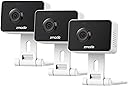
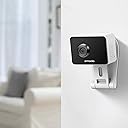
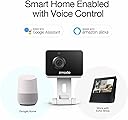
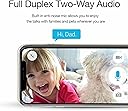
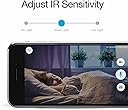
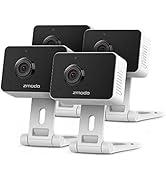
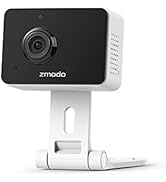
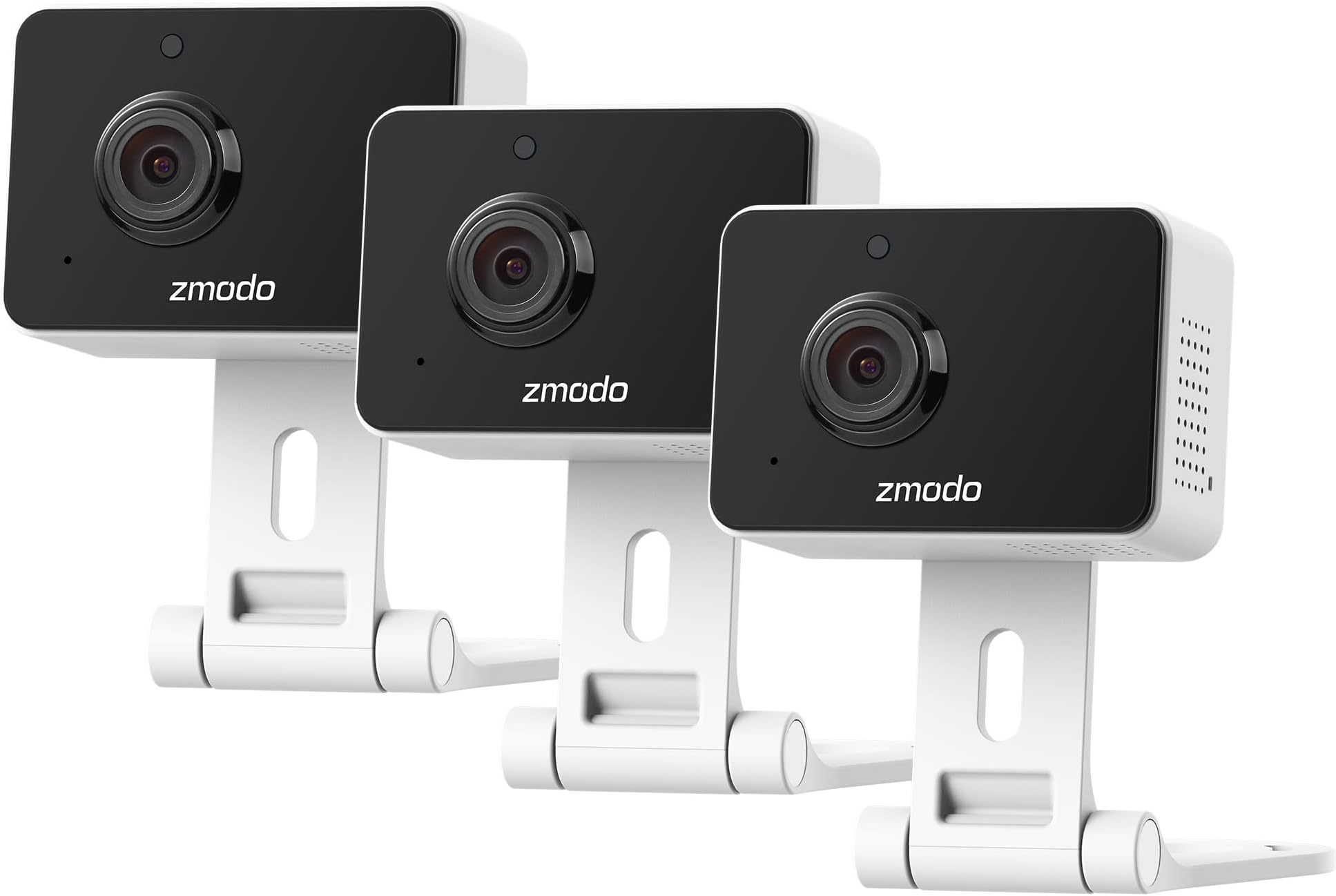
The Zmodo 1080p Mini WiFi Camera 3-pack delivers crystal-clear full HD video with a 130° wide-angle lens and advanced AI motion detection. Featuring two-way audio and vivid color night vision up to 26 feet, it ensures you never miss a moment. Easy SmartLink setup and app control make monitoring your home effortless, while customizable alerts keep you informed only when it counts.


| ASIN | B0BQL37P2S |
| Alert Type | Motion Only |
| Antenna Location | Indoor Security |
| Are Batteries Required | No |
| Best Sellers Rank | #205 in Dome Surveillance Cameras |
| Brand | Zmodo |
| Built-In Media | camera and power supply and Quick Guide |
| Color | Black with White |
| Compatible Devices | Smartphone |
| Connectivity Protocol | Wi-Fi |
| Connectivity Technology | Wireless |
| Controller Type | Amazon Alexa |
| Customer Reviews | 4.3 out of 5 stars 5,779 Reviews |
| Field Of View | 130 Degrees |
| Focus Type | Auto Focus |
| Indoor Outdoor Usage | Indoor |
| Indoor/Outdoor Usage | Indoor |
| Item Dimensions | 6.85 x 4.49 x 2.13 inches |
| Item Type Name | Indoor Camera |
| Manufacturer | Zmodo |
| Model Name | ZM-SH75D001-WA-3 |
| Model Number | ZM-SH75D001-WA-3 |
| Mount Type | Wall Mount |
| Night Vision | Night Color |
| Night Vision Range | 26 Feet |
| Number of Items | 3 |
| Other Special Features of the Product | Motion Sensor, Night Vision |
| Power Source | Corded Electric |
| Recommended Uses For Product | Indoor Security |
| Room Type | Nursery |
| Special Feature | Motion Sensor, Night Vision |
| Specific Uses For Product | Indoor use |
| UPC | 889490013505 |
| Unit Count | 1.0 Count |
| Video Capture Format | MPEG-4 |
| Video Capture Resolution | 1080p |
| Viewing Angle | 130 Degrees |
| Voltage | 5 Volts |
| Waterproof Rating | IP65 |
| Wireless Technology | Wi-Fi |
C**.
Great addition to my camera set
I just received my Z Modo cameras and I’m very excited to put them to the test. My other cameras have worked flawlessly for being able to monitor my chickens in my chicken coop. The infrared technology is so great that I can always see them, even if it’s at night. The app is pretty good as well, and has worked without any issues. I do wish that it could be potentially faster, but maybe it is due to my Internet speed. The one thing that was always lacking, was the ability to talk to my chickens when I’m away. I really do think that being able to make sounds Will definitely improve the way that I’m able to be with my chickens but do it while I am traveling and away from home. I also plan to use these with my dogs. It’s been hard during Covid to leave them home and not be able to speak to them when they are doing something naughty, like jumping on the couch, or ripping up some thing in boredom. It will be so great to be able to surprise them and be able to train them while I’m away from the house. This product looks super cool. I’m glad the set came with two of them. The camera is physically smaller than the previous version which I have, but they look quite similar in color and in quality. With these two cameras, I will have a total of about eight of them. I haven’t been able to compare these cameras to my existing ones in terms of quality, but based on the specifications I think that it will be a lot better quality and viewing. I will be sure to update my review once I have been able to put them through the steps in a couple months. I’m very glad that they included the charger which matches the same adapter as the ones I previously had. This makes it really easy for me to switch out my old cameras with this new one. A lot of other companies like Apple have changed the power adapter size, making it really difficult to use old plugs just so they can charge us more money. I’m really glad that this company hasn’t done that so that all my previous equipment is transferable to the others. I was able to seamlessly connect these new cameras up to my existing ZMoto app. I’m very excited to use these new cameras as it just gives me peace of mind around the home. It’s really cool to be able to purchase these as a fraction of the price of the Google camera products. I do have a google product. I really like it as well. But it’s just not very affordable to have 10 of them around the house. I will go bankrupt if I had to purchase that many and basically get the same experience. I would highly recommend this product to my friends and family. I think they are super useful, easy to connect, easy to use, and are very valuable in giving you peace of mind around the home. Not really using it for security reasons, but mainly to look after an interact with my animals around the house. I also use them when my little kids are sleeping, in case they need help in the middle of the night. It’s going to be really awesome to be able to talk to them when they are still in their room and I am sitting on the couch!. This is a really cool product, and I can’t wait to use it.
T**N
A great security camera and the price makes it even better
Security cameras are a great way to secure your home. Today, we have an affordable way to get into security cameras, which is the Zmodo Mini Cam. This retails for only $20, which is a pretty great price considering all it offers. The product comes in a white plain box which is easy to open. Inside, we find the two cameras, two cables and plugs which use microUSB, two brackets for mounting, and two sets of screws for mounting. So the box includes everything you need. To set up the device, we download the Zmodo app available on the App Store and the Google Play Store. We click the plus button in the top right corner, and click QR code setup, since later in the setup process we will show a QR code to the camera for it to connect. We then plug in the camera, turn off silent mode since we will receive voice instructions. We need to connect our phone to the Wi-Fi network we want our camera to be connected to. Keep in mind the camera does not support 5Ghz networks. We enter the Wi-Fi password and we are presented with the QR code to connect the device to Wi-Fi. After it connects, we choose a device name and we choose a password. With the purchase of these mini cams, we are provided one month free of Zmodo’s cloud service, which we will get into in a moment. After the trial, it’s either $50 a year or $5 per month. So it’s a very simple setup. Let’s start with the design. I think the design is exceptional. It looks very simple and modern with the reflective black front. It’s a simple design which means it should fit nicely around the home. I love how light and portable the camera is. The lightness makes it easy to mount and the small size means it can fit pretty much anywhere. The hinge can rotate all the way flat, or all the way forward. The camera can also swivel around, which can be useful when mounting the camera. It has a small blue light on the side when it’s operating but it isn’t too bright to be bothersome. So overall, the design is very good. Now let’s talk about the features of this security camera. It has 1080p and I can definitely notice that. The live streaming is clear and not pixelated. It also has an intercom feature which lets you talk through the camera. While the speaker is not very clear, it’s perfectly fine for talking through it and it’s nice to have. The camera also has night vision which allows it to see in the dark. The camera also works with Alexa and Google Assistant. This means if you have an Echo Show, or a fire tv, you can view the camera live by just saying show me the bedroom, for example or whatever the camera is named. The same works with Google assistant, such as with a Google nest hub. One of the interesting things about this device is the cloud feature. The cloud service makes the camera much better. As mentioned earlier, this device comes with one month free cloud service, which is nice. After that, it’s $50 per year or $5 per month for the premium plan, and $100 per year or $10 per month for the platinum plan. The premium plan has 7 days of 24/7 cloud recording, which means even if an intruder destroys the camera, the footage won’t be lost. On the other hand, the platinum plan has 30 days of 24/7 cloud recording. For the premium plan, there is 7 days of alert clip storage, while for the platinum there is 30 days. Alert clip storage is the alerts that you see in your notifications. With the cloud plan, these will be stored. Other than that, both plans are the same. They both let you set motion detection zones and they both have video editors and time lapse clips. They both also have AI enabled object detection, which uses advanced machine learning to detect what’s going on in the footage. This can detect multiple things, such as people, animals, and vehicles. It’s a cool feature and I think it’s a great implementation. Keep in mind the cloud isn’t required though. The camera still records clips of motion free of charge. Now let’s talk about the app. The app is simple, intuitive, and it has some good features. The app is structured around four tabs: Home, Events, Cloud, and Me. Home is where you configure your notifications and can view the live view of your cameras, or the recorded playback. The events tab is where you see the motion clips. If you have the cloud service, it will take you to the time the motion occurred in the 24/7 footage. The cloud tab is where you can subscribe to the cloud service and see the various plans. And finally, the me tab is where you manage your account, get product support, and more. Overall, the app is simple and easy to use. So overall, I would highly recommend this product. The nice compact design, nice features, good cloud service, machine learning object detection, good app, really makes this a complete package. Additionally, the camera only costs $20 which is an exceptional value considering all it offers.
J**N
Don't need subscription but if you don't then you won't see your notifications
You don't need a subscription for the camera unless you want to be able to see you're alerts. If your not watching the camera you won't be able to see any activity on it without a subscription. Other then that night vision is good . Sound is good . App quality is good .
T**.
Good quality
I've had these cameras for about a year now and they are still holding up well. They were incredibly easy to setup. They always stay connected to my wifi. The video quality holds up well even when you zoom in. The night vision is one of the best that I've seen. With the motion detection you can adjust how big or small you the detection area to be. I will say the alerts can be kind of hit and miss, it will pick up my plants leaves moving so I guess I can say it picks up the slightest movements. For the price of these cameras though it's a great product. Would be again.
G**N
Long Term Use And Very Low Cost System!
I had bought one for the back of my house on the bathroom window sill 5 years ago! Still works great turned on 24/7 that entire time. So this year I got another one for the front window sill. And the software still supports both cameras. I use a 11 inch tablet as a monitor which works out great for me at my desk. The motion detection works great if I decide to record. Images are clear and sharp even wide angled out a window. The good thing is inside my home no one is going to steal the camera. And they just plug into the wall. Very happy with this camera setup!
U**N
Probably Won't Work
Since I was asked to review a purchase I had made from Amazon, I followed the link in the email, and below you will find my review. I recently bought a Zmodo Mini Pro WiFi security camera. I chose this brand and this model because I had purchased and installed one about a year earlier. The first one, along with the app, has worked perfectly since I received it. That one is located about 1/2 mile from my office. I finally had a chance to set up the new one about a month ago. Since I already had the app, all that was required was to power it up and connect it to my smart phone. I spent hours following all the directions and it would still not connect. Rather than go back to Amazon and request a refund, I elected to contact the manufacturer to see if they had a solution that could possibly resolve the issue. This turned out to be a waste of time. (13) emails back and forth to Zmodo Support and countless hours wasted, I was still unable to make this camera connect to my phone. I finally determined that this unit was faulty and requested a refund. I was told they would not send a refund, but instead, offered to replace it through the "Return Merchandise Authorization" process. Please be aware, this camera is a small plastic tech device that probably costs around $0.38 to produce. There was a deliberate attempt to make this process as difficult as possible. Zmodo asked for proof of purchase, so I sent them the Amazon confirmation. I was told that wasn't good enough, and had to send them an actual "invoice." Not sure how you get one because Amazon's confirmation of sale has all the details necessary. Apparently, by accident, I managed to send the magic proof that was sufficient, so now I was informed I could go to a website and put in whole lot of information that would probably take me about an hour to gather and input. I decided it was not worth my time - based on the history with Zmodo Product Support - it was unlikely my information would be accepted, at least the first time, anyway. So, I decided my time would be better spent setting up a new security camera that I also purchased from Amazon, that was delivered the same day, was substantially cheaper, offered a far superior picture than the Zmodo camera I was already using, and took maybe 8 minutes to activate including the time it took to go to the Google Play Store and download the app. My time is worth more to me than arguing whether Zmodo owes me a refund, so I accept the loss in order to move on. Good luck if you purchase a Zmodo Mini Pro WiFi security camera. Maybe yours will work and you will never have to contact Zmodo Customer Service.
M**P
Clear video, Easy Setup
I am using this camera to check on my dogs when I am away. Once another user told me to make sure that the gps was on for the app it installed flawlessly, super easy. I am using an Iphone for the mobile app. The mobile app is constantly being updated and has a lot of features. The clarity of the video and audio is what I would expect from a Zmodo camera. I have 11 Zmodo cameras now, 7 are wireless and 4 go through a DVR. I have never had any issues with these cameras and most of them are coming up on 3 years old. I am very happy with Zmodo and I hear they have a good customer service department even though I have not had to use them. It is nice to know that they are there if a issue should arise. The price of this camera is great and if I didn't already have so many I would have bought several more. The size of this camera is surprisingly small and easy to tuck away. It comes with a power supply that is about the same size as an Iphone charger. The Zmodo mobile app and the web app work flawlessly with this new camera along with all the other Zmodo cameras I am using.
J**K
Good cams at a great price for general monitoring
Having just received and configured 4 of these cameras today, this is only an initial review. Next-day Prime shipping almost came off without a hitch. Because I wanted these cameras completely up & running today, I was watching the porch like a hawk all day. In the early afternoon, with no packages on the porch, I decided to check the order for delivery updates. Much to my surprise, the order showed completed with a grainy low res picture that looked vaguely familiar, but wasn’t my house. Turns out, the driver left them next door. After retrieving them, the easy part began. Unboxing and physical set up were both a breeze. Packaging was iPhone like in its simplicity and set up guide was clear & easy to understand. Configuring 3 of the 4 cameras was equally easy following the directions and was done in minutes. The 4th, was a little tougher. After the mobile app failed to pick up #4, I tried to add it individually. Because the app was already familiar with my network at this point, it pre-filled the network ID & password. After multiple failed attempts, rebooting a few times, and even giving the pin-hole factory reset button a few clicks, I finally had to call for support. Alex from the help desk informed me that the app likes to garble passwords when pre-filling them, so after manually keying in the network credentials one last time, #4 was in business. From there, opting in/out of cloud service, naming the cameras and configuring their settings was simple. Everything was very intuitive. No guessing. Here’s the good, the bad and the ugly regarding the cameras & camera related settings themselves: The good: - better than anticipated daytime picture quality - zoom capabilities in live viewing mode - two-way audio is crisp & clear - time stamp is always present, live or recorded - multiple pre-formatted settings for when you’re home, away, sleeping, etc. All were easy to customize. - Customizing individual camera functions like setting motion detection area and camera orientation were easy. Simply view live, click the gear icon for settings during a live feed and configure away. The bad: - included mounting brackets are too light to be used as stands and require weighting or anchoring with tape. Appear sturdy enough to hold the weight of the camera when used for wall mounting, but that’s not the application I needed. Not a huge issue. A small strip of Gorilla tape did the trick. - motion detection seems spotty. I’ll provide more information about this when I update this review after a few months of use. - night vision image seems less than stellar. A single IR bulb provides lackluster IR illumination for an otherwise good camera. Using a ring of IR bulbs surrounding the lense would probably resolve this, but would probably drive the cost up accordingly. - if perched on a flat surface visible to the lense in low light conditions, the blue connection status light creates a reflection that degrades the image quality. BTW...that little blue status light that indicates you’re connected to your network never dims or turns off, making these cameras anytibut discrete. The ugly: - aside from the delivery person taking the package to the wrong house, which isn’t the fault of the cameras or the seller, I can’t really categorize anything as ugly initially. Overall, these are great little cameras at a great price point. They’re not 007 quality spy cams, but they not supposed to be. As long as you manually enter your network credentials, connection is easy. The mobyapp makes customization a piece of cake and the cloud service gives you solid recording & playback options to choose from. With all that said, I’m pretty happy with the purchase.
A**T
Good quality
Good customer service
Trustpilot
2 months ago
4 days ago