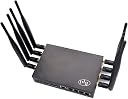
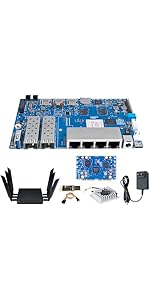
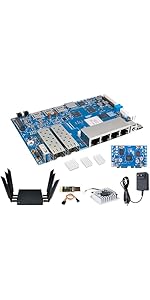
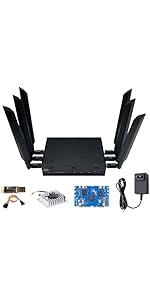
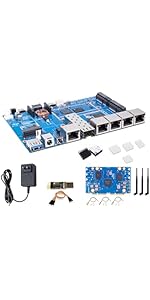
In the days before personal computers, my great-grandfather built a crystal radio from scratch. Years later, my mother bought and assembled a Heathkit radio while she was in college, which gave her great pride of achievement. The Banana Pi R3 WiFi router connects with that same maker spirit: "some assembly required", as they used to say in the TV ads. It is a well- packaged, powerful, high-quality device boxed in kit form. It is an excellent value if you are inclined to invest the time to get it assembled and configured. I am thrilled with mine. My WiFi connection is well over ten times as fast as with my old AC router, and I am quite happy with the OpenWRT user experience. Reception is fantastic throughout a large house. I may add an nVME card and use this as a file server. I will also note that the seller (WayPonDEV) responded immediately to my post-sales support questions, and clearly takes customer satisfaction quite seriously. I chose this item because it's the best product I can find that gives me complete control of my network. The Banana Pi R3 is to routers what linux is to computers: a pure experience you control. You can choose to install any system you like, but I chose the latest release of OpenWRT. This is a powerful, versatile, open-source operating system for WiFi routers, distributed entirely for free, developed by passionate volunteers as a labor of love. It has integral support for everything you might conceive of doing with a router: VPNs, DMZs, port forwarding, DDNS, secure file storage with remote access, webservers, databases, etc. As for the Banana Pi R3, it features 5 gigabit RJ45 ports, two high speed SFP ports, 8 antennas, several boot and recovery options, an nVME slot, an NGFF slot, PWM fan controller, tons of I/O headers, status LEDs, a 4G LTE card expansion SLOT + SIM card reader, SD card slot, and several kinds of integrated onboard flash memory. It's like a hybrid between a "Pi" and a WiFi router. With a bit of tinkering, you can get it to monitor the temperature and humidity, open your garage door, or drive a NeoPixel colored light display. Last year my friend asked how she could travel through Europe and work remotely without alarming her employer. With a pair of these routers (one could be the smaller "mini" version), you can establish a secure wireguard VPN to your home network, and no one will be the wiser about your physical location! If you're still excited about this concept but want a preassembled and preconfigured unit, you might consider the OpenWRT one, available from the same vendor. Similarly, if you want the latest and greatest, you can buy a fully-assembled Banana Pi R4, featuring WiFi 7. Pros and cons of these three related products: OpenWRT one: OpenWRT is preinstalled--much easier setup. Reception range is not as great; this is better for a moderate-sized home. Supports WiFi 6 (AX). Integrated serial console port. Only one RJ45 LAN port. Least expensive option. Banana Pi R3: More powerful and expandable than the OpenWRT one, with greater range. Supports WiFi 6 (AX). Requires assembly and software installation. Banana Pi R4: Available preassembled. Features latest WiFi 7. Most expensive. I don't have one of these so I can't tell you more. Assuming that you choose the Banana Pi R3, here is a quick summary of the setup process (complete instructions with screenshots are easy to find online): 1) attach the thermal pads and fan using provided screws and tool 2) attach the antenna pigtails to the tiny uFL connectors 3) attach the other ends of the connectors securely to the case 4) slide the motherboard into the case and screw it in 5) attach the UART adapter to the serial console header 6) image an SD card with the openwrt firmware (available online) 7) connect the UART adapter to your computer's USB port 8) open the UART in a terminal program like minicom 9) set the DIP switches properly for the next step (see instructions) 10) insert the SD card and power on the router 11) quickly choose the menu option to install openwrt to NAND flash 12) turn off the power and remove the SD card 13) change the jumpers again (see instructions) 14) power on, choose the menu option to install to eMMC flash 15) boot openwrt 16) run a couple uci commands (see instructions) to enable the wifi radios 17) you may need to install "luci" (see instructions) to enable the web-based GUI for managing your router 18) reboot the router and connect to the "OpenWRT" via WiFi (no password yet) 19) Use your web browser to secure and configure your router (see instructions) If you have no interest in technology and want a product that you can unbox and set up with a single click of the WPS button, this is not the right product for you. But if you want a powerful and extremely flexible router, with tons of capabilities, at an attractive price, this is it!