🚀 Elevate your embedded projects with Nextion 3.5 Enhanced — where speed meets smart design!
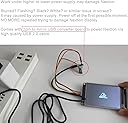
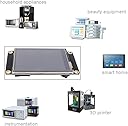
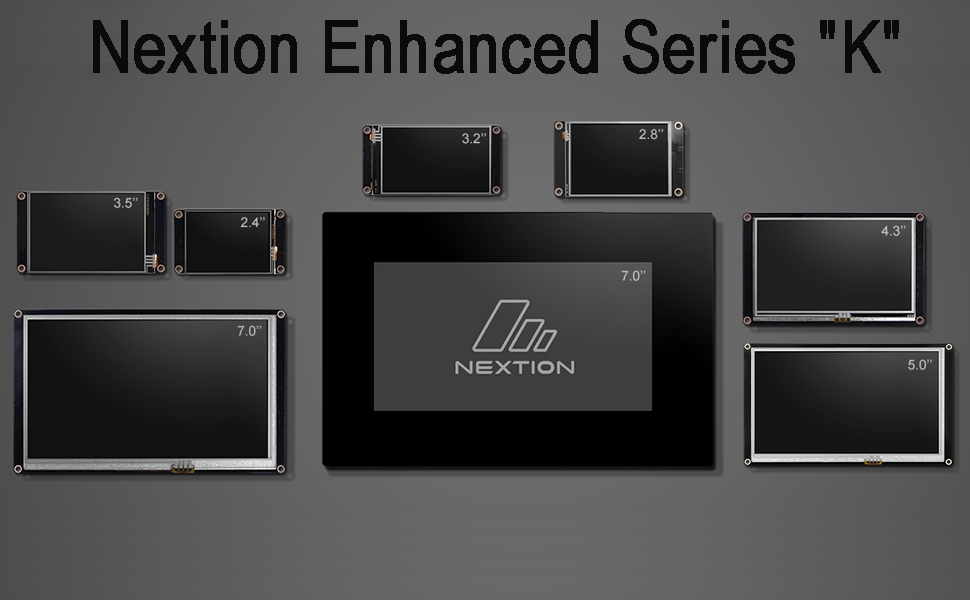
The Nextion 3.5 Enhanced is a 5V 3.5-inch resistive touchscreen LCD module with a 480x320 resolution, featuring a faster CPU, larger flash memory, and built-in real-time clock. Optimized for Arduino and ESP32 development boards, it supports quick TFT file uploads via SD card and requires stable power via adapter for peak performance. Ideal for professionals seeking a powerful, reliable HMI display to streamline embedded system interfaces.


| ASIN | B0B9GVHJ9K |
| Aspect Ratio | 16:9 |
| Best Sellers Rank | 63,430 in Business, Industry & Science ( See Top 100 in Business, Industry & Science ) 108 in LCD Touch Panels |
| Box Contents | 1pcs Nextion enhanced 2.4 inch display |
| Brand Name | DIYmalls |
| Colour | multi-coloured |
| Compatible Devices | Arduino and Raspberry Pi |
| Contrast Ratio | 1000:1 |
| Country of Origin | China |
| Customer Reviews | 4.5 4.5 out of 5 stars (44) |
| Display Technology | LCD |
| Display Type | LED |
| Hardware Connectivity | USB |
| Has Color Screen | Yes |
| Image Brightness | 180 nits |
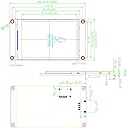
| Item Dimensions D x W x H | 5.5D x 7.8W x 3.4H centimetres |
| Manufacturer | DIYmalls |
| Maximum Display Resolution | 480x320 |
| Model Name | Nextion Enhanced 3,5 Zoll HMI Display Resistiver Touchscreen 5V TFT LCD 480 x 320 für Arduino ESP32 (NX4832K035) |
| Model Number | NX4832K035 |
| Mounting Type | Desk Mount |
| Native Resolution | 480x320 |
| Network Connectivity Technology | USB |
| Picture Quality Enhancement Technology | Colour enhancement, energy saving mode |
| Pixel Pitch | 0.25 |
| Power Consumption Size | 2.5 Watts |
| Product Features | Touchscreen |
| Resolution | 480 x 320 Pixel |
| Screen Finish Type | Glossy |
| Screen Size | 3.5 Inches |
| Shape | Rectangular |
| Specific Uses For Product | Not specified |
| Total USB Ports | 1 |
| Total Video Out Ports | 1 |
| Viewing Angle | 178 Degrees |
| Voltage | 5 Volts |
C**R
Powerful full featured display.
These little Nextion displays, although relatively pricey are (in my opinion) worth their weight in gold and are very powerful. They take all the donkey work away from any embedded microprocessor design you may be building. The Nextion Editor (IDE) is excellent and intuitive to use. If you have any experience with C++ you'll naturally feel in your element from the get go - albeit with some caveats. White spaces aren't tolerated and neither is the usual semi-colon ";" end of statement markers. Once you get used to these "quirks" it's then plain sailing. I've used about half a dozen of these displays in various sizes for various projects and I love them! Recommended!
D**D
Amazing piece to equipment a+++++
Great product very easy to setup
G**I
Provando il primo da 2,5" mi si è aperto un mondo, sono dei piccoli lcd che vanno prima programmati nella loro interfaccia grafica con un opportuno software
M**D
Mir gefällt das kleine Display mit Touchfunktion gut. Es erfüllt seinen Zweck für Anwendungen, wie Messwerte anzeigen oder kleinere Benutzerinteraktionen. ACHTUNG: es ist ein resistiver Screen, der natürlich nicht so sensibel reagiert, wie ein kapazitiver. Dafür lässt er sich mit allem bedienen, was zur Hand ist und natürlich auch mit Handschuhen (z.B. Anwendung in einer Werkstatt). Zur Programmierung wird der "Nextion-Editor" verwendet, den man frei herunterladen kann. Die Scriptsprache ist etwas gewöhnungsbedürftig, aber sei's drum. Man muss sich (wie bei allem) etwas einarbeiten. Zusätzlich gibt es noch eine Real-Time-Clock und 8 GPIOs auf dem Board. Ich benutze das Board in erster Linie dafür um Benutzerinterface und Programmlogik voneinander zu trennen. Über UART wird dann mit einem beliebigen Mikrocontroller-Board kommuniziert. Dazu am besten auf der Nextion-Seite das "Instruction-Set" ansehen, da gibt es Beispiele. Ungewöhnlich bei der Kommunikation ist die Terminierung mit "#FF#FF#FF", aber stört auch nicht. Die Programme kommen entweder über SD-Karte oder USB/TTL-Konverter auf das Display. Bei mir war es so, dass die Stromversorgung über den Konverter nicht ausreichend war. und ich die deshalb extern erledigt habe. Eine kleine Platine mit MikroUSB-Anschluss liegt bei. Und nicht vergessen GND auch mit Konverter zu verbinden, sonst wird's nix mit der Programmierung über den Konverter... ;-)
A**E
Geht gut mit dem kl. Display für ein Projekt mit dem Arduino.
L**S
Perfekt für Arduino Projekte in Kombination mit UART.
A**R
mein 2. Nextiondisplay und funktioniert super. Programmierbare Benutzeroberfläche mit programmierbaren TouchScreen Funktionen. Super für Gerätesteuerung
Trustpilot
2 months ago
1 month ago