


Buy anything from 5,000+ international stores. One checkout price. No surprise fees. Join 2M+ shoppers on Desertcart.
Desertcart purchases this item on your behalf and handles shipping, customs, and support to Spain.
🎥 Capture Every Moment, Stream Without Limits
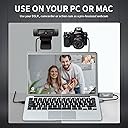
The Papeaso 4K HDMI to USB capture card delivers professional-quality video capture with 4K@30Hz input and 1080p@30Hz output. Its plug-and-play design requires no drivers or external power, enabling instant setup and ultra-low latency streaming. Compatible with a wide range of devices including gaming consoles, cameras, and smartphones, it supports Windows, Mac, and Android platforms. Ideal for live streaming, video editing, online teaching, and game capture, this compact and portable device ensures crisp, lag-free video with broad versatility and a 2-year warranty.




| ASIN | B0BL3HVMWW |
| AV Output | YUV |
| Antenna Location | Video Recording |
| Best Sellers Rank | 1,820 in Computers & Accessories ( See Top 100 in Computers & Accessories ) 3 in External TV Tuners & Video Capture Cards |
| Box Contents | Installation Guide |
| Brand | Papeaso |
| Brand Name | Papeaso |
| Compatible Devices | PC, Mac, Gaming Consoles |
| Country of Origin | China |
| Customer Reviews | 4.2 out of 5 stars 3,541 Reviews |
| EU Spare Part Availability Duration | 3 Years |
| Hardware Interface | HDMI, USB |
| Hardware interface | HDMI , USB |
| Item Weight | 22 Grams |
| Manufacturer | Papeaso |
| Minimum System Requirements | PC with Windows, Linux, or Mac OS, USB and HDMI interface support |
| Model Name | Papeaso-1080p-HDMI-USB-Capture-Card |
| Model Number | Papeaso-1080p-HDMI-USB-Capture-Card |
| Operating System | Windows, Linux, Mac Os |
| Operating system | Windows, Linux, Mac Os |
| Other Special Features of the Product | hd |
| Platform | Windows |
| Product Warranty | 2 Year Limited Warranty |
| Recommended uses for product | Video Recording |
| Special feature | hd |
| Tuner Type | DVB-T2 |
| UPC | 757611455056 |
| Video Capture Resolution | 1080p |
| Video capture resolution | 1080p |
L**.
Works much better than I expected
I was looking for a way to use my laptop (2015 Macbook Air) as a monitor for my Xbox 360 and so it was important that the card was easy to set up, had very low latency, and worked for at least 1080p 60Hz. After looking at many other cards, I was worried they would all use the same components under the cover and so buying a slightly more expensive card would not make a difference. However, when I plugged it into my laptop it was instantly recognized as a camera source so I could set up the display using OBS in less than 5 minutes after a quick Google search. Plus, the video quality was amazing, fully using my laptop display without any signs of compression or downscaling from 1080p. I think there was some latency, but I managed to adjust in 30 minutes of playing and now I use it on a daily basis with no issues. I would say it was well worth the money.
C**Y
Easy to set up convert to digital
Just what I was after to start converting some old VHS tapes to digital from my old VHS player with a scart to hdmi cable and this works a treat with OBS software.
B**.
Product OK, Instructions hopeless
Requires 3rd part software such as OBS Studio (Open Broadcast Software) which in turn requires capable graphics card. Works on Windows, ok on linux -- but could not use because of no GPU.
V**S
Great video capturing device
Great for capturing video from another screen, which is what I needed it for. Simple plug and play. Good quality picture as well
T**S
4K HDMI to USB capture card, Full HD 1080p video capture device, HDMI Video Game Capture for Editing
I was a bit skeptical at first because of the low price, but this capture card actually works really well. Setup was super easy,just plug it in and it was recognized instantly on my laptop. The video quality is sharp and clear, and it runs smoothly without any lag. I've been using it daily for gaming and streaming, and it's been reliable so far. The only downside is that it gets quite hot during use, so I have to keep an eye on it. Overall, it's a solid little device for the money.
J**Y
Gets too hot
Works well but gets so hot it stops fire stick from working….would like to send it back and try another product
W**L
Great value for money
Brilliant item for computer
C**R
No audio at all on PC or OBS no matter what I do.
It captures video easily but for some reason windows sees it as 'unknown device' for one half and the other as USB 3.0 but with a driver error. Tried all usb slots, flipped the HDMI wire over with my dock to make sure its the right way too. Video captures perfectly fine on OBS but my PC or OBS will not detect any USB/ digital whatever new driver for microphone input to hear my Switch 1. I've tried everything, every tutorial, every search and still can't find how to get the audio to actually appear as an option including trying to change the capture audio sources for the video capture itself too instead of an audio channel (which neither still show anything on there) it's a shame because I really don't have the money to keep trying to find what will work. Not all awful though because of the fact video works fine, audio just isn't finding itself.
P**O
Ottimo prodotto
Funziona bene nulla da segnalare, costo buono.
R**I
Qualità Video Perfetta, piccolo difetto riguardo l'Audio Sistemabile
Ottimo per streaming e facile da collegare a dir poco perfetto, all'inizio ho avuto un piccolo problema di audio nel mio caso. (Utilizzando la Switch 1) Sembra che l'audio sia leggermente in ritardo, ma con questa impostazione di obs sono riuscito a regolarlo senza problemi. Non ho avuto ancora problemi di surriscaldamento anche dopo una sessione di 6/7 ore di fila, cinque Stelle meritatissime!
L**Y
Installer à partir de obs et sa fonctionne
Parfais fonctionne pour la switch Oled
G**Y
Awesome adapter
Works great on ipad
.**.
Ohne Probleme Mini DV auf iPad
Funktioniert anstandslos mit iPad (iOS 17 !) und der Apple Standard Software Clips: Ich gehe mit dem Standard RCA Kabel vom Mini DV Player in den Eingang eines RCA -> HDMI Konverters, dessen HDMI-Ausgang geht in den Eingang des Video Grabbers, und dessen USB-Ausgang (USB 3 auf USB-C Adapter liegt bei), geht in den USB-C Anschluss des iPads. Clips öffnen und schon hat man das Bild auf dem iPad und kann mitschneiden. Ohne Treiber oder sonstwas. (Ich vermute, dass iOS 17 Bedingung ist.)
Trustpilot
1 week ago
1 month ago