


Buy anything from 5,000+ international stores. One checkout price. No surprise fees. Join 2M+ shoppers on Desertcart.
Desertcart purchases this item on your behalf and handles shipping, customs, and support to Spain.
🌍 Stay connected everywhere, effortlessly stylish and travel-smart!
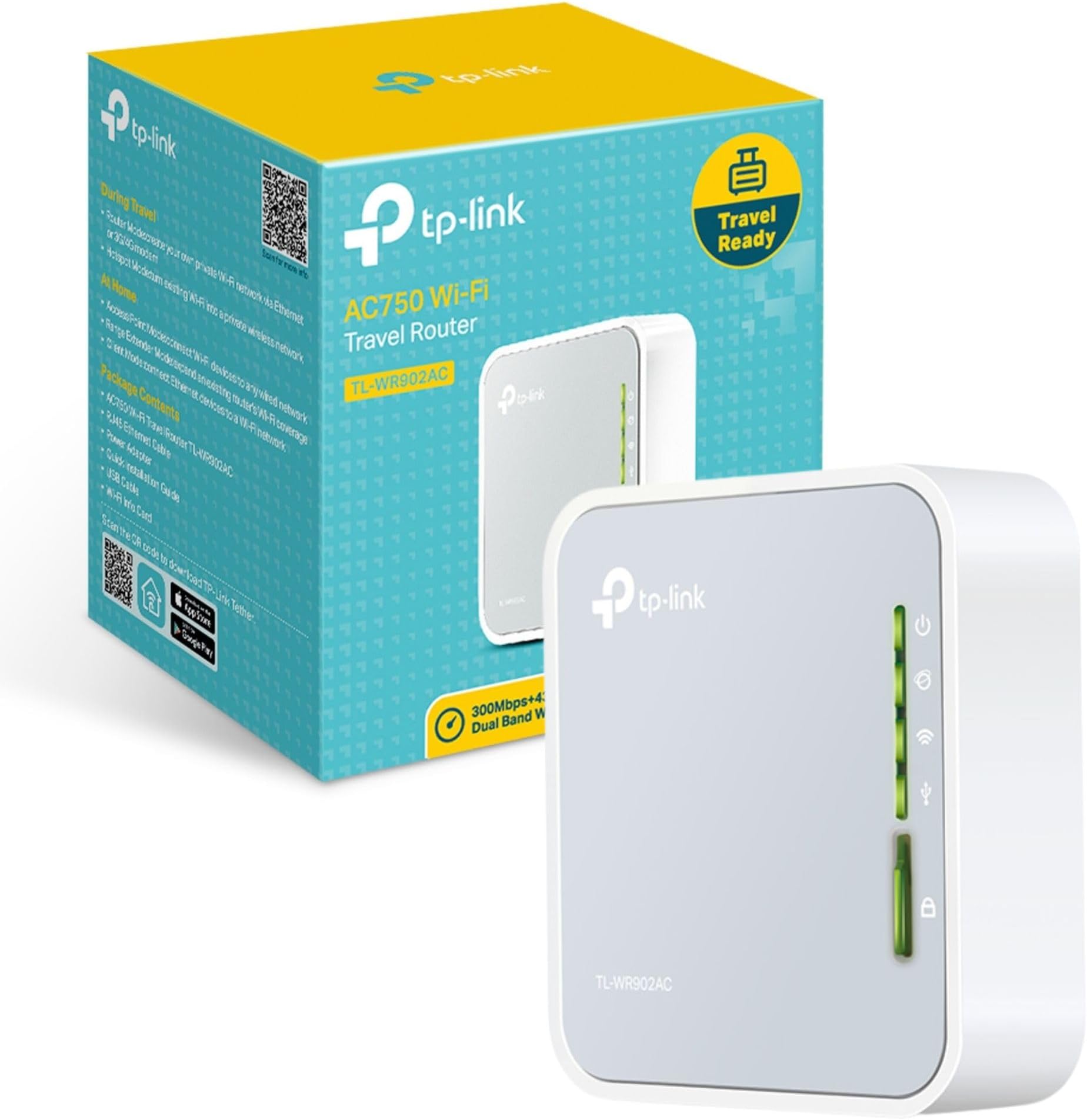
The TP-Link TL-WA902AC is a compact, travel-sized dual-band AC750 Wi-Fi router designed for professionals on the move. It supports multiple modes including router, range extender, and hotspot, enabling versatile network setups. With internal antennas and a USB port for 3G/4G modem support, it delivers secure, private Wi-Fi networks up to 100 square meters. Lightweight and easy to configure, it’s ideal for creating reliable connections in hotels, offices, or remote locations, backed by a 3-year warranty.






| ASIN | B01NAYG15H |
| Antenna Location | Home |
| Antenna Type | Internal |
| Best Sellers Rank | 2,906 in Computers & Accessories ( See Top 100 in Computers & Accessories ) 26 in Routers |
| Box Contents | Ethernet Cable |
| Brand | TP-Link |
| Brand Name | TP-Link |
| Colour | Mist Grey |
| Compatible Devices | Personal computer, laptop, tablet, smartphone, game console |
| Compatible devices | Personal computer, laptop, tablet, smartphone, game console |
| Connectivity Protocol | Wi-Fi |
| Connectivity Range | 100 Square Metres |
| Connectivity Technology | Ethernet |
| Control Method | App |
| Controller Type | Switch |
| Country of Origin | China |
| Coverage | Up to 2 Bedroom Houses |
| Customer Reviews | 4.1 out of 5 stars 934 Reviews |
| Data Transfer Rate | 150 Megabits Per Second |
| Frequency | 5 GHz |
| Frequency Band Class | Dual-Band |
| Frequency band class | Dual-Band |
| Global Trade Identification Number | 06935364095673 |
| Has Internet Connectivity | Yes |
| Has Security Updates | Yes |
| Is Modem Compatible | Yes |
| Item Dimensions L x W x H | 6.7L x 2.2W x 7.4H centimetres |
| Item Weight | 2.12 Ounces |
| LAN Port Bandwidth | 150 megabits_per_second |
| Manufacturer | TP-Link |
| Manufacturer Part Number | TL-WR902AC |
| Maximum Upstream Data Transfer Rate | 150 Megabits Per Second |
| Model Name | TL-WR902AC(UK) |
| Model Number | TL-WR902AC |
| Model name | TL-WR902AC(UK) |
| Number of Antennas | 3 |
| Number of Ports | 1 |
| Operating System | Windows |
| Other Special Features of the Product | USB Print Server, WPS |
| Product Warranty | 3 year Manufacturer |
| Router Network Type | Wireless Router |
| Security Protocol | WPS |
| Special feature | USB Print Server , WPS |
| Unit Count | 1.0 count |
| Wi-Fi Generation | Wi-Fi 5 |
| Wireless Compability | 2.4 GHz Radio Frequency, 5 GHz Radio Frequency, 802.11ac, 802.11b |
| Wireless communication standard | 2.4 GHz Radio Frequency , 5 GHz Radio Frequency , 802.11ac, 802.11b |
C**T
Tricky to setup Repeater
Took me 3 hrs to configure as a WiFi repeater. Instructions are misleading. The correct ip address is 192.168.0.1 for the tplink repeater. The physical switch setting that works is share hot-spot. Going into the admin menu for setup, select REPEATER and activate your listed existing router plus enter existing password and save. There might be some other steps I can't remember. Hope this saves you a few hours setup time. I gave it one star to make it easier to find my feedback. Actually works quite well as a repeater once configured correctly.
D**D
Very unstable and alot of hassle! You will waste more time than its worth!
Very unstable and a lot of hassle! You will waste more time than its worth! V1 with latest firmware The access to the main tplinkwifi.net page for control is hit and miss. sometimes it can't find the page even thought you have full Wifi connection. If you get in to the control page, it does not see Hard disks bigger than 2TB, even 1TB must be Ejected via the control panel(if you can get in!!) or it gets stuck again. Even when the shares are set up correctly VLC could not see the files I wanted! I wasted hours on this, and never got one movie to stream to the kids ipads! I would return it, but Amazon hide the complaints section too well!
D**N
If I could give it zero stars I would. ...
If I could give it zero stars I would. Completely unable to get past trying to set it up, using the setup process would freeze the device at the end consistently. Tried doing the process manually and got the same result, the device would freeze and had to be reset using a pin. There are apparently two versions of the hardware V1 and V3, I had V1, there were no firmware upgrades which I would've tried but having spent hours and got nowhere I am not interested in trying to get a hold of one with the newer hardware. To add to this the print on the device itself is in tiny font and printed white on a light coloured background, almost impossible to understand what the devices lights are for. Does anyone actually test this stuff in the real world?
F**5
Not what I need. Software is not intuitive. Feels cheap.
This portable device is designed to share anything you plug to it via WiFi or to turn a wired only appliance into a wireless one. I hoped I was going to be able to share the connection of a Huawei 3G/4G USB dongle with a wired device plugged into the LAN/WAN port of the TP Link, bit that does not work. There is no ways to do that. When a USB dongle is plugged into the box, the only mode that work is "Router" and in that more the Ethernet port behaves as a WAN port and the box assumes that is the primary connection to the internet. This is annoying as the older model MR3020 does exactly what I need instead. Hence I bought that one instead. TP Link didn't bother responding to my queries. It feels cheap (MAC address label wiped off in an instant). Would not recommend.
R**D
Absolute Junk
Absolute junk. Needed to connect to a public WiFi to create a private Wifi network... did the setup - the router cannot get an IP from the Public Wifi. Every single device we have can get an IP from the Public Network apart from this router! What a joke. Tried every mode, did a firmware upgrade... screamed and shouted at it... nothing. Don't waste your money on this JUNK!!!!!!!!!!!!!!!
T**B
Unable to setup
Connected my iPhone to the devices’s wifi but unable to log into tplinkwifi.net interface page to setup the device? Sent back for refund. Nothing helpful found on the internet to help overcome this first step.
M**D
Does NOT support captive portals (hotel wifi login)
Despite the fact that the description and many reviews and questions state it does, this is not a travel router and does not support Hotel wifi when there is a login page to put your room number etc. in. So back it goes to Amazon and I'll try another.
I**G
My worst purchase from Amazon to date
Had it 20 minutes and it's in the bin already. User documentation/setup guide is woeful. I've had wireless travel routers before and know roughly how to set them up and get them working. This piece of **** is a whole new ball game. Luckily it was on £32 so not a huge loss, but my experience of TP Link products is not good.
A**A
Good as Expected!
This gadget as its described!, perfect!
P**A
Funktioniert
Macht was es soll.
Trustpilot
2 months ago
3 weeks ago