


Buy anything from 5,000+ international stores. One checkout price. No surprise fees. Join 2M+ shoppers on Desertcart.
Desertcart purchases this item on your behalf and handles shipping, customs, and support to Spain.
๐ Mini PC, Major Impact: Power your professional life anywhere, anytime.
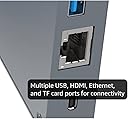
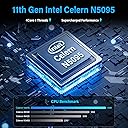
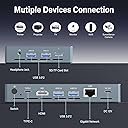
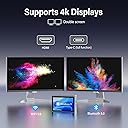
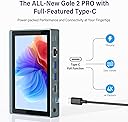
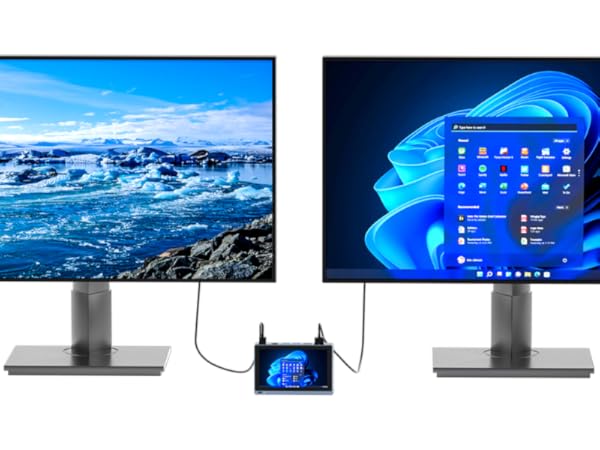
The HIGOLEPC Mini PC Win 11 PRO is a sleek, fanless mini desktop featuring an Intel N5095 quad-core processor, 8GB DDR4 RAM, and 128GB eMMC storage. It boasts a 5.5-inch IPS touchscreen, pre-installed Windows 11 Pro with TPM 2.0, and robust connectivity options including WiFi 5.0, Bluetooth 5.0, Gigabit Ethernet, and multiple USB 3.0 ports. Designed for professionals on the move, it supports dual 4K HDMI output and remote desktop access, delivering silent, efficient performance in a pocket-sized form factor.








| ASIN | B0BCVXLD5W |
| Additional Features | 5.5 Inch Touch Screen |
| Aspect Ratio | 16:9 |
| Best Sellers Rank | #17,980 in Computers & Accessories ( See Top 100 in Computers & Accessories ) #613 in Mini Computers |
| Brand | HIGOLE PC |
| Built-In Media | 1 x Adapter, 1 x Instruction manual, 1 x MINI PC |
| CPU Model | Celeron |
| CPU Model Number | J4125 |
| CPU Speed | 2.7 GHz |
| Cache Memory Installed Size | 8 GB |
| Cache Size | 8 GB |
| Color | N5095/8GB/128GB+Battery |
| Compatible Devices | External Storage Drive, Headphone, Keyboard, Monitor, Mouse, Printer, Projector, Smartphone, Speaker |
| Connectivity Technology | HDMI |
| Cooling Method | Fanless |
| Customer Reviews | 3.8 out of 5 stars 196 Reviews |
| Display Resolution Maximum | 720*1280 Pixels |
| Display Type | LCD |
| Graphics Card Description | Integrated |
| Graphics Card Interface | Integrated |
| Graphics Card Ram | 8 GB |
| Graphics Coprocessor | Intel HD 600 Graphics |
| Graphics Description | Integrated |
| Graphics Ram Type | Shared |
| Hard Disk Description | Emmc |
| Hard Disk Interface | USB 3.0 |
| Hardware Interface | 802.11 ac/b/g/n, Bluetooth 5, HDMI |
| Human-Interface Input | Mouse, Touchscreen |
| Item Dimensions | 5.59 x 3.58 x 0.75 inches |
| Item Weight | 0.77 Pounds |
| Keyboard Description | Touch Screen |
| Keyboard Layout | QWERTY |
| Manufacturer | HIGOLE PC |
| Memory Clock Speed | 2400 MHz |
| Memory Speed | 2400 MHz |
| Memory Storage Capacity | 128 GB |
| Model Name | F11 PRO |
| Model Number | F11 PRO |
| Model Year | 2022 |
| Native Resolution | 1280x800 |
| Number of Component Outputs | 2 |
| Operating System | Windows 11 Pro |
| Personal Computer Design Type | Mini PC |
| Power Consumption | 10 Watts |
| Power Plug Type | Type C |
| Processor Brand | Celeron |
| Processor Count | 4 |
| Processor Series | Celeron |
| Processor Socket | Socket A |
| Processor Speed | 2.7 GHz |
| RAM Memory Installed | 8 GB |
| RAM Memory Technology | LPDDR4 |
| RAM Type | DDR4 SDRAM |
| Ram Memory Maximum Size | 8 GB |
| Resolution | 1280 x 720 |
| Screen Size | 5.5 Inches |
| Security Features | TPM 2.0 |
| Speaker Description | Built-in Speakers |
| Speaker Type | Built-in speakers |
| Specific Uses For Product | Education |
| Specification Met | True |
| Style Name | Minimalist |
| Total Number of HDMI Ports | 2 |
| Total Usb Ports | 4 |
| Video Output | HDMI 2.0 |
| Video Output Interface | HDMI |
| Video Processor | Intel |
| Wireless Compability | 802.11ax, Bluetooth |
| Wireless Network Technology | Wi-Fi |
| Wireless Technology | Bluetooth, Wi-Fi |
S**.
The little PC that could.
This isn't going to be a gaming machine, but I work in A/V and having a pocket device that can output dual 4k signal is extremely useful. Seems to do fine with decoding video with VLC if the file is local to the machine. The wifi is a little weak I think because trying to watch a movie from my NAS it will freeze up every few minutes. I do wish it had a USB-C port that was for more than just charging. It does make a great little remote terminal though, I can set it up in a network rack then remote into it to activate functions while I'm out in the area where they are being executed. In the short time I have had it, the time savings it has provided has already made up the value of what I paid for it. The only complaint I have is that it gets SUPER hot to the touch if you are doing anything that will stress it, not quite enough to burn you but it's uncomfortable to hold onto and a little concerning.
A**R
Installed O/S is infected with Win32/Ravs.B Virus ("SEVERE" threat)
This is a neat little device but MS Defender found C:\WINDOWS\SYSMGR.EXE to be infected with Win32/Ravs.B Virus. Not good to say the least... As such, anyone purchasing this device should plan on installing their own copy of the O/S. (Hint: The free RUFUS utility will make a bootable thumb drive from a Windows install CD to help with this) Anyway, its a nice device with a few issues... Obviously, virus infection is one of those. The UEFI BIOS also appears to be a bit "unfinished". You will see text fields (normally filled in by the vendor) to contain blank or template data. The good news is that the manufacturer appears to be responsive to requests. When I received the device it would not PXE boot. When I informed them of this (via their gmail contact address), they provided an updated UEFI BIOS within a couple of days to resolve this. I expect the UEFI BIOS will get better as the vendor has more time to spend with it... Screen rotation and multiple display challenges (with HDMI monitor connection) are also a little tedious but OK once you get things sorted out. If you are willing to do a little work on your own (O/S Install, UEFI update, etc) this is a very nice device. ...and, yes, it does run HOT
M**R
Great Windows / Linux system.
Great little system. Handles 4K monitors like a champ, or runs just fine solo if you're going headless. Heads-up: it gets toasty if you leave it running for long stretches. I slapped on a small, quiet fan and boom! No more thermal throttling. Problem solved. Also worth noting: the included 12V power adapter uses a USB-C plug, but donโt get clever, itโs not compatible with any regular USB-C charger. Seriously. Donโt fry your gear. Aside from those two quirks? Absolute steal for the price. Packs a punch in a tiny footprint.
J**E
Really quite bad. Dangerous device, comes with a charger that will ruin your other things
What a half-baked attempt. It does technically work like you see in their videos. Otherwise it's been very frustrating and actually hazardous to use. This device and it's charger skip the USB PD protocol, even though the trigger chips cost almost nothing. It always outputs 12v. If you plug in any other USB C device, it will probably break, and if it's also not of good quality could cause a fire hazard. The computer will not work with other chargers, even those that support USB PD at 12v because the circuitry to request that voltage does not exist inside, even though again, they are tiny and cheap to implement. There's no excuse for this negligent design. Also the charger is bigger than the device and you're stuck with it. Really not a good look. Continuing the trend... it gets very hot. During setup of windows it was not burning, but uncomfortable to hold. The metal is sharp at the corners, if I hold it tight with sweaty or just washed, soft hands I could easily cut myself. Another issue I have is with the supposed warranty void sticker which are actually illegal in my country. Taking apart my property which I paid for is allowed and does not void warranties. Even if it were legal, it's paper and mounted over the (sharp) edge of the back and side, so it will definitely just scrape off going into my pocket. it's also a bad translation, saying "not valid if ripped apart". What a joke. Overall to me it seems like they had some old stock and spare parts laying around, and are trying to sell them off at a profit. Metal shell is the same as a less powerful device that they sold on other sites a few years ago, you can find it by searching their various names online. I'd wait for another version, stay away from this one!
D**Y
Arch Linux Works... with Some Issues
Ok, so I didn't really expect much out of this. This is a replacement/upgrade over the HP Slim desktop I have connected to my 4k TV in the basement. I tried to install vanilla Arch but for some reason, iwctl wasn't finding wlan device. So that led me to assume I needed to manually install the driver. Out of curiosity, I tried to install ALCI Arch with the zen kernel and Cinnamon. Since it has Calamares, I just wanted to see if the WiFi still didn't show up. Well, it did. So I went ahead and installed it. It works great, even pairs with my Bluetooth earbuds! A few obstacles, though. Cinnamon picks up the touchscreen but auto rotate doesn't work out of the box. I installed it but it doesn't rotate properly. As if it needs some sort of calibration. Next thing I tried was installing Gnome. Just to rule out any possible compatibility issues with Cinnamon. The auto rotate is still off but 2 things happened. First, the touchscreen only works on the corners and you can't select anything. Second, the disappearing WiFi returned. Also, connecting 2 monitors throws the mini pc off and causes delays at boot up occasionally. Wondering if it needs a BIOS flash to resolve it. Also wondering if the WiFi issue is related to this. I'll continue to experiment and provide a follow up review.
G**E
One of my best purchases
I waited for a few weeks to write this review as I know that there are not a lot of reviews on this unit. I will say, without any reservations at all, that this is one of the best deals going right now as it comes with a licensed Windows 11 Pro OS installed and ready to go. I have had a lot of tiny PCs and this one is one of the most impressive - if not the most impressive I have used. It is very rare to find a PC with two full-size HDMI ports, four USB 3.0 ports, a microSD slot, an Ethernet port, and a headphone jack. Now, combine that with the form factor this PC sports and you will only find one PC that comes close and that is a mini PC called the Ockel Sirius Pro A. I owned that one too but unfortunately my unit was dead on arrival as it was plagued with manufacturing defects and one glaring problem that sunk it completely; the processor was an Intel Atom. THe Atom was way too slow to handle a Windows OS with any grace or speed. I would like to point out that this Higole mini PC does not get overly hot and stays within its operating temperatures when the latest Windows 11 Pro updates are installed. The battery lasts for around 5 hours under normal use and I use this as a great media player alternative. I have reached out to tech support several times regarding a few questions I had like screen protectors and the USB C port. It is worth pointing out that the USB C port is for charging only and at 12v only. According to tech support, that was a choice the engineers made to speed up the charging time as their polls indicated that users preferred faster charging. I would have liked to seen a USB C port that charges AND carries data at least but this USB C only charges the device. In my use, no other cable will charge this unit so don't lose your AC adapter.
T**S
Sturdy and can run KDE Fedora Linux fine
First off get yourself a usb keyboard, a person can only take so much of the virtual keyboard on a desktop OS. The device is pretty sturdy even though it's thin metal. The back is a little Sharp from where the backplate sits inwards around the edges. The goodix touchscreen is inaccurate at times but has a pretty decent resolution, drawing a diagonal line is jagged with tiny zigzags. Out of the box the Memsic MXC6655 accelerometer showed up in Device Manager but never rotated the screen even after toggling rotation lock. Turning it on the screen appears to be vertical, and that carries over to the desktop so you might need to rotate the screen in desktop options once it's started up. I didn't see nor did Suricata state that any malicious network connections were going on so they might of removed the alleged virus. The copy of windows was activated properly with an OEM key despite other reviews saying it wasn't. The device also gets HOT under Windows. Disassembly shows that there are through hole ports on the motherboard for a raw DC power supply right next to the bespoke 12v usb-c charging port. This probably is for doing lab testing, it would be entirely possible to replace the usb-c connector with a barrel jack and solder it directly through those ports eliminating any charging accidents. There is also an smd ribbon clamp for a little cooling fan as well as mounts for an internal speaker and microphone input. I'm guessing it would be possible to aslo wire up an internal fan to keep the device cool. The battery is right up against the backplate seperating the heatsink from the case so the heat is just from the ambient temperature and li-po battery combined. No temperature is dissipated directly to the case. For other people wanting to put Linux on this here was my process. Windows 11 was just too bloated and slow to be ran on this device so I backed up the embedded Win11 OEM cd key and formatted to KDE Fedora Linux 39. Win11 used around 8.5% cpu time on average running idle services, Fedora currently uses 0.6% leaving plenty of overhead for other tasks. There are options in the American Megatrends bios(uefi) to switch the Southbridge over to Linux mode, this will crash the BIOS locking the machine requiring you to pull the battery out to reset. Just keep the bios setting in Windows mode but install Linux anyway, it will do fine. Fedora media writer, Rufus, or Linux's dd command should work. Insert the USB stick/CD drive and install Fedora following the instructions. Fedora scales the dpi up making it impossible to see anything so a second hdmi screen or ssh connection is needed to fix the desktop on the 1st boot, after that it's perfectly usable. Older linux kernel versions a few back use an unstable realtek network driver so the wi-fi and lan might not work on that version but the latest on Fedora 39 works fairly well. Was able to run Half-Life 1999 at full speed(in video), the device gets pretty hot but not nearly as hot as idling on Windows 11 desktop.
A**R
Works well once it is running, but can be slow to boot and run hotfixes.
It can be cranky slow to boot up and patch, but works well once it's running, for a tiny PC with it's own battery, quite a nice little gadget. Wish it was a standard USB charge port tho. I can understand why 12v custom cuz it's a full computer, but could have made due with PD input.
Trustpilot
1 month ago
2 weeks ago