Buy anything from 5,000+ international stores. One checkout price. No surprise fees. Join 2M+ shoppers on Desertcart.
Desertcart purchases this item on your behalf and handles shipping, customs, and support to Spain.
🎥 Elevate Your Visuals, Command Your Classroom
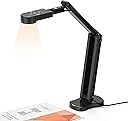
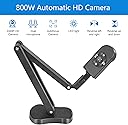
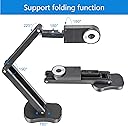
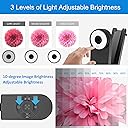
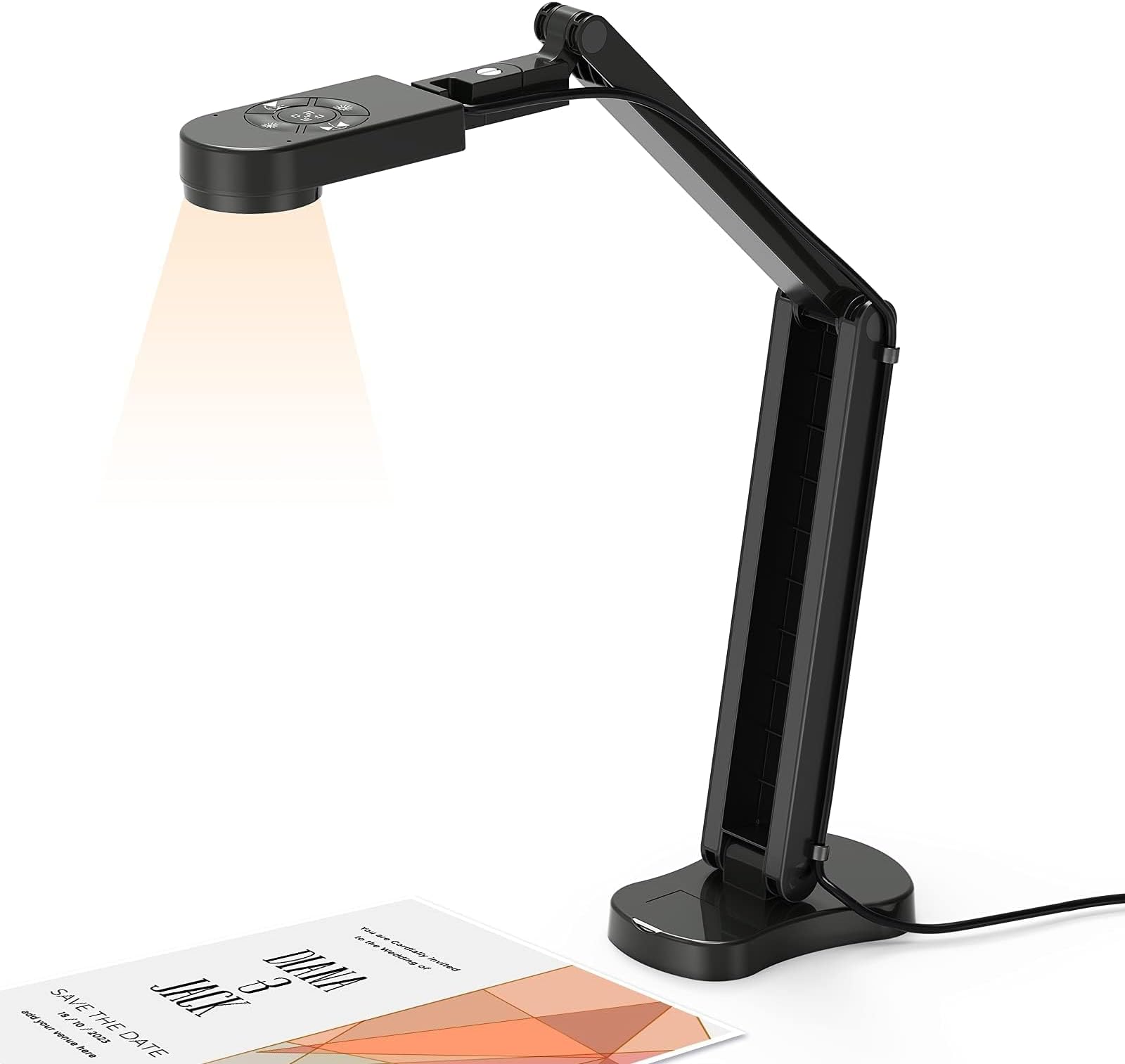
The Kitchbai Visualiser Classroom USB Document Camera delivers professional-grade 8MP 4K video at 30fps with a unique manual image inversion feature. Its 3-level adjustable LED lighting adapts to any environment, while a foldable, multi-angle design ensures portability and convenience. Compatible with Mac, Windows, and Chromebooks, it includes dual noise-cancelling microphones and plug-n-play setup, making it the ultimate tool for distance learning, presentations, and hybrid work.


| ASIN | B0BB2Q8RK6 |
| Aperture Modes | Automatic |
| Aspect Ratio | 16:9 |
| Audio Output Type | Speakers, Headphones |
| Audio Recording | Yes |
| Autofocus | Yes |
| Best Sellers Rank | 5,430 in Computers & Accessories ( See Top 100 in Computers & Accessories ) 42 in Webcams |
| Box Contents | 1 * Manual, 1 * usb c Connect, 1* 8MP Visualiser |
| Brand Name | kitchbai |
| Camera Flash Type | No flash |
| Colour | Black |
| Compatible Devices | Windows 7/8/10/11, Macs (OS10.11 or higher), and Chromebooks |
| Connectivity Technology | USB |
| Continuous Shooting Speed | 30 FPS |
| Country of Origin | China |
| Customer Reviews | 4.5 4.5 out of 5 stars (656) |
| Effective Still Resolution | 8 MP |
| Exposure Control Type | Automatic |
| File Format | JPEG, MP4 |
| Flash Modes Description | Made of |
| Flash Type | Internal |
| Focal Length Description | 10-30cm |
| Focus Type | Autofocus |
| Hardware Interface | USB |
| Has Self-Timer | No |
| ISO Range | 100-6400 |
| Item Dimensions D x W x H | 12D x 6W x 57H centimetres |
| Item Type Name | USB Document Camera |
| Item Weight | 880 Grams |
| Light Sensitivity | 100-3200 |
| Macro Focus Range | 10 cm |
| Manufacturer | Kitchbai |
| Manufacturer Part Number | KB-700 |
| Maximum Aperture | 5.6 f |
| Maximum Shutter Speed | 1/30 seconds |
| Media Type | Image, Video |
| Model Name | KB-700 |
| Photo Sensor Technology | CMOS |
| Product Warranty | lifelong |
| Rear Webcam Resolution | 8 MP |
| Sensor Type | CMOS |
| Shooting Modes | Automatic, macro |
| Video Capture Format | MP4 |
| Video Capture Resolution | 4K |
| Viewfinder Type | LCD screen |
| Water Resistance Level | Not Water Resistant |
| Zoom Type | Zoom manuel |
E**N
Good quality and value for money.
I'm really pleased with this Kitchbai Visualiser. The image quality is great, and the autofocus ensures a consistently sharp image. It’s perfect for online tuition and getting images onto my computer without any fuss, making it easy to quickly get AI feedback on handwritten notes. The built-in light is strong and simple to adjust, and I even found free software that makes the setup even easier to operate. The stand is also a highlight—it’s sturdy and versatile enough for almost any orientation. My only small criticism is that the base could be a bit heavier, as it can tip over in certain positions.
A**7
good value for money
we use this at work so decided I knew it well enough to buy one for home. good quality photos and document scans. very easy to setup as it is plug and play, and works without issue on my windows 11 computer.
R**L
Great
Great product. Easy to use and great video quality
L**S
Incredibly useful and user-friendly
The packaging for this camera sets the tone - the setup instructions are printed on the outside, no need to dig for the manual. I've been using it to photograph documents and also record "first looks" at game books, recording via OBS. It works brilliantly. The focus button is quick and remains locked after use and the 3 stage ringlight around the lens gives great, even illumination with little to no glare on anything but the shiniest surface. As promised, you can mirror the image two ways using the buttons on top of the unit, and adjust the light in the same way. The ringlight was the only point where I had to double-check; you can adjust the brightness on the top buttons, but to turn it on or off you need to tap the printed fingerprint on the light itself. Not a problem once you know, but if you assume that increasing the brightness starts from 0, you might make the same mistake I did and start worrying because the top light buttons aren't doing anything. Overall this is highly recommended for anyone needing to photograph documents or record your literal desk/tabletop. It even works very well as a webcam for videoconferencing, but is high res enough to be unforgiving if you're not in full makeup :) This is a lovely piece of kit, and all that remains is for me to source a cover to sit over the camera for transport and privacy.
E**S
Superb Quality at a Reasonable Price... Highly Recommended!
I have to admit, I was a little sceptical at first, when I saw the price of this visualiser/document camera, compared to others, that were five times the price! However, I was pleasantly surprised. The packaging is a little flimsy, but more than adequate to protect the camera. Various people have commented about it not having instructions... as you'll see from the video, instructions were included in the box. Although built from plastic, the arm is sturdy, rigid, easy to position, and stays put. There's a small screwdriver, included in the base, to tighten/loosen the joints if required, although this wasn't necessary for me. The base is sufficiently weighted, to prevent it from toppling over, unless you significantly extend the reach of the camera arm. The video is very high quality and the camera auto adjusts based on the lighting conditions. The light doesn't seem very bright, but when tested in a completely dark room, it still performed very well (on full brightness). The autofocus is based on the position of the camera when activated, so needs refocusing (with the press of a button) if the height of the camera is adjusted. In some ways, this is an advantage, as it can be distracting when a camera is constantly refocusing each time you move your hands. The other buttons flip/mirror the video either horizontally or vertically, as required, and adjust the video brightness. The brightness of the lamp can be set on one of three levels, or turned off, by touching the ring light. It worked straight out of the box, without needing to instal any additional software or drivers. I used the 'Camera' app on Windows 11 to record the video. It folds up very compactly and is ideal if you need to present in different locations. I've not measured the size of the shooting area, but the camera wasn't fully extended in the video and the green mat is slightly bigger than A4. So, it's likely close to A3 in size. Greater areas can be achieved, by raising the camera on a box or shelf. In summary, it’s easy to set up, portable and performs very well, especially at this price point. Highly recommended.
S**S
Very easy to set up and invaluable!!
I purchased this as it was so reasonably priced and I needed something quick to set up and easy to use. I am a teacher and I tutor online. Using this visualiser, my students can see the text we’re reading clearly and in focus. I can adjust the visualiser to be closer or further away from the text with ease and refocus to a sharp, crisp view in seconds. There is a light integrated in the camera which has 3 settings - this enables my students to see what I am showing them no matter what time of day. The set up instructions were clear and easy to follow - it took me a couple of minutes once I’d unboxed the visualiser to get it working and in action. I would definitely recommend this product - such good value for money.
C**N
Comoda per gli insegnanti.
O**R
La información erá un escáner y no es así, sólo es una cámara web y ni siquiera viene completa, le falta un control remoto y más botones en la base.
L**1
Mi hijo necesitaba un escáner práctico, multiusos y que pudiera llevar a todas partes. Así que nos decantamos por este modelo y está muy contento con él, porque no solo puede usarlo como escáner, sino que además hace fotos, vídeos y se puede utilizar como pizarra, cuando abres el programa "cámara" que por defecto viene con windows en el pc. Su manejo es muy intuitivo. Después de estirarlo para escanear, en la parte de arriba, por abajo, tiene una luz, que se puede encender y cambiar a más o menos iluminación según sea preciso. En la parte superior hay un comando de mandos, el del centro sirve para enfocar y los de los lados para mover hacia un lado u otro la imagen en el pc. Los de la parte superior e inferior también sirven para regular la iluminación. El uso es sencillo, hay que enchufar el escáner al pc, en mi caso es windows, pero también sirve para apple. Una vez encendido, se busca en windows la opción "cámara". Una vez que ya tienes preparado el documento en la mesa, comienzas el proceso de centrado. Esto cuesta hasta que te haces al aparato, pero en las instrucciones viene el enlace a un vídeo donde se muestra el funcionamiento, aunque no es demasiado claro... Una vez que ya aparece todo el documento en la pantalla del pc, puedes hacer foto, vídeo, escanearlo o incluso utilizar como pizarra interactiva. Desde luego, para su precio y lo pequeño que es tiene muchas funciones. Además, desde la tienda me han enviado unos consejos de uso, porque, como digo, al principio cuesta un poco hacerse con el uso, que os pongo por aquí para que sirva de ayuda: Te compartimos algunos consejos, puedes seguir los pasos a continuación, gracias. La cámara de documentos se instala automáticamente con el controlador, solo necesita conectar la cámara de documentos a la computadora, luego abrir el software correspondiente y seleccionar "Cámara USB" para usarla. En general, existe una variedad de sistemas informáticos, y los métodos para utilizar estos sistemas son los siguientes: 1. Sistema Mac: 1). Si necesita grabar un video, busque "Quick Time Player" en su computadora. 2). Si necesita tomar una foto, busque en su computadora "Photo Booth" 2. Sistema Windows 10: puede abrir directamente la "cámara usb" que viene con el sistema para usar. Si su computadora es una computadora portátil, también debe seleccionar "Cambiar cámara" en la esquina superior derecha de la computadora portátil. 3. Sistema Windows XP/7/8 y otros sistemas: si su sistema no puede encontrar ningún software, consulte la página 7 del manual "Sistema Windows XP/7/8", contáctenos, le enviaremos el software. Si no conoce el método de operación, puede ir a You-Tu-be para buscar "Kitchbai Document camera - MacBook operation method" o "Kitchbai Document camera - Windows 10 operation method" para ver el video.
J**N
Very impressed with how well this works. I bought it as a backup for an Epson document camera that was glitching, but when I tried it out, I instantly replaced it. It's so much better than the Epson 800 series, and doesn't need an extra power source - uses power through USB. Works better than the Epson, especially in low light conditions. Would highly recommend.
S**E
Leicht anzuschließen. Super Bild und gute Tonaufnahme. Mein Gegenüber findet es super!
Trustpilot
2 weeks ago
2 weeks ago