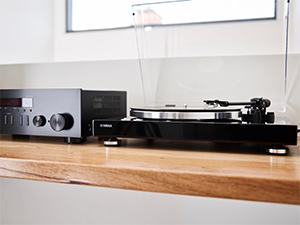
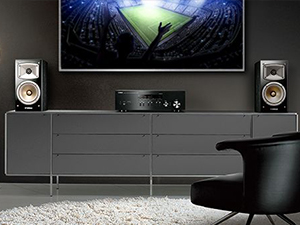
🎧 Elevate your soundscape—where classic vinyl meets cutting-edge wireless freedom!
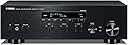
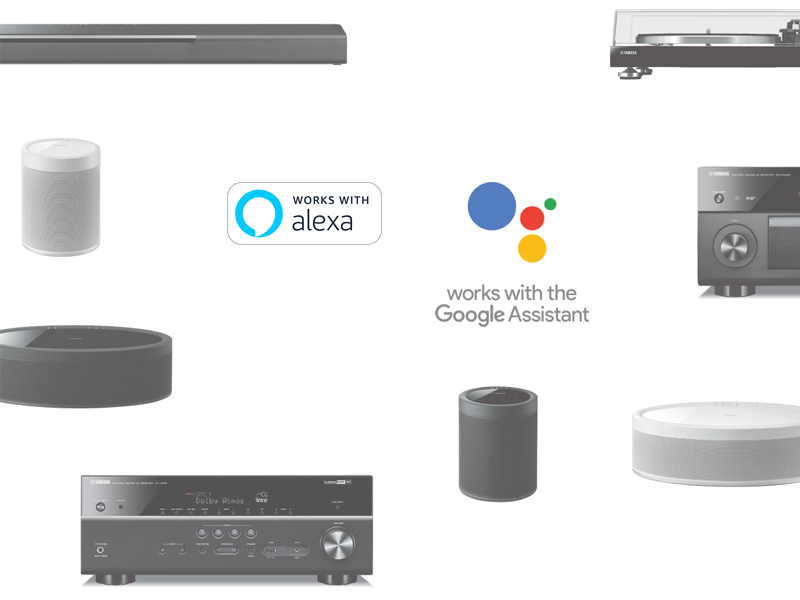
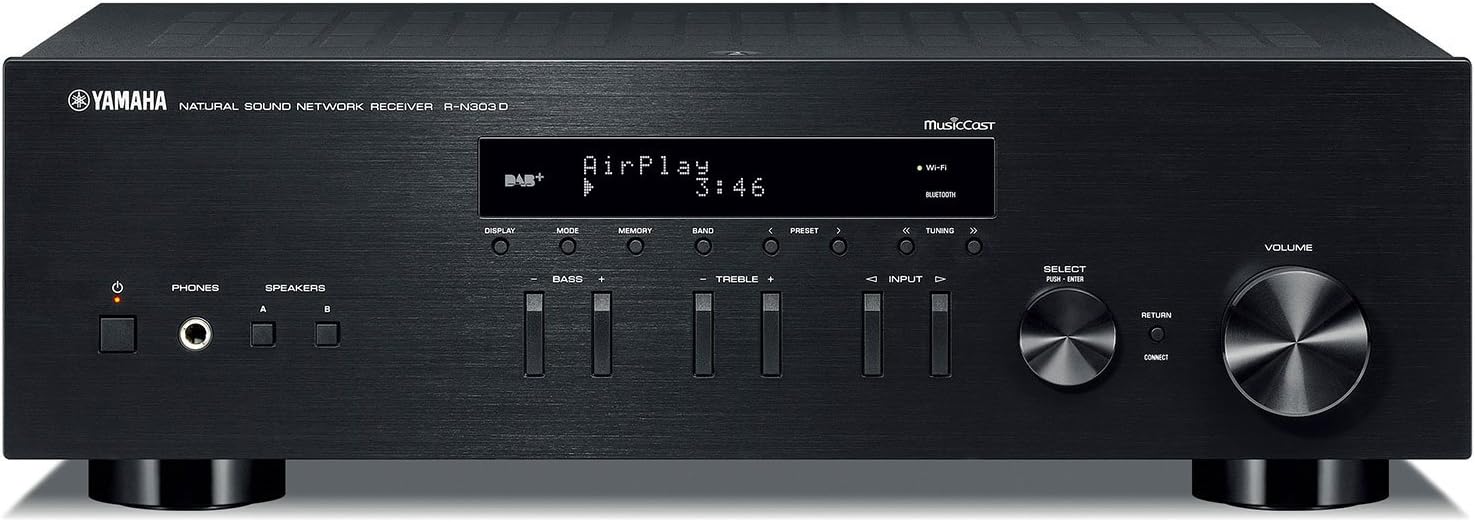
The Yamaha R-N303BL Stereo Receiver combines 100W per channel high-fidelity sound with modern wireless streaming via Wi-Fi, Bluetooth, and AirPlay. Featuring a dedicated phono input for turntables and compatibility with Alexa voice control, it offers versatile connectivity including optical and coaxial inputs. Perfect for millennials seeking a stylish, powerful, and flexible audio hub that bridges nostalgic analog warmth with today’s digital convenience.


| ASIN | B074F246M9 |
| Audio Encoding | Stereo |
| Audio Output Mode | Mono, Stereo |
| Audio Output Type | Analog |
| Best Sellers Rank | #111,834 in Electronics ( See Top 100 in Electronics ) #134 in Audio Component Receivers |
| Brand | Yamaha |
| Built-In Media | AM Antenna, FM Antenna, Owners Manual, Registration, Remote Control, batteries(2), wifi antenna |
| Color | Black |
| Compatible Devices | Smartphone, Television, Speaker |
| Connectivity Technology | Bluetooth, Wi-Fi |
| Connector Type | HDMI |
| Control Method | Voice |
| Controller Type | Amazon Alexa, Vera |
| Customer Reviews | 4.3 out of 5 stars 1,287 Reviews |
| External Testing Certification | Works with Alexa |
| Format | Digital |
| Global Trade Identification Number | 00027108955803 |
| Item Dimensions D x W x H | 13.38"D x 17.13"W x 5.5"H |
| Item Type Name | Yamaha R-N303BL Stereo Receiver with Wi-Fi Bluetooth & Phono Black |
| Item Weight | 15.9 Pounds |
| Manufacturer | Yamaha Electronics |
| Mfr Part Number | R-N303BL |
| Model Number | R-N303BL |
| Number of Channels | 2 |
| Other Special Features of the Product | Built-In Bluetooth |
| Output Power | 100 Watts |
| Output Wattage | 125 Watts |
| Smart Home Compatibility | Smart Home Compatible |
| Special Feature | Built-In Bluetooth |
| Supported Internet Services | Pandora |
| Surround Sound Channel Configuration | 2 channel |
| UPC | 027108955803 |
| Unit Count | 1.0 Count |
| Warranty Description | Manufacturer |
| Wireless Technology | BluetoothWi-FiAirplay |
M**N
great so far for my setup using AirPlay
As a straight up stereo receiver, it's hard to beat this. It sounds great. If I didn't want some WiFi capabilities, I'd go with either of the cheaper Yamaha or Sony stereo receivers. For my unique set up, this receiver is a great solution. I primarily use Apple AirPlay to send music from computers and cell phones to the receiver, and it works really well so far. Also, there are no cheaper receivers made by the top AV brands that have AirPlay, so this was also one of the more economical choices. My main complaints are more with AirPlay's limitations than with this particular receiver. Basically, I wish AirPlay would operate more like Bluetooth where you can just stream whatever audio that is playing on your device to a Bluetooth receiver or speaker, but with AirPlay, you're limited to streaming audio on AirPlay enabled apps, like iTunes, to AirPlay receivers or speakers. This generally works for my purposes and there are apps that expand what you can transmit via AirPlay, so it's not a huge problem. AirPlay set up was very easy. Just connect your phone to the receiver via Bluetooth and then you can share your WiFi settings with the receiver so that it connects to the internet wirelessly. And from there, the receiver shows up on all of your devices with AirPlay. I can also start playing music through the receiver from my phone or computer when the receiver is off (or technically on standby mode), so I don't have to turn the receiver on to start streaming music via AirPlay. And I can control the volume from my phone or computer. It's fantastic and basically means I don't have to mess with the receiver once I get it set up initially. In case someone has a similar set up, I'll provide some details. Basically, I wanted high quality wireless connectivity to avoid having messy looking wires in our main living space. We have built in shelves on either side of a fireplace that also have some old school speakers set up in them in such a way that you can't see any of the speaker wires. The speaker wires go from the speaker, into the attic, and then down into some cabinets in another room about 20 feet from the speakers. Our computer is in the room with the speakers but still several few feet away from them and I wanted to avoid having additional wires and electronics going from the computer to the speakers or receiver to keep everything looking nice and wire-free. AirPlay allows this and also allows for higher music quality since WiFi streaming has more bandwidth than Bluetooth. Another issue is that there is not a visual path from my computer to the receiver -- the Bluetooth signal has to travel through a wall or two, which can also mess with the signal. Again, a WiFi receiver with AirPlay allows for me to easily play music on iTunes on the receiver. Bluetooth connectivity has ups and downs overall. It works great on my cell phone even when the signal has had to travel through a wall. In fact, I don't notice a difference in sound quality between AirPlay or Bluetooth, but I was playing MP3's, and I obviously am not an audiophile, so maybe a trained ear would hear the differences. However, my computer's Bluetooth does not recognize the receiver and it never shows up as a Bluetooth device that it can even try to connect to. This may be because the signal has to travel through two walls to get from the receiver to my computer, but the Bluetooth signal from my phone to the receiver works great even next to the computer. My computer is only a couple of years old, just like the receiver, so I would expect them to be compatible. I also worried that the receiver's Bluetooth capabilities would be disrupted by my internet router, which is located close to the receiver, but this hasn't seem to be an issue. I'd give the Bluetooth high ratings overall if my computer could connect with it. So overall, this is a great receiver for my set up. Streaming via AirPlay has been fantastic.
A**R
Great value for the price. It can play anything!
While this system won't impress the crowd that spends ten grand on a phono cartridge, and its 100 Watts of output power won't rattle your neighbors doors, I can say this is a very solid, good quality system for the price, and Yamaha has always had a reputation for the high quality of its "Natural Sound" line of audio gear. If you have a decent, efficient set of speakers, this unit is enough to fill your living room, den, and maybe even your backyard if it isn't too huge, with plenty of music power to please most reasonable people. If you're looking for bass you can feel in your chest, then you'll have to bust out a few more hundreds and go for a much bigger and heavier system, from Yamaha or someone else. While I wouldn't complain about one more line level analog input, this receiver has plenty: Digital: You get an optical and coax input, selectable separately, so you can have one device with optical, and another with coax, and those are separate from the analog inputs. So, the CD player can come in through optical, freeing up the CD input RCA jacks for, as an example, your TV. You get three analog line inputs: CD, Line 1, and Line 2. Line 2 is set up for a tape deck (or other analog recording / playback device). If you've kept your vintage tape deck or get a new one, there are inputs and outputs there. Plus, of course, a dedicated Phono input with built-in preamp for magnetic cartridges. (Read the manual about the Phono input.) That's not to mention the radio, Bluetooth, Internet (a multitude of services plus Net Radio), local network (Called "Server"), and AirPlay if you live in the Apple universe. (I wish it also had Android Auto.) Here's a cool feature, especially to me, who was often afraid of switching to FM after playing records: Every input has a "trim" function, where you can adjust the level up or down so all your inputs match. So, you avoid turning it up for the turntable, and being blasted out of your chair when you switch to the tuner. One fault I would give it is with the FM tuner, which in most stereos today is pretty much an afterthought anyway, except for those of us who still like the immediacy of real over-the-air radio. The first thing I noticed is on weak stations, if you're in stereo mode, it just goes on mute and (a) will not switch to mono, or (b) won't let you hear whatever quality signal it's getting (maybe some hiss is acceptable). However, on the station I was trying to hear, if I manually switched the tuner to mono mode, the station came in clear. Most receivers do that automatically, because it's a safe assumption that those selecting stereo would agree that clear mono reception is better than silence, but the Yammy makes you manually change the mode, and of course you have to remember to change back to stereo when switching to stronger stations. The FM tuner does not pick up HD channels, and the US version does not pick up the RDS info that should tell you what song is playing. The workaround for the non-HD problem is to pick up the feed on line with the Net Radio feature. In Net Radio, it will (usually) display the song and artist that's playing, as long as the station is paying attention and keeps it updated. (Looking at you, KCRW!) It would be nice if the music info on the display would scroll so I can see all of the long titles. Did I mention it has a phono input? With the resurgence of vinyl, this is great news to those of us who never really retired our turntables. The built-in preamp sounds as good as anything in this price range. If you've gotten used to a special phono preamp, or if you're using MC cartridges, then keep your preamp and use one of the line inputs. If you have a NAS or PC acting as a music server, getting that working is pretty painless if you have a phone that can run Musiccast software. I would like it to also have a web interface so I can use my Linux or Windows machines to control the receiver as well. Speaking of Musiccast, if you have a large music library like I do, trying to find a song is extremely difficult, as there is no search function. This is a feature people on forums (fora) have been asking for, for a few years, and it still does not exist in the latest version, at least for Android. If I decide to play DJ and play from my music library, I'd much rather play directly from the NAS, than to pull from the NAS with a device that can search, and then go through Bluetooth to the receiver. About network connectivity, I highly recommend using a wired connection to your network. For some reason, this receiver's WiFi only supports the old 2.4GHz channels and not the faster 5GHz ones, and the older WiFi is problematic in many areas, especially if you're in a condo or apartment building. I used a wired connection and a modest 30Mbit Internet service, and Net radio (Internet) works fine, and of course my local network (Server input) works great. Audio really doesn't require much bandwidth, but of course, if someone else is streaming HD movies, that can affect your music streaming. Bluetooth sounds amazing for what it is (streaming compressed bits over the air will never be as good as a clean analog connection to a good turntable and clean vinyl). If you notice a delay over Bluetooth, it's probably the source. I have a few laptops and other Bluetooth devices and can confirm the worst of them is several seconds lagging behind YouTube videos, and the best of them are spot on. While it does take time to digitize, transmit, receive, decode, and convert back to analog, the best transmitters (including a very cheap transmitter / receiver I bought from Amazon years ago) have undetectable delay. If you experience annoying delays from your computer, it's time to start messing with drivers, settings, and/or BT adapters, because that's probably where the problem is. By the way, this receiver does not have a switched outlet, so if you have other devices you want to come on when you turn on the receiver (turntables, custom preamps, etc.), then I recommend you get the APC P8GT 8 Outlets (search here on Amazon). I can confirm that power strip works as intended with the R-N303 as "Master". (Make sure you plug the receiver into the correct outlet.) That's just an overview of the things I've tested so far. There are cheaper receivers out there that probably sound as good, from Yamaha and other respected brands, but none that I saw had the versatility, sources, and other features as this one for the money.
P**.
Not bad
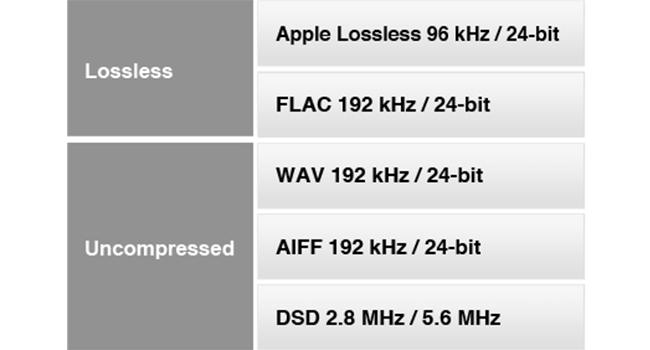
So this thing is a streamer, DAC, and amplifier. Best to use it with one of the high-res streaming services like Tidal or Deezer (a European streaming platform, library seems on par with the rest). Tidal and Deezer are the only hi-res streaming options for this model as the R-N303 does not yet support AmazonHD unless you Bluetooth it. Spotify doesn't have hi-res and I'm not sure about Naspster, Pandora and the rest. It does support AirPlay so Apple lossless folks are good. This model does not connect to 5ghz Wi-Fi, only 2ghz Wi-Fi. So if you have dual band wifi make sure to connect to the 2ghz network. Setting up the wifi wasn't the funest, if you're not using WPS you have to enter the SSID and password manually which was a little bit of a pain using the remote and the tiny screen but once it's done you pretty much never have to touch the Wi-Fi settings ever again (unless you someday change your router settings). The MusicCast app is actually pretty solid, no sign-ups or logins necessary and it's not constantly trying to push some bs subscription service you don't need. It acts as remote and lets you manage and play your music from whatever (supported) streaming service you're using. The sound is excellent, very clean and neutral. I'm using a pair of Sony MDR 7506 headphones so I imagine it's even better depending on the headphones or speakers your using.
C**O
Great receiver to create home audio setup with streaming capabilities!
I bought 4 of these to connect 16 speakers total in 8 different zones. It is a great receiver in terms of sound quality, wireless capabilities, and ability to stream music from multiple sources straight from your phone. There are a couple of flaws and/or bugs but nothing that makes me regret this purchase and the setup I created for my home system. Now for discussing those flaws... 1) The receiver has an A/B speaker zone setup which is nice because it allows you to connect two zones into one receiver. So, as an example, I connected my 2 ceiling speakers in the Kitchen into zone A and my 2 speakers in the Family Room into zone B. You can only play the same source on the speakers and cannot turn off/on a zone from the MusicCast app. My Kitchen and Family Room area is essentially one big room so it’s not a big problem for me, but it’s important to know this limitation because if your receiver is tucked in a back room in your basement and you want the ability to have these rooms as separate zones then you will need to buy a second receiver. 2) When setting up, I was having trouble connecting to MusicCast setup on my WiFi network. I found the problem to be that you first need to update the firmware to the latest version. To do this, follow the steps on page 41 of the owners manual under “Network Update.” If you are having trouble, make sure that you connect your receiver to your WiFi network...I had to connect my manually per the directions in the owners manual on page 16. Outside of this, the receivers have been great. You have the ability to turn on/off a receiver directly through the MusicCast app which is really a nice feature so your receivers don’t have to be “on” constantly. The receiver has good power and is very reasonably priced to buy multiple units to power your in ceiling speakers. I use the receivers to stream my iTunes music that I have stored directly on my phone. You can also stream music from Amazon music, Spotify, Pandora, and others. Also, works with Apple AirPlay which truly makes streaming music foolproof. Lastly, the streaming is through WiFi so you are not dealing with the limited range and in/out capabilities of Bluetooth. I have a mesh WiFi network that covers a large home and the receiver has worked flawlessly.
T**S
Use MusicCast app; Listen to iTunes Playlists
I want to make two main points: *The main way to interact with this receiver is through the MusicCast app – which is sensational. *Accessing iTunes library and playlists MusicCast I want to emphasize that the best and easiest way to control this receiver is via the free, non-subscription MusicCast app on your phone. Download it. Install it. You will love it. I bring this up because the description of MusicCast on the Amazon product page presented MusicCast parenthetically as an interesting, non-essential side option. Having had no experience with MusicCast, I had no context, and I suspected it was just another subscription service – that I didn’t want to pay for. Turns out it’s awesome. Get it. Use it. Despite that Yamaha has made other apps available in the Apple Store and Play Store for other receivers -- for this receiver, use the MusicCast app. Finally, the manual that comes with the receiver has a single line in it that mentions the MusicCast app. The rest is devoted to manually controlling the receiver with its on board switches and dials. Forget about those, use the MusicCast app. In my house, two of us have the app loaded on our phones. So, both of us can control the receiver independently. The MusicCast app gives you access to all of the different net channels this receiver is capable of connecting to. This includes many of the different streaming services. I can access hundreds of net radio stations from all over the world. Just search with the app. Find one you like, save it as a net radio favorite. Very nice and easy. I like a jazz station from Scotland. I am super excited to have instant access to KROQ Roq of the 80’s (KROQ HD2) station that is faithfully reprising the station’s 80’s alternative rock playlists. I also use the app to get access to my iTunes music library. I’m going to talk about that next… Accessing iTunes library and playlists It was finally time to upgrade my 38-year-old Kenwood KR-65 trusty receiver. I had been playing my iTunes library through this receiver by hooking up either an iPod or a laptop to the AUX input. Using the laptop, I could access my live iTunes library (stored on my desktop computer) through my home network by selecting it in iTunes. The problem with any of these methods is that in order to listen to music, I had to turn on my desktop and my laptop, and load iTunes onto both machines. Time-consuming waiting for the computers to boot and settle down. And the digital-to-audio-conversion (DAC) was done in the ipod or the laptop – not high quality. I needed to have a simpler, speedier, and higher fidelity setup. But I still wanted to have access to my iTunes library. And purchasing a $1000-$2000 Apple iPad or Macbook just to play music was NOT the solution I was going to consider. Here’s how I did it. I bought a 128GB flash drive from Amazon. I plugged that flash drive into a USB port on my wireless router. Then, using my router’s admin app, I configured the flash drive as a Media Server (DNLA). In Windows 10, I configured the flash drive as a network drive. Next, I created the following folders on the flash drive… I:\itunesflash\iTunes Media (I:\ represents the root of the network flash drive. (You can designate the flash drive as a network drive and assign a drive letter to it.) Then I moved my iTunes folders from my desktop hard drive into the I:\itunesflash\iTunes Media folder. So my folder arrangement looks like… I:\itunesflash\iTunes Media\Automatically Add to iTunes I:\itunesflash\iTunes Media\Downloads I:\itunesflash\iTunes Media\iPod Games I:\itunesflash\iTunes Media\Music I:\itunesflash\iTunes Media\TV Shows Hence, all of my iTunes music now is physically stored on the network flash drive. You have to tell iTunes about this move, so… In iTunes do this… Edit->Preferences->Advanced. Then enter the new path in the iTunes Media folder location field. Mine looks like this… I:\itunesflash\iTunes Media With this arrangement, I can manage my iTunes music library mainly from my desktop and get access to it on the home network with the Yamaha receiver, PlayStation, Xbox…. So, what about playlists? In order to access playlists, I had to export each iTunes playlist one-at-a-time. I exported them to the following directory… I:\itunesflash\iTunes Media In iTunes, open your iTunes library. Select a playlist. Then do this File->Library->Export Playlist. Choose the *.m3u file type. Before you proceed to other playlists, open up the MusicCast app. Choose Server->YourLocalNetworkName->Music->Playlists. Check to see if your playlist shows up. If not, you might need to make some path adjustments so MusicCast can find your playlist on your network drive. If successful, then export all the playlists you want. The only thing is that you will need to export a playlist again if you make any changes to it in iTunes – or when you add new playlists in iTunes. As a result, and with the help of this fabulous Yamaha receiver, I have very successfully made the transition from an entirely wired home music system to a mostly wireless system (still have my Dual turntable connected). Now my principal Digital-to-audio-converter (DAC) resides in the receiver instead of the laptop or ipod. Music quality is stunningly improved. I now have greater access to my music from a variety of devices (Yamaha receiver, Playstation, Xbox) – and I have access instantly. I no longer need to turn on two computers in order to play my iTunes playlists through my receiver and vintage Advent loudspeakers. I hope this helps.
M**2
Great connectivity and good value
I bought this to replace a 20+ year old Pioneer receiver whose A/B speaker selector switches failed. I was looking for a simple replacement with a proper phono input, and speaker output connections able to take banana jacks. This model caught my eye, and I have another, more high-end Yamaha AV receiver that I have been quite happy with so decided to give it a try. The Bluetooth, Internet and Alexa features I viewed as something I was not likely to use, as the old Pioneer obviously did not have them. Well, it turns out I was wrong about that. I read over the manual before connecting, and discovered that if you connect an internet cable to the rj45 jack on the back before the first power-up, the receiver will connect to the internet automatically. No WiFi setup needed. Since my router is nearby, I tried it and sure enough, it did! So I installed the Yamaha Music-Cast app on my Android phone, paired it up with the receiver and started playing around with Internet Radio. This turned out to be way more fun than using a PC, I guess because the sound is so much better on real speakers. You can set up to 40 presets that include Internet radio, too. I also set up the two Yamaha Alexa skills for this device, and sure enough, I can turn it on/off, run volume up/down and change inputs between Tuner, Optical, Bluetooth, Phono, etc., all via voice commands. It works, but I've found that by far the best way to control the receiver remotely is via the Music Cast app on my phone. The receiver comes with a traditional remote, but I almost never use it - as the phone does everything the remote does, and more: It allows you to browse Internet radio and playlists on whatever streaming services you may use (Spotify, etc.). Oddly, even though this receiver can be controlled with Alexa skills, Amazon music is not one of the built-in supported music streaming services. However, I connected an Echo Dot to one of the inputs (which was how I did it with my old receiver) and that works just fine. The Bluetooth feature turns out to be rather handy as well: I can play over the receiver from a laptop or phone over 20 feet away with no problems. Sound quality is fine, as you would expect from Yamaha, and power more than adequate for my needs for a kitchen and dining room. There are a couple of minor things I would change if I could, however. The biggest gripe I have is that the lettering on the front panel is awfully small. I cannot read it without finding my glasses. That problem is not unique to Yamaha though. It seems all audio equipment goes for tiny lettering on an all-black panel. I wish I could order the "Large Print" edition :-). Since I mostly use my phone to control it though, this is not that much of an issue. The other problem I have may not be the receiver's fault. I find that after a power failure, when the power comes back on, the receiver does not always reconnect to my router. (It is hard-wired via the RJ45 jack.) I sometimes have to unplug the Ethernet cable from the receiver for a few seconds after the router has fully restarted, and plug it back in. Then it connects just fine. This seems like it could be due to the receiver powering up first, before the router is ready, the receiver finding anything on the ethernet cable, and then giving up. Disconnecting and reconnecting seems to restart the connection. Bottom line: This has been a lot of fun - I wish I'd upgraded sooner.
C**A
Bluetooth spotty
Bought a year and a half ago and it’s worked well with my turntable and speakers. Simple set up, lots of audio power. Only 3/5 because the Bluetooth capability was one of my primary reasons for getting it, but that function is really spotty. Signal drops out every 10 seconds or so, even when very close to the unit. Super annoying. There is a warranty but the manual has tiny text that says “Yamaha does not guarantee all wireless connections between this unit and devices compatible with Bluetooth function.” Wish I would have known this before purchasing.
D**W
Writing a review after 6.5 years of ownership.
I bought this Yamaha Receiver back in June of 2018. I was a bit surprised to see it still selling new & unchanged after all this time. At the time of purchase I was hoping to find a decent 2 channel stereo receiver at an affordable price. It was intended to replace a Sony V555ES AV Receiver that was way over the top for what I needed to do with it. I wanted to use the Yamaha with my TV for stereo sound and possibly some FM radio. At the time of purchase I paid $249.00 which I thought was a good deal. For the better part of five years I used it exactly as intended with no issues at all. I had no luck setting up the wifi connection, the process is an over complicated pain in the ass procedure. I hooked it up via Ethernet just so I could keep the unit updated. Bluetooth connection was simple enough and occasionally I'd stream music I had on my phone. Since I don't watch a ton of tv the receiver didn't get used very much. However about two years ago I started to utilize some of the features the Yamaha had. I downloaded the MusicCast app and was able to use it to connect the receiver to the wifi. I reactivated my Sirius radio account and also began using Spotify Premium. I discovered some of my local radio stations are included with the Net Radio and sound so much better going that route. I hooked up a CD player to listen to discs and upgraded the Dayton Audio speakers I had been using, with some better Sony speakers and also hooked up my vintage Advent speakers I've had for years. Sound was very good. I am finally getting a good bit of use from the Yamaha, it's almost like I just bought it.
R**S
Nice sound, functional, simple!
This unit is great for streaming services, can hook up two sets of speakers, radio services and it is a Yamaha, quality is second to none! Have had many Yamaha products and have never been disappointed.
R**.
Amplificador que deja ver la diferencia de música en general y la música en Alta Definición (Hi-Fi)
Sin duda este es un amplificador que permite aprovechar lo mejor de las opciones retro (Phono, CD, etc.) y la música en streaming, Todo siempre en Alta Definición. Por lo tanto se trata de un equipo que te da acceso a lo mejor de los dos mundos, del pasado y del presente. Excelente opción para entrada al Hi Fi. El único pero es que no tiene una salida a subwoofer, pero es una cuestión que tiene una solución muy sencilla con con una conexión de Alto Nivel (conectar las 4 salidas de los 2 parlantes de zona A ó B a las entradas del subwoofer activo según corresponda en Right o Left) para los que prefieren bajos más contundentes. El radio con Antena o en Streaming es de calidad superior. En resumen, feliz por escuchar música en un nivel superior.
G**O
Bom custo benefício
o som é otimo mesmo usando streaming. Correspondeu às expectativas Recomendo
I**L
Calidad
Exelente
S**9
excellent recever
works really well. i have yet to use some on the on-line features, but it works really well in bluetooth mode. also very nice sounding with excellent range within my TT set-up. highly recommended for this price point!!
Trustpilot
2 months ago
2 days ago