🔗 Bridge the old and new with flawless HD and audio sync!
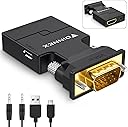
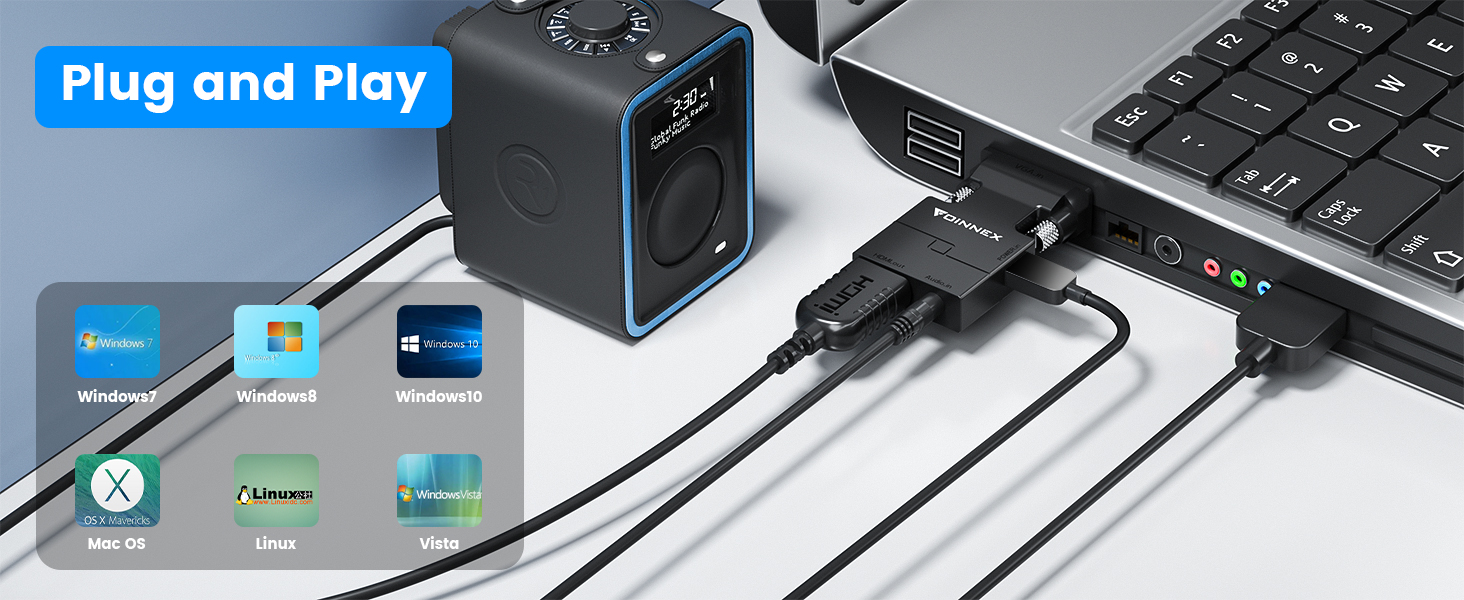
The FOINNEX VGA to HDMI Adapter is an active, uni-directional converter designed to connect VGA-output devices like older laptops and desktops to HDMI-enabled TVs, monitors, or projectors. Supporting full 1080P HD video and synchronized audio via a 3.5mm aux output, it requires USB power and offers plug-and-play convenience with gold-plated connectors for stable, flicker-free transmission. Ideal for professionals managing legacy tech setups, this compact dongle ensures seamless multimedia sharing without driver installation.


| ASIN | B07121Y1Z3 |
| Best Sellers Rank | #9 in HDMI-to-VGA Adapters |
| Customer Reviews | 4.1 4.1 out of 5 stars (9,134) |
| Date First Available | May 26, 2017 |
| Is Discontinued By Manufacturer | No |
| Item Weight | 0.529 ounces |
| Item model number | VH-UA02 |
| Manufacturer | FOINNEX |
| Product Dimensions | 15.99 x 8.99 x 1 inches |
A**T
Buy this now.
For the price, anyone who functions as the IT person for their friends and family should have one of these. Many usable but older Dell workstations for example are small and generally only have a VGA port and if you have an old VGA style monitor you will need to convert the VGA to HDMI and this does that while piping in the audio out from the computer into the HDMI line. It works flawlessly and doesn't require thinking at all to use, basically like having a chunky wire that connects two different shaped ports and powers directly off the computers USB. But one now even if you don't need one if you are reading this and keep it with the ungodly collection of cables I would guess you have already.
A**Y
Great device especially for the cost.
Works as expected. Price was excellent.
B**G
Bad design: no access to the screws.
So, many cables and adaptors have plastic screws, that if you aren't careful, can easily be damaged. This one has metal screws, a good touch. But I would like to know who designed this thing and made it IMPOSSIBLE to access the screws with a screw driver. SO I put it on, and managed to tighten one of the screws using my fingers, but not the other. Then the thing wouldn't work. I tried and tried, decided to remove it.. Couldn't, couldn't get the screw I'd managed to tighten out. Then I read here that it has to be connected to USB. The directions that didn't come with it didn't say so, nad I thought the USB was just to hook up audio to a monitor, and mine doesn' have any speaekers. SO now, I'll try and maybe it will work, but I don't want a device I can't remove, and I've found some others that look like a better design. How do I undo the tightened screw ?Why would you put in screw heads that can't be reached with a screw driver. I am scratching my head: I want to be rid of this thing and I can't even remove it from my computer. Plus: no that I look at, the tight space probably won't allow for that USB cable to be connected anyway (old Mac G4)
H**0
Only converts computer VGA signal to HDMI signal for monitor/LCD TV and must be powered to work
It works just fine out-of-the-box if you use it properly - so read more and pay attention. YOU HAVE TO HAVE THE USB cable plugged into a powered USB port, because it needs power to work! NO POWER, NO WORKEY! I am using this item on an older computer that only has a VGA out port so that I can use a newer monitor that only has an HDMI port. IT WORKS JUST FINE for that! Only works from computer VGA port to HDMI monitor or TV port - and only if it has power. It only works in the from-a-computer-to-a-video-display direction. NOTE: IF YOU TRY TO USE IT TO A VGA MONITOR, IT WILL NOT WORK IN THAT DIRECTION because it is not made to do that. The provided audio cable can be plugged into your computer speaker out port and into the device, which allows the device to have an audio signal from your computer (if the computer audio port has a signal) on the HDMI out (say you wanted to play a DVD on the old computer, and wanted to plug the computer into a large screen TV to see and hear the movie playing on the computer). But you don't need to have the audio if all you are interested in is the computer display -- but it's there if you want to use it! For me, this is a very useful device, allowing me to use older computers with newer monitors or a large screen LCD TV. Very cool! Decent picture - keep in mind that the original signal is VGA, so the quality can only be as good as the VGA signal coming out of your computer. THE DEVICE WORKS AND DOES WHAT IT IS DESIGNED TO DO. Hope this review helps you non-technical people. It really is a good and useful product if you use it correctly.
S**H
It works
The adapter works as advertised. I am slightly frustrated by the fact that the USB power almost blocks my system's ethernet receptacle.
J**O
Excellent, works well, easy to install
R**H
Didn't get the results I was hoping for...
I have an older Lenovo computer, Win 11 with a 15 pin VGA out that I wanted to connect to my new Spectre monitor that is HDMI in. After connecting this adapter to the back of my computer and then to my monitor, NO LUCK. I can't say for sure that its the fault of this adapter. I think technology is so complex these days that it takes a real nerd who understands all the complexities to figure this stuff out. Hope this helps!
M**R
Works for most resolutions and in BIOS, requires USB power, fail with 720x400 DOS/UNIX Text @ 70Hz
Works for most resolutions in BIOS, including 640x480 at 60Hz, does not work with 720x400 DOS/UNIX Text @ 70Hz, you need one with AG02-EX Chipset for that. Fail=DOS CGA Mode 03h,720x400 (text),Monochrome,70 Hz (DOS or UNIX console). Works=Mode 12h,640x480,16-color(VGA),60 Hz and most other standard modes, requires USB power all the time vs other brand adaptors that do not
K**E
Hard to find now days the adapters that works with old computers, these are base on AG02-EX chip ( at least for now ) which works perfect with old computers. Most new vga to hdmi adapters comes with Macro Silicon chip which dont work with old resolutions such as 320x200/640x400 and 80x25/720x400. Please note that also the hdmi receiver most be able to handel the signal, example my elgato usb cam link 4k does not show anything but my cheap hdmi video capture from amazon works without any problems. I wont say the picture is the best but it is good enough if you dont want to buy high quality vga to hdmi for around $100.
B**E
Amazon sempre insuperabile... doveva arrivare in 2 giorni ed è arrivato in un giorno solo... ora il mio vecchio pc ha una porta HDMI perfettamente funzionante... al primo colpo!
R**O
FOINNEX Adattatore da VGA a HDMI funziona davvero bene. L'ho usato per collegare il PC alla TV che uso sia per vedere i canali del digitale terrestre, sia come monitor per il PC . Il mio PC è un pò datato ma funziona alla perfezione, ma il problema è la mia TV, ache questa un po vecchiotta, pero è dotata sia di ingresso VGA che di ingresso HDMI... Perchè ho comprato FOINNEX Adattatore da VGA a HDMI ??? R I S P O S T A L'ingresso della VGA della TV ha smesso di funzionare, quindi, la soluzione migliore è stata quella di comprare FOINNEX Adattatore da VGA a HDMI a poco prezzo ( minima spesa massima resa) e ho risolto il problema. Facile da installare, basta connetterla all'uscita VGA del PC, inserire lo spinotto JACK da 3.5 mm, dall'uscita audio del PC all'ingresso audio di FOINNEX Adattatore da VGA a HDMI (in dotazione), per avere anche l'audio del PC sulla TV, in fine collegare il cavo HDMI (NON INCLUSO) da FOINNEX Adattatore all'ingresso HDMI della TV. Funziona davvero bene e l'audio è di buona qualita', ma questo dipende sia dal PC che dalle prestazioni della TV. La risoluzione video è migliorata del 50% rispetto a quando usavo la VGA. Ottimo prodotto , la consiglio vivamente.
P**L
Works very well. Clear video and audio.
M**A
يعمل بكفاءه في نقل الصوت والصوره والشحن ممتاز
Trustpilot
3 weeks ago
3 weeks ago