Buy anything from 5,000+ international stores. One checkout price. No surprise fees. Join 2M+ shoppers on Desertcart.
Desertcart purchases this item on your behalf and handles shipping, customs, and support to Spain.
📶 Upgrade Your Wi-Fi Game: Connect Faster, Stream Smoother, Work Smarter!
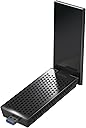
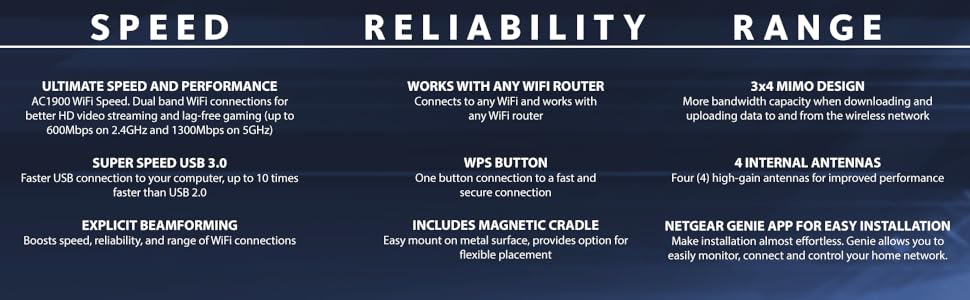
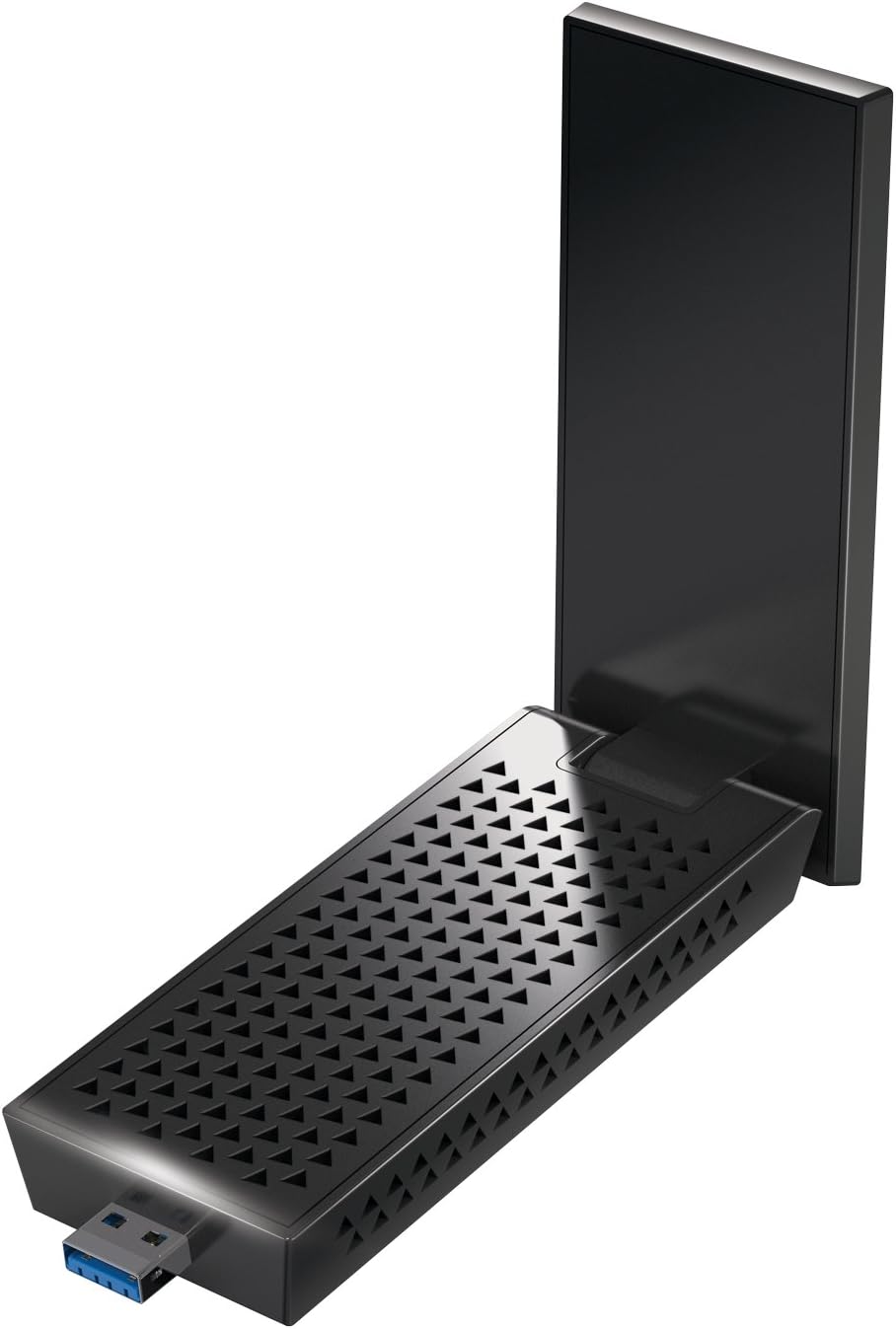
The Netgear Nighthawk A7000 is a high-performance AC1900 Wi-Fi USB 3.0 adapter designed for professionals demanding ultra-fast, reliable wireless connectivity. Featuring dual-band speeds up to 1.9Gbps, advanced 3x4 MIMO technology, and broad OS compatibility, it ensures seamless HD streaming, lag-free gaming, and stable connections even in challenging environments. Its magnetic cradle and intuitive Netgear Genie app simplify setup and network management, making it an essential upgrade for any modern workspace.


| ASIN | B073JHHNJ9 |
| Best Sellers Rank | #491 in USB Computer Network Adapters |
| Brand | NETGEAR |
| Built-In Media | AC1900 WiFi USB Adapter (A7000), USB 3.0 cable with magnetic cradle, Quick start guide |
| Compatible Devices | Desktop, Laptop |
| Compatible Operating System Family | MacOS, Windows |
| Customer Reviews | 4.3 out of 5 stars 5,126 Reviews |
| Data Link Protocol | 801_11_AC |
| Data Transfer Rate | 1900 Megabits Per Second |
| External Testing Certification | Não aplicável |
| Global Trade Identification Number | 00606449120882, 10606449120889 |
| Hardware Interface | USB 3.0 |
| Item Dimensions L x W x H | 1.81"L x 0.87"W x 4.72"H |
| Item Type Name | Netgear Nighthawk AC1900 Wi-Fi USB Adapter (A7000-10000S) |
| Item Weight | 2.35 ounces |
| Manufacturer | Netgear |
| Mfr Part Number | A7000-10000S |
| Model Number | A7000-10000S |
| Product Dimensions | 1.81"L x 0.87"W x 4.72"H |
| UPC | 606449120899 606449120882 |
| Unit Count | 1.0 Count |
| Warranty Description | 1-year Limited |
T**L
Works well thus far!
I bought this portable USB WIFI adapter to help with a computer that was located in a corner of the house which did not receive a good wifi signal. This unit definitely helped and this computer is now getting a better signal. I bought a used version of this wifi adapter as a new unit was too expensive for my liking. Overall, I would recommend this unit at the used price point, I am neutral about its price point as a new unit. Here are some of my observations: PROS: The unit does help increase week wifi signals. I can’t tell how much definitely but my signal level increased about two bars. The unit is stable with no signal breaks or drop offs. The unit is larger than most portable wifi units that I have used in the past. With its base, I would not use this unit at a coffee shop as it is very obvious and large. However, without its base, you can connect the unit directly to your laptop with no obvious issues. The base unit also has magnets which you can use to position it on a metal surface if you have one. The unit’s driver, which was described as rather large in the comments section, is divided into two types. One type is standalone and a complete suite. I just used the standalone and it worked just fine with no issues noted thus far. The installation was relatively simple with no hang ups noted. Thus far, I have encountered no issues with this unit. CONS: The unit is larger than most. If you use the base, it will use a portion of your desktop that otherwise would be vacant. Not a big issue if you have a normal desk; however, if you are in cramped quarters just be aware. I wish they provided a longer cord for the base unit and made the chord a little thinner; although, not a significant issue thus far. The unit is not plug and play. You have to download the driver, its in a zip format, then decide what driver unit you want to use. It has a standalone and a suite format. I just used the standalone and it worked fine, for me not an issue, but some may find it confusing. The unit uses USB 3 or 2, but for best performance you have to have a USB 3 port open. For some laptops, this may be an issue, especially if you have other devices already attached to the laptop. I use this unit on a desktop so I don’t have this issue. I have used this unit continuously for about two weeks thus far with no issues noted. Thus far, it works as advertised.
A**M
NETGEAR AC1900 Wi-Fi USB 3.0 Adapter for Desktop PC
I am very satisfied with the Netgear AC1900 Wi-Fi USB 3.0 adapter for desktop PC. So far it seems to be working well. The inclusion of an installation CD with the product was very welcome.
D**N
This is the one you should buy
My Mom needed a WiFi adapter antenna because the marina where she lives on her boat has one WiFi router and she's very far away from it so she barely gets any service. I bought this one from Netgear and a cheaper one from TP-Link because this one took longer to deliver and she needed one ASAP. The difference in performance between the two is MASSIVE. The TP-Link one improved the connection a bit, but it was still very slow and she couldn't have Zoom calls without the video and audio dropping out. Once she received the Netgear one, it was better than when she had a wired ethernet connection in her home. She also said that the setup was very fast and easy. Now she has zero problems with her internet. It's very fast and stable with no dropped connections, and no spinning wheel waiting for a page to load. I did a lot of research before buying one, and this is the best one by far. It's a little more expensive than the other ones, but you get what you pay for.
S**Y
Best in class <$100 USB receiver, beware of bundled bloatware
** READ INSTALL NOTES** This wifi receiver is an excellent value for the price, consistently outperforming my integrated Intel 9560 and receiving a stronger signal in the same location. I consistently experience ~300mbps downloads, the speed limit for my wireless 5ghz broadband signal, with my router on the ground two rooms away. Excellent performance with online gaming. I would recommend plugging the unit into a dedicated USB 3.1 port for top performance. INSTALLATION is where this product loses stars. As many other reviews have noted, DO NOT use the installation software that comes in the box with your Nighthawk A7000. This unit comes bundled with bloatware and initiates a legacy service at Win10 startup, "RunSwUSB", that causes disconnections. How companies still get away with this in 2019 is beyond me. Instead: 1. Download the latest STANDALONE version of the driver software from Netgear with an available internet connection. The Standalone version doesn't install the 'Netgear Genie' bloatware. 2. Plug the Netgear Nighthawk A7000 into a USB 3.x port 3. Install the STANDALONE driver software 4. Connect to an available internet connection as normal; get online 5. In your internet browser, navigate to the world's most popular online video website 6. Search for 'netgear A7000 disable runswusb' and follow the instructions you view
J**S
Helped my mysterious connection problems on my crappy $1k+ laptop.
I don't know what is going on with my stupid $1k+ laptop but it picks up the wifi signal like crap! It was so freaking annoying. I tried all of the obvious things: disabling then reenabling the network adapter updating the drivers rolling back the drivers changing the location of the router It was at this point I realized I had exhausted all of the things that I knew how to do. I was plagued w/ this issue for many months after buying my laptop new! Just constantly dropping the connection completely. Literally was unable to browse the internet at all. It was all really bizarre. I would restart the laptop and certain things would seem to update fine, or scan to see if updates were necessary (like steam) and as far as I could tell they seemed to be connected to the internet. But I would have random problems connecting the browser to the internet.... Everything seemed to be updated: windows, drivers, router stuff.... Just constanst problems I had. Idk if there is some software causing incompatibility problems or what but I was so fed up. I bought this on a whim to see if it would help. My connection problems are 96% reduced. Every once in a great while the internet goes out. So I unplug this out of the usb port, plug it back in, and restart my laptop and the issue is resolved. So while my random connection problems are still undiagnosed this has helped to bring about a gazillion % increase in my satisfaction. It's probably one of the best things I bought. It's kind of sad that it really shouldn't be needed, to be honest. But whatever mysterious problem is plaguing my life has ALMOST been ereadictated by using it. So all in all I am happy I got it. Even if it shouldn't be necessary. Word to the wise: stay away from crappy Lenovo Yogas.
W**R
Literally impossible for online gaming
1) Just like many 1-star reviews stated, this product has a serious latency/ping spike issue. It has 3 MIMO antennas, so when it's working, the speed is amazing. But every few seconds, the speed would drop from several hundred mbps to a few mbsp or even 0. I've changed almost all the advanced setting in the hardware configuration, but ,my online gaming was still dropped too frequent, and eventually I have to give up on this product. For comparison, I have a laptop using intel 7260AC wifi card, which has 2 antenna. Though intel 7260ac's top speed is not even close to this one, it's stable. Wouldn't drop to single digit mbps at all. 2) It kills my router's 5G connections. I didn't see anyone else complained about this, so this issue may only be my individual case. My router is Netgear's R7000 with 3 antennas. It supports 802.11ac. As this product is from netgear with 3 antennas, my router is from netgear, so theoretically they are the perfect match. But in reality, when this product is connected to my router in 5G band, every few hours it would kill the 5G connection completely. When this happens, all my other devices though still showing they are connected to my 5G signal, none of them can access internet at all. This happens even when I am not using A7000 to transfer anything large thru the router! Weird enough, all devices using 2.4G still can access internet. After I suspected this product and just using 2.4G connection, this never happens again. I am not sure it's this product or my router's defect. But as both of them are from netgear and still there's such a severe issue, I don't expect this product can work very well with other brands. 3) Last but not the least, windows 10 cannot recognize this product automatically. You have to download the driver or install it from the disc comes with the product.
J**N
Fast and cheap usb
The wifi connection speed is fast for a usb adapter. The installation process is a bit of a pain, you either have to use the stand or hope you got a usb on top of pc and you have to download a software to make it work, but if your willing to do that you get a very fast wifi usb adapter for a great cost. Reccomend getting this
A**R
So far so good
This thing worked miracles on my internet speeds, having a room on the complete opposite side of the house from our router with horrible connection prior to using it, sharing the internet with multiple other roommates all using lots of bandwidth. While gaming/watching videos/browsing I used to get terrible drop outs with my old usb wifi adapter, constant connection issues, packet loss, complete disconnects etc. It was often unplayable. Plugged this bad boy in and my download went from less than 100mbps to at time 600+ no drop outs, zero connection issues, night and day difference. Obviously mileage may vary, but it’s worth a shot if you can’t hardwire your computer. Only caveat is that the software needed to use the adapter requires internet to download if you don’t have a disk tray in your pc (which most people do not these days, really odd decision to only include the disk rather than a usb or something of the sort). Simple workaround is to just download the file prior to switching over to this device. Installation was straightforward and took maybe 5 minutes tops - highly recommend trying this thing out if you’re internet isn’t up to par with what you pay for and you don’t have the option to use a cable. Very satisfied with my purchase even it was a bit on the pricier side. Also something to be aware of, the installation software has some bundled bloatware that you definitely do not want clouding up your pc, pay close attention when you are updating your adapter.
W**N
Near perfect product
Does an excellent job, have had little to no problems with my wifi despite how garbage it is, near perfect other than some rare drops. You're certainly getting what you pay for. Pros: Excellent at mid range Easy setup Easy Software Most days i have no problems with my connection
J**S
Una auténtica maravilla
Lo compré porque tengo un ordenador un poco lejos del router y no conseguía velocidades aceptables con la tarjeta integrada. Instalé los drivers usando el instalador de la web de netgear (el ejecutable 'standalone') y conecté el dispositivo. Windows 11 Pro lo ha reconocido sin problemas, he conectado a la red 5G de mi router y por fin he conseguido llegar a la máxima velocidad de mi fibra (300). Lo recomiendo sin dudarlo!
P**S
Good Linux and rpi support-2025 update
June 2025 update: 8814AU is Finally mainlined into Linux kernel 6.15. All bugs will be sorted out 6.16. Tested with kernel 6.15 cachyos on fedora 42. Works beautifully🏆🏆. Haven't used all the features only downloading at constant 40 MBps, yes mega bytes from my 5g connection. Upcoming Bazzite, kinoite, silverblue will finally have these kernels and will be perfect for low latency gaming, including on steam OS. Ofcourse can use the full capabilities of this card for servers too! Even 8812au has inbuilt support. Enjoy🥂 Feb 2025 Linux update: For linux, driver is now thoroughly maintained by the Linux community and the installation is a breeze. Although you can't install this on immutable distros like bazzite/kinoite etc etc. 8814au is now going to be mainlined into the Linux kernel directly in version 6.14 if i remember correctly so eventually there will be no need to install any drivers. This device by the end of 2025 will be fully compatible with Linux out of the box. Good luck to all. 😊 July 2020 update: Works brilliantly with Linux and bleeding edge kernels. Good number of contributors are pushing updates on GitHub. Check out aircrack-ng on GitHub to download any updated driver. This card is good substitute to gbit ethernet. Absolutely no issues when updating new kernels using make. Works well with raspberry Pi 4 on usb3. 0...no issues. Highly recommended device if you frequently use vnc and ssh, but all speed is determined by router. So get a good router if you want to exploit this card. This driver also works for rtl8812au.... Ac600. Works with Linux... Kernel 4.18.5 as of Sept 2018 Install drivers manually using either dkms or compile using make.... Then insmod the driver. Switch off SECURE BOOT in BIOS as it creates problems. NOVEMBER 2019 UPDATE: I have revised it to a 2 star rating. One for Amazon and one for Netgear. Read Further. With the 5.3 series kernel there hasn't been any updated driver on github. You will be forced to use 5.2 series the last being 5.2.18 with this device. I reckon it will work nicely with 4.19 on the new Debian but most people aren't gonna use that. Realtek does NOT officially provide any apt support for the RTL series devices for LINUX. The A7000 uses the RTL8814AU chipset which is excellent but has pathetic support with the new kernel. DO NOT get this device or any of the RTL series because it will not work with fedora 31 or other newer distros. So much for performance, so little for being useless. Even the ALFA 1900 which uses the same chipset is nothing more than a fancy brick to look at. I also have the TPLINK T2U nano which has the RTL8812AU and that too is useless at the moment.
A**R
Ne fonctionne que sur Windows
Non reconnu par Linux Pas de pilotes pour faire fonctionner internet
F**A
Wlan
Top Gerät, super Empfang!
Trustpilot
1 month ago
4 days ago