🕹️ Upgrade your game, don’t replace it — fix your controller like a boss!
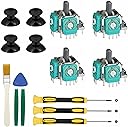
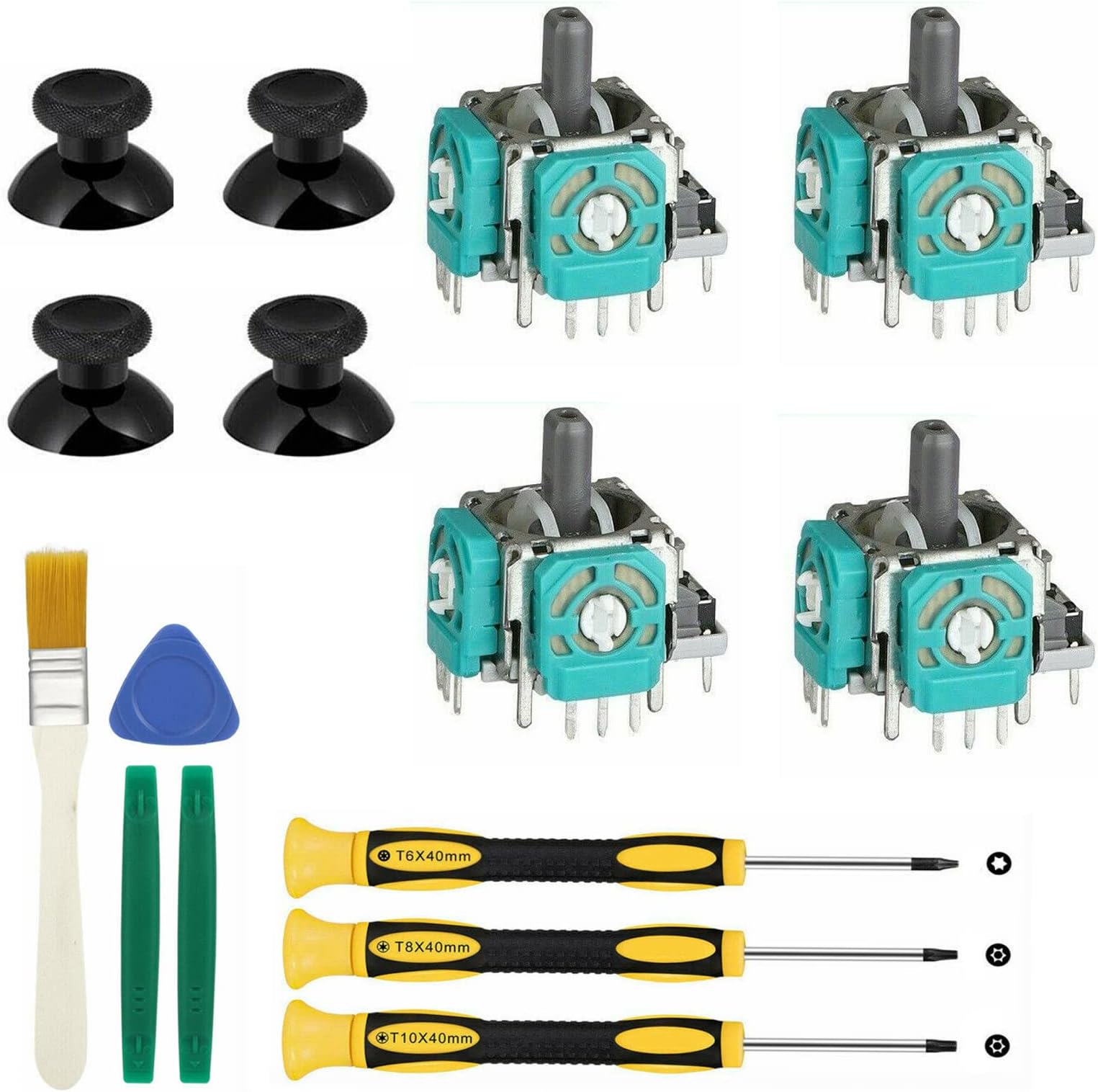
This Veanic 4-piece replacement thumbstick kit for Xbox One S/X controllers includes precision 3D analog sticks, three Torx screwdrivers (T6, T8, T10), pry tools, and a cleaning brush. Designed for gamers with basic soldering skills, it enables effective repair of joystick drift and wear, extending controller life and saving money on replacements.
| ASIN | B0B1D9FQF6 |
| Best Sellers Rank | #7,538 in Video Games ( See Top 100 in Video Games ) #52 in Xbox One Accessory Kits |
| Brand | Veanic |
| Customer Reviews | 3.9 3.9 out of 5 stars (302) |
| Date First Available | May 16, 2022 |
| Hardware Platform | xbox one |
| Item Weight | 2.82 ounces |
| Manufacturer | Veanic |
| Package Dimensions | 7.64 x 4.41 x 0.94 inches |
B**T
Took some work
Worked great to repair my stick drift
N**D
Product is great but you need right tools
I have a regular iron gun fir electronics, which proved to be not enough to dismantle the old keys and install new ones. To do this successfully you need a good iron gun and a better solder sucker. So you can tell that I ended up damaging my controller, but to no fault of this product, rather lack of proper tools. Which I hope this will help you plan better than I did. I ended up buying a new controller for $50
C**.
Easy to change with some soldering required
The xbox controller I gave to my nephews started getting drift on the right stick. They asked if it could be fixed and I knew the only real fix would be to replace the stick. I'm happy that this set came with pretty much everything needed to do the repair minus the iron and soldering skills. When it came in I went to work on swapping out the old sticks for the new ones. Taking out the old sticks is pretty easy, even if you don't have extensive soldering skills. Mine are minimal and I didn't find it to be much of a challenge, all I used was a cheap basic 3M iron and some soldering wick. The board absorbs a lot of heat though, so a solder sucker would probably have worked better, but the wick worked. After taking out the old sticks, I put the new ones in and soldered them in without any issue. I put everything together enough to test and yes they are not perfect. While there's no longer any drift the right stick moves really slowly up, but very fast down. I didn't notice any issue with the other stick. So the problem might be with the stick, but also might be with the controller itself. My nephews are hard on things and I know it got tossed around a lot before it was given back to me. So, while they did fix the drift issue, I can't say with 100% certainty that they are working as they should be. It's not worth pulling back apart and swapping in another stick. They are mostly just playing fortnite and I think it's working good enough for that. If it starts to drift again, then sure, I'll swap it again. And again, if the soldering is keeping you from trying to do this fix, just give it a shot. The worst that happens is you have a controller that isn't working, which you already had, and you spend a few dollars getting the stuff to attempt the fix. Or you find that it is easier than you thought it would be and you gain a new skill and get a working controller again for a lot less than the price of a new controller.
B**L
Huge center dead spot and needs constant re-calibration
Updated after 4 months: One replaced thumb stick won't detect forward at all anymore. The other will will often start out fine, but after a few minutes the forward and backward will reverse with major stick drift when you let go. I'm no stranger to repairing electronics. I have all the proper equipment for desoldering and soldering. Installation wasn't hard, but I'm not sure how others would do without proper desoldering equipment to remove the old stick. Once the sticks were replaced they had a huge dead spot in the middle making it really hard to use precisely. After a few minutes they go all whacky or start working backwards. I can go into the xbox menu to re-calibrate the thumbstick. I understand needing to do this once, but I need to do it every time.
P**R
Works great
Worked out great. Only issue is if you are needing to replace one of the joystick you will need to do both. This pack gets you to do both sticks at once. But it still a great buy. If you didn’t know the temp for the solder is a high temp so be ready for that. If you are not good solders let someone else do it for you.
M**U
Decent parts, but a complete pain.
Bought these to fix stick drift, and it worked, but it was a complete pain and took me about two hours. Definitely better than buying a new controller, but this isn't a novice-level fix. I can't comment on the specific quality of the parts, they seemed to work but I didn't notice response time or anything. They definitely do fit right though.
L**A
Great product
Excellent product and quality
P**R
Tools are the only highlight.
Tools work fine to open the controller. Both the plastic pry bars broke while I was disassembling the controller. The analog sticks that come with are not identical to the stock controller. I don’t even trust the thumbs stick junctions so I’m not going to apply them. Only recommend buying this product to get the tools, not the sticks or junctions.
O**A
Todo bien
A**T
Great kit with everything you need to replace the thumbstick! I had one XBOX one S controller for few years and it is wore out and can't stay in one place anymore. It was always shift in the game make it impossible to play with this controller. After replace the thumbstick sensor (both), the controller work like new!
J**N
バラすのにネジが多いので外部用内部用長さが分かるようにしておけば、簡単に交換組み立て出来ました。 修理に出すと時間はかかるしお金もかかるので、自分で直せるのが良いですね
A**N
この製品はいいですがコントローラーの序盤から交換する時に一般的なハンダゴテでは少し無理がありました個体差があると思いますが
J**N
I didn't use the entire joystick, but the sensors from the kit fixed my extreme joystick drift in 10 minutes. Plastics are noticeably cheaper than factory Microsoft, but for me that didn't matter. Tools are of good quality, but by no means professional grade
Trustpilot
2 weeks ago
2 months ago