Buy anything from 5,000+ international stores. One checkout price. No surprise fees. Join 2M+ shoppers on Desertcart.
Desertcart purchases this item on your behalf and handles shipping, customs, and support to Spain.
🚀 Elevate Your Home Network to Next-Gen Speed & Coverage
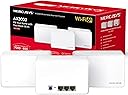
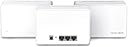
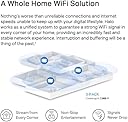
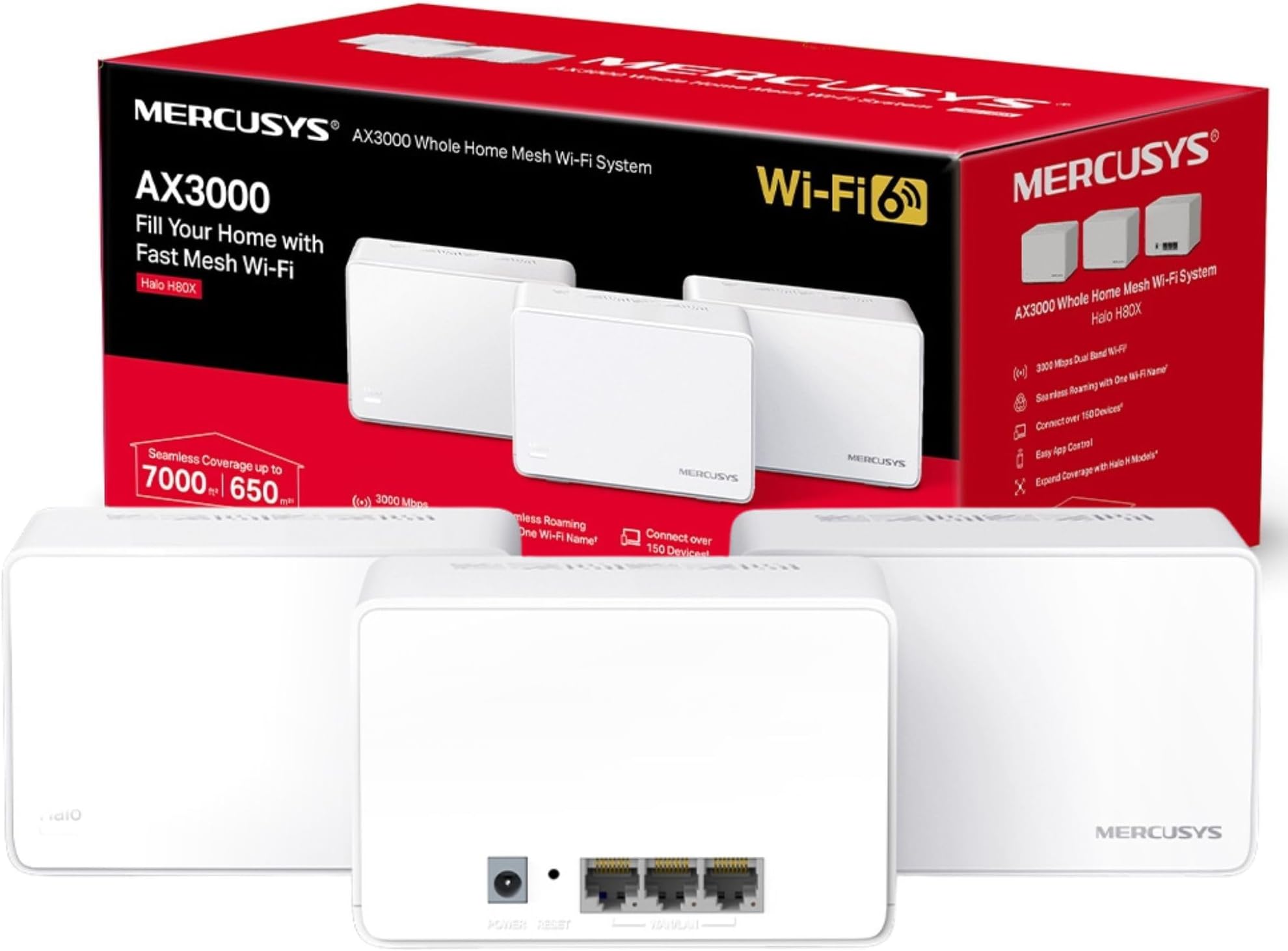
The MERCUSYS Halo H80X (3-pack) is a WiFi 6 mesh system delivering up to 3000 Mbps dual-band speeds and seamless roaming across a massive 7,000 ft² coverage area. Designed for busy modern homes, it supports over 150 devices simultaneously and features full gigabit Ethernet ports for ultra-fast wired connections. Easy setup and management via the MERCUSYS app ensure you stay connected with zero dead zones and rock-solid stability.


| ASIN | B0B2RQR96Y |
| Antenna Location | Home |
| Antenna Type | Internal |
| Best Sellers Rank | 2,836 in Computers & Accessories ( See Top 100 in Computers & Accessories ) 14 in Whole Home & Mesh Wi-Fi Systems |
| Box Contents | Halo H80X(3-pack) |
| Brand | MERCUSYS |
| Brand Name | MERCUSYS |
| Colour | Multicolour |
| Compatible Devices | Appliances |
| Compatible devices | Appliances |
| Connectivity Protocol | Wi-Fi |
| Connectivity Range | 650 Square Metres |
| Connectivity Technology | Ethernet, Wi-Fi |
| Control Method | App |
| Controller Type | Switch |
| Country of Origin | China |
| Coverage | 650 |
| Customer Reviews | 4.3 out of 5 stars 3,575 Reviews |
| Data Transfer Rate | 3000 Megabits Per Second |
| Frequency | 5 GHz |
| Frequency Band Class | Dual-Band |
| Frequency band class | Dual-Band |
| Has Internet Connectivity | Yes |
| Has Security Updates | No |
| Is Modem Compatible | Yes |
| Item Dimensions L x W x H | 12.8L x 8.1W x 8.4H centimetres |
| Item Weight | 1.54 Kilograms |
| LAN Port Bandwidth | 1000 Mbps |
| Manufacturer | TP-Link |
| Manufacturer Part Number | HALO H80X(3-PACK) |
| Maximum Upstream Data Transfer Rate | 2402 Megabits Per Second |
| Model Name | Mercusys AX3000 Mesh WiFi |
| Model Number | HALO H80X(3-PACK) |
| Model name | Mercusys AX3000 Mesh WiFi |
| Number of Antennas | 3 |
| Number of Ports | 3 |
| Operating System | RouterOS |
| Other Special Features of the Product | Remote Access |
| Product Warranty | 1 Year Manufacturer |
| Security Protocol | WPA2-PSK or WPA3 |
| Special feature | Remote Access |
| Unit Count | 1.0 count |
| Wi-Fi Generation | Wi-Fi 6 (802.11ax) |
| Wireless Compability | 802.11ax |
| Wireless communication standard | 802.11ax |
A**S
Fantastic Purchase - Made a huge difference
I'll start by saying I never leave reviews, but sometimes you buy something and just have to... 1 - Setup Setup was a breeze, download the app, grab one of the units that you'll use as the main device and select which mode you want to use (I opted to completely replace my router and use the 'main' halo as the router). You're guided through the process and are asked if you want automatic or manual setup. I first tried manual which I'll be honest I couldn't get to work, when selecting automatic I waited about 10 minutes and boom first halo up and running. Get any additional units, place them strategically and again use the guided process to link each unit together. All up and running in about 30 mins. 2 - The app I actually don't quite understand some of the poor reviews stating the app being a limitation. Yes, you can't quite do EVERYTHING you could if you had a web portal like some of the more expensive units. I work in technology (and have worked specifically in a networking capacity) and I honestly couldn't tell you what 99% of users would need that the app doesn't offer. Port forwarding / QoS / priority etc etc can all be done via the app. It also notifies you of any new connections, allows you to name and categorise the devices (great for younguns whom you may want to restrict certain websites from). And you're able to setup 'profiles' for each person so that those profiles are applied to the devices they add. At first, my main PC was dropping (very occasionally), go into the app, select the device and then bind it to the strongest unit (rather than using the roaming capabilitis) and its been absolutely rock solid ever since. Also, the 'network optimisation' function is great too, I've only used it once but it found a really good channel (verified via inSSIDer) and I'm on a quiet channel with little interferance. 3 - Stability / Speed I've had this now for about 8 weeks and I've not had a single problem with it. I've seen in some other reviews they've had to reboot a unit or 2 etc but (whilst I know its early days) I literally haven't had to touch it since setup. Its been absolutely fantastic from the day I installed it. I'm an avid gamer and with my previous setup I'd have the odd disconnect (only breifly) and some games just don't deal with that well. One of my favourite games did this and I'd have to log out/back in again multiple times per night (not good with the type of game played). This setup has COMPLETELY illimintated that and has also reduced my average ping by about 12 (now sitting at 7ms ping on almost all games). Speed wise, from the further point in the house I can get from any of the units, I lose about 10% and no more. My provider gives me 300up/300down and again at the furthest point I get 275/260. 4 - Conclusion For the price paid for these units (I got the pack of 2), at the price of purchase £59.99 they're probably one of the best networking kit I've purchased. Replacing a £300 'WiFi 6' router, these absolutely smoke it out of the park. PC's/Laptops/Phones/Gaming/Downloads have all performed significantly better on these than the previous, much more expensive router I honestly wished I'd tried these much sooner. Finally, downloading/streaming etc on multiple devices all at once this kit doesn't miss a beat. Previously if we had guests round all doing their own thing we'd see some speed drops and inconsistencies. With this, everything I've thrown at it so far no matter what you're doing it just handles it, no questions asked. If you're on the fence about mesh, or even considering a new router I'd honestly suggest giving these a try. They're owned / operated by TP-Link as their 'consumer' focused brand, but honestly they outperform everything I've tried so far (AP points/extenders/very expensive routers) and I'd have no problem purchasing Mercusys again. Fantastic piece of kit and I'd buy it again no question.
K**T
A Game-Changer for Whole-Home Wi-Fi
Set aside 1–2 hours for installation and initial setup. I paired this with a BT Smart Hub 2 router, and the process was straightforward once I knew the steps. The key tip: disable the Wi-Fi signal on your main router through its settings, then assign the exact same network name and password to the first Halo unit that you need to connect to your router via the supplied ethernet cable. From there, place the second Halo roughly in the middle of the same floor, and position the third on the floor above, again, centrally located for the best coverage. Because the mesh network uses the same credentials as your old router, every device in the house reconnects automatically, no manual reconfiguring needed. Previously I relied on a Wi-Fi extender upstairs, which gave a weak and unreliable signal in the furthest room. Since switching to the Mercusys Halo mesh system, signal strength is consistently strong throughout the entire house, including on the 5 GHz band, with zero dropouts. Wish I had found it earlier. Highly recommended for anyone struggling with dead zones.
M**T
Reliable, reasonably fast internet, but won't work as router on Plusnet's FTTP setup
I originally bought a set of these to replace a BT Home hub 2 and provide a decent, fast, mesh network throughout the house. It worked very well at this and I was able to replace the Homehub directly with the main Halo device. As a WiFi7 system in a tricky house, it's done a good job of providing faster internet throughout the house at a reasonable price, with even remote locations getting a reasonable 200+Mbps download rate. The app isn't bad and allows reasonably easy set up, although you can't do too much funky stuff with the system. Not much in the way of VLANs here. I would have given it five stars, except that when I came to switch to Plusnet, the Router functionality no longer allowed me to replace the Plusnet box, which is a little crazy, given that Plusnet uses the same hardware as BT. As a result, I took a star off. The performance is good enough for what we need, but the inability to replace the Plusnet hub is unfortunately a downgrade.
C**E
Easy to set up, work well, good app.
I've got five of these in total - a three pack and a two pack. Running on a Virgin Media Router, 1gb connection. They provide good mesh coverage and the app is easy to use and understand. Plugging in an ethernet cable provides high speed - no idea how it works (as it's coming via wifi and then through an ethernet) but it does, and my "gaming son" is very pleased with the speed. Look nice enough when out on display, and all seem to connect each other well. I'd recommend these.
B**K
Very good, decent app, not without faults.
Had these for a few months now and the experience overall has been very good. Coverage is excellent throughout the house and outside, which is a standard three-bedroom, ex-council property with 10m rear garden. Our set up is with two wired 'halos', one at the front of the house, another at the back and one running off WiFi in the middle. Speed is also very good in having no issues streaming video from various to phones or tablet, albeit at only 1080p. Though, sometimes the TV does lag a little bit and takes a while to run in 1080p, and I suspect this is connected to the halo which is not wired since that is the closest. Set up was pretty straightforward and app does a decent job of walking though the process, based on the premise that you are only connecting one halo by wire. It does not jump out at you if you're looking to connect multiple halos by cable... Which resulted in me creating a network loop and causing internet issues as I had connected two to the router, rather than daisy chaining them. The app does explain this, but you have to go searching for this information rather than it being presented to you during setup. Since then I've only had minor hiccups, where every other week or so, the internet will slow down considerably, and using the 'optimise network' function in the app will clear this up straight away. The management side of things in the app is nice, and having the ability to control the WiFi whilst I am not at home is a bonus. For those who finds this dials back to China, it is because the management of the network is cloud-based, with the cloud servers operating in china
S**7
Mercusys are so easy to setup
I am an IT guy but not much of a networking guy. The Mercusys Halo systems are the easiest WiFi improvements you could set up. All done on the app, walks you through the process and it's easy to set up parental controls or bandwidth limits. I had h30s, but limited to 100mbs internet. Upgraded to these H50s and the improvements have been yuge. My main desktop PC now gets over 10mbs internet, the Pi media server streams awesomely to every device in the house and I can now stream games without it looking like a slideshow. Wish I could have got the h80s but these h60s have been a generational upgrade themselves. Good but of kit.
R**R
Slower than a slow thing in a slow situation!!!!
Mercusys H50 Mesh system was very easy to setup although the power cables for the individual 'mesh' units are far too short for any normal situation. So unless you are placing the units next to a power socket you will need to purchase extensions for the power. This is setup in a three bedroom house (fibre with cabled speed from the router of approx 950Mbps) with the main unit downstairs in an office, the first remote unit next door in the living room and the third unit setup upstairs in a bedroom. So Wi-Fi switched off on the fibre router, main mesh unit connected directly by ethernet cable to the fibre router and the two remote units both connected by Wi-Fi to the main unit, the Mercusys app telling me that everything is OK and showing both remote units connected to the main unit. Ethernet cable from main unit to router is Cat7. First thing is that the speed is very slow - using the Wi-Fi directly from the router (i.e. before the Mercusys Mesh was setup) I got around 900Mbps downstairs with 600Mbps upstairs, anywhere in the house. Using the Mercusys H50 Mesh and standing next to the main unit in the office the maximum speed I have seen is approx 350Mbps and upstairs it drops to around 100mbps. The other thing that is concerning, is that with a 'mesh' you should connect to the nearest unit as you move through the house with the mesh maintaining the strongest signal - unfortunately my devices rarely connect to anything other than the main unit, i.e. if I am upstairs standing next to a remote unit, my phone still shows as connected to the main unit downstairs and using the Mercusys app to show the mesh status confirms this and very rarely shows anything connected to the remote units. It does occasionally connect to the remote units but there is absolutely no change in Wi-Fi speed. Then approximately once a week, the speed will drop to under 50mbps at the main unit, which rebooting from the app does nothing and requires the mains power to be switched off at the main unit before the speed comes back up to its low 300mbps. This system is advertised at having 'speeds of up to 1,900 Mbps' so should at least come close - down to 300Mbps from over 900Mbps from a fast fibre installation is unacceptable!
D**G
AC1900 (2 Pack)
I was going to take a star off because it doesn't have wifi6 but then I thought, I paid £59.99 and at that price you're not going to get wifi6, I live in a 2 bedroom flat or apartment for the Americans amongst us, and my network suppled router was really not meeting my demands especially for things like the smart cameras outside the property even though they are literally no more than 40ft away, so I decided to dive into mesh technology and this system really made a big difference, to be honest I could have done with the 3 pack but unfortunately a 1 pack costs as much as the 2 pack, that being said this system my first experience with mesh has fixed a lot of WiFi issues I had at the the outer regions of my small flat. 2nd January 2026 So I bought these Halo H50G in may 2024 and there are a few issues with the system, there's 2 in the pack set up but for some reason everything wants to be on the one that's wired to the router, the second one always shows 0 devices connected, despite it being right next to several smart home devices and then the problem with the system going down which it does at least say every other month, between staying at my girlfriends and work I can be away from just a few days a week to a couple of weeks and having smart cameras gives me peace of mind that everything is ok back home, it used to be easy to connect using the app through my main router and resetting the halo system, I don't know if they've done an update recently but suddenly I'm away from home I have no communication with my smart locks, cameras or lights and I'm unable to reset the system, I'm now trying to decide whether to dump the system or at least just put the cameras onto the main router for peace of mind, so for that reason I've marked it down from 5 stars to 3, it's telling me the system is online but I can't access it. The App is really good once you get used to it, when I first set it up a lot of smart home tech or IoT don't work with 5ghz WiFi so to set them up you need to turn 5g off, I eventually found it under the more tab bottom right then wifi, one tip I can give is if you have a lot of smart home tech like me, bulbs, power sockets, hubs, door locks as well as computers and mobile devices, connect them one at a time and check the name they show up as and change it if you need to, so you know what the device is otherwise if you just start connecting devices without paying attention you'll have a load of devices showing up as unknown device, then you've got another headache. I like that I can use the app to check the network from anywhere I have Internet connection but I wish there was the ability to run a network speed check and also you should be able to pause connected devices which would be advantageous if you did need to check out a device you don't recognise, at the moment you can block a device but it's not really a self explanatory way of going about it, like I'm still not sure if by blocking a device you completely remove its credentials. On the whole at this price £59.99 the AC1900 (2 Pack) is definitely a good way to start your journey into the world of mesh because I'm sure you'll get to the point were you'll want to upgrade to a stronger, faster mesh system as technology progresses. If you're new to mesh this is a great inexpensive mesh system to start with, think about the size of your property and where you can place the nodes to decide the kind of coverage you need, but it's definitely worth trying this system as you'll learn a few things without shelling out too much.
O**N
Ben önceden internet kullanmıyormuşum
Evime internet geldi. O derece. modem 1.5 kat aşağıda ve çaprazda. 50mbit internet var, onceden wifi dağıtıcı kullaniyordum xiaominin, hem 3-4 mbit geliyordu hem de internet kopup duruyordu. bunu kurdum, bilgisayarımda 3 diş internet göstermesine ragmen 40mbit internet hızı gösteriyor speed test.. *bu arada 3 taneden sadece 2 tanesini kurmam bile yetti. bir tanesi yedekte duruyor. ben cok memnunum şimdilik.
S**E
Needs seperate AU plug
Works well without any issues. Easy to setup with the app. Only problem is not having an AU plug adapter.
S**F
Good for basic wifi mesh extension.
-Works great. -Easy to set up. -The range is good. -Only sometimes the router disconnects from the internet. A restart usually fixes it.
C**S
Perfecto para montar una red mesh en casa
Varios años ya con ellos y encantado. Muy fácil de instalar y la app va increíble. 100% recomendable si loque buscas es montar una red mesh fiable y asequible en casa.
M**O
Regret
Colis abimé
Trustpilot
2 weeks ago
2 months ago