Buy anything from 5,000+ international stores. One checkout price. No surprise fees. Join 2M+ shoppers on Desertcart.
Desertcart purchases this item on your behalf and handles shipping, customs, and support to Spain.
⌨️ Elevate your workspace with the keyboard that clicks with your vibe.
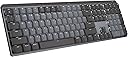
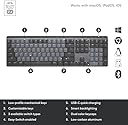
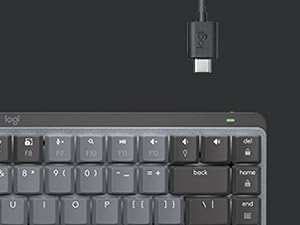
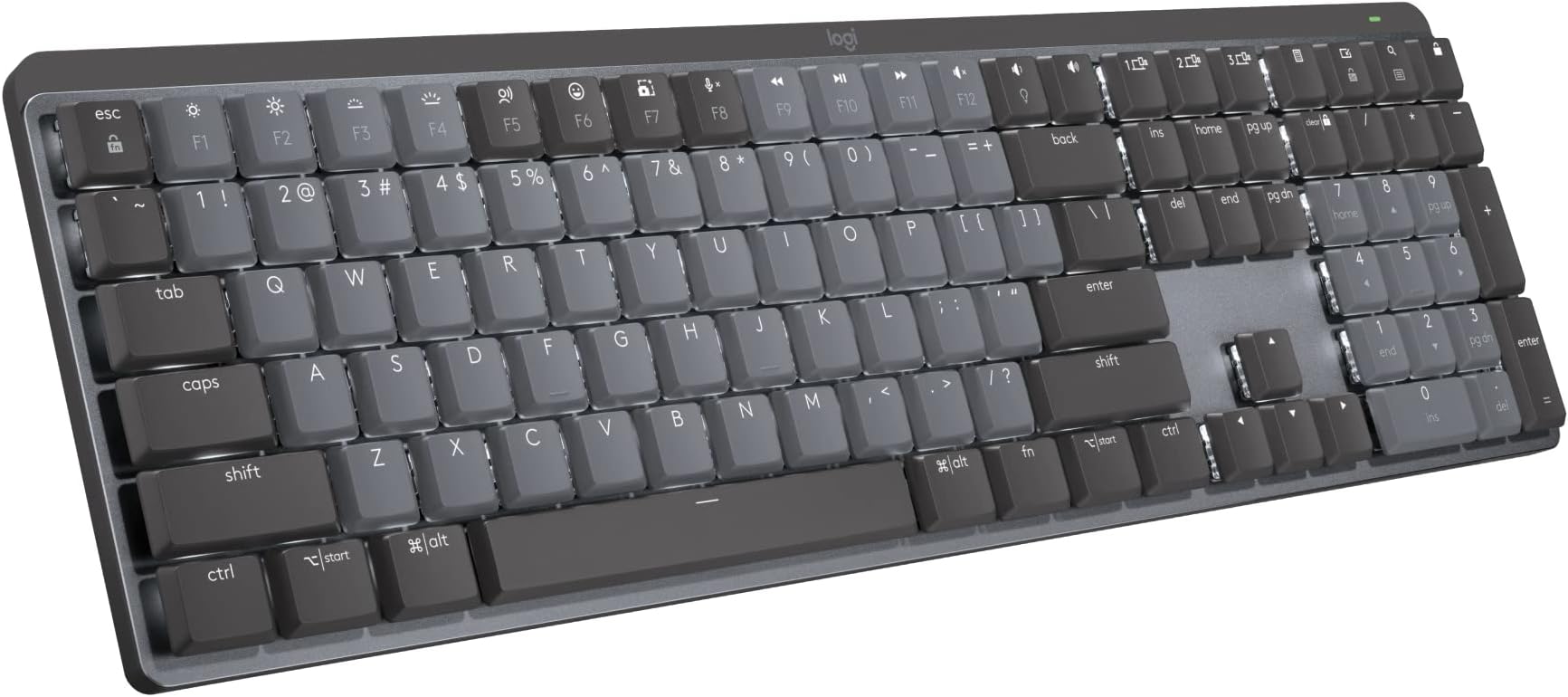
The Logitech MX Mechanical Wireless Illuminated Performance Keyboard combines premium clicky mechanical switches with smart backlighting and multi-device Bluetooth connectivity. Designed for professionals who demand precision and comfort, it features a durable metal build, USB-C quick charging with up to 15 days battery life, and seamless compatibility across major operating systems. Its adaptive illumination and customizable keys keep you productive and stylish, making it the ultimate tool for the modern multitasker.


| ASIN | B09LJWWX4Y |
| Additional Features | Illuminated |
| Antenna Location | Office |
| Best Sellers Rank | #19 in Computer Keyboards |
| Brand | Logitech |
| Built-In Media | Logi Bolt Receiver, Master Series MX Mechanical Wireless Illuminated Performance Keyboard, USB Cable, User Documentation |
| Button Quantity | 110 |
| Color | Graphite |
| Compatible Devices | PC |
| Compatible Operating System Family | ChromeOS, Linux, MacOS, Windows |
| Compatible Tablet Computer Models | AAUB P30 |
| Connectivity Technology | Bluetooth, USB-C |
| Customer Reviews | 4.4 out of 5 stars 884 Reviews |
| Enclosure Material | Information Not Available |
| Generation | 1st Generation |
| Global Trade Identification Number | 00097855174550 |
| Hand Orientation | Ambidextrous |
| Is Electric | Yes |
| Item Dimensions L x W x H | 20.5"L x 6.4"W x 1.02"H |
| Item Type Name | Keyboard |
| Item Weight | 2.5 Pounds |
| Keyboard Backlighting Color Support | Single Color |
| Keyboard Description | Mechanical |
| Keyboard Layout | QWERTY |
| Manufacturer | Logitech |
| Mfr Part Number | 920-010549 |
| Model Name | MX Mechanical Master |
| Model Number | 920-010549 |
| Number of Keys | 104 |
| Number of Sections | 7 |
| Power Source | Battery Powered |
| Recommended Uses For Product | Office |
| Special Feature | Illuminated |
| Style Name | Clicky (satisfying click) |
| Switch Type | Tactile |
| Theme | Office |
| UPC | 097855174550 |
| Unit Count | 1.0 Count |
| Warranty Description | 1 Year Limited Hard Warranty |
K**K
Truly hits the perfect balance for key feel
Incredible overall feel while typing. I'm seriously writing this review in part because it's so enjoyable to type on this keyboard. The sound of the click is exactly right. It's just loud enough to be distinctly audible with each keystroke, but not any bit louder beyond that. And the tactile feedback of the keys is just enough as well -- there's exactly enough feedback -- just enough to always help you register the keystroke, but not so much where it gets hard to type accurately after a while without lots of effort and unnaturally added focus. The setup was also basically instant. Turn it on and laptop helps you connect it to bluetooth. Incredibly straight forward. Very high quality materials on the frame, key covers, and also the USB charging cord. Overall well worth the money. I had to return the Keychron K10. Hoping to get away with a $70 keyboard, but the difference between this keyboard and that is really truly night and day. There's a reason why this costs more than double. Gladly willing to pay this premium for a product that I use this often.
D**N
Premium Feel, Compact Form – Logitech MX Mechanical Mini
This keyboard delivers the perfect blend of mechanical key feel, wireless convenience, and premium build quality. The clicky switches are satisfying without being overly loud, and the compact size frees up desk space without sacrificing functionality. Pros: Excellent mechanical switches — tactile, responsive, and consistent. Compact layout saves space while keeping essential keys. Backlit keys with adjustable brightness for low-light use. Multi-device pairing works seamlessly across macOS, Windows, and more. Solid metal top plate adds a premium, sturdy feel. Great value and portability versus other top mechanical keyboards. Cons: None so far — performs exactly as promised. Notes from Use: Paired it with both a MacBook Pro and a Windows desktop — switching between devices was instant. Typing is a joy, with satisfying feedback and no missed keystrokes. The backlighting adapts well to different lighting conditions, and battery life has been excellent even with illumination on. The smaller footprint leaves more room for a mouse, which is great for tight workspaces. Verdict: A top-tier choice for anyone who wants a compact, wireless mechanical keyboard without compromises. Perfect for both productivity and casual use. 5/5 stars. Photos/Videos: Side profile highlighting low-profile switches. Backlit keys in a dim room. Desk setup showing the compact footprint.
A**Y
It scratches the brain
For my first mechanical keyboard, I went with Logitech since I’ve used their products for years and can trust their versatility and reliability. Yes, other companies have way better options. And yes, Logitech also has other mechanical keyboards like their Gaming Keyboards, that are marketably better. But personally, this keyboard is honestly such a good option and checked all my boxes. I chose the Clicky option, which is Logitech’s version of the blue switch. I preferred the physical “click” of the keys, unlike the red switch or Linear. And wanted an audible sound, unlike their brown switch, Tactile, which is more “thonky” or muted. If that helps anyone in their decision making. From my few days of using this keyboard; My Pros: - The backlighting’s “hand awareness” is such a nice little detail. - Versatility with 3 device options to switch seamlessly to made easy. — Window/Mac compatibility unlike Logitech G keyboards (only windows compatibility), that allow me to use a Windows laptop, MacBook and iPad without issues. (only this model specific, Logitech has an only Mac option!) - Customizable buttons using the Logi Options+, which is free to download via Logitech’s website. My Cons: - It is a fingerprint fiend! The plastic matted keycaps attract so much oil and it is so noticeable. - From my knowledge, you can’t change the keycaps or the switches like other mechanical keyboards. But don’t quote me on that! - Because of the “hand awareness” mentioned in the Pros, the backlighting doesn’t stay on for ambient lighting like other RGB’s. All in all, it’s a great option. But like I said before, there are so many other great options out there too. It’s a big market! Personally, I went with something I’m comfortable with and know that I can rely on. But it took a lot of research on my part. I can’t speak for anyone about their shopping habits or purchases but I do want to say, research your options before buying! And if possible buy it, then return it if it’s not your style.
J**Z
Quality, Functionality, Beauty
I love this keyboard. I have stayed away from Logitech keyboards for my desktop in the past. I got a Logitech MX3 series mouse and it was excellent but their keyboards always looked a little...too plastic. I have a couple of their K400R model keyboards at home for interfacing with the large televisions and they function flawlessly, but the keys feel a little mushy and they look...too plastic. This MX Mechanical Mini is a quality keyboard with full functionality and it can switch connections among three separate devices while keeping them all paired simultaneously. I don't think any common HID hardware other than the Logitech MX series, has that function. Bluetooth is flawless and painless. Connecting to anything is a breeze. If you use the Logi-Bolt receiver it gets even better for one of those three connections. My MX Mechanical Mini holds a charge well, maybe too long. I charged it up and have had it a bit less than a fortnight now and charged it once more a couple days back. I was worried that the keys' backlighting would be a noticeable power drain but it isn't. I use a GNU/Linux based desktop and the MX Mechanical keyboard pairs and functions flawlessly with that PC. Well built, nice looking, functional...you won't regret this purchase decision.
R**S
Very good - not $160 good
I did a lot of research before buying this keyboard, looking at a lot of other mechanical keyboard, watching sound test videos with different switch types, and ultimately it came down to trusting logitech, good reviews, and the fact that I already had the MX Masters mouse so sharing the logitech bolt receiver is convenient. 2 weeks into using this, I can say that it's a very good keyboard but I'm hesitant to say it's worth $160. Here's the breakdown. This review is for the blue key 'clicky' switches Build quality: 4/5 It's pretty good, I was shocked how heavy it was but that's good, it sits firmly on the desk. Key's have a very slight wobble to them, which loses 1 point on build. It's not a deal breaker and it's not that bad to be honest, but it is there. The key texture is nice, somehow soft feeling - which it's hard plastic but I don't know how else to explain it. The top casing is a blast textured aluminum with a polished chamfered edge that is subtle but striking if you take the time to appreciate it. I wish more of this metal was used in the bottom casing but also you don't look at the bottom of your keyboard so who cares. Battery life: 5/5 It really is the best in the biz and even with the backlighting on I'm experiencing great longevity. I don't think anyone else is matching this battery life. This was delivered on 1/29/2023 and I use it for work (8 hours a day, 5 days a week minimum). Here are the charging updates: Update 4/11/2023: I just charged it for the first time yesterday and I do have the backlighting on. Update 6/6/2023: I'm charging this for the second time now. Looks like frequent use can expect to charge this ~4-6 times a year. Switch feel (blue 'clicky' keys): 4/5 I think I had the wrong expectations here, which I feel silly for since I watched numerous videos demoing the sound. It's a 'clicky' sound. I was imagining that dramatic 'SLAP' sound you hear on a typewriter when the printing arm whacks the paper. Well, this is a keyboard, not a typewriter, and 'clicky' is exactly the sound it makes. Like a mouse click, but a little more. I think I really wanted something more, or maybe deeper. That said, it feels very good and the sound is not bad, just manage your expectations if you're like me. Watch the videos, the sound is pretty accurate. I thought maybe people were just bad at recording or had bad mics and I kept telling myself it would be more dramatic in person. It is not. Backlighting: 4/5 There is certainly cooler lighting out there with all the RGB individually addressable key lighting and all that on gaming keyboards, so this falls short compared to that. These keys are addressable (don't know if you can control that yourself, but the presets do utilize some individual key effects) but they are just normal white. This is not something I care about, I'm 33, this is for my office, not my dorm room. The lighting is just fine and the effects are sorta cool but I just leave it in static mode. The smart illumination is really something - it just turns on if your hands are hovering over the keyboard and not even touching. How do they do that? Light sensor maybe? Proximity sensor? There is no visible sensor anywhere so they did a great job concealing it if there is one and the effect is very accurate. One area of improvement that sorta has more to do with overall keyboard design is that there is considerable light bleed out of the bottom, but that is due to the design being open under the key to view the switches rather than the keys being nestled into the top casing. Take this for what you will, I like the open design but maybe they could have isolated the lighting better. Connectivity: 5/5 Disclaimer - I only use the bolt receiver and not bluetooth. It is faster than BT, as BT has a max capability of 34ms response time but usually sits between 100-300ms, and bolt is 1ms. Just use the bolt. I know it takes up a port but it's way better. I think that's about it, I mean it's a keyboard. It's good and functional but it's not life changing. I would probably pay a little over $100 but not $160 for this.
A**R
Perfect
Keyboard is awesome! it's comfortable to use and the Mechanical Click are satisfying. Defiantly Recommend!
W**S
AVOID - It Sounds Great, But Will NOT Work Like Advertised
I've been using this piece of absolute garbage for a while now. I wanted it and the MX Mouse to avoid having multiple keyboard/mouse combos as I run three desktops (2 macs and a Windows machine). From the specs, this seems perfect, and would be perfect if Logi had a staff of remotely competent engineers and software engineers to drive all the features it's supposed to have out of the box. But they clearly don't. Whoever designed this along with the Logi Options+ (LO+) software is either completely incompetent, or Logi has absolutely hobbled it with corporate interference BS. Physically, this keyboard is awkwardly heavy. It takes a little effort to move, especially since the idiots built it with very little bezel along the sides and keys that are so sensitive I'm guessing a strong breeze would press the button. So this equates to accidental keypresses ALL THE TIME. Particularly the numpad "enter" key as it's right on a corner, and hitting "enter" on random windows, as you can imagine, leads to a lot of problems. The software is almost too numerous in issues to detail. The overriding message though: None of the features it's supposed to have work 100% of the time. If the LO+ software isn't crashing your computer, or going haywire, it'll be ignoring all your settings, or completely erasing your settings. There's a new terrible update so often, you actually need to open the software each restart so you have at least partial command over your keyboard and mouse and to make sure Logi didn't completely erase everything you had setup before. Huge fails: The mouse is supposed to move between desktops, the keyboard is supposed to follow the mouse. So if I move from System 1 to System 2 with the mouse cursor, the keyboard should automatically follow, but my brothers and sisters: THIS DOES NOT RELIABLY HAPPEN AND IT WILL ABSOLUTELY DRIVE YOU CRAZY. Mostly, the cursor gets stuck on a screen when you want to move, but when you don't want it to move screens, and say you're near the edge of the screen to minimize a window - this Temu-garbage software will abruptly kidnap your cursor to the next screen. And because it doesn't work when you want it to, you spend the next minute running the cursor against the edge of the screen trying to get it back. You'll likely give up on getting it to do what it's supposed to do and have to manually hit the system selector button on the bottom of the mouse. Other times you'll move your cursor to System 2 from System 1 and go to type on System 2 but, surprise, the keyboard is still on System 1, and you've just destroyed whatever you had on that screen with whatever you just tried to type on System 2. Then you'll again, need to use the keyboard system selector buttons to manually get the keyboard to the right screen. This manual switching isn't hard manual labor or anything, it's just an interruption in workflow that's NOT SUPPOSED TO BE NECESSARY with this system - yet it is absolutely necessary, quite frequently. This isn't user error; all components are properly set up, all troubleshooting has been reviewed, this is just a VERY, VERY POORLY DESIGNED/IMPLEMENTED PRODUCT. I promise if you ignore these warnings, and you're aiming to use this like I use it, you WILL spend time being extremely frustrated. You're not going to get your money's worth. And in the end, it may end up destroyed, as you may experience a strong urge to bash the keyboard against a brick wall.
G**N
Amazing Keyboard! Only wish the software worked for Android and iOS
### Exceptional Keyboard for Productivity and Style! I've been using the Logitech MX Mechanical Wireless Illuminated Performance Keyboard, and it's been a game-changer. This keyboard exudes quality with its heavy and premium feel, making typing a pleasure. What's truly remarkable is the battery life. With the backlight on, it lasts a full month on a single charge; turn off the backlight, and you get a whopping 10 months of usage – incredible! The USB-C connectivity is fast and reliable, and the sleek design adds a touch of sophistication to my workspace. The six lighting customizations allow me to personalize my typing experience, and key remapping is a fantastic feature for customization. However, there's a drawback – the Logi Options Plus software doesn't work on Android, limiting some features on the go. Also, my workplace restrictions prevent me from downloading the software, so I can't unlock its full potential there. But even without it, the keyboard performs excellently; you just can't customize it as extensively. In summary, the Logitech MX Keyboard is a top-tier choice, offering impressive battery life, USB-C connectivity, and customization options. It's highly recommended for productivity and style!
B**G
i received keyboards but its not clicky switch
on this keyboard there is no Clicky Switches.its not good
L**T
Awesome keyboard, using it everyday
I use this keyboard as my main driver every single day for multiple hours and it has never failed me. I charge it once every 2 months and it holds charge very very well in the meantime. The wireless dongle works at lightspeed and the Bluetooth connectivity is very good, especially with the ability to connect to 3 different devices at the same time. Finally, the clicky version has a very satisfying and not annoying clickiness to it that makes typing on it very interesting and enjoyable. Overall a great keyboard which I would recommend to anyone without a doubt.
E**C
Great keyboard for heavy daily users
Coming from an old Razer Blackwidow, but decided to try this keyboard as the Razer v3 Pro has issues with double entries. At first, I wasn't really happy with the low profile, but gave this some time. I use it daily for work at home. It's been a few weeks, and I am in love! Excellent feel/feedback. I only wish there was an offline installer for Options+, as my company laptop's security software blocks the online installer. Not Logitech's fault - I give this keyboard a 5/5.
D**P
Got a keyboard which was not as in the picture
The leftmost “shift” key is smaller and there’s an unexpected key between “shift” and “z” keys, which makes difficult to type fast.
B**M
Best Mechanical Keyboard so far
Few things I like about it: 1. Easy connectivity to switch between devices 2. Minimalistic Design 3. Good battery life. 4. Personally, I like the feel of the clicky switches. Switches are ultimately a preference choice. Personally, I tried all three of the switches and these are my recommendation If I were to rank them based on typing feel, it would be Clicky -> Linear -> Tactile Quiet. Clicky: Best typing feel of them all, can accurately feel that I have pressed the button, noise is a bit loud so make sure to check with people around you before you decide to purchase it. Linear: Feels like a normal keyboard, instead of a mechanical one. However, it is very smooth and nice to type as well, noise is the smallest. Tactile Quiet: The weirdest feeling out of them all, this is supposed to be a compromise between the two so maybe that's why it feels weird, it's not mechanical enough that you get that satisfying feel and noise every time you press a key. So sometimes I am not sure if I have pressed it. On the other hand, it is not smooth enough to have a normal keyboard feel.
Trustpilot
2 days ago
4 days ago