![[6TB Support/Offline Clone Function]Unitek Docking Station USB 3.0 to SATA 6G Dual Bay for External Hard Drive2.5 or 3.5'' HDD/SSD SATA III Hard Drive Duplicator](https://m.media-amazon.com/images/I/61UQd7PQhsL._AC_SL3840_.jpg)
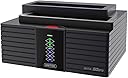
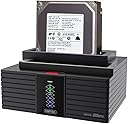
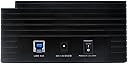

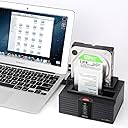


[6TB Support/Offline Clone Function]Unitek Docking Station USB 3.0 to SATA 6G Dual Bay for External Hard Drive2.5 or 3.5'' HDD/SSD SATA III Hard Drive Duplicator
Product ID: 42933369
6TB Support/Offline Clone Function]Unitek Docking Station USB 3.0 to SATA 6G Dual Bay for External Hard Drive2.5 or 3.5'' HDD/SSD SATA III Hard Drive Duplicator Review: Like others have said - Off-line cloning process requires pushing the red button twice. The first time, push and hold for about 3 seconds and release. The blue LED above the 100% mark will light up briefly. You must push the red button again before that blue light goes out in order to start the cloning process. The second push of the red button is not a push and hold for 3 seconds but a quick push and release. I had discarded my instructions and couldn't figure this out so I emailed Unitek for a PDF of the manual. They responded in a few hours with the PDF and text instructions as well. I was very impressed with their responsiveness. The cloning process works flawlessly. Sturdily built product. Like others have said, I wish they had not put the power button in the back. But no big deal. Oh, yes, the off-line cloning is just that. You must disconnect the unit from your computer's USB port first. Review: Very compact, efficient design; Easy to Use - Well, I couldn't get my drive to clone, but it wasn't this unit's fault. The drive was just dead. I bought this in the hope that I could eke out enough life in the drive to make a clone before it completely died, but no luck. (It was a Toshiba hard drive from a Toshiba laptop--the drive just crapped out and gave no SMART warnings at all--typical for Toshiba, from what I read online). Anyway, even though it didn't work, the unit is very nice. It's very easy to operate, and, if you have used a Microwave, DVD/BluRay player, or any other moderately complex gadget, you should be able to read and understand the instructions and use this device. One note: if you plug in a "suspect" drive (i.e. one that is possibly dead, but still registers with the computer, e.g. the motor has quit or something similar), then when plugging this unit into the computer, you may not see the drive--or any drives attached to this device--from your computer. Simply remove the suspect drive and you should have no problems with seeing other attached drives show up in Windows explorer. I can safely recommend this product.
| ASIN | B00YGKZOAQ |
| Brand | Unitek |
| Compatible Devices | Laptop |
| Customer Reviews | 4.0 out of 5 stars 45 Reviews |
| Global Trade Identification Number | 04894160007773 |
| Hardware Interface | USB 3.0 |
| Item Weight | 2.2 Pounds |
| Manufacturer | UNITEK |
| Mfr Part Number | Y-3025 |
| Model Number | Y-3025 |
S**T
Like others have said
Off-line cloning process requires pushing the red button twice. The first time, push and hold for about 3 seconds and release. The blue LED above the 100% mark will light up briefly. You must push the red button again before that blue light goes out in order to start the cloning process. The second push of the red button is not a push and hold for 3 seconds but a quick push and release. I had discarded my instructions and couldn't figure this out so I emailed Unitek for a PDF of the manual. They responded in a few hours with the PDF and text instructions as well. I was very impressed with their responsiveness. The cloning process works flawlessly. Sturdily built product. Like others have said, I wish they had not put the power button in the back. But no big deal. Oh, yes, the off-line cloning is just that. You must disconnect the unit from your computer's USB port first.
C**A
Very compact, efficient design; Easy to Use
Well, I couldn't get my drive to clone, but it wasn't this unit's fault. The drive was just dead. I bought this in the hope that I could eke out enough life in the drive to make a clone before it completely died, but no luck. (It was a Toshiba hard drive from a Toshiba laptop--the drive just crapped out and gave no SMART warnings at all--typical for Toshiba, from what I read online). Anyway, even though it didn't work, the unit is very nice. It's very easy to operate, and, if you have used a Microwave, DVD/BluRay player, or any other moderately complex gadget, you should be able to read and understand the instructions and use this device. One note: if you plug in a "suspect" drive (i.e. one that is possibly dead, but still registers with the computer, e.g. the motor has quit or something similar), then when plugging this unit into the computer, you may not see the drive--or any drives attached to this device--from your computer. Simply remove the suspect drive and you should have no problems with seeing other attached drives show up in Windows explorer. I can safely recommend this product.
S**.
Killed my hard drive
Took it out of the box, inserted two hard drives and pressed the button to initiate the clone function. The lights appeared momentarily and I could tell the drives were spinning up, but then it shut off abruptly and the device never showed any signs of activity again - and it fried my 'source' drive in the process! I couldn't get it to clone, read a drive, or even illuminate a single LED after that. I returned it for a refund and purchased a similar product from a local vendor. It cost more but it hasn't failed me yet, let alone cause data destruction.
R**S
Cloning is awesome, needs physical lateral support for laptop sized drives though.
The cloning functionality is awesome. It has a pretty fast transfer rate especially when recovering drives that were once in a RAID array. Only con I see here is, while you can put laptop hard drive within the slots, there is no physical support holding the drive in place. If you bump into it or over time if you use laptop drive regularly, it seems like if could break the connector because of this. Some competitors use a plastic flap on a springed hinge which pops up when there is no large drive in the port allowing you to slide in a laptop drive and give it ample lateral support.
B**D
Eh. Works great as dock, confusing duplication instructions.
Works well as dock. Instructions are less then clear for doing off-line dupe. I need to test some more with drives I do not care about lest the thing screw up. The indicator lights do not give as much feedback as I'd like. Would go for a different brand next time with better instructions.
L**K
Easy, fast and reliable dock solution
This works as advertized in my USB3 plug and instantly is recognized under Windows 7....an earlier docking station I had NEVER identified correctly without going to Device manager and searching for new devices. This is slick, small enough for my desktop area and all I wish is that maybe the slots had some dust covering, but that is what God created air sprayers for, right!? I have not used the internal cloning yet, but do back up my boot SSD weekly through it as well as my other sata Data drives and it seemingly runs as fast as hard connecting the drive via cable.
T**6
HD Clone Standalone, Or Docking System component
This is a Very sweet little peripheral piece that is Cleaning up some drive that my Cable System couldn't touch. This little machine works Great. The basic Operation of External Dock Or Stand alone Clone functions perfectly
E**X
no ssd detection, good clone feature
Does not detect any of my ssd drives, I do not know if that is because they are ext4 formats, not NTFS. Physical NTFS drives work fine, two mounted drives are detected as separate devices through usb. The stand alone clone feature seems good, but again I have only tried NTFS so far. Takes 4 hours to clone my 5400rpm 1tb drive with many data files, but it is away from the computer, so it is much easier and less error prone for my backup purposes. Bought it to mount loose drives to my router's usb3. Build quality is ok, but there is nothing to hold 2.5 drives in place, They stand on their connectors which makes the setup fragile.
T**N
Amazon will despatch to the UK with a continental plug.
Don't bother unless you want to use it in the bathroom, or in continental europe.
Trustpilot
4 days ago
3 weeks ago