Desertcart purchases this item on your behalf and handles shipping, customs, and support to Spain.
💾 Unlock limitless storage — because your data deserves the best!
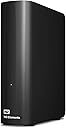
The WD 20TB Elements Desktop External Hard Drive offers massive, reliable storage with ultra-fast USB 3.0 connectivity. Designed for effortless plug-and-play use on Windows PCs and compatible with Mac after reformatting, it supports major gaming consoles and features a durable aluminum build. Perfect for professionals needing expansive, high-speed storage backed by Western Digital’s trusted quality and a 2-year warranty.


| Additional Features | Fast transfer rates, Plug-and-play simplicity |
| Asin | B09VCXWPQG |
| Best Sellers Rank | #3 in External Hard Drives |
| Brand | Western Digital |
| Built In Media | WD Elements hard drive, USB 3.0 cable, AC adapter, Quick Install Guide |
| Cache Memory Installed Size | 20 |
| Color | Black |
| Compatible Devices | Mac, PC |
| Compatible Video Game Console Models | Microsoft Xbox 360, Microsoft Xbox One, Microsoft Xbox SERIES S, Microsoft Xbox SERIES X, Sony PlayStation 3, Sony PlayStation 4, Sony PlayStation 5 |
| Connectivity Technology | USB |
| Customer Reviews | 4.2 4.2 out of 5 stars (1,068) 4.2 out of 5 stars |
| Data Transfer Rate | 1 megabits_per_second |
| Digital Storage Capacity | 20 TB |
| Enclosure Material | Aluminum |
| Form Factor | 3.5-inch |
| Hard Disk Description | Mechanical Hard Disk |
| Hard Disk Form Factor | 3.5 inches |
| Hard Disk Interface | USB 3.0 |
| Hard Drive Size | 20 TB |
| Hardware Connectivity | USB 3.0 |
| Hardware Platform | Mac w/ Reformat, PC |
| Installation Type | External Hard Drive |
| Item Dimensions L X W X Thickness | 8.95"L x 3.52"W x 8"Th |
| Item Type Name | External Hard Drive |
| Item Weight | 2 pounds |
| Manufacturer | Western Digital Technologies, Inc. |
| Mfr Part Number | WDBWLG0200HBK-NESN |
| Model Name | Elements Desktop |
| Model Number | WDBWLG0200HBK-NESN |
| Number Of Items | 1 |
| Specific Uses For Product | Personal |
| Upc | 718037894546 |
| Warranty Description | 2 Year Limited Manufacture Warranty |
User
A Tale of 2 drives (WD 20TB Elements Desktop & WD 2TB Elements Portable)
June 22, 2026 (UPDATES):I paid $279.99 for the 20TB drive on May 7, 2025 (on sale from $304.00). This drive is $814.99 as of today. It's been in daily use all this time and it's still as quiet and reliable as it was on day one. (It only makes a soft whirring noise when it wakes up).The 2TB drive that arrived with signs of prior use with the 'ding' chipped out of its side has been running fairly well with daily use, though sometimes when I turn on my mac it takes a minute or two before the drive shows up. (Even the 20TB drive appears right away on this mac, so I don't view that as a good sign in terms of longevity). Anyway, I copied a ton of my videos to the 2TB drive and even the largest media files play without a hitch (so far).(This is the end of my June 2026 update).----------------------------------------------------------------------------------------------------Well, I have to edit this review to include a NEW western digital drive I recently ordered (because amazon doesn't let you leave separate reviews for different drives made by the same company. My reviews here are for VERY different products and we should be allowed to review them separately, but... ¯\_(ツ)_/¯------------------------------------------------------------REVIEW for the "WD Elements Portable External Hard Drive for Windows, USB 3.2 Gen 1/USB 3.0 for PC & Mac, WDBU6Y0020BBK-WESN":Anyway, the TWO terabyte WD drive I bought on January 1, 2026 for $79.99 had obvious signs of use. There was a small but noticeable 'ding' on the right side of the drive, and the CrystalDiskInfo utility software showed that the drive had been used for 3 hours. That's far more than any drive that's fresh & straight from the factory will have accrued for simple testing.I kept this drive because I needed it immediately, but I'm not happy about it having been USED and the 'ding' chipped off on the side that shows it had been dropped. Even so, it's performing wonderfully (so far) on a new Mac & an old Windows computer, but time will tell the true tale.------------------------------------------------------------REVIEW for the "WD 20TB Elements Desktop External Hard Drive, USB 3.0 drive, WDBWLG0200HBK-NESN"I ordered the WD 20TB Elements Desktop External Hard Drive in early May 2025, wiped it and re-formatted it as NTFS for Windows, and then transferred a ton of backups to it. (A little note: 20 TB drives have an *actual* capacity of 18.19 TB).This WD drive is reliable, sturdy, and a winner by every metric. It's a very quiet drive (I only ever hear a very soft & short 'brrr' when it's waking up, but then it falls silent and remains quiet for the rest of the time that it's active). My drive is on all day, yet I never hear any sounds while it's working. I actually forget that it's on until I need to search it for something!Even with my ancient PC, this WD drive had smooth transfers of up to 180 MB/sec. When that PC died and I connected the WD drive to a new mac laptop, the transfer speed was even faster. This drive has been in use every single day for almost 8 months and it's still just as quick and quiet as the first day I used it.Of course, if you format any drive as NTFS like I did, and then you use that drive with a Mac, you can only copy files FROM the drive while it's connected to the mac device, and you can't can't copy files TO the drive.I thought I'd only use this with my old windows comp and didn't forsee its overdue demise so I used the NTFS format... but since I can access those files, it's no biggie. I'm about to order another WD drive and I'll format it as ExFat so that it'll have full read & write abilities on both mac & windows.This is a great drive and if you're a dual-OS user like me, just format your drive accordingly. It's nice to be able to have the best of both worlds. :)
User
Works fine
The drive works. Just plug it in, turn it on, let Windows install the relevant drivers, & you're good to go. I've had it for only a couple of days so I can't address durability. But my experience with other Western Digital equipment has been good. They're a reputable company for a reason.I decided I ought to be prudent & do a full format of the drive, not a quick format. It took a day. Yes, a whole 24 hours. On a USB 3 port. This is not a complaint. It's 20T. That's a ridiculous amount of space. Format takes time. This is NOT a shortcoming of either the drive or your computer. If you do a full format, plan for it to run a long time. And any sizable backups you do to the drive will also take a long time. Don't complain about it. Expect it.Actually, the size of the drive is 20,000,553,295,872 bytes. That's a human number. That is not actually 20T. 20T is 20 times 2 raised to the power 40. In human numbers, 2**40 is 1,099,511,627,776. 1T is not 1 trillion. They are different numbers. Drive manufacturers like to say their devices are a certain number of T. They are intentionally inflating their numbers to mystify the unsuspecting consumer. Learn. This 20T hard drive does not contain 20T of space. It is actually 20,000,553,295,872/1,099,511,627,776T, which works out to 18.19T. Windows reports it as 18,626.97G. Computers work in powers of 2. Disk drive manufacturers don't. Understand the difference. 20T is actually 21,990,232,555,520, nearly 22 trillion, larger than the manufacturer's claim that the drive is 20T. Don't be fooled. It's just fun with figures.Update 2025/11/2I now have 4 of these things. That should tell you something about what I think of them. It also addresses longevity. Now, I have to point out that I have these as my backup devices. I use Macrium Reflect to take backups of my system & data. These 4 WD Elements drives are targets for various backups I take. I do a backup every 2-5 months, whenever the nagging feeling overwhelms me that I have accumulated too much data that I haven't yet backed up. Between backups, these devices are powered off & disconnected from the computer. Disconnected, in addition to being powered off. I have discovered that you need to do both, because USB ports do supply power to smaller devices so you need to not only power off your hub but also unplug the USB cable. This powered off/disconnected state is my equivalent of off-site backups. I'm not a corporation, just a guy at home with a computer. I'm not worried about a terrorist attack or a disgruntled employee sabotaging the business. So I don't have a totally redundant installation in another location. I just keep the devices detached from the system until I need them. That means they are not in constant 24/7 use. So far, they have all functioned perfectly. Based on this experience, if any of my main system HDDs fail, I will not hesitate to replace them with more of these Elements drives. I have to say that I have had 2 of the WD 4T My Passport drives fail on me, which I find perplexing. They were also backup drives getting only sporadic use. Fortunately, all I lost was some backups. I created new backups on the new drives so I didn't actually lose any live data. Such is life.
User
There's Never Enough hard Drive Space
I am old. My first hard drive was 5 megabites. Five. For the time it was obscenely huge. Most people did not have hard drives of any type back then. A few companies did. I had no idea what I would do with all that space. every piece of software and everything I'd ever written fit on it. Now, starting today, I have 64TB of storage on internal and external drives, both SSD and HDD. I already know I will soon be running out of space and trying to decide what needs to go because a home rig can only handle so many USB devices before they just dn't function. So, about this drive. I dropped it before installing. Not it's fault. I have a lote of cords and wires to navigate when adding anything into my system. When I plugged it in, another drive failed. I had to try different things to get everything to play nice together, but that is just reality in today's PC world if you wanna have 7 storage drives. I plugged it in and it works. ready to use. There is software to set it up, but it works without running it. I buy WD for the warranty, but I've almost never had to use it. I'm thinking I should have bought the 22TB one instead of the 20TB, but I'm poor. I was trying to get the most storage and quality on the least money. When I have to replace an older drive in the future, it will be another massive Western Digital, whatever size I can afford. What I can't afford and don't want is 64TB of cloud storage. I would recommen their drives to anyone. But keep them at home. They'll last longer if you don't treat ones this size as portable. Very pleased with this purchase.
User
There goes my trust in WD
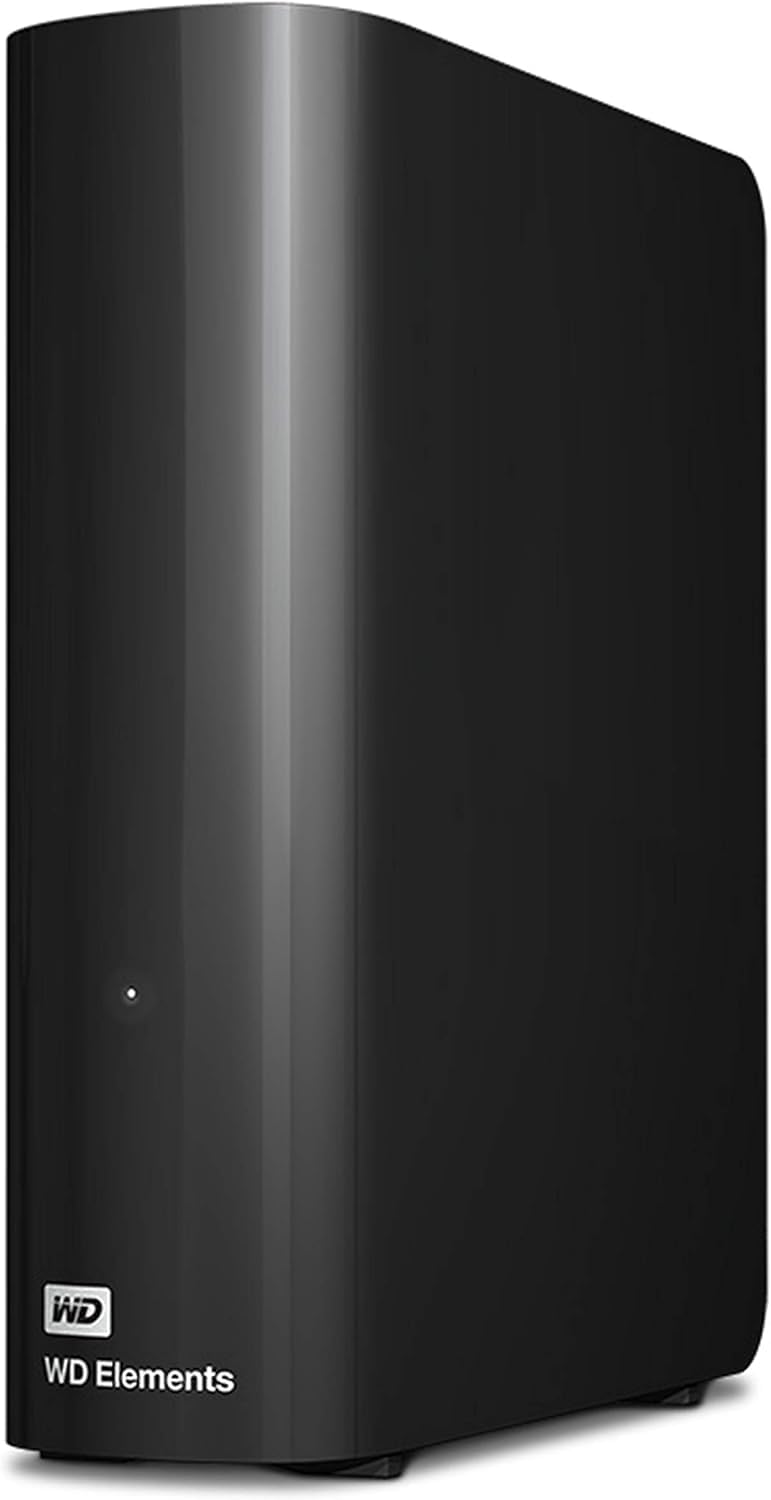
I have owned a lot of hard drives over the years. WD has been my go-to for quite a while now. I still have a 1TB WD external that is running. It's from when 1TB was a lot. It's still fine. This was my latest, and my worst hard drive purchase of all time. I ordered this on March 1st, 2025. I'm sitting here, trying to recover data off of a dead drive on June 18th, 2025. It's still under warranty, but the warranty is void because of how things happened.I usually back up everything. I keep a file with a bunch of passwords on it. It gets backed up to several locations. I updated that file today with some new passwords that I need to keep. This hard drive became inaccessible within minutes of me updating that file. I didn't have time to back up anything. I have an the old version of that file several times, but not this version. The drive simply disappeared from windows. I thought that was odd, so I checked to see if it somehow was unplugged. It wasn't. I listened to it, and it was spinning just fine. I thought that was odd, so I checked disk management and it said the drive was not initialized. That's...bad. Windows didn't even know the size of the drive. That's usually a physically dead drive. I thought it was rather odd that a 3 months old drive would go from functioning perfectly to completely dead instantly. None of my other drives were having any issues. So began the fun.First, I unplugged the drive and plugged it back in. It spun up, but windows couldn't recognize it. I tried that on several different computers, both windows and otherwise. I tried to connect it to my phone and tablet. They would see it, but couldn't connect. I went back to my main computer, and it still couldn't even see the size of the drive. This left me with a massive problem. I could warranty the drive, and definitely lose my data, or pay $1,000 for data recovery to potentially find out that the external enclosure had failed, or I could void the warranty, pull the hard drive out of its enclosure and connect it via SATA. I went with option 3, because I don't have $1,000 to spend right now, and I need that file. After getting it out of there, I connected it via SATA to my computer. Well, now it knows how large the drive is, but it's still not initialized. That's what's going on in my picture. So, that's where I am. I'm staring at a $300 brick. I'm trying to figure out how to get my data off of it. Normally, when a drive dies, I have some warning. Even when it actually goes, I can still get most of the data off of it. This one died catastrophically 3 months after I installed it. I have had some regrettable hard drive purchases in the past 30+ years of working on computers, but this one stands at the top of that unfortunate pile.Was it the right decision to take the drive out of the rather flimsy enclosure? If I can't recover anything, then all I did was cost myself the warranty. That is something to consider though. If the enclosure and the USB-SATA adapter goes bad in warranty, you are out of luck. You can't take it out to recover data. Your warranty is gone if you do. You data is gone if you don't. Good policy!Update after some testingEvery single block is bad. All of them! I'm fairly certain it went to sleep, and when it tried to power back up the read/write head smashed into the disk. That is all that makes sense, considering it spins just fine but all the blocks are bad. This drive was always loud. It was considerably louder than the older 8TB Elements that is sitting right next to where it was. I just thought that was how it was supposed to be, but I think the actuator was having problems from day one. Removing the hard drive was definitely a waste of time and money. Buying this drive was waste of time and money, actually.Update after tearing it apartThe head definitely crashed into the platter. It did that while sitting on my desk. It's a 10 platter design, so the head is quite complex. I think there was a minor flaw in the actuator from the factory. Either that, or it got moved around in shipping. Whatever it was, it probably explains why it was so extremely noisy from day one. The flaw slowly got worse over the next 3 months, and then it catastrophically failed. WD definitely has done nothing to make this right. I guess I'm just out $300 and some data that I didn't have time to back up. I wasn't too worried about it since the hard drive was basically brand new. Well, that was a mistake, just like buying this hard drive.
User
Does NOT include USB-C/USB-3 cable has old/slowUSB-A cable)
Advertised as USB-3, but came with USB-A connector, so have to use an adapter to connect to USB-C, which means SLOWER transfer speeds. Just started copying files to it as a backup, and speeds are definitely much slower than they should be. Aside from that, it seems fine.I got a 14TB WD drive, which I included a USB-3/USB-C cable and is quite speedy and solid so far.WRONG cable knocked my rating down one star, which is based on performance of previous unit and initial reactions. ProbablyI would have given full 5-star rating had it included the connector cable listed in the product description.Not sure if I should return or contact WD or seller to get the correct cable.Edit: just checked and 14TB unit is LaCie, so maybe it's a WD thing to ship the wrong cable.
User
Sturdy and reliable external hard drive! What you’d expect when you buy one of these.
I needed at least 20 TB quickly, reliably, and of course, very easy to use. I find these drives compatible with pretty much everything, very easy to connect and these are very portable. It’s very quiet, I forget that it’s on. It’s not heavy and it’s very easy to store. Comparable to Seagate and others at the size and price point. I’ve always been very happy with Western Digital, I’ve come to rely on it. If you’re looking for a staggering amount of storage space that only takes a second to set up, this external hard drive is a great choice. Even better when it’s on sale!
User
Much Better Than I Expected
I hadn't used any hard drive devices in over a decade. They used to be slow, loud, and unreliable. I replaced them with SSDs and SD cards and had been very happy with the upgrade.I decided to give this product a try because I was tired of managing multiple SD cards and constantly needing to select which files to keep to fit within limited storage capacity.To my surprise, this hard drive exceeded my expectations:1) Silent Operation: Unlike the old hard drives I remember, this one produces very minimal "clicking" sounds. After the initial noise during startup, it operates almost silently.2) Automatic On/Off: At least with my PC, the device automatically powers on without needing to touch the power button. It also turns off automatically when shutting down the PC, which is super convenient.3) Faster Data Transfer: Compared to SD cards, the data transfer speed is significantly faster—up to 10 times faster in my experience.My minor complaints are the slower data seek speed (understandably slower than SSDs) and, as many users have pointed out, the deceptive total storage volume—it offers just 18 TB instead of the advertised 20 TB.That said, this is a fantastic product for anyone looking for hassle-free, massive storage capacity.
User
20 TB - faster but noisier than previous WD external drives
This is my 4th WD Elements drive and two of them have over 20,000 hours of use (and still going) so I have been impressed with their durability. This 20 TB drives keeps the same enclosure design and USB 3 interface as my previous WD drives. Setup with my Windows 11 desktop was literally plug and play. Note that you only get 18 TB of formatted space. Some say its because of '1000' vs. '1024' bytes per K, but I did the calculation and by that argument I should have gotten over 19 TB. Note that almost every disk drive has less usable space than what is advertised so I wasn't too shocked there.When I connected and started transferring files, I noticed two things: 1) There is a lot of head seeking noise (thumps, clicks) that was common with disks years ago and not present with my older WD drives (which are very quiet) and 2) The transfer speeds are faster than my older drives, which stands to reason as this is a 7200 RPM drive. The latter spec was not mentioned in the Amazon product description but I discovered by using Crystal Disk Info. This was a pleasant surprise.
User
Works great.
Items arrived per schedule and works. This 20TB unit is 7200rpm class product.
User
大容量HDD
性能が良かった。
User
20tb external hd
The drive make lot of noise and I am worried that my backups will be lot. I have 10tb is does not make the noise as this one does, especially the drive.Very disappointed!!!
User
¡Excelente producto!
¡Excelente producto! Mantiene todas mis películas y programas de televisión seguros y accesibles.
User
Calidad elements
Buen producto!
Trustpilot
4 days ago
3 days ago